Cursor demo
A visible cursor operates the interface.
15,093 scenes · page 162 of 252
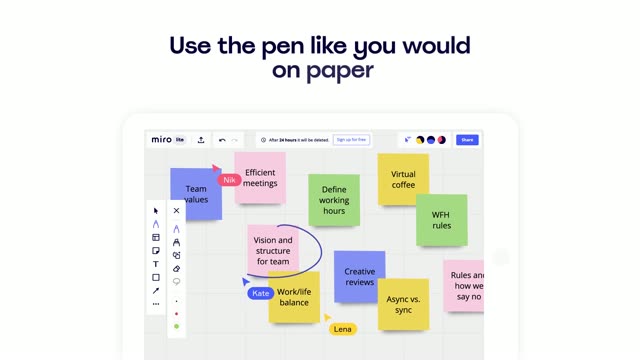 0:33–0:42Miro · Meet Miro Lite, the free online visual workspace for teamsA Miro whiteboard sits under the headline “Or start from scratch.” Sticky notes pop in one by one as named cursors drift across the grid. The view zooms in, the pen tool opens, a blue circle is drawn around a note, and a red line links it to another.
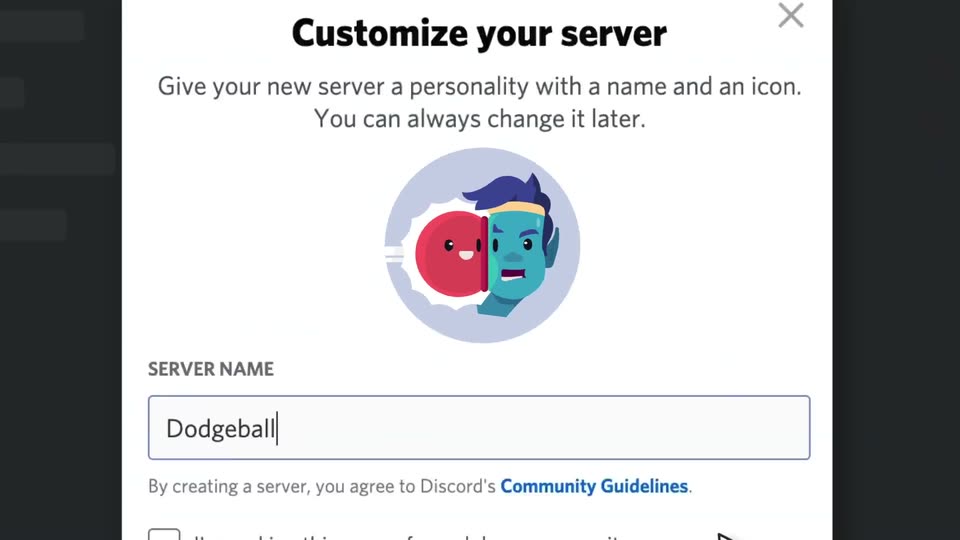 0:29–0:31Discord · How Discord Works in 148,000 Miliseconds or LessA tight crop on the round server icon and the Dodgeball name field pulls back to reveal the full Customize your server modal. A cursor hovers beside the icon, then rests near the checkbox as the field stays filled.
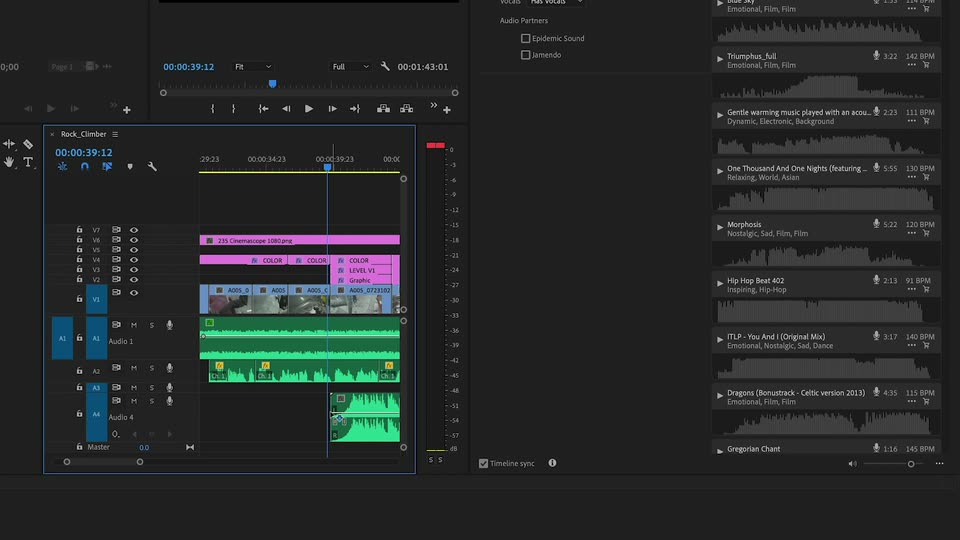 1:00–1:10Adobe · New in Premiere Pro - Introducing Adobe Stock Audio | Adobe Creative CloudPremiere Pro timeline with pink color clips and green audio waveforms, next to an audio library list. A blue “Try Before You Buy” button with the Pr badge sits lower left, then vanishes. The cursor drags a green clip to a lower track.
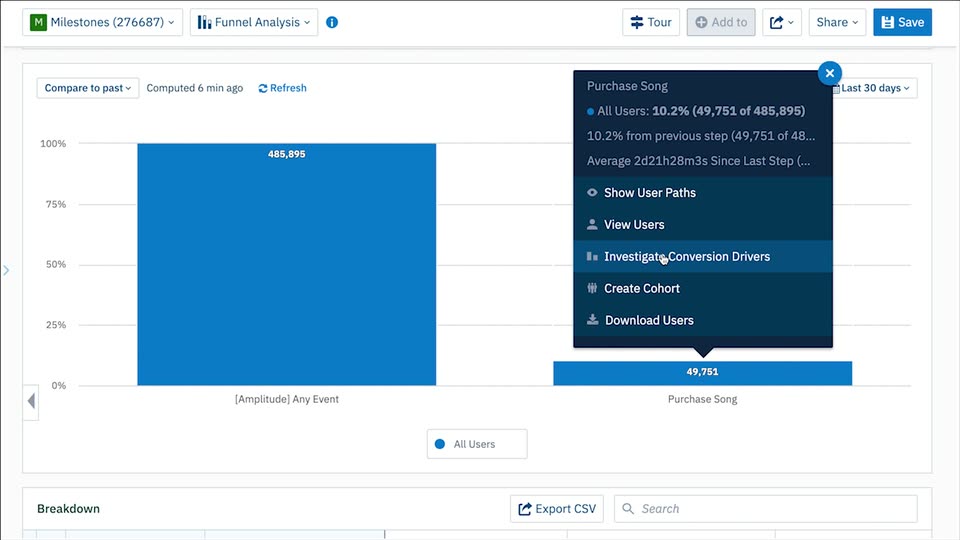 1:25–1:26Amplitude · Milestone AnalysisA funnel analysis screen shows two blue bars on a white chart. A dark menu is open over the right bar, listing actions. The cursor glides down the list and stops on Investigate Conversion Drivers, which highlights in blue.
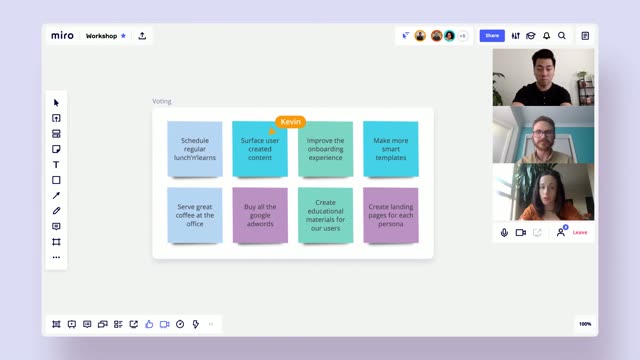 0:40–0:50Miro · Introducing Miro for meetings and workshopsThe camera pulls back from a countdown timer to a Miro workshop board where colored initiative cards collect live vote counts while a Kevin cursor roams the tools. A presentation panel slides in on the left, then the view cuts to a retrospective board with four participant cursors.
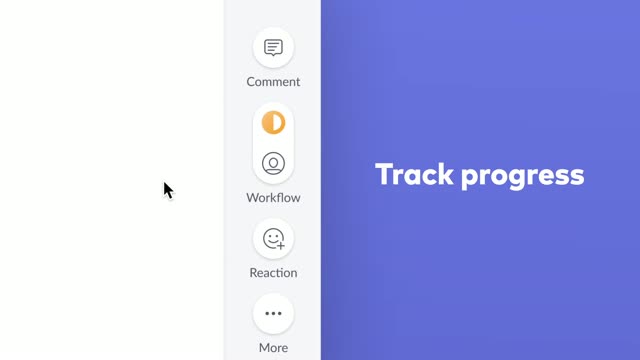 0:27–0:31Pitch · A first look at PitchSplit layout: a white UI toolbar with circular icon buttons on the left, a flat blue field with the white headline Track progress on the right. A cursor taps the Workflow button, a status dropdown opens, the cursor selects In progress, and the icon fills orange.
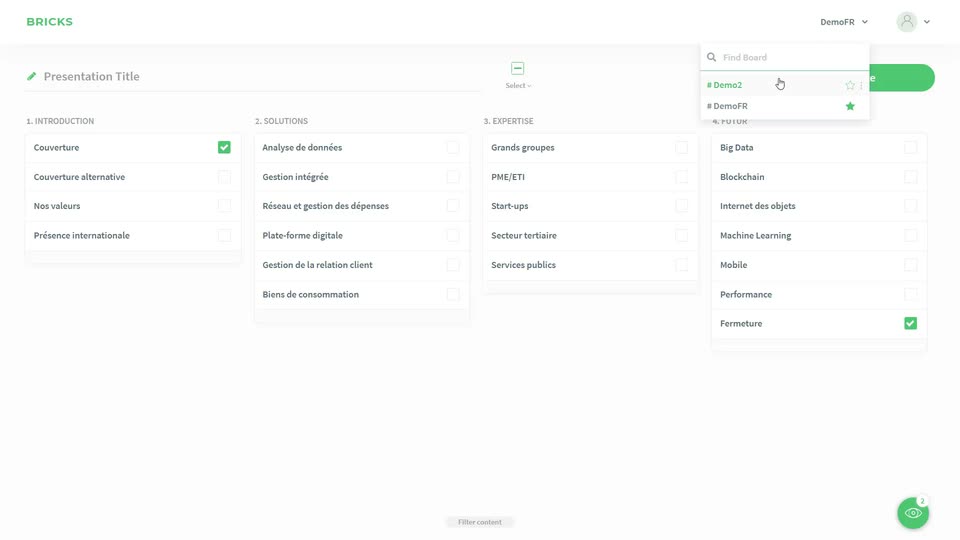 0:44–0:48Bricks.AI · Bricks.ai - Accélérez vos ventesA flat presentation-builder interface fills the frame. The cursor clicks the board selector in the top right, opens a dropdown, and picks a new board, swapping the four French checklist columns for English ones.
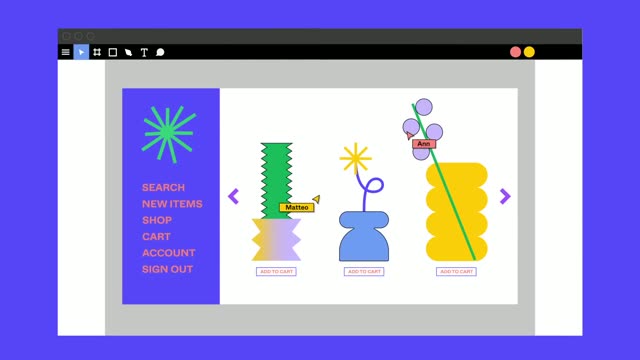 0:59–1:04Figma · What's Figma? [2019]A flat browser-window mockup of a Figma canvas sits on a solid violet background, showing a shop interface with a purple sidebar menu and three illustrated products, each with an ADD TO CART button. Two named collaborator cursors, Matteo in yellow and Ann in pink, drift across the artboard, dropping selection boxes on the green zigzag plant and the yellow asterisk while Ann drags the long green stem; at the end the view pans left and a coral code
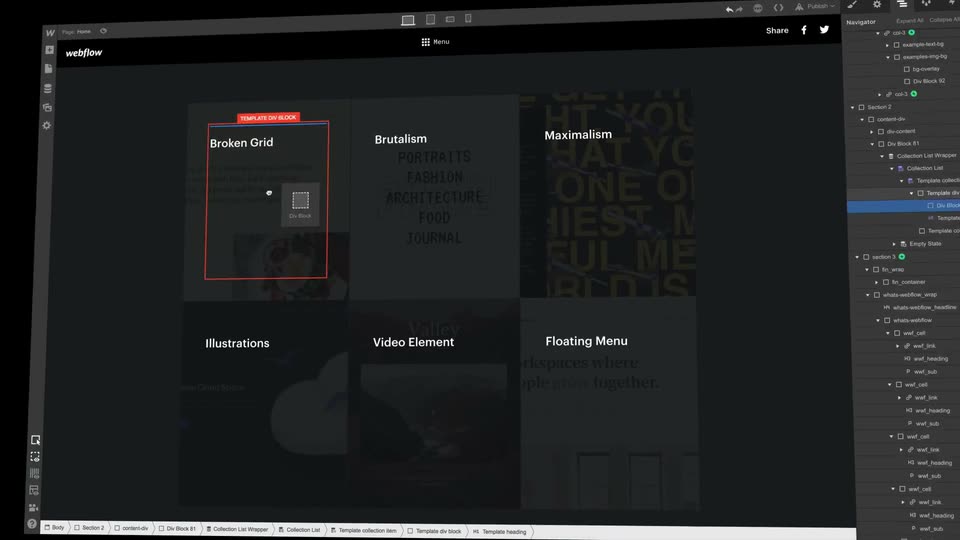 0:09–0:11Webflow · Meet the design tool from the future — WebflowA darkened Webflow interface is shown. A cursor moves to the left panel, clicks the CMS icon, and a template selection window appears in the center. The cursor then hovers over the first template option.
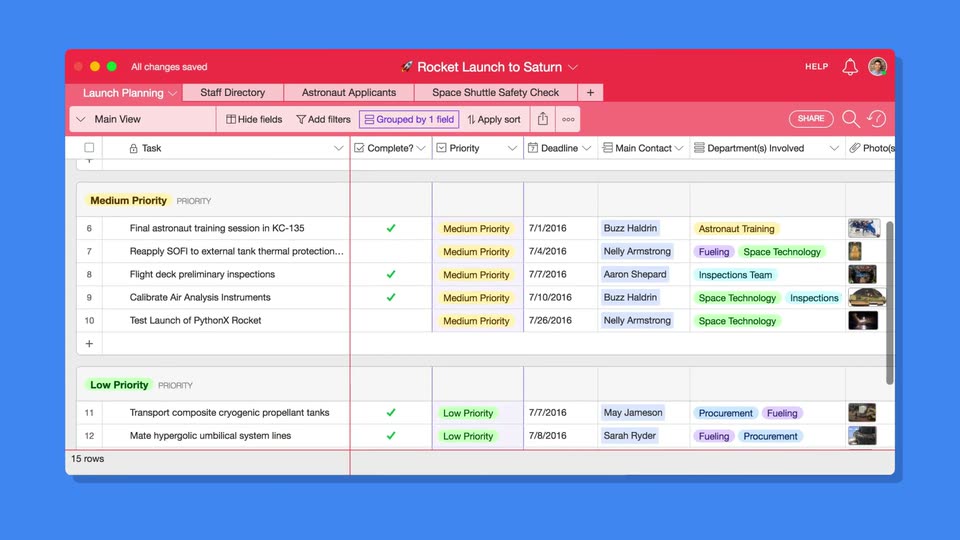 0:52–0:59Airtable · Meet AirtableA database grid on a blue background. A cursor clicks the Group records button, a dropdown of fields opens, and the rows animate into High, Medium and Low Priority groups while the view scrolls through each section.
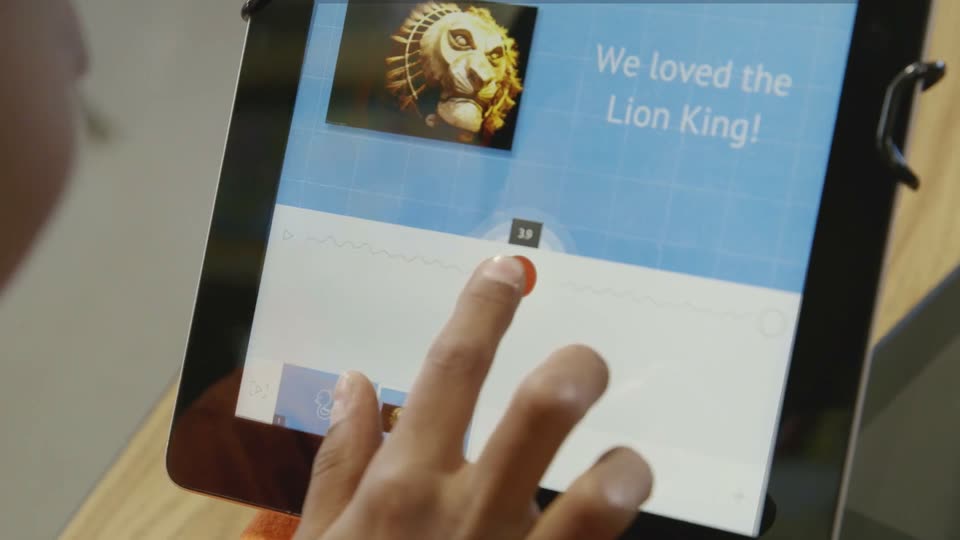 0:50–0:52Adobe · Meet Adobe Spark | AdobeA hand drags a small black square across a blue presentation slide on a tablet held in a stand. The slide shows a golden lion statue and white text reading “We loved the Lion King!”. The camera stays locked off on the screen.
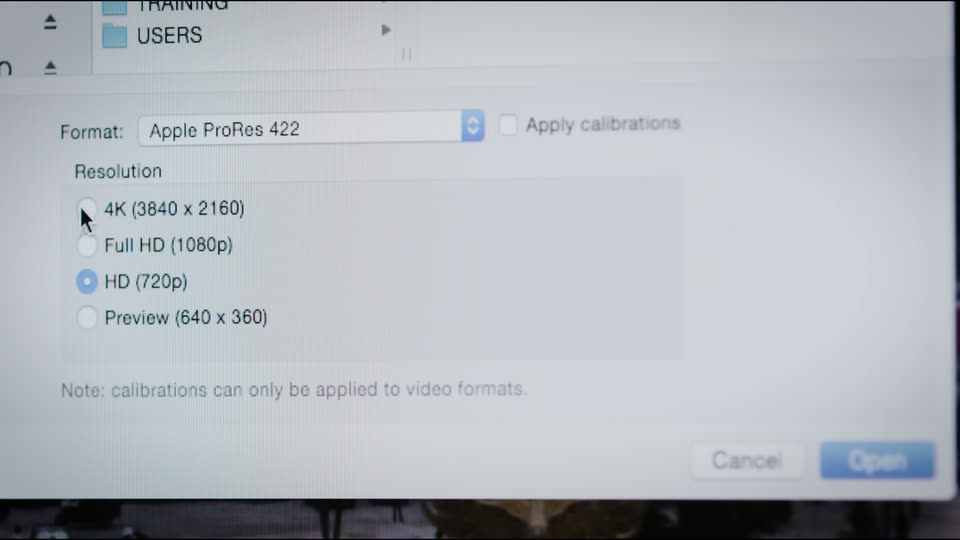 2:23–2:26DJI · DJI - Introducing the DJI Zenmuse X5 SeriesA close-up of a macOS export dialog. A format dropdown is open; the cursor clicks Apple ProRes 422 and the menu closes. The cursor then moves down and selects the 4K resolution radio button.
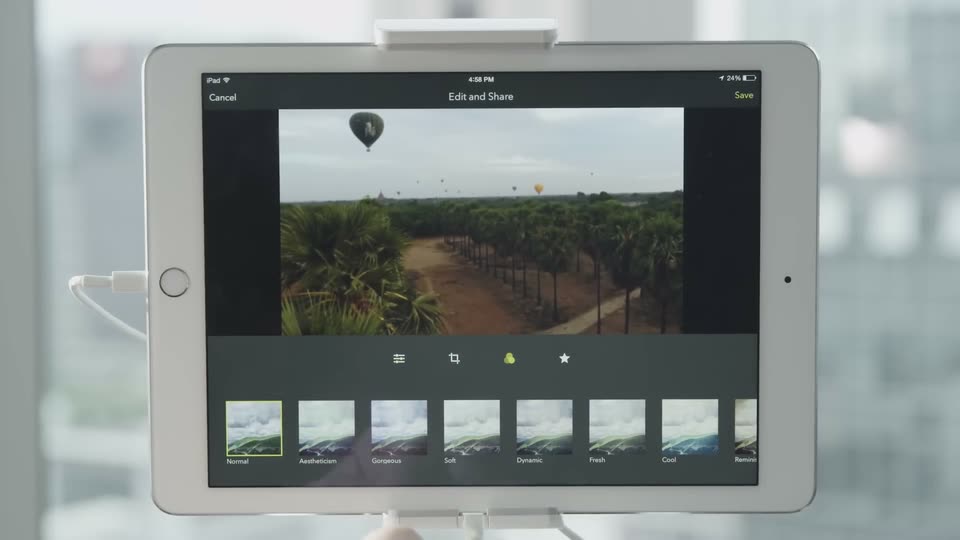 1:39–1:42DJI · Introducing the all-new DJI GO mobile appA white tablet on a stand shows an editing screen with a landscape photo. A finger taps a filter icon, the slider panel swaps to a row of labeled filter thumbnails, then taps one and the photo's tones shift. The blurred window behind stays static.
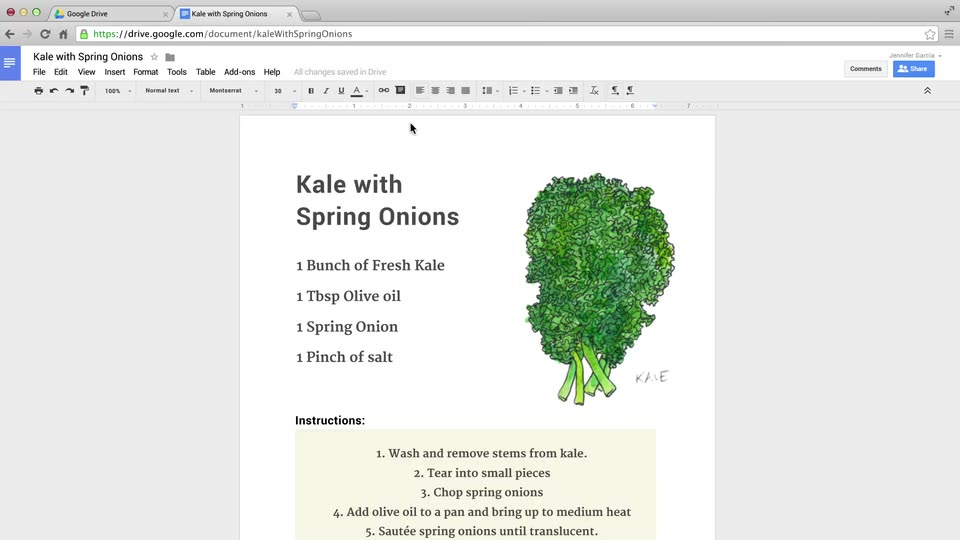 0:30–0:33Google · Meet the new Google DriveA Google Docs recipe page titled Kale with Spring Onions fills a browser window, a hand-drawn green kale illustration on the right. A cursor drifts from the illustration up toward the browser tab at the top edge.
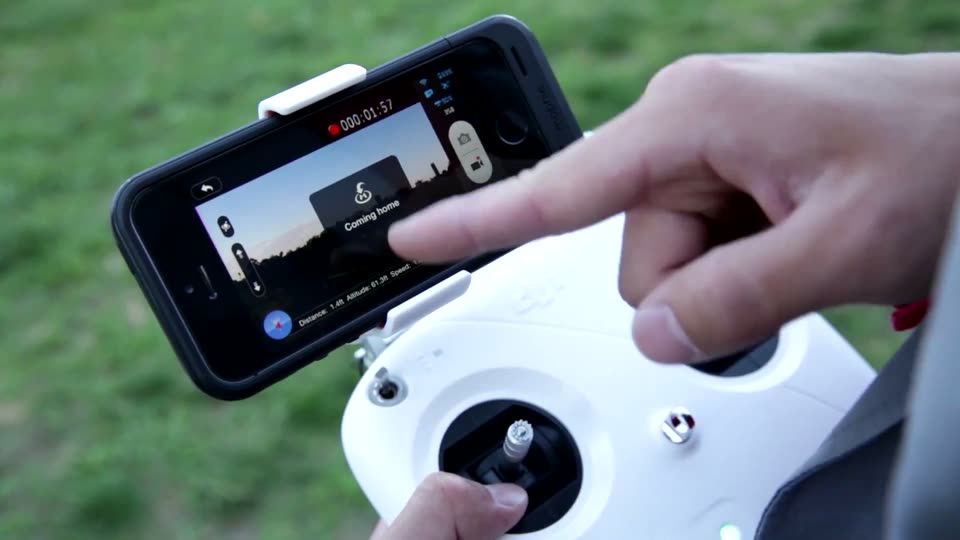 0:58–1:01DJI · DJI - Introducing Ground Station for the Phantom 2 Vision SeriesClose-up of a hand on a white drone controller with a phone clipped on top. The phone screen switches from a green map to a live view, and the index finger taps a Coming home button. The other hand rests on the controller stick against blurred grass.
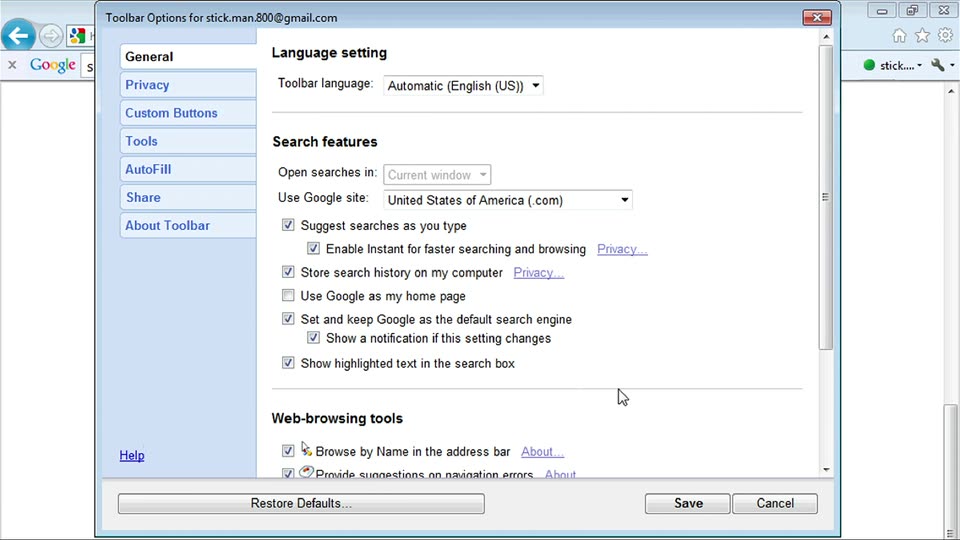 0:35–0:40Google · Introducing Google Toolbar 7A browser dropdown menu opens with the cursor on Options, then the view zooms into the settings list and back out to the full Toolbar Options dialog. The cursor checks the Enable Instant box and clicks Save at the bottom.
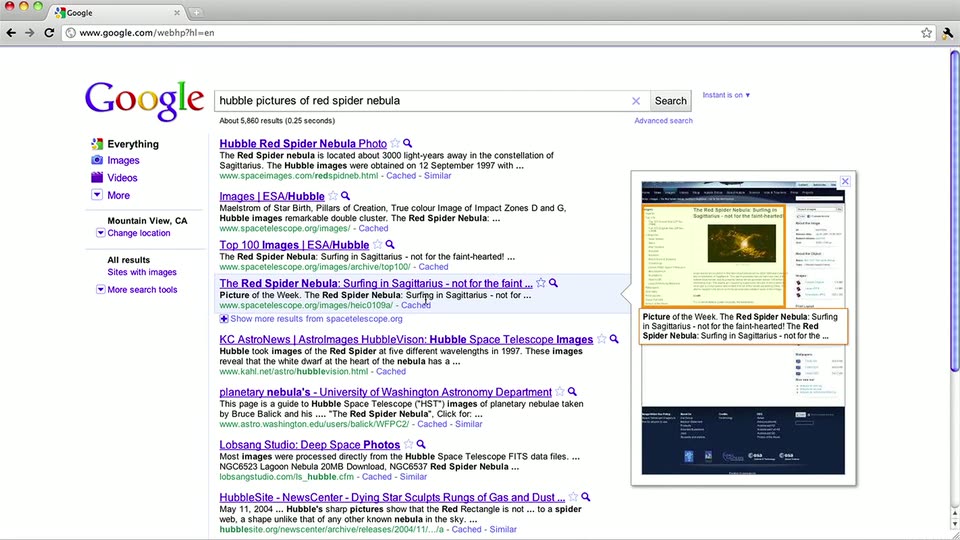 0:21–0:27Google · Introducing Instant PreviewsA Google search results page for a nebula query fills the frame. A cursor hovers over different result links while a preview pane on the right swaps from a numbered image list to a highlighted article page.
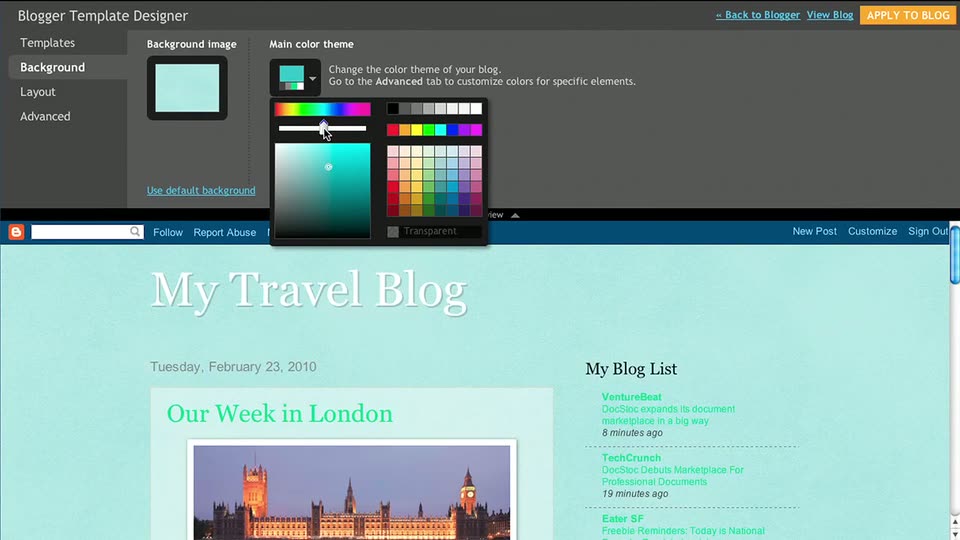 0:15–0:20Google · Introducing the Blogger Template DesignerA cursor in the Blogger Template Designer opens the color theme dropdown, then slides the hue picker from green to blue to purple. The blog preview below re-tints its background and links live. The shot ends on a black card reading Browse hundreds of images.
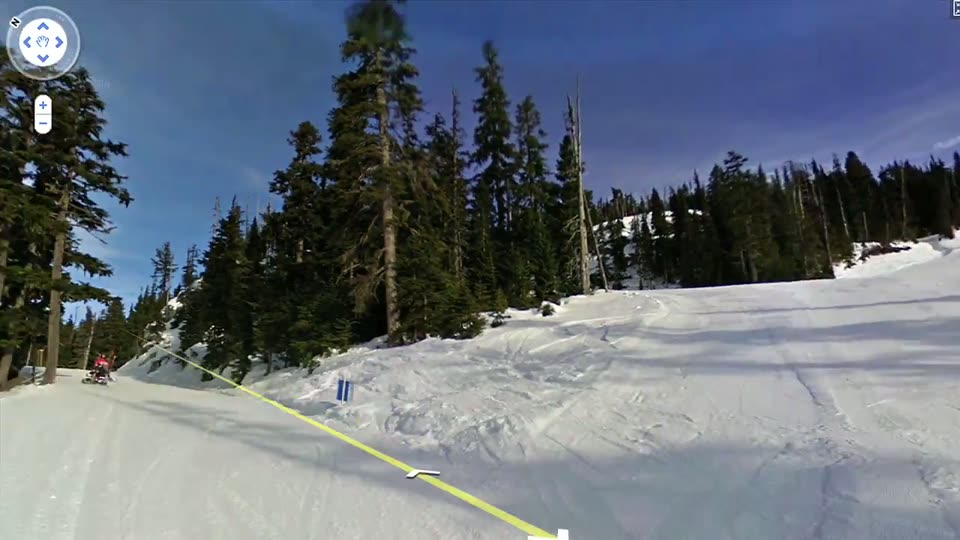 0:54 · 0.5sGoogle · Introducing the Street View snowmobileFirst-person view of a snowy ski slope lined with pine trees under a blue sky. A yellow boundary line crosses the snow. A hand cursor rests at center while a circular navigation pad and zoom buttons sit in the top-left corner. The camera drifts forward and pans left.
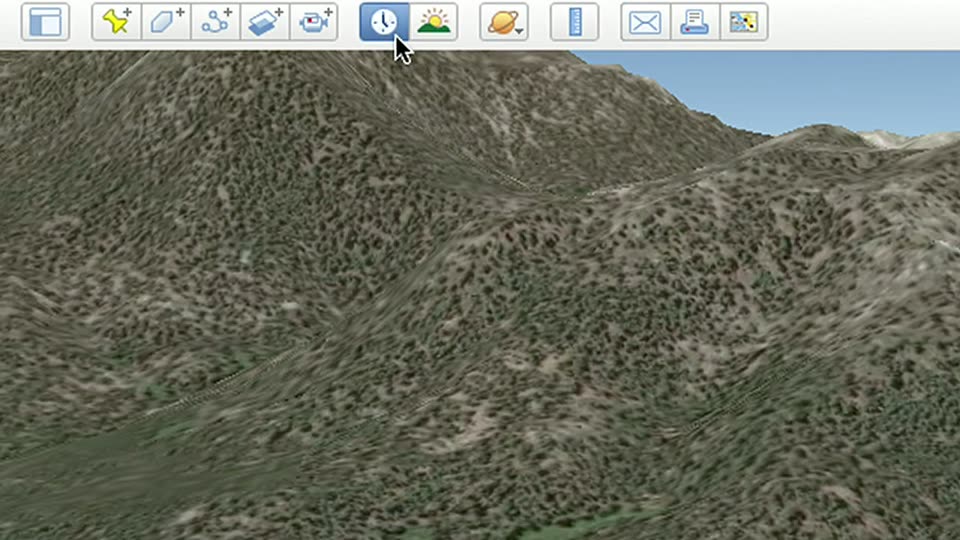 0:23–0:26Google · What's New in Google Earth 5.0A full-screen Google Earth view shows a 3D mountain terrain under a pale blue sky, with a row of toolbar icons across the top. A white cursor moves to the clock icon and clicks it, turning the icon blue. The terrain holds still.
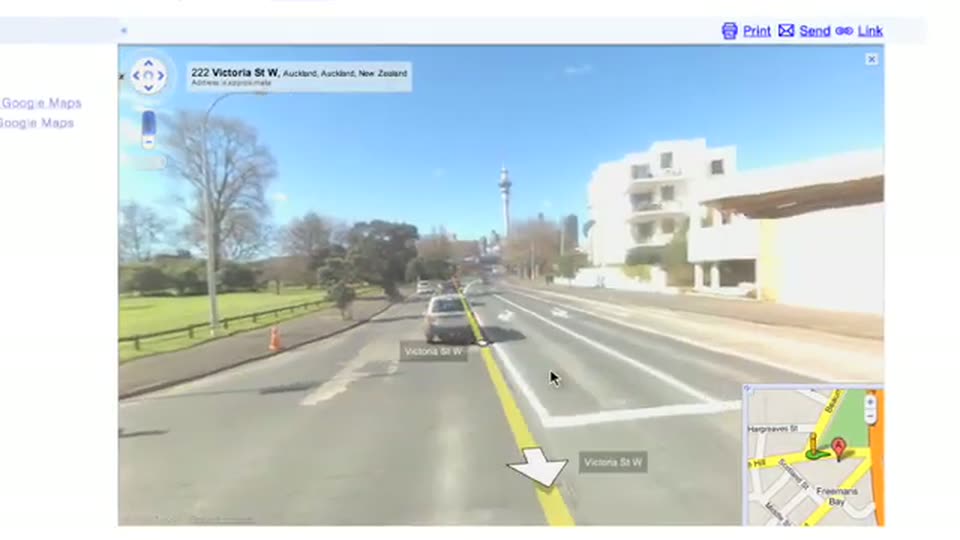 0:34–0:45Google · Street View now available in New ZealandA Google Maps Street View screen drives forward down a sunlit Auckland street, then the cursor drags the view in a slow pan right across an intersection and a red NEW WORLD sign before swinging back to face the road and rolling on.
 0:09–0:10Google · New features in Google Earth 4.3A 3D perspective view of a city of pale high-rises shifts as a white hand cursor taps the circular look and pan controls stacked on the right edge.
 0:32–0:35Google · Google Maps Street View - launch videoA flat, cartoon-style map of San Francisco sits locked on screen, a yellow highway running top to bottom. A white hand cursor taps an orange person marker, then slides up the bridge road to a new spot.
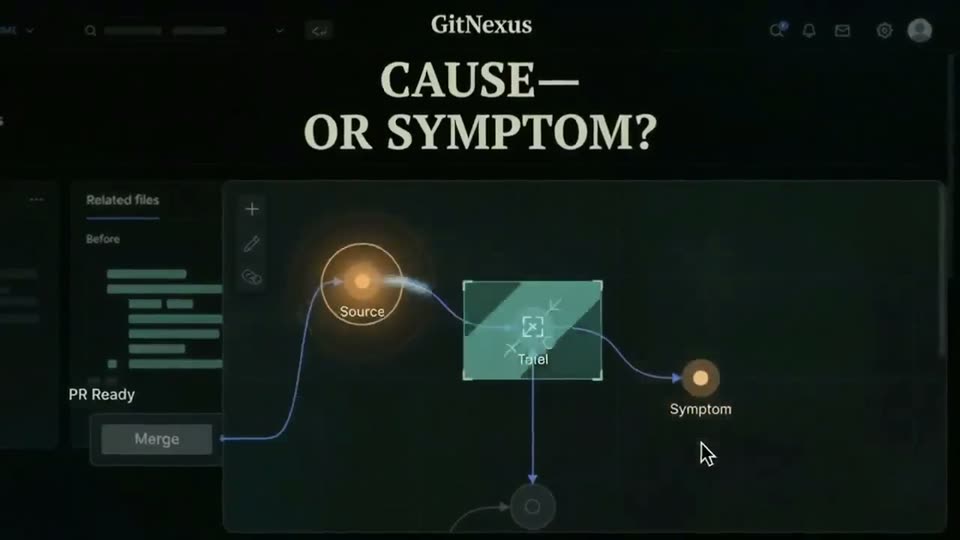 0:31–0:34Akon Labs · #ai #governance #coding | Akon Labs (YC S26)A dark GitNexus interface shows a node graph assembling under a serif headline. A blue line runs from a Merge button to a glowing Source node, through a square Total node, to a glowing Symptom node that a cursor points at. The Total node gains a teal selection box, then the whole diagram dims and fades out.
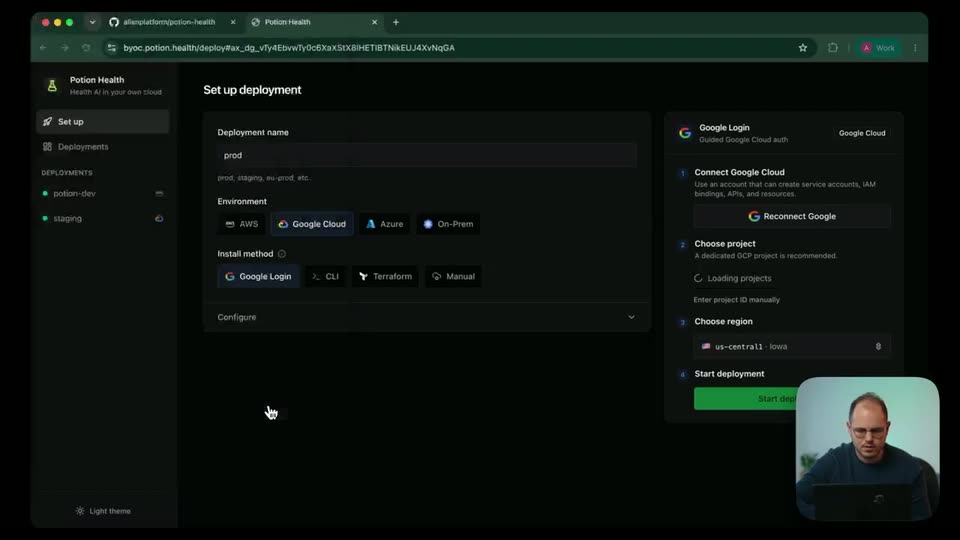 2:17–2:18Alien · We're launching the Alien platform today, backed by a $5M seed from Basis Set, Jibe Ventures, and angels from OpenAI, Google, and Databricks. We've built it so that when your next $300K enterpriseA dark deployment form occupies the screen with a Google Login steps panel on the right. A white cursor hovers over the blank form area, and a small webcam feed of a man at a laptop sits in the bottom-right corner.
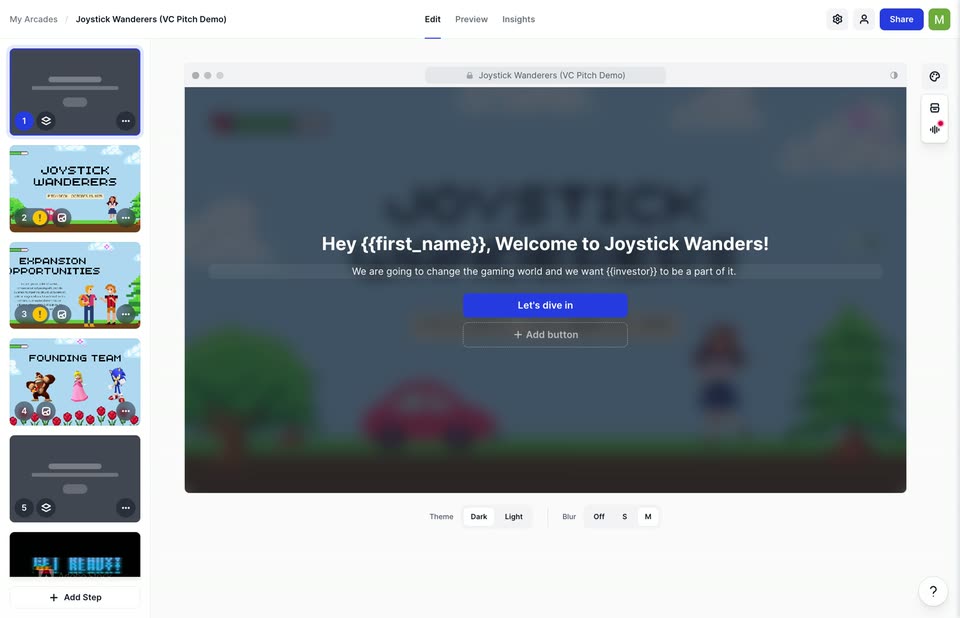 0:45–0:56Arcade · Arcade Adventure 👾A landing page editor with a step list on the left shows a blurred pixel-art scene under a white headline and two buttons. A cursor selects the subline and replaces the word you with the variable {{investor}}.
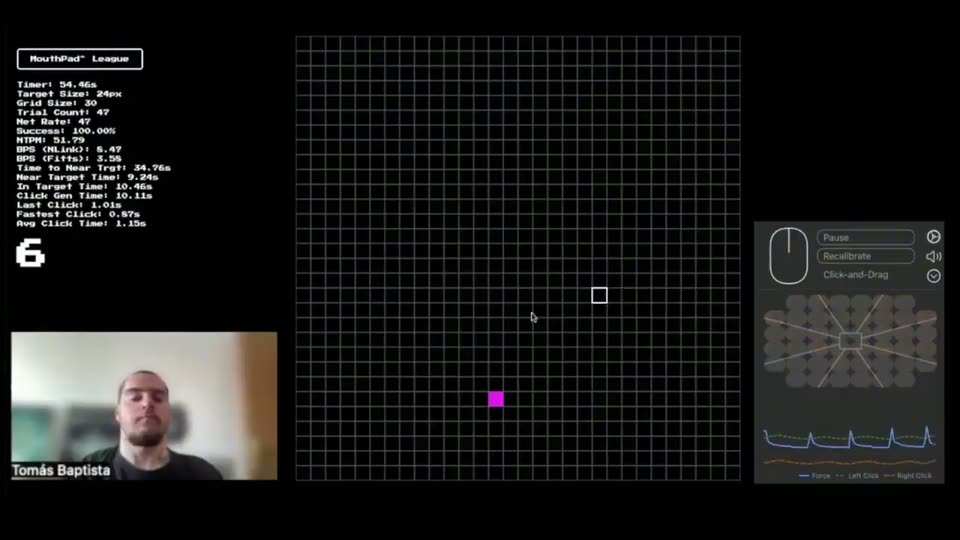 1:39–1:40Augmental · MouthPad is a touchpad you drive with your tongue. Now available across the US. Over 100 people already use it, some for up to 16 hours/day. It works for gaming, for CAD, for Figma, and we're inA static screen capture of a clicking benchmark tool. A dark grid holds a magenta target chased by a cursor, flanked by a live stats readout and a webcam of a man on the left, and a control panel with a mouse icon and waveform on the right.
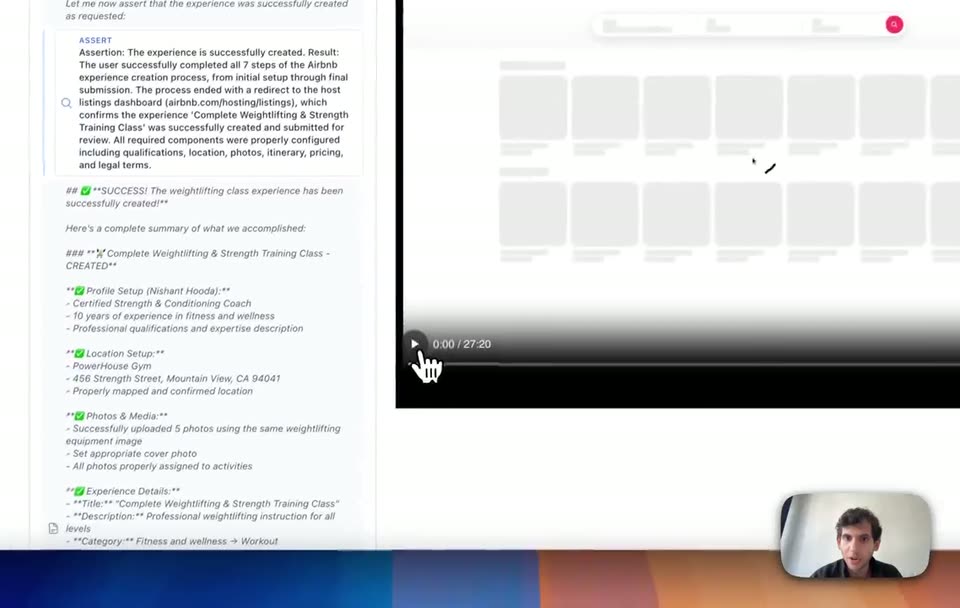 2:16 · 0.7sDocket · #ai #qa #e2etest #yc #airbnb #productmanagement #developerexperience | Docket (YC P25)A two-pane interface: a markdown document fades in on the left while a video player on the right loads from a spinner into a grid of listings, a hand cursor on the play control. A webcam tile of a presenter sits in the corner over a gradient backdrop.
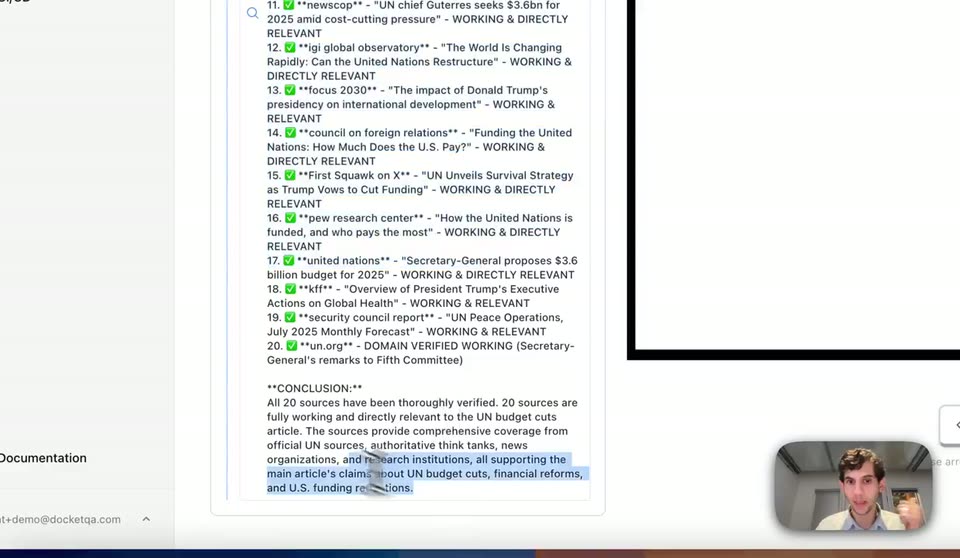 1:36–1:38Docket · #ai #qa #e2etest #yc #perplexity | Docket (YC P25)A screen shows a numbered list of verified sources with green checkmarks and a conclusion paragraph below. A cursor drags across the conclusion, highlighting it in blue. A small webcam clip of a man sits in the bottom-right corner.
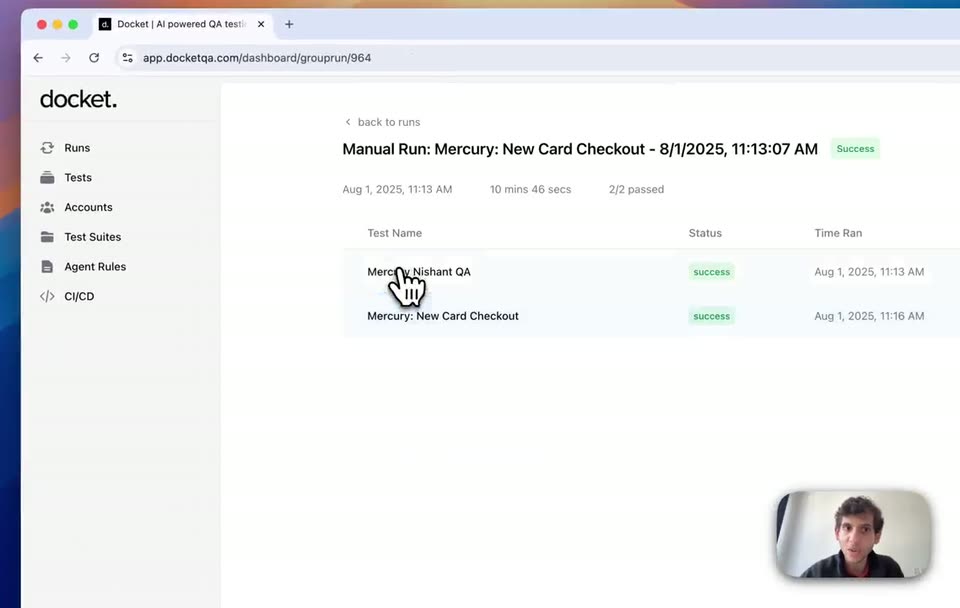 0:59–1:00Docket · #fintech #qa #ai #e2etest #yc #automation | Docket (YC P25)A browser window displays the Docket test-run page with a Success badge and two passing test rows. A hand cursor glides down to hover the first row, while a small webcam bubble of the presenter plays in the bottom-right corner.
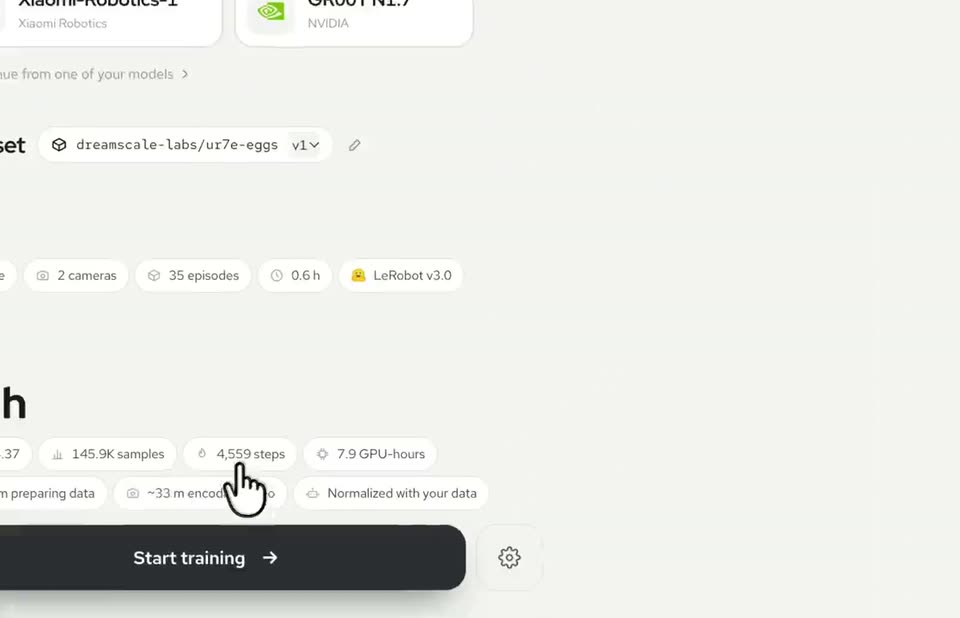 0:21–0:27Dreamscale Labs · Dreamscale Datasets is now live! | Dreamscale Labs (YC F26)A tilted browser window floats over a soft gradient, showing a model-training page. A cursor clicks the FLUX 3 Action card, a checkmark appears, then the view zooms into the lower panel as the cursor hovers the Start training button.
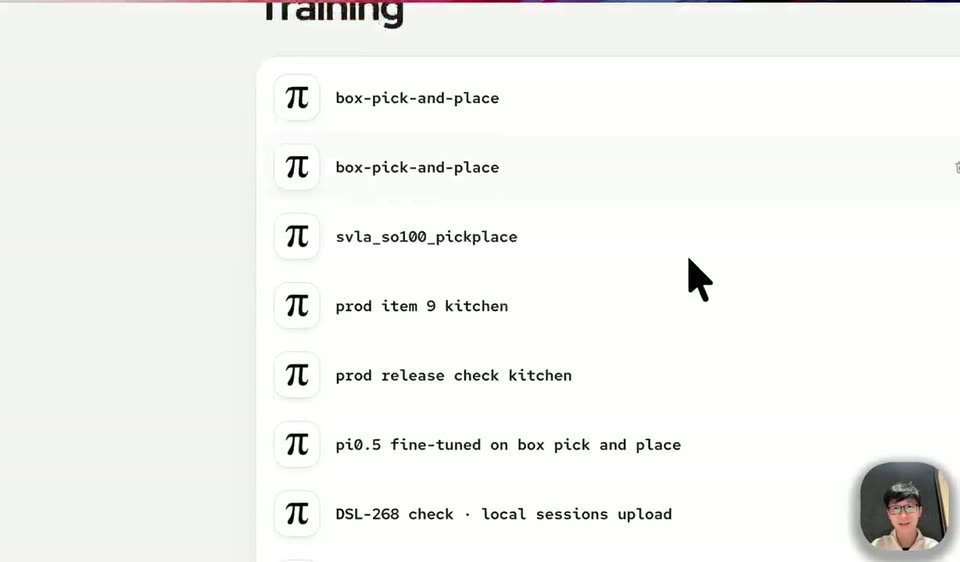 0:36–0:37Dreamscale Labs · Training is live on Dreamscale! | Dreamscale Labs (YC F26)A light interface titled Training lists rows of pi-logo checkpoints that scroll upward as a cursor moves and clicks a row; a small circular webcam of the presenter sits in the corner.
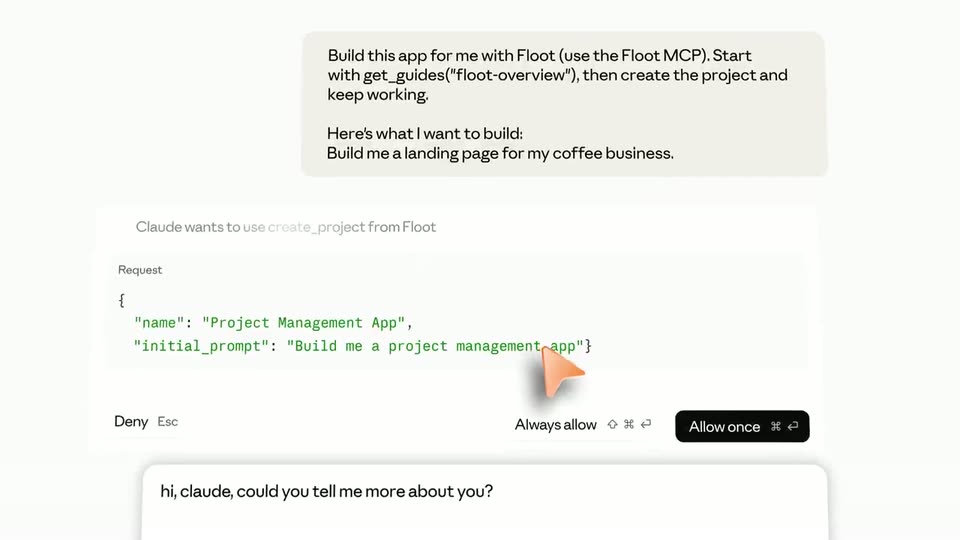 0:20–0:28Floot · Claude and ChatGPT can already write you an app. Getting it live is another story. Today we're fixing that: connect Floot, and you can build and ship real apps directly inside Claude and ChatGPT -A white chat window, tilted in 3D, flattens and zooms in. A large orange cursor types a build prompt into the input, clicks the send button, then clicks Allow once and Open live preview. The chat scrolls up to show the project being created.
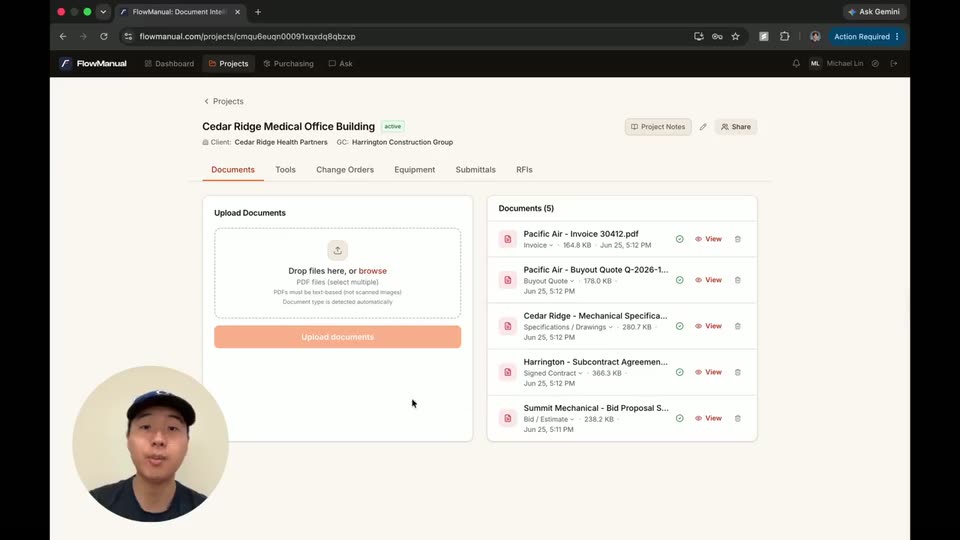 1:00–1:03FlowManual · Hey! This is FlowManual; an AI-native back office for construction contractors. Here’s a little demo to show you what we’ve been working on. We've talked with hundreds of contractors and realized… | FlowManual (YC S26)A screen recording of the FlowManual web app shows a project's Documents tab; a cursor moves down the PDF list and clicks a buyout quote, opening a document viewer with an Annotations sidebar. A circular webcam of the presenter sits in the lower-left corner.
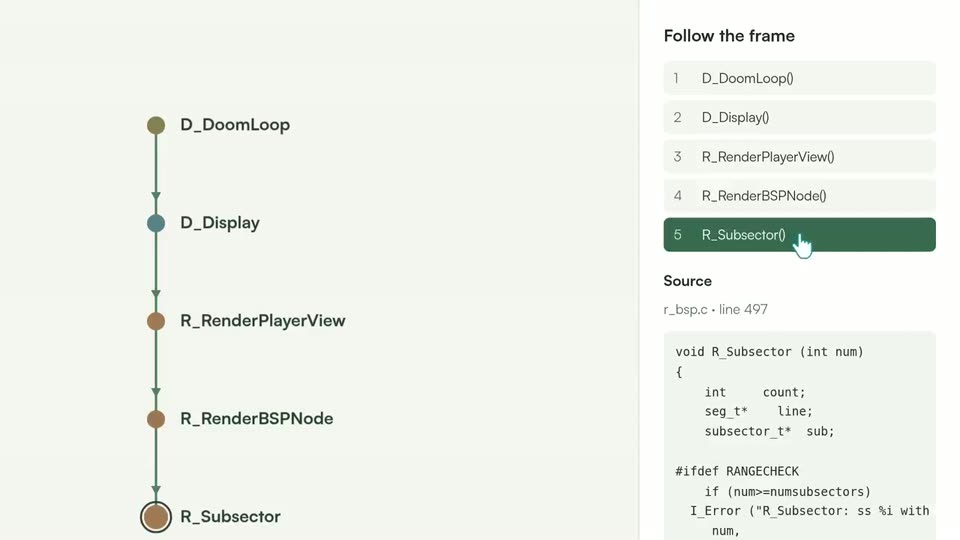 0:27–0:32Graphify Labs · Graphify is now in Perplexity Every user gets 5,000 free credits through Oct 31 to turn any codebase into an interactive map of files, functions, and dependencies. Point it at your repo and go. | Graphify Labs (YC S26)A split interface shows a vertical call graph on the left and a numbered list of function calls on the right. A cursor steps down the list, highlighting each row in green while a ring marks the matching node on the graph and the source code below updates.
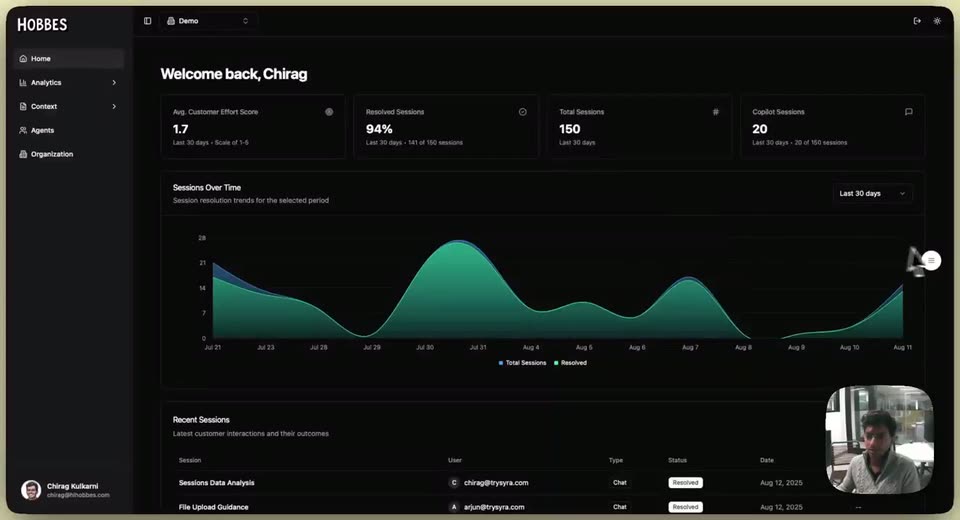 0:17–0:18Hobbes · 🚨Major update🚨 Syra is now Hobbes (hihobbes.com)! As we worked with some amazing teams this year, we saw a big gap in the agent landscape: visual context. Agents trained on knowledge bases + helpA dark analytics dashboard fills the frame, showing a left sidebar, four stat cards, a teal area chart and a sessions table. A mouse cursor glides rightward across the chart while a small video call window of a man sits in the bottom right corner.
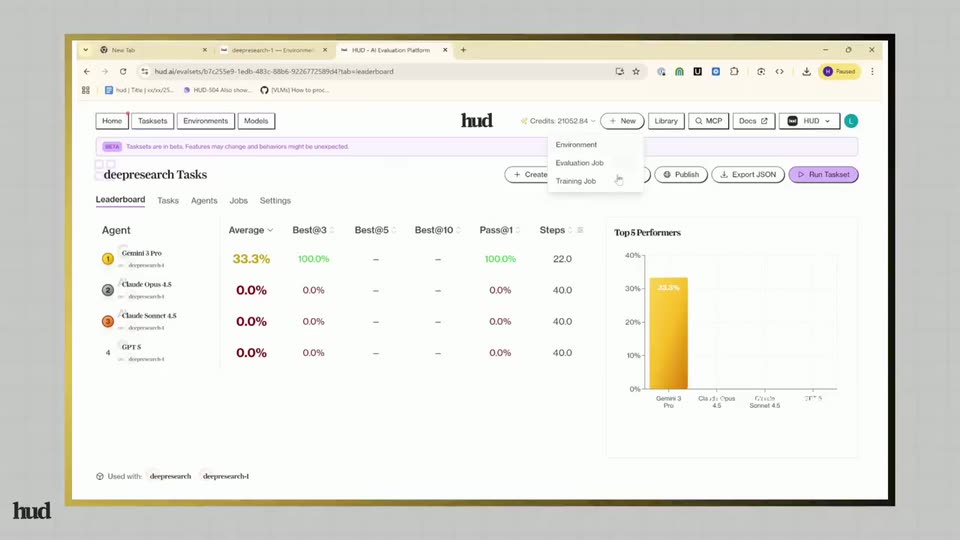 1:45–1:46HUD · Today, we're launching the public beta of the HUD platform. HUD lets you build reinforcement learning environments for training across 40+ models including GPT, Kimi, Qwen and many more. If you'reA browser window shows the HUD platform leaderboard with an agent table and bar chart. A cursor clicks the New button, opens a dropdown, and selects Training Job, switching the view to a New Training Job form with empty fields.
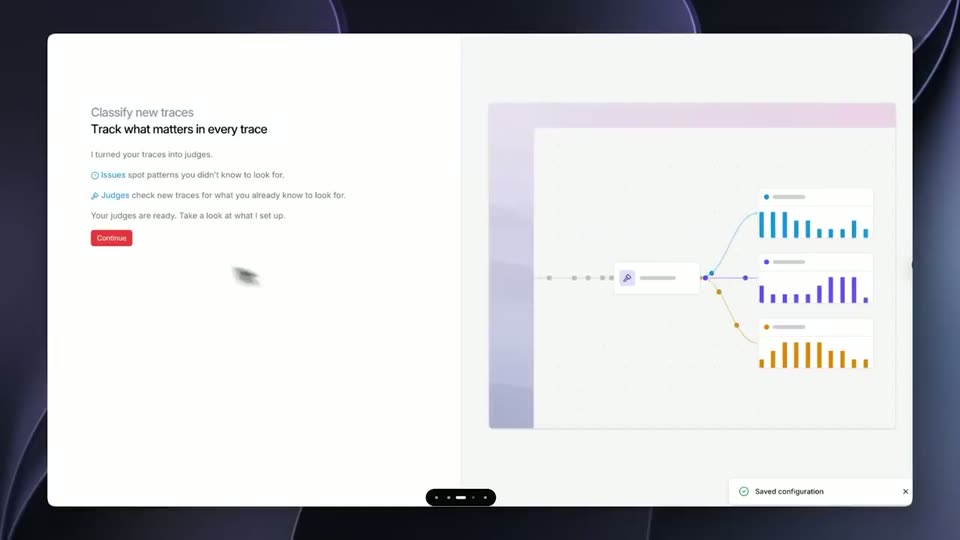 0:28–0:31Judgment Labs · See Judgment Labs’ activity on LinkedInA white onboarding panel floats on a dark abstract background. Left side holds a heading and a red Continue button; right side shows a node linking to three colored bar charts. A cursor glides to the button, clicks it, and the panel blurs into a new Judges list view.
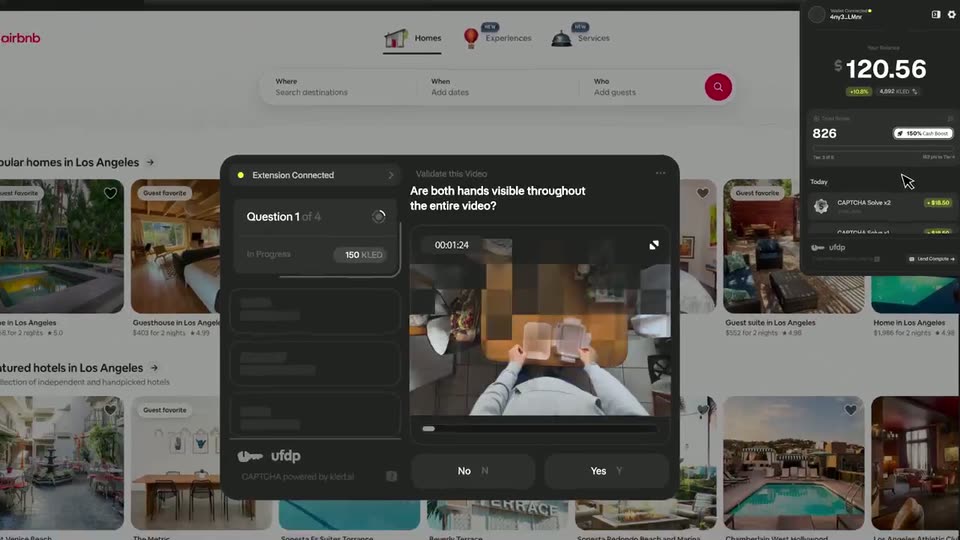 0:09–0:10Kled · We created the world’s best captcha. The first captcha that is: free for companies, pays you to solve it, impossible to bot, and instead of showing you images of random traffic lights, you’re shown… | Avi PatelA browser window shows a listings page behind a dark verification dialog that plays a clip of hands holding a phone over a desk and poses a yes or no question. A phone dashboard with a dollar balance sits to the right, where a cursor hovers over a boost button.
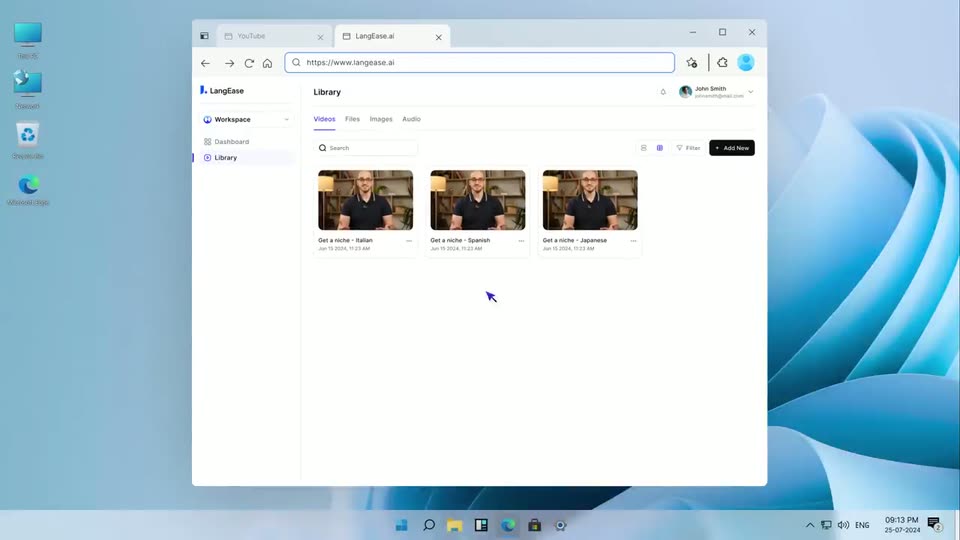 0:28–0:30LangEase · Imagine reaching a global audience without breaking a sweat. 🌎 LangEase is making it a reality. Our AI-powered localization platform is coming soon! Join the waitlist for exclusive early access.… | LangEaseA Windows desktop holds a browser on the LangEase.ai library page, where three video thumbnails for Italian, Spanish and Japanese sit in a row. A cursor drifts across the empty grid below them as a caption notes the AI is generating the videos.
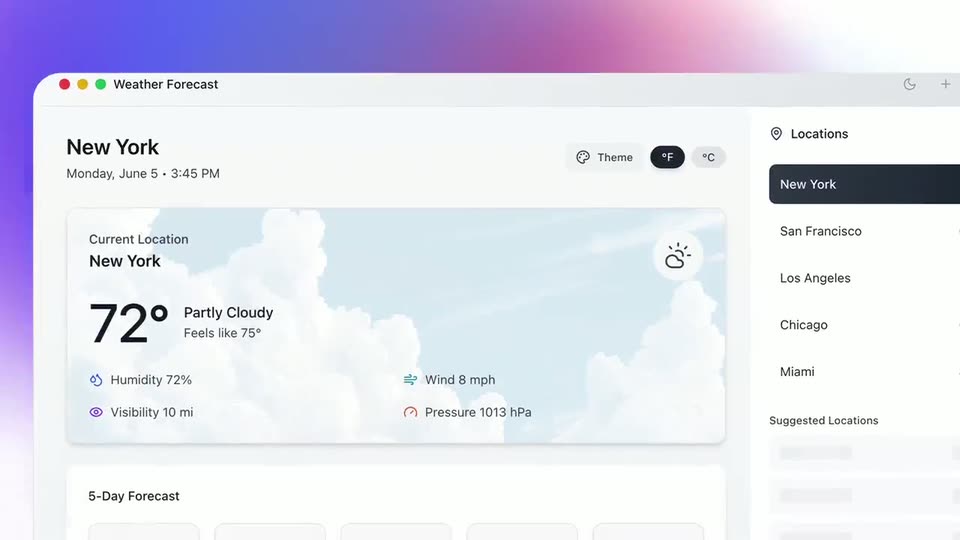 0:48–0:50Magic Patterns · Announcing our $6M Series A and Magic Patterns 2.0. We’ve grown profitably, hit $1M ARR, and quietly built an AI design tool loved by product managers, designers, and website builders. PreviouslyA weather forecast window for New York resolves from a soft double-exposure, then morphs into a design tool panel with suggested action buttons. A cursor hovers over the Add interactivity button. Flat white UI on a blurred gradient background.
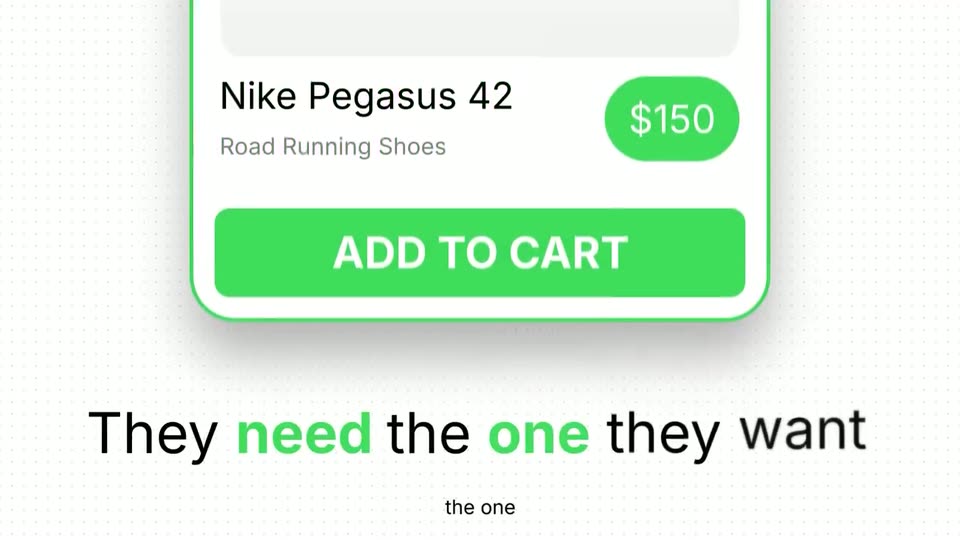 0:35–0:37magicX · Excited to announce this huge leap forward in search. Today, Shopify stores now have passed Amazon with the most powerful search, called AI Autocomplete. Search technology hasn’t changed for 15… | AI Autocomplete by MagicXA product card for Nike Pegasus 42 sits on a dotted background as a cursor clicks the green ADD TO CART button. Below, the headline They need the one they want builds up, with need and one in green.
 0:29–0:34Magnific · 🔥 Magnific Upscaler For Video 🔥 (BETA TESTING) Seedance at 720 res wasn't cool. You know what's cool? Seedance at 4k res! FINALLY The most anticipated Magnific feature of all times It's aAn animated cave scene with a seated blonde girl, a white wolf and a sitting skeleton is shown inside the product interface. Two hand cursors drag vertical divider lines with chevron handles, splitting the view into side-by-side panels.
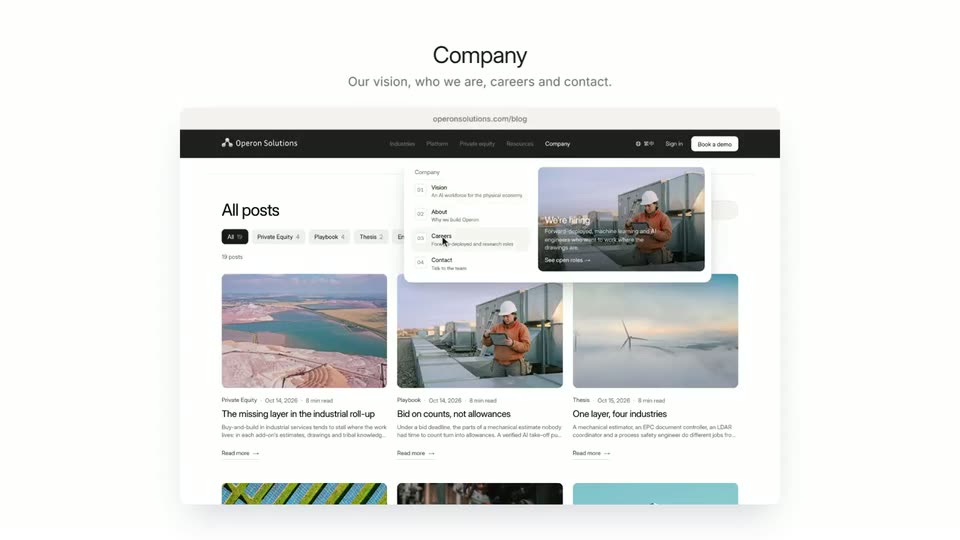 1:06–1:13Operon · Operon's New Home: operonsolutions.com | Operon SolutionsA flat browser mockup of a blog page sits on a white field. A cursor glides to the Company nav item, opening a dropdown, then clicks the Book a demo button, dimming the page and raising a contact modal. Headlines above swap to match each step.
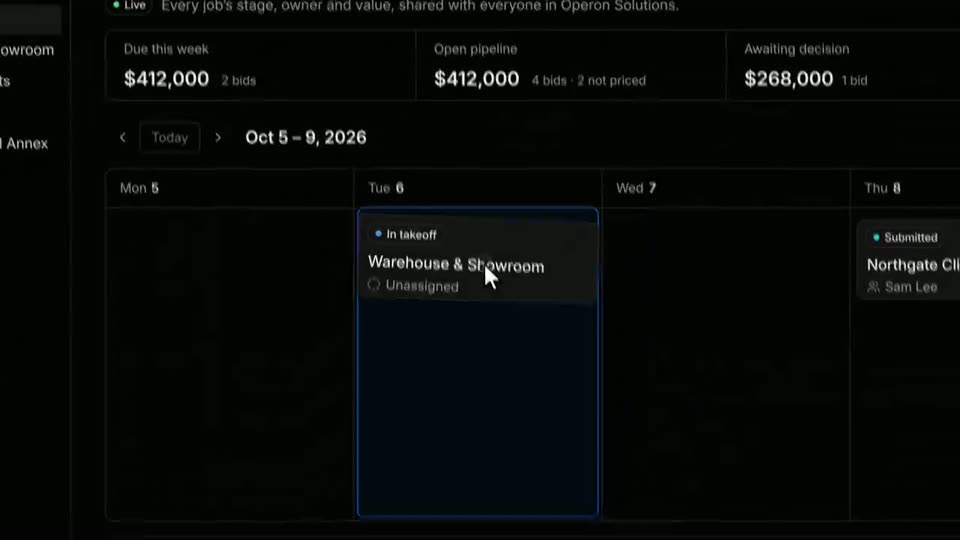 0:25–0:26Operon · We've received overwhelming requests from the HVAC & Construction industry over the past few months and today we're excited to launch our first product in this space! | Operon SolutionsA dark weekly timeline is shown as a cursor drags a task card from a list into the Tuesday column, which glows blue as the drop zone. A confirmation toast slides up at the bottom while the frame reframes from a close list to the full calendar.
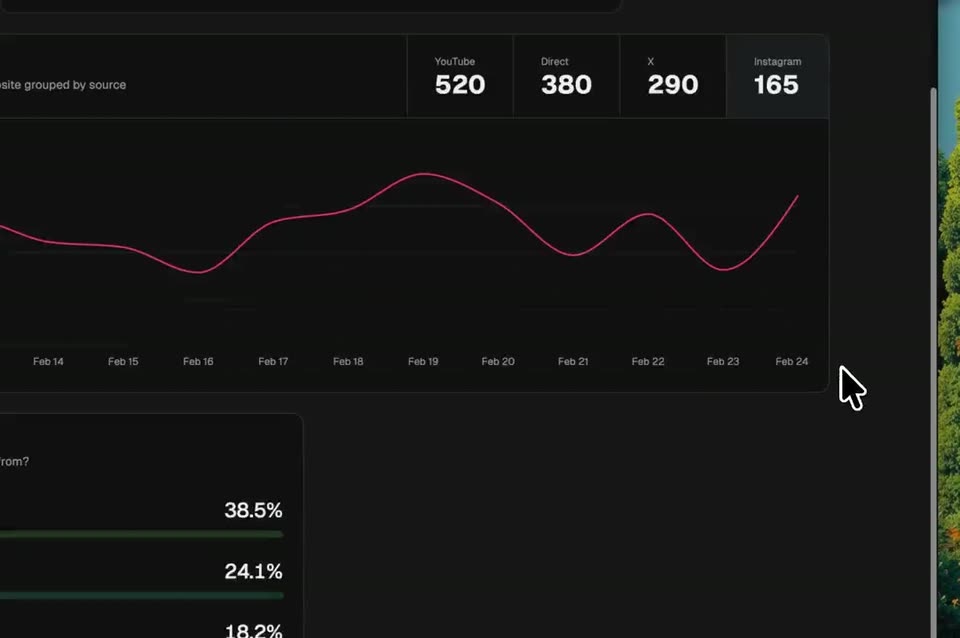 0:14–0:19Pulse · Psst, dark mode is here. If you're running youtube lead gen offers then you need to setup some tracking for your content, because YouTube dashboard only tells views. Pulse makes it easy by giving… | PulseA dark analytics dashboard tilts in 3D perspective with floating X, YouTube and globe icons, then the camera pushes in to a flat view. A cursor drifts over the stats and the view zooms onto the line chart before pulling back to the tilted screen.
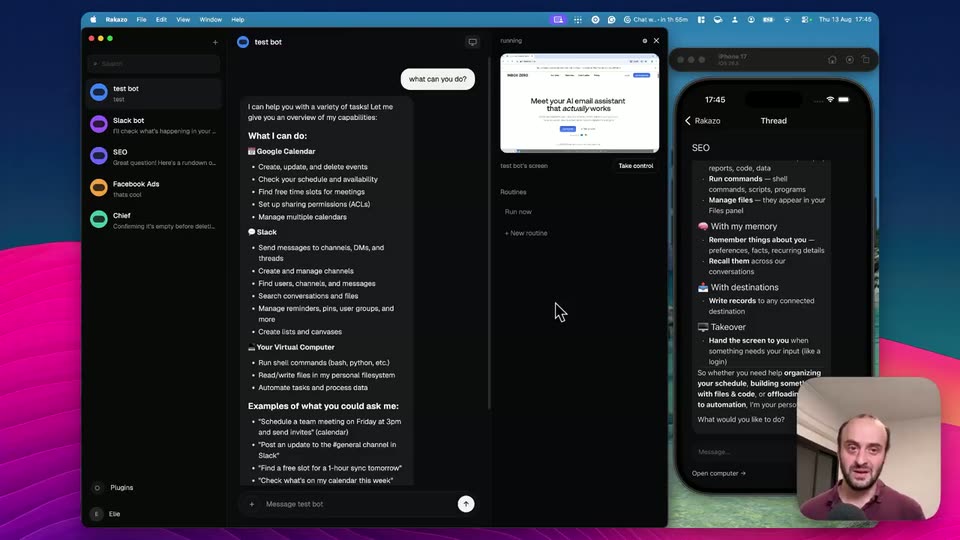 0:33–1:01Rakazo · Eliezer Steinbock | SpaceXAI | 27 likes · 6 commentsA dark chat app and an iPhone mockup sit side by side over a pink wavy background, with a man's webcam feed bottom right. A 'what can you do?' bubble appears, a 'working...' pill shows, then a bulleted bot reply fills the chat while the cursor hovers two buttons.
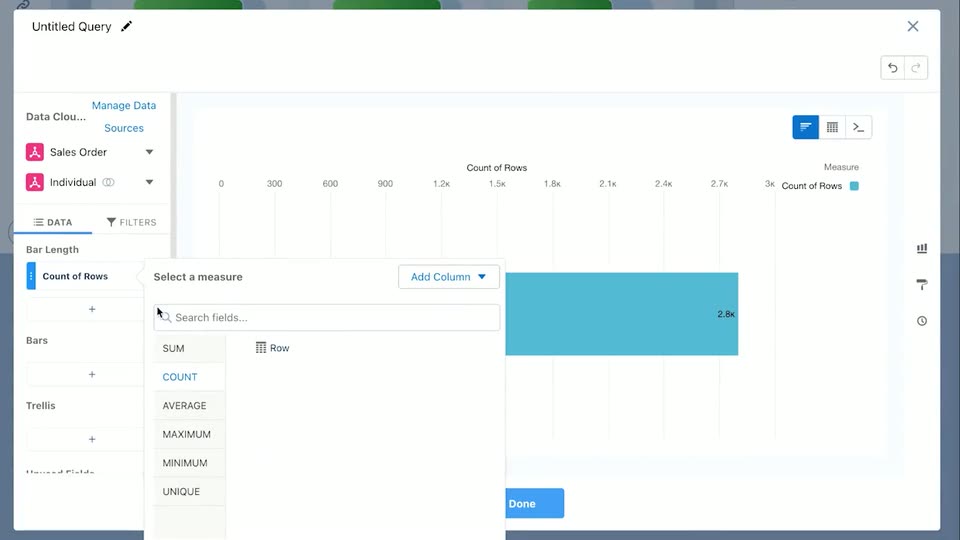 0:47–0:51Salesforce · Analytics - Join Data User InterfaceA query modal displays a teal bar chart that finishes rendering after a loading spinner. A 'Select a measure' dropdown opens over the left panel, and the cursor glides from the field list to hover over 'Grand Total Amount'.
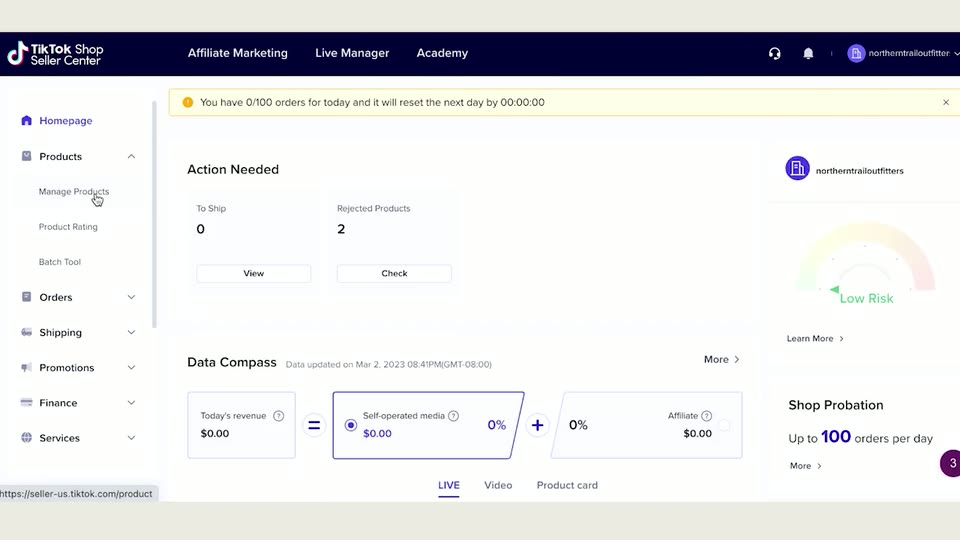 0:39–0:40Salesforce · Commerce Cloud - TikTok Integration for Commerce EnhancementsA screen capture of the TikTok Shop Seller Center dashboard. A cursor travels down the left menu, clicks Products to expand it, then hovers over Manage Products. The center panel holds Action Needed and Data Compass cards on a white background.
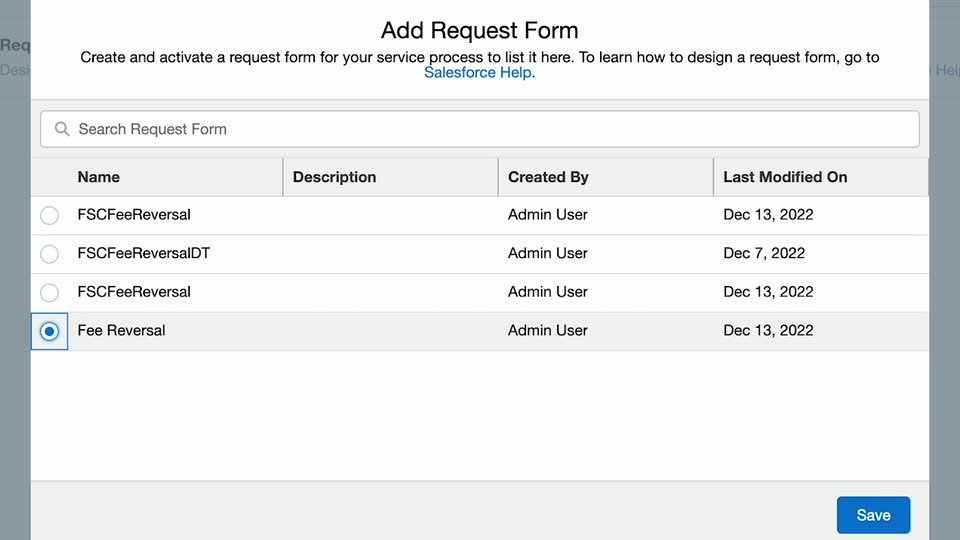 0:59–1:02Salesforce · Financial Services Cloud - Service Process AutomationA Salesforce Add Request Form screen shows a table of four request forms. The cursor clicks the radio button beside Fee Reversal, filling it blue, then moves to the Save button at the bottom right, which turns from gray to blue.
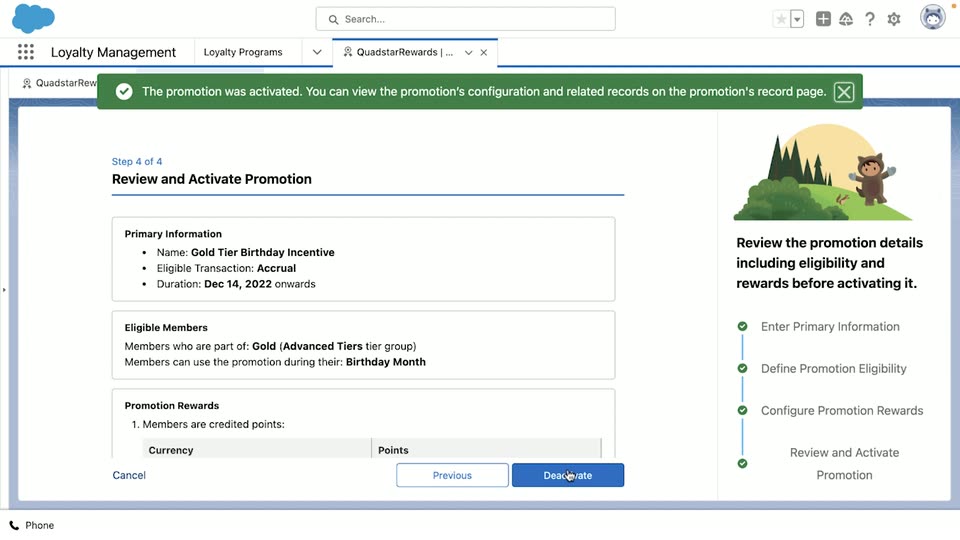 1:10–1:17Salesforce · Loyalty Management - Quick Promotion SetupA loyalty management screen shows a promotion review form that scrolls up and down. The cursor clicks the Activate button, a green confirmation banner slides in at the top, then the view cuts to a rule steps page with four colored step cards.
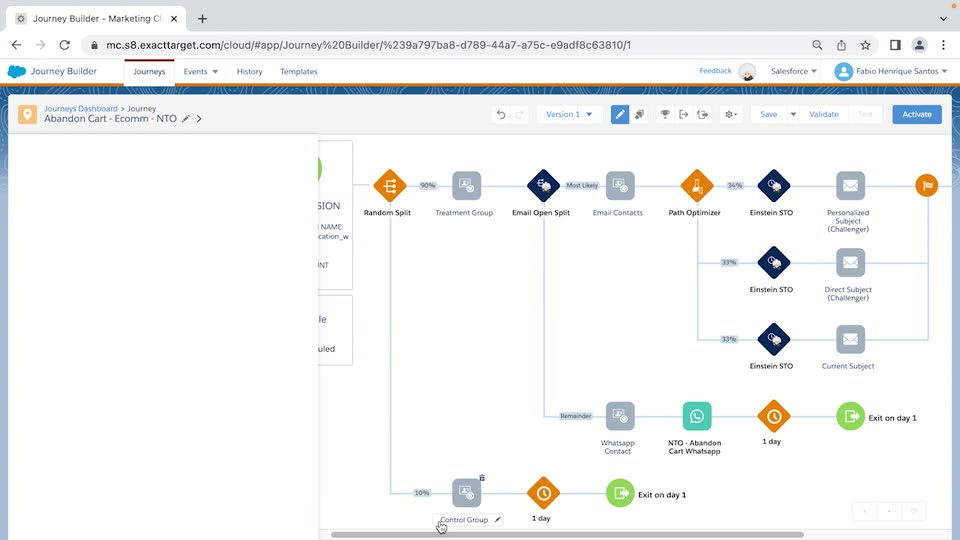 0:38–0:40Salesforce · Marketing Cloud - WhatsApp Business Messaging: Direct IntegrationA browser window displays the Journey Builder interface, a left panel for a WhatsApp message overlaying a flowchart canvas. A cursor clicks the Done button at the bottom; the panel slides out and the canvas widens to reveal the full journey map of connected nodes.
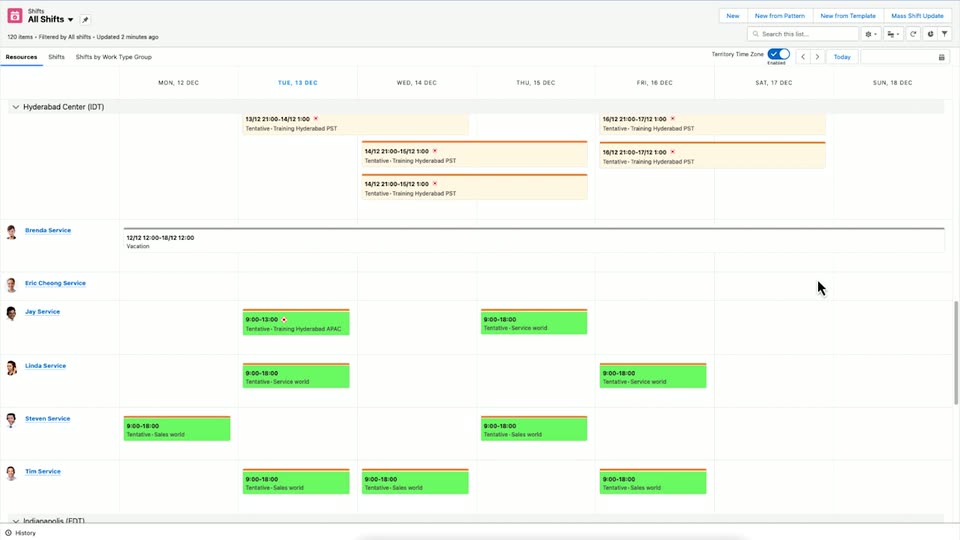 0:56–1:02Salesforce · Service Cloud - Salesforce Contact Center: Insights & SchedulingA light shift-scheduling grid scrolls down through rows of staff names and green, orange, and yellow shift blocks across a week of dates. The cursor drifts to the top right and rests on the Mass Shift Update button.
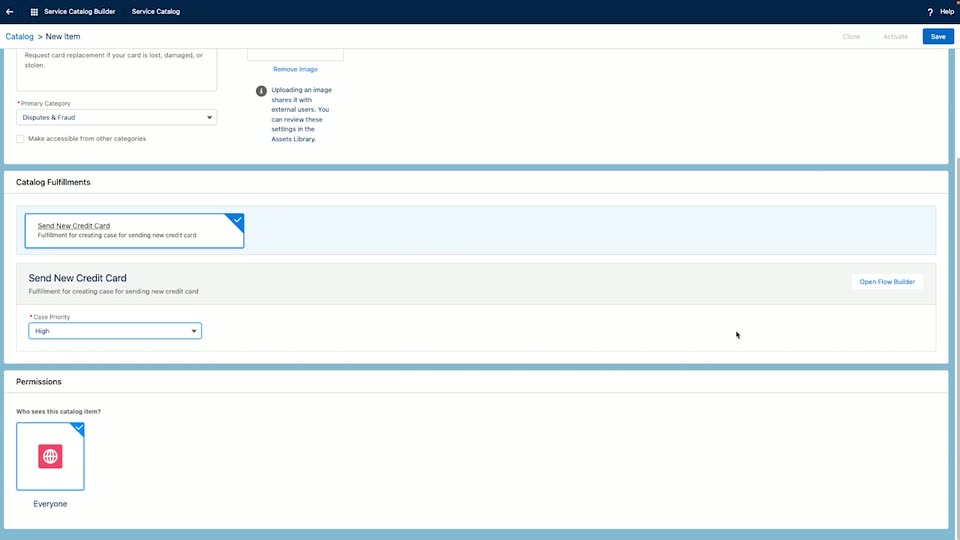 0:34–0:43Salesforce · Service Cloud - Service CatalogA service catalog form scrolls as the cursor opens the Case Priority dropdown, selects High, and clicks Save. A green toast announces the save at the top while the breadcrumb updates, then the cursor clicks Activate and a spinner appears.
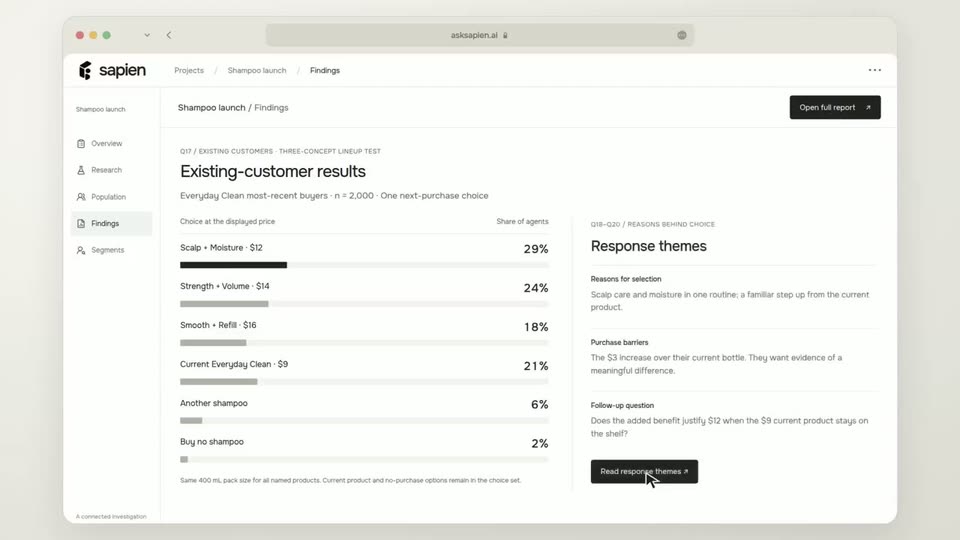 0:52–0:56Sapien · Introducing Sapien: simulated populations for predicting consumer behavior. Companies invest millions in products and campaigns based on what people say they want. But people’s intentions don’tA browser window shows a research dashboard. Bar-chart percentages count up while the right-hand Response themes card fades in from a dimmed state. A cursor glides from the top-right report button to the bottom-right themes button, then the whole screen blurs out.
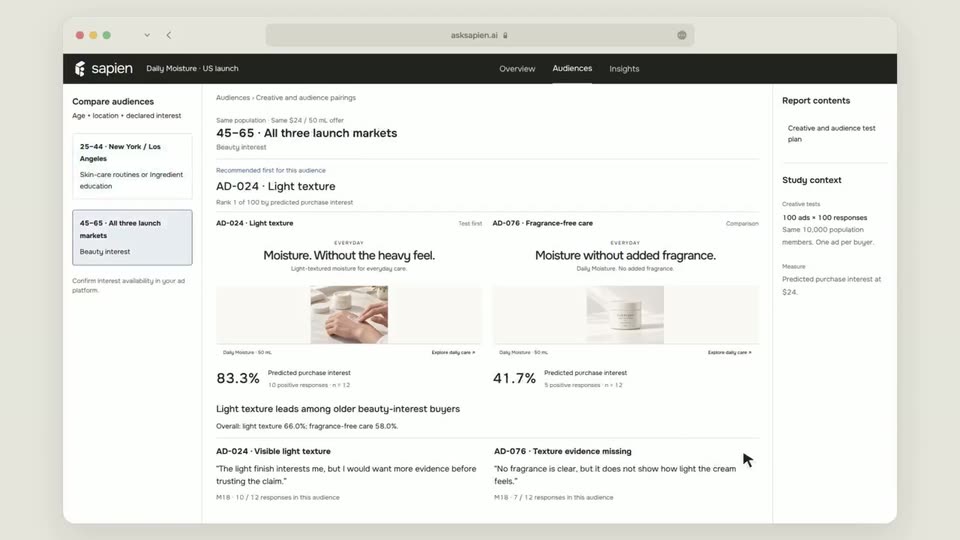 0:49–0:55Sapien · Introducing Sapien for marketing: predict what converts before you spend. Test messaging, creative, branding, landing pages, offers, and targeting against simulated populations of your exact ICPA flat browser window of the Sapien dashboard sits on a light gray field. A cursor moves across the page and clicks audience cards in the left rail, and the central report swaps its headline and percentage figures to match each selection.
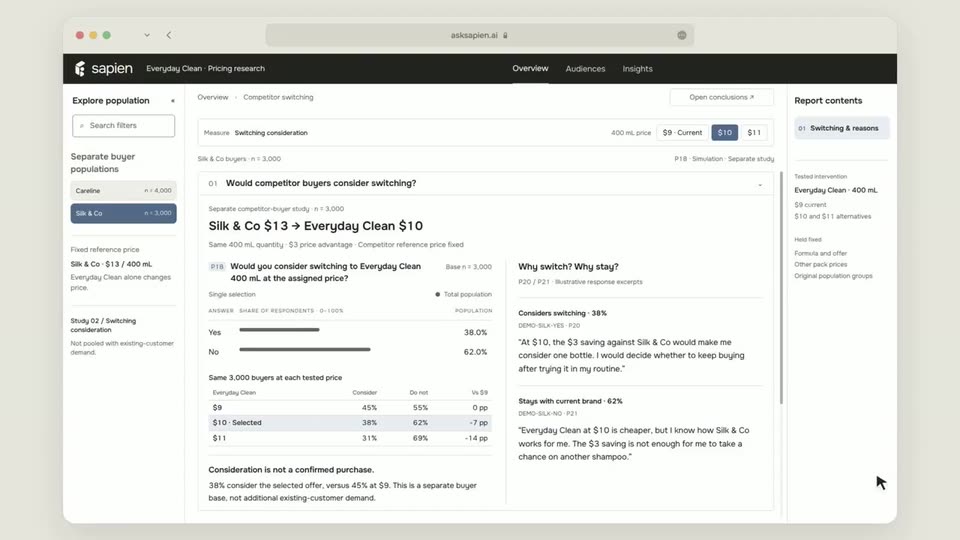 0:55–1:05Sapien · We’re launching Sapien for pricing and offer testing. See how demand changes at each price, which customers you’d keep, and which new buyers you could win. Before you change a single priceA browser mockup of a pricing-research dashboard. A cursor clicks the $9, $10, $11 price buttons, updating the heading, bar chart and percentages, then selects the Silk & Co population in the left sidebar and repeats the price clicks, and finally opens a conclusions panel that overlays the view.
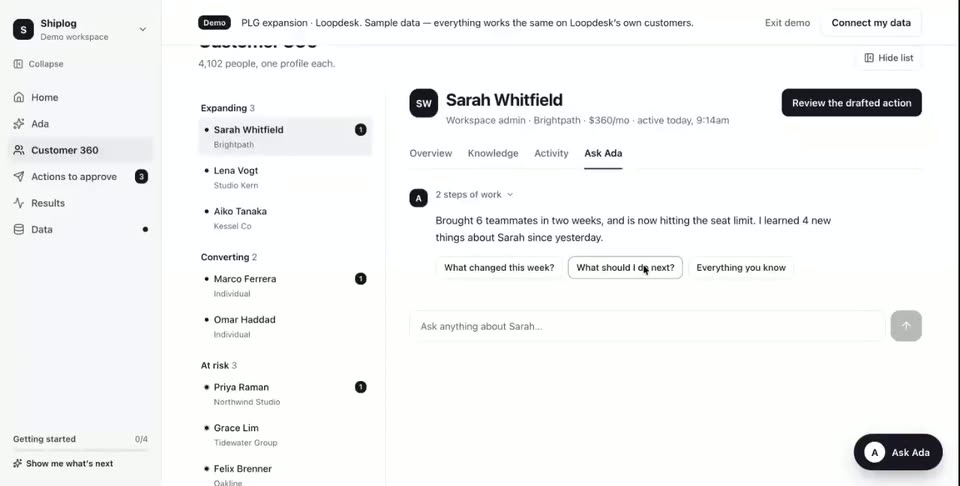 2:40–2:44Shiplog · #customersuccess #ai #saas #productledgrowth #revenuegrowth | Shiplog (F/AI F26)A light SaaS dashboard shows a customer list and a profile panel for Sarah Whitfield. A cursor moves from the Ask Ada tab to the What should I do next? button, then the view scrolls down to reveal a two-step work summary with a Review the draft button.
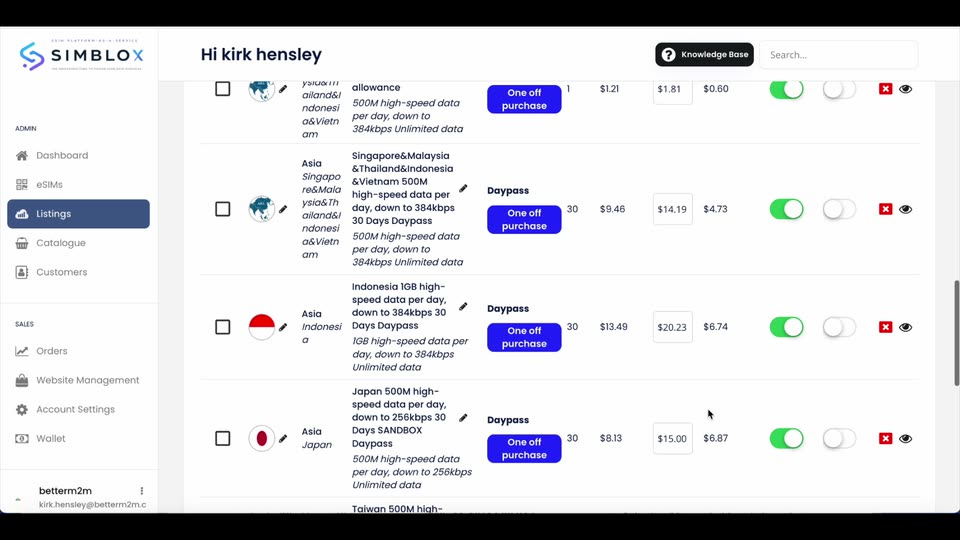 0:35–0:43SimBlox · SimBlox: minute demoA white SIMBLOX admin screen opens on the Listings table, rows of eSIM plans with flags and price columns scrolling down. A cursor taps a retail price cell and types a new number, the profit figure recalculates, then the view scrolls back up to the filter bar.
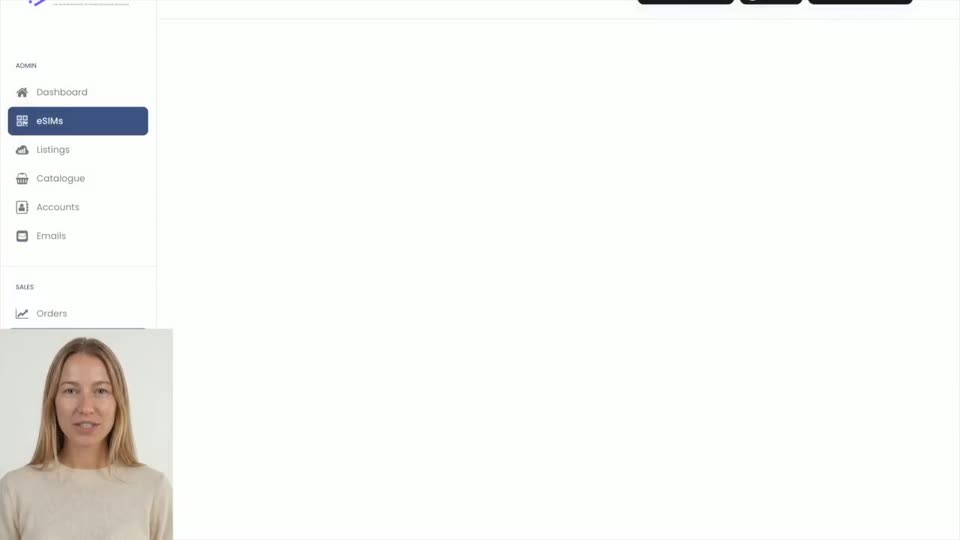 1:26–1:28SimBlox · SimBlox: apps demoA dashboard screen shows a left menu where the cursor moves from the eSIMs item to Orders, and the main panel fills with a table of orders, prices and status labels. A small live-action video of a woman speaking sits in the bottom left corner.