2:02

Claude | Computer use for automating operations
Claude · Oct 2024
Google · Nov 2010 · 0:44 · Full motion · AI-annotated
Google’s 0:44 launch film runs 14 scenes, about 3.2 s each. The product is on screen from the first frame and 1 feature is revealed. The call to action lands at 0:36 (81% in), over a voiceover. A single-feature launch built on a locked-off screen recording: a static title card, then one continuous browser demo where the cursor types queries and hovers results to open side-by-side preview panes, with cuts only when the interface changes. The piece closes on a static logo card holding a URL, keeping the whole video slow, even and free of added motion graphics.
Is this your launch? to your site or press kit.
Claude · Oct 2024
OpenAI · AI · Sep 2026
Films whose music sounds like this one, voice left out
Replit · Electronic
Ecovadis · Upbeat corporate electronic
Microsoft · Corporate electronic
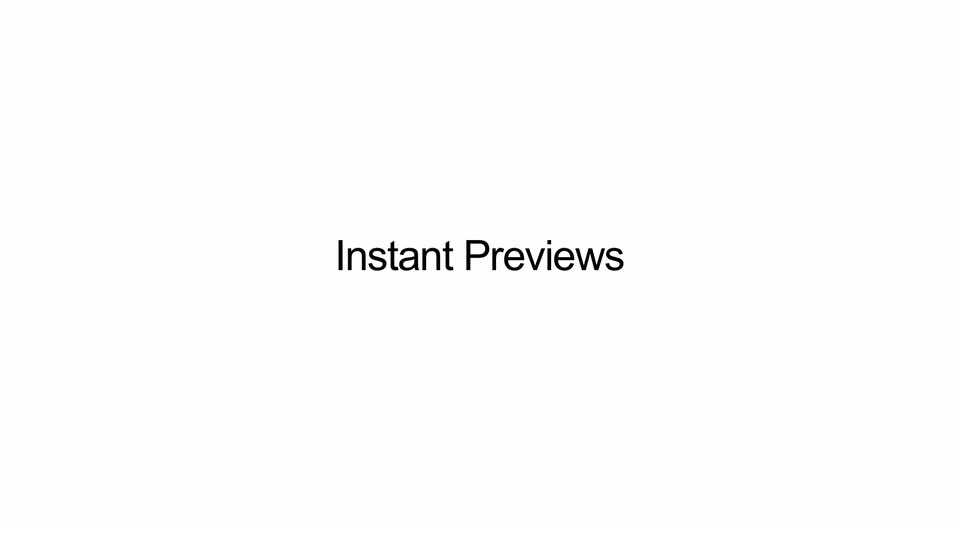
The title “Instant Previews” holds centered on a plain white background. The frame is locked off and the text stays still for the full shot.
On-screen text: “Instant Previews”
Camera: Static
A white browser window fades in to reveal the Google homepage with an empty search bar. The centered title Instant Previews fades out as the interface sharpens into view.
On-screen text: “Instant Previews”
Camera: Static
A browser window frames the Google homepage on a white page. The letter h is typed into the search box, and an autocomplete list of five suggestions drops down beneath it.
Camera: Static
A Google search page fills a browser window. The query 'hubble telescope' is typed into the search box, and a small preview card with a thumbnail slides in on the left beside the result list.
Camera: Static
A browser window frames a Google search page. A cursor types hubble pictures into the search box, and the autocomplete dropdown of suggestions refreshes beneath it. Below, a row of galaxy thumbnails and result links stay static.
Techniques: Cursor demo
Camera: Static
A Google results page fills the browser as the query 'hubble pictures of red spider nebula' is typed and results refresh. The view zooms onto the first result while the cursor hovers its magnifying glass icon, and a preview panel of the linked page slides in at the right.
Techniques: UI zoom, Cursor demo
Camera: Static
A Google search results page fills the frame. A cursor hovers over the magnifying glass icon next to the top result while an Instant Preview panel on the right expands to reveal the linked page's layout and a nebula image.
Techniques: Cursor demo
Camera: Static
A Google search results page for the red spider nebula fills the screen. The cursor moves down the list, and a preview pane on the right crossfades from a purple article page with a text snippet into a grid of nebula thumbnails with its own caption.
Techniques: Cursor demo
Camera: Static
A Google search results page for a nebula query fills the frame. A cursor hovers over different result links while a preview pane on the right swaps from a numbered image list to a highlighted article page.
Techniques: Cursor demo
Camera: Static
A Google search results page for a nebula query fills the screen. An Instant search preview panel on the right shows a web page with orange highlights over matching phrases and a tooltip callout quoting the article text.
Camera: Static
Split screen: a Google results page for the red spider nebula on the left, a dark astronomy page on the right. A bordered callout box with a small pointer pops up over the page, filling with a snippet of text.
Techniques: Split screen
Camera: Static
A Google search results page is shown with a preview pane on the right displaying an article about the Red Spider Nebula. The view zooms out from the article preview to reveal the search results list on the left. A text box summarizes the article content at the bottom of the preview.
Techniques: UI zoom
Camera: Static
The multicolor Google logo sits centered on a plain light background. Below it, the gray lines “Learn more” and the URL “www.google.com/instantpreviews” hold still on a locked-off frame.
On-screen text: “Learn more”, “www.google.com/instantpreviews”
Camera: Static
A centered Google logo sits on a plain white background, with black text reading Learn more and a URL below it. The frame stays locked off and static, holding the sign-off until the end.
On-screen text: “Learn more”, “www.google.com/instantpreviews”
Camera: Static