1:09


Fernando Young - Starting today, any company can scale creator marketing like paid ads
Beluga · B2B · Jul 2026
Mirage · Apr 2025 · 0:40 · AI-annotated
Mirage’s 0:40 launch film runs 13 scenes, about 3.1 s each. The product shows up at 0:04. The call to action lands at 0:34 (87% in), over a voiceover. The video is built as one continuous brief: a typed prompt in a rounded search bar drives a vertical video that assembles itself in real time on a flat white field, from talking head to SOLD sign to final elegant captions. Signature moves include text that types and scrambles, a caption pill that splits the frame in two, and vertical video cards that pop in, blur into focus, and crossfade between interiors.
Is this your launch? to your site or press kit.
Beluga · B2B · Jul 2026
Lightreel AI · Sep 2026
Narrative · Consumer · Sep 2026
A woman in a cream top speaks to camera in a vertical frame on a white background, gesturing with her hands, as white serif captions appear phrase by phrase at the bottom, each with a thin oval line and a small star.
On-screen text: “Do you recognize”, “me?”, “You shouldn't,”, “because”, “I'm not real.”
Techniques: Kinetic type
Camera: Static
A faded vertical video of a woman sits centered on white as dark gray text builds line by line across the middle. The clip dissolves to white and the caption crossfades to the product name.
On-screen text: “This actor, script, and edit were all AI-generated from one prompt”, “Introducing Mirage Edit”
Techniques: Kinetic type
Camera: Static
Centered black sans-serif type on a flat off-white field. 'Introducing Mirage Edit' holds in the middle of the frame, then 'Allow us to demonstrate' takes its place and the letters scramble and drift apart.
On-screen text: “Introducing Mirage Edit”, “Allow us to demonstrate”, “Hssvd bz av kltvuzayh”
Techniques: Kinetic type
Camera: Static
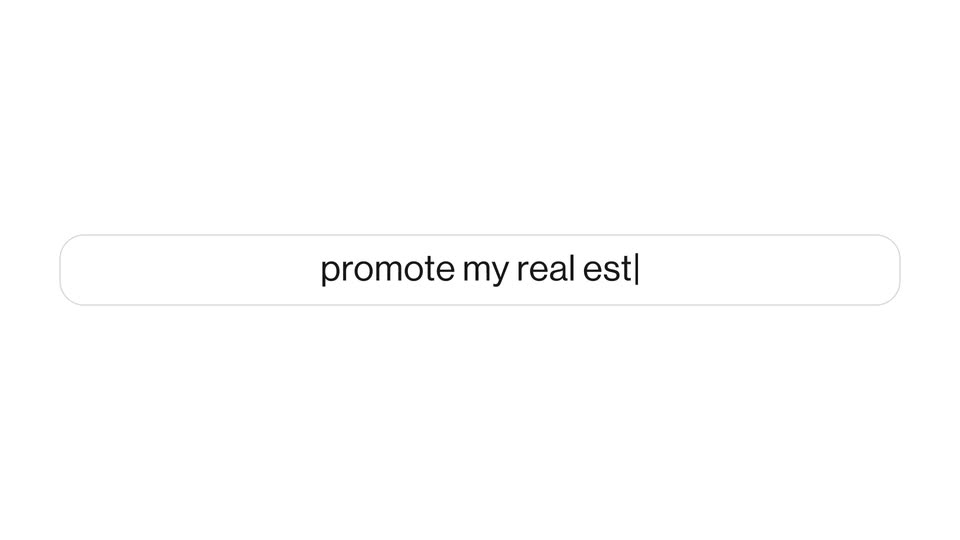
A rounded search bar on a white background types out the query “promote my real estate agency”. A vertical photo of a woman then slides into the center, splitting the bar in two, before disappearing to restore the single field.
On-screen text: “promote my real estate agency”
Techniques: Kinetic type
Camera: Static
A vertical clip of a woman talking to camera is centered on a pale background, with a rounded input field below reading 'promote my real estate agency'. A second card slides in from the right showing a house and a red SOLD sign.
Camera: Static
A vertical video of a smiling woman and a smaller clip of a hand placing a SOLD sign on a house sit on a white background, with a caption field below reading the low-fee line. A newspaper texture wipes across the woman's video and the house clip blurs.
On-screen text: “... and emphasize my low fees”
Techniques: Masking
Camera: Static
A vertical video card on white shows a suited hand placing a red SOLD sign before a modern house. Interior thumbnails pop out on both sides, then the card crossfades to a living room with shelves and a sofa. A frosted caption bar at the bottom swaps phrases.
On-screen text: “... and emphasize my low fees”, “... and add in my photos”
Camera: Pull out
A vertical phone screen on a pale gray field shows a cafe interior photo that resolves from a soft blur into focus. A rounded white input pill overlaps the lower edge, holding the typed line with a thin cursor bar at its end.
On-screen text: “... and add in my photos”
Camera: Static
A vertical phone-shaped canvas on a pale gray field shows a photo of wooden shelves with plants and a round mirror, sharpening from a soft blur. A rounded caption bar below swaps between two lines of text, a cursor marking the end.
On-screen text: “... and add in my photos|”, “... and edit this in a way to drive engagement|”
Camera: Static
A vertical phone mockup on white plays a woman talking to camera. A caption pill below shows the editing prompt, then script text 'free valuation' and 'send a dm' scale in over the video, and a download button appears before the frame blurs out.
On-screen text: “... and edit this in a way to drive engagement”, “... drive engagement, but make it more elegant.”, “presents”, “free valuation”, “send a dm”
Techniques: Kinetic type
Camera: Static
A plain white background holds a centered line of dark gray text that types out letter by letter behind a thin vertical cursor. The line rewrites itself, first reading “Got fully e” then “Go from fully edited ta”.
On-screen text: “Got fully e”, “Go from fully edited ta”
Techniques: Kinetic type
Camera: Static
On a plain white background, a black sans-serif sentence types itself out with a blinking caret: “Go from 0 to fully-edited talking video,” then “with people that don't exist.” The line cuts to a centered “Now available on Captions.”
On-screen text: “Go from 0 to fully-edited talking video,”, “with people that don't exist”, “Now available on Captions”
Techniques: Kinetic type
Camera: Static
A plain white background displays a centered line of black text that holds a static, locked-off frame.
On-screen text: “Now available on Captions”
Camera: Static