0:27
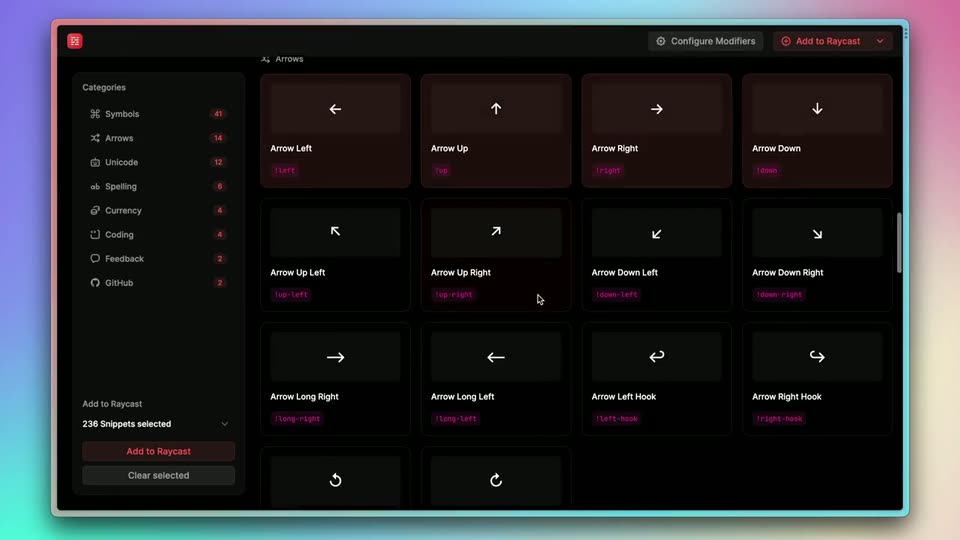
Raycast - 🕵️♂️ Announcing Snippet Explorer — our first open source project! A
Raycast · Productivity · Jan 2023
Webflow · Oct 2018 · 0:28 · AI-annotated
Webflow’s 0:28 launch film runs 14 scenes, about 2.1 s each. The product is on screen from the first frame and 3 features are revealed. There is no explicit call to action; a voiceover carries the film. A rapid montage of 3D-tilted screen mockups that snap into flat head-on views, one UI state per cut, paced to a mid-tempo beat. Signature moves are the push-in from soft focus to sharp, the tilt-to-flat rotation, and defocus blurs that bridge each beat.
Is this your launch? to your site or press kit.
Raycast · Productivity · Jan 2023
Perplexity · AI · Sep 2026
A dark Webflow editor interface floats in tilted 3D perspective, soft-focused, then rotates to a flat, sharp head-on view as the frame pushes into a template hero reading “Defining the future of design”, ringed by scattered thumbnail cards.
Techniques: 3D mockup, UI zoom
Camera: Pull out
A tilted 3D mockup of the Webflow editor fills the frame, a pink canvas with image thumbnails on the left and a dark settings panel on the right. The panel updates to show Flex Layout options as a hand cursor hovers over the controls.
Techniques: 3D mockup, Cursor demo
Camera: Static
A Webflow editor screen sits in 3D perspective against a black background, tilted to the left. A pink canvas holds a few design blocks while a cursor rests on the Vertical layout button in the right panel.
Techniques: 3D mockup, Cursor demo
Camera: Static
A webflow editor screen floats in 3D perspective on black, its pink canvas filled with a row of template thumbnails and a right panel of layout controls. The shot begins out of focus, sharpens, and tilts as a cursor hovers over the flex layout toggles.
Techniques: 3D mockup, Cursor demo
Camera: Static
A dark Webflow editor window floats in 3D perspective on a black background. Its canvas quickly swaps from a 'Grab your free, trendy templates' heading block to a three-card template gallery, while the right inspector panel updates to match.
Techniques: 3D mockup
Camera: Push in
A design tool canvas in 3D tilt shows a grid of website template thumbnails beside a properties panel. The view straightens as a cursor hovers over the top-left thumbnail, marking it selected.
Techniques: 3D mockup, Cursor demo
Camera: Static
A darkened Webflow interface is shown. A cursor moves to the left panel, clicks the CMS icon, and a template selection window appears in the center. The cursor then hovers over the first template option.
Techniques: Cursor demo
Camera: Pull out
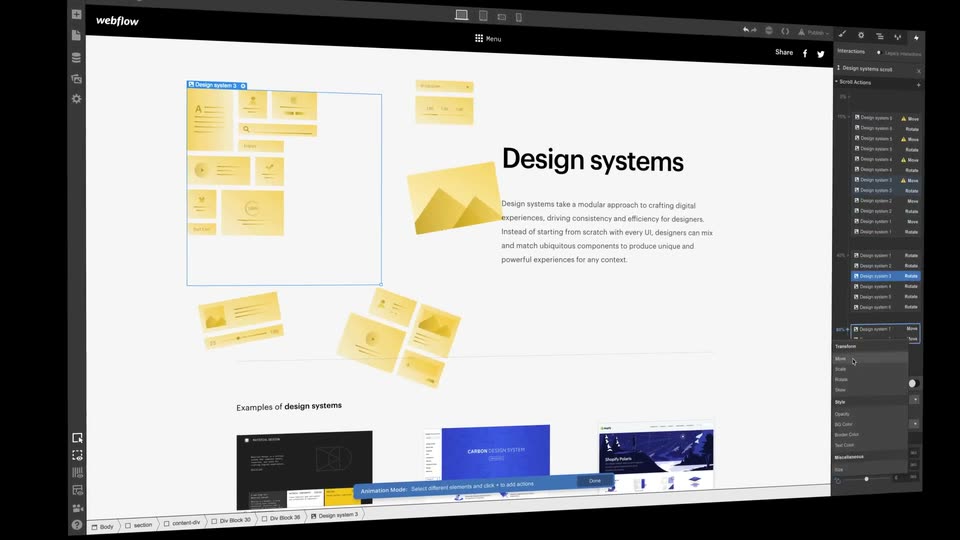
A Webflow editor window floats in 3D perspective on black, showing a Design systems page with yellow component cards and a right-hand panel of scroll actions. Rows in that panel highlight in sequence as the camera eases from an angled view to a flat frontal frame.
Techniques: 3D mockup
Camera: Push in
A 3D-tilted no-code editor window fills the frame on a dark background. Inside, a design-systems page scrolls downward past yellow card layouts and avatars, while a scroll-action dialog anchors the bottom and an interactions list fills the right edge.
Techniques: 3D mockup
Camera: Push in
In the Webflow editor, a cursor moves to the top bar and an Export Code dialog opens over a dark landing page; the dialog's code scrolls through HTML, CSS, and JS tabs, then it shrinks to a small thumbnail.
Techniques: Cursor demo
Camera: Static
A dark webflow editor fills the frame with a publish dropdown open top right. A cursor clicks Publish to Selected Domains and the domain gains a green check. The UI blurs and pulls back to a 3D laptop mockup, tilted in perspective, its dark screen showing white headline text.
Techniques: Cursor demo, 3D mockup
Camera: Static
A browser window mockup sits in 3D perspective, tilted and dimmed, with a bright glint sweeping across its top edge. It rotates to face the camera and brightens, revealing a masonry grid of design thumbnails around a centered headline on a dark page.
Techniques: Light sweep, 3D mockup
Camera: Push in
A Webflow browser window sits on a black field, its dark hero page reading “Defining the future of design” in white. Flat design template cards drift around the headline, then the whole frame blurs into a soft defocus transition.
Camera: Push in
Offset letter fragments drift together at the center of a light gray field and settle into the full webflow wordmark, then hold still.
Camera: Static