1:08
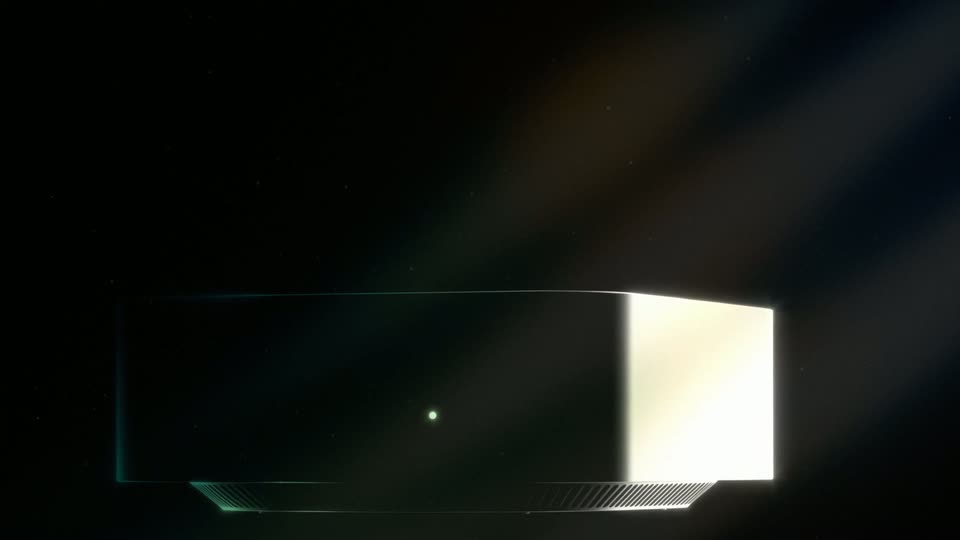

Aravind Srinivas - We're introducing hybrid compute for all users of the Perplexity Mac
Perplexity · AI · Sep 2026
HeyGen · Apr 2026 · 0:40 · AI-annotated
HeyGen’s 0:40 launch film runs 18 scenes, about 2.2 s each. The product is on screen from the first frame and 7 features are revealed. The call to action lands at 0:33 (85% in), over a voiceover. The video opens on a serif title card, walks the prompt-to-video workflow inside the UI, then fires a rapid montage of capability demos each tagged by a short caption label, and lands on a logo-plus-download end card sealed with a stamp. Its signature moves are the recurring vertical light beam, snap-together brand boards, 3D-tilting phone mockups, and a letter-by-letter wordmark build, all cut to a steady driving pulse.
Is this your launch? to your site or press kit.
Perplexity · AI · Sep 2026
AnyAlpha · Fintech · Oct 2026
Apple · Hardware · Oct 2026
A black frame holds a single glowing point that swells into a soft halo as the title fades in in cream serif, with a thin rule and the date 25 APRIL 2026 beneath it. A small letter-spaced caption then appears along the bottom edge.
On-screen text: “Claude Design × HyperFrames”, “25 APRIL 2026”, “THIS ENTIRE VIDEO WAS MADE WITH HYPERFRAMES IN CLAUDE DESIGN”
Techniques: Kinetic type
Camera: Static
A product interface in a Figma file is reframed into a tight close-up on the prompt input box. A dark caption pill with white text appears at the bottom center, and the cursor rests over the empty text field.
On-screen text: “What if you could just”
Techniques: UI zoom
Camera: Push in
A white prompt card on a cream background: the placeholder line gives way to the typed text “Generate a 5 second cinematic intro video”, a black arrow cursor hovers in the field, and a red Send button sits bottom right. A gray subtitle pill captions the voiceover at the bottom.
On-screen text: “What if you could just”, “describe a video”
Techniques: Cursor demo
Camera: Pull out
A flat product interface zooms into a prompt card as a cursor drags a .md skill file in beside the typed prompt, then reframes onto the red Send button. Gray caption boxes read 'drop in a skill file' then 'and hit send'.
On-screen text: “drop in a skill file”, “and hit send”
Techniques: Cursor demo, UI zoom
Camera: Push in
A product UI shows a left chat panel with a typed prompt and file, beside a right grid canvas. A cursor rests on the Send button as a Claude reply line appears. A white and hit send caption sits in a dark pill at the bottom.
On-screen text: “and hit send”
Techniques: Cursor demo
Camera: Pull out
A chat panel on the left shows a prompt and a typing reply while the right preview plays a dark intro: a light beam opens, a wireframe UI fades in, a serif title scales over a browser mockup. The view zooms into the preview until it fills the frame.
On-screen text: “watch it come to life.”, “INTRODUCING”, “HyperFrames”, “in Claude Design”, “Start with your brand.”, “Creating videos has never been easier.”
Techniques: Light sweep, Kinetic type, UI zoom
Camera: Push in
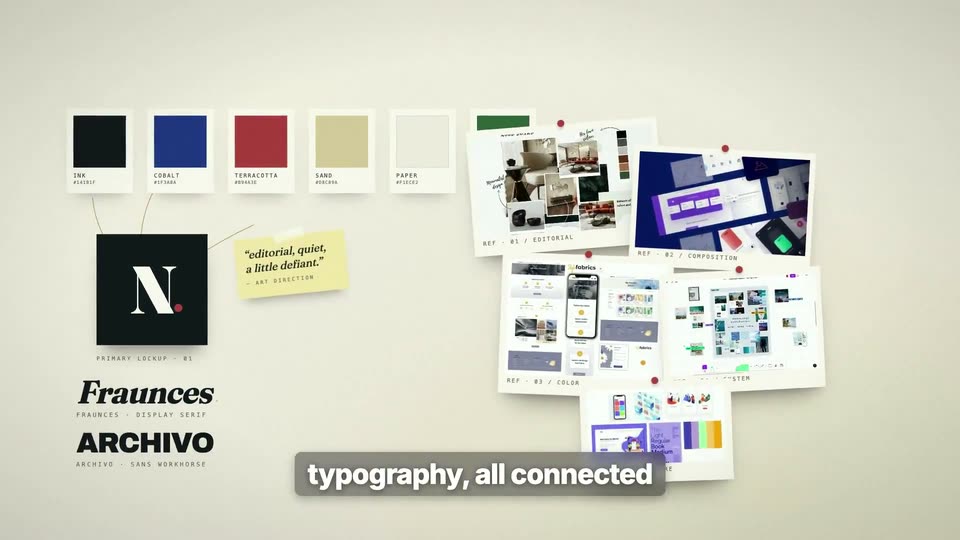
A cream brand board assembles: color swatches fly in and snap into a row, a black N logo tile spins into place, a yellow sticky note and pinned screenshot references drop in, and type labels fade in while thin lines connect the pieces. A header title draws across the top and the bottom caption switches from colors, screenshots to typography, all connected.
On-screen text: “Start with your brand.”, “colors, screenshots”, “typography, all connected”
Techniques: Masking
Camera: Pull out
A dark multi-panel smart-home dashboard fills in from empty to full: climate, power, battery and vehicle cards populate with bar charts, gauges, a car silhouette and a map. White caption phrases swap in at the bottom.
On-screen text: “typography, all connected”, “full dashboards”, “every element alive”, “3D globes”
Camera: Static
A 3D Earth globe rotates on a black starfield, centered, with a small gray monospace HUD in the corners. A white bold caption in a dark pill at the bottom reads “3D globes”, then swaps to “24 animations”.
On-screen text: “3D globes”, “24 animations”
Camera: Static
A grid of 24 dark tiles loops different animations at once: clock, ripples, wireframe cube, QR code, stock chart, particle burst, orbits, sliders, starburst, waveforms, code, equalizer, globe, weather. A white caption below reads 24 animations, then flips to pixel-perfect.
On-screen text: “Global Trace”, “24 animations”, “pixel-perfect”
Camera: Static
Three phone mockups float in 3D on a peach-to-purple gradient, tilting from a slanted pose to a flatter front view. The center orange screen redraws its ride line while a dark pill below swaps from pixel-perfect to app mockups, and Outpace yesterday. fades in underneath.
On-screen text: “pixel-perfect”, “app mockups”, “Outpace yesterday.”
Techniques: 3D mockup
Camera: Static
Three smartphone mockups sit on a rainbow gradient, the center upright and the outer two tilted in 3D as they scale in. A dark pill label below reads “app mockups”, then flips to “product features”.
On-screen text: “app mockups”, “product features”
Techniques: 3D mockup
Camera: Static
A dark blue radial background frames a gold kicker and a large white headline, “Friday 5pm. But whose?”, with a gray caption fading in below. Three clock faces fade in on the right, labeled London, San Francisco and Sydney, their hands ticking.
On-screen text: “product features”, “FEATURE 02 / DEADLINES”, “Friday 5pm. But whose?”, “Meridian converts every deadline to every teammate's local time. Automatically.”
Camera: Static
A dark website frame with a top navigation bar holds a thin vertical line of light that grows from the center into a full-height glowing beam. The white headline 'product features' sits at the bottom while a faint gray tagline flashes on the left.
On-screen text: “product features”, “ONE PLATFORM - EVERY TEAM”
Camera: Static
A dark hero layout centers on a glowing vertical light beam. On the left, the headline builds line by line, the final line in orange, beneath a small letter-spaced eyebrow. A white caption pill reading 'hero sections' sits at the bottom center.
On-screen text: “ONE PLATFORM · EVERY TEAM”, “Everything your team runs on.”, “hero sections”
Techniques: Kinetic type
Camera: Static
On a black field, the white serif wordmark HYPER FRAMES builds up letter by letter with a slight diagonal tilt, then the smaller orange tagline HyperFrames. fades in centered below.
On-screen text: “HYPER FRAMES”, “HyperFrames.”
Techniques: Kinetic type
Camera: Static
On black, the cream serif title HYPER FRAMES settles as the final S slides into place above a thin orange rule. A monospace tagline types out below it and an orange download pill fades in, while the bottom orange caption swaps from HyperFrames. to Download the skill.
On-screen text: “HYPER FRAMES”, “HyperFrames.”, “Download the skill.”, “Text in. Video out.”, “DOWNLOAD SKILL”
Techniques: Kinetic type
Camera: Static
A black title card holds a large white serif headline behind a tilted tan stamp that scales down and rotates into place, glowing softly. Below, a thin rule, a monospace tagline, and a pill button sit static on the locked-off frame.
On-screen text: “HYPER FRAMES”, “MADE IN CLAUDE DESIGN APR 2026”, “Text in. Video out.”, “DOWNLOAD SKILL”
Camera: Static