0:58
Introducing a new generation of Airtable - built for the AI era
Airtable · Productivity · Jun 2025
Perplexity · Sep 2026 · 1:08 · AI-annotated
Perplexity’s 1:08 launch film runs 14 scenes, about 4.9 s each. The product is on screen from the first frame and 2 features are revealed. The call to action lands at 0:57 (83% in). The video is built as a ladder of centered serif statements, each handing off to a glowing 3D render or a zoomed interface mockup, all on a near-black field. Pacing is slow and deliberate, with word-by-word text builds, a single continuous push-in from laptop to prompt card, and a wireframe glow as the signature look.
Is this your launch? to your site or press kit.
Airtable · Productivity · Jun 2025
Ramp · Finance · Oct 2026
Spline · Design · Aug 2026
A small white line-drawn star logo with folded ribbon arms sits centered on a dark, blurred background of diagonal color streaks. It sharpens, then gives way to a centered white serif headline that fades in line by line.
On-screen text: “Introducing hybrid compute on”, “Perplexity Mac”
Camera: Static
A white serif headline reads across two centered lines over a dark, blurred background with faint specks. A blue rounded-square smiley icon slides into the gap between the words, then the entire text lockup fades to black.
On-screen text: “Introducing hybrid compute on”, “Perplexity Mac App”
Camera: Static
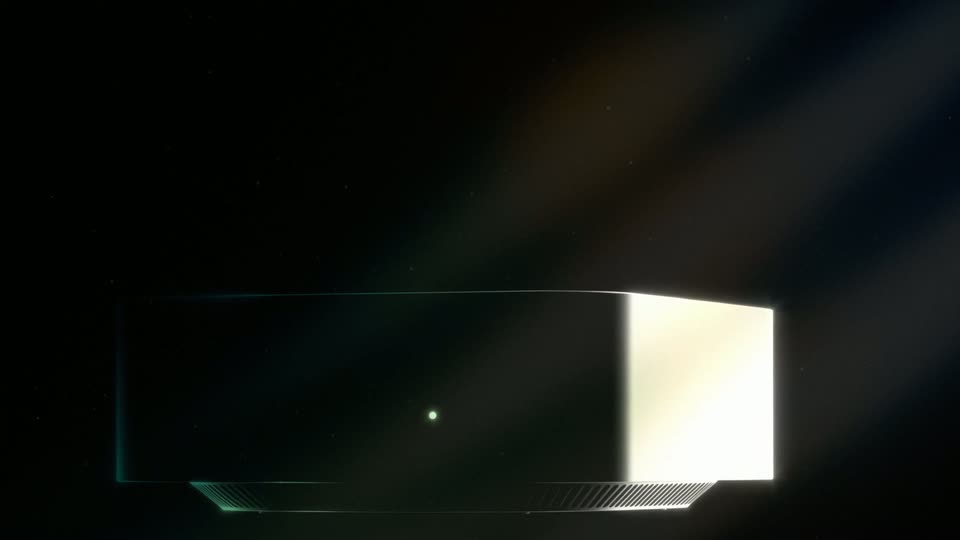
A dark rectangular device with a vented base floats in a black void, angled in 3D perspective. A diagonal beam of light crosses the frame while a bright glint flares along the device's right edge, revealing its rim and a small central dot.
Techniques: 3D mockup, Light sweep, Particles
Camera: Static
A glowing wireframe Mac mini floats in a dark void while white serif text builds word by word above it. The frame then reframes to a large laptop outline on the left, with the mini sliding to the right.
On-screen text: “Computer can now split a task between”, “cloud and a local model on your Mac.”
Techniques: Kinetic type, 3D mockup
Camera: Pull out
A dark laptop sits in 3D perspective with a multicolored glowing outline. Its screen brightens with diagonal orange and blue light streaks as the macOS dock fades in at the bottom with a cursor.
Techniques: 3D mockup
Camera: Static
A neon-edged laptop mockup holds a dark prompt card; the camera zooms in as a cursor opens the model picker, toggles Hybrid, selects Local model and Claude Fable 5, then types a task prompt and clicks the send arrow.
Techniques: 3D mockup, UI zoom, Cursor demo
Camera: Push in
A dark chat prompt with a cursor on the send button cuts to a plain background, where a scan icon and the line about inspecting files slide in, then a shield icon and a sensitive-info line hold below. A bordered card with a Privacy Gate warning closes the scene.
On-screen text: “Inspecting Meridian files locally”, “Checking for sensitive info”
Techniques: Cursor demo, Kinetic type
Camera: Static
A dark modal card scales in with a privacy prompt. A cursor hovers View items, and a list of detected names, emails and addresses slides in from the top, dimming the two options below. The list scrolls, then the cursor selects option 1 and moves to the Submit button.
Techniques: Cursor demo
Camera: Push in
A dark contact form with two processing options fades to black, then a two-line serif headline fades in centered on the plain background.
On-screen text: “Perplexity's PII classifier automatically flags sensitive information”
Camera: Static
A white serif headline sits centered on a near-black field, reading “Perplexity's PII classifier automatically flags sensitive information.” It dissolves into a second centered line, “and runs personal and confidential data on your Mac.” Both blocks hold still while the crossfade completes.
On-screen text: “Perplexity's PII classifier automatically flags sensitive information”, “and runs personal and confidential data on your Mac.”
Camera: Static
A dark agent dashboard lists two tasks with model badges beneath a teal 'Awaiting 2 subagents' header; live CPU, Memory, GPU and Tokens cards tick upward. The view zooms out to a browser window, then a completion line and memo text type in and scroll.
Techniques: UI zoom
Camera: Pull out
A dark document window on a black background; the memo's serif text slides and settles into a clean layout, revealing two file cards beneath it, then the whole window fades to black.
Techniques: Kinetic type
Camera: Pan
A white serif line slides in on a near-black background, then a second line appears below it. The pair fades out, replaced by 'Now available on Perplexity Mac App' with a blue Finder icon, then fades to black.
On-screen text: “Frontier models run in the cloud.”, “Sensitive data stays local.”, “Now available on”, “Perplexity Mac App”
Techniques: Kinetic type
Camera: Static
A white line-art asterisk mark holds center on a near-black field, then slides left as the lowercase wordmark perplexity fades in to its right, locking into a centered brand lockup that holds still.
On-screen text: “perplexity”
Camera: Static