0:31

Arc for Students | Everything in its right place
The Browser Company · Productivity · Sep 2023
Google · May 2007 · 1:43 · AI-annotated
Google’s 1:43 launch film runs 42 scenes, about 2.5 s each. The product is on screen from the first frame and 9 features are revealed. The call to action lands at 1:38 (95% in), over a voiceover. The video opens with a live-action presenter who wipes into a 3D pegman mascot, then runs as a fast-cut screen-capture demo of Google Maps Street View with the pegman popping in as a guide. Signature moves: the cardboard letter wipe, the pegman morph, and quick hard cuts synced to a brisk tempo.
Is this your launch? to your site or press kit.
The Browser Company · Productivity · Sep 2023
Berachain · Jan 2025
Dydema · Consumer · Oct 2026
A bearded man in glasses and an orange long-sleeve shirt stands centered against a static backdrop of the Golden Gate Bridge, speaking to camera. The locked-off medium shot holds as he gestures, raising a fist and pointing mid-sentence.
Camera: Static
A bearded man in an orange full-body suit and glasses stands on a pier before the Golden Gate Bridge. He lifts a flat yellow panel in front of himself until it fills the frame, wiping the shot.
Techniques: Masking
Camera: Static
A bearded man in glasses and an orange shirt stands before a composite Golden Gate Bridge backdrop. He holds a large orange-and-yellow V-shaped board, raises it with arms spread, then lowers it to chest level while looking at the camera.
On-screen text: “日”
Camera: Static
A bearded man in an orange long-sleeve shirt holds a large yellow foam letter with an orange triangle in a locked-off frame. He angles a second panel into a V shape against water, a bridge and mountains under a blue sky.
Camera: Static
A man with glasses and an orange shirt stands before a bridge backdrop, holding a large yellow and orange cardboard M across his chest. He lifts his right arm, rotating the left panel of the letter upward.
On-screen text: “M”
Camera: Static
A blocky 3D figure with a yellow sphere head and orange torso stands on the Golden Gate Bridge approach over live-action footage. The camera pulls back from a tight head shot to a wide view, the figure now small and centered between the two bridge towers.
Camera: Static
A gold 3D figure, its blocky body reading as the letter M with a spherical head, stands centered in the foreground. The Golden Gate Bridge and a waterfront promenade are rendered behind it under a clear blue sky, the frame locked off and the figure holding still.
On-screen text: “M”
Camera: Static
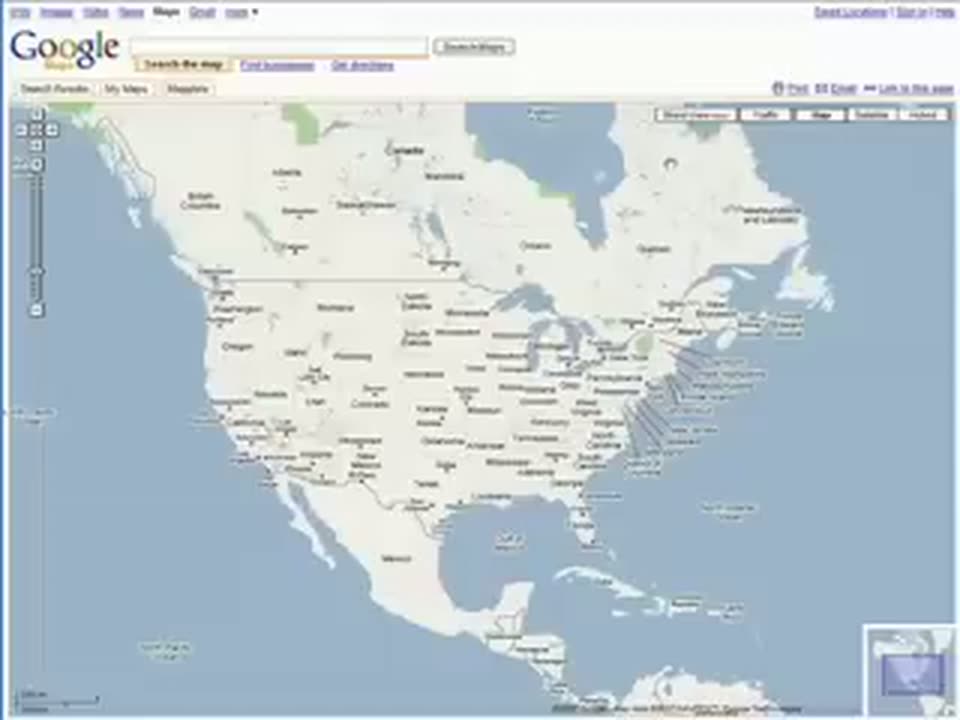
A flat screen capture of the Google Maps interface shows a map of North America, with the United States centered and the search bar and menu tabs along the top edge.
Camera: Static
A hand cursor drifts up from a map of Newfoundland and Labrador and presses the Street View button in the toolbar, which darkens as it is clicked. Print and Email links sit in the top right corner above the button row.
Techniques: Cursor demo
Camera: Static
A map of the western US displays Street View camera icons over San Francisco, Las Vegas and Denver. A hand cursor hovers near Salt Lake City, then a white tooltip pops up at the top left with a city name and zoom instruction as the cursor moves toward Sacramento.
Techniques: Cursor demo
Camera: Static
A map of the San Francisco coastline shows Fort Point and the Golden Gate Bridge. A yellow person icon pops in on the shore, a hand cursor points at it, and the map drifts into a slight zoom.
Techniques: Cursor demo, UI zoom
Camera: Static
A flat map of Fort Point holds a white hand cursor on an orange avatar, then the view tilts into a 3D street-level perspective of the Golden Gate Bridge as the map window shrinks to the corner and a cursor arrow moves through the scene.
Techniques: Cursor demo, UI zoom, 3D mockup
Camera: Pull out
A yellow blocky 3D figure stands at right, its arm dropping from a raised pose, next to a flat map window showing a street view of the Golden Gate Bridge. A 2D road map below links to that spot with a white speech-bubble arrow.
Camera: Static
A flat, cartoon-style map of San Francisco sits locked on screen, a yellow highway running top to bottom. A white hand cursor taps an orange person marker, then slides up the bridge road to a new spot.
Techniques: Cursor demo
Camera: Static
A locked-off Google Maps view of the San Francisco Bay shows a yellow route line crossing the Golden Gate Bridge, with a Street View popup window of the bridge roadway floating over the map. The frame stays static throughout.
Camera: Static
A close-up of a Street View window over a blue map labeled San Francisco Bay. A hand cursor drifts from the panorama to the Full-screen button in the toolbar and presses it.
Techniques: Cursor demo
Camera: Static
A Street View image of the Golden Gate Bridge inside a white popup card expands to fill the browser window, pushing the map out of view below.
Techniques: UI zoom
Camera: Static
A browser window displays the Google Maps interface, its map pane rendering a 3D street-level view of the Golden Gate Bridge. The view crossfades between two camera angles, a car and motorcycle on the roadway and a white arrow on a yellow center line.
Camera: Static
A Google Maps Street View window frames the Golden Gate Bridge. The 360-degree panorama rotates horizontally, panning across the bridge deck, vertical cables, and distant towers while parked cars sit on the road. The browser bar with the Google logo and search field stays locked at the top.
Camera: Static
A full Google Maps browser window frames a Street View panorama of the Golden Gate Bridge. The 360-degree view rotates past a red railing and a curved street lamp as a white cursor arrow sits on the sidewalk.
Techniques: Cursor demo
Camera: Static
A Google Maps window shows the Golden Gate Bridge in Street View. The panorama pans right, the red railing and bay water sliding left, while the search bar and map header stay fixed at the top.
Camera: Static
A Google page frames a video player showing a hazy aerial view of a city skyline across water. The footage fades from a washed-out white to a clearer image while the interface, search bar, and a corner label stay locked in place.
Camera: Static
A map shows the Golden Gate Bridge as a yellow line on blue water. A hand cursor drags an orange person icon off the bridge and drops it in the bay, then the view cuts to a tilted street grid of San Francisco.
Techniques: Cursor demo, UI zoom
Camera: Static
A tilted top-down city map fills the frame, its streets and building blocks outlined in pale blue. A small yellow location dot drifts slowly down a street near the bottom edge while the frame stays locked off.
Camera: Static
A map grid of city blocks fills the background. A Street View window overlays it, showing a cable car on a sunlit street with a white cursor arrow. A white pointer links the window to a yellow marker on the map below. The frame stays locked and static.
Techniques: Cursor demo
Camera: Static
A locked-off view of a Google Maps screen showing a top-down city street grid with yellow and blue roads. A Street View thumbnail window floats in the center, displaying a street with buildings and cars, linked by a white pointer to a map location.
Camera: Static
Inside a Google Maps window, a street view panorama of a city road is uncovered by a diagonal mask wipe. A black panel slides away from the right edge and bottom, exposing the full color street scene.
Techniques: Masking
Camera: Static
A Google Maps 3D street view of a city street with a cable car stop and a church fills the browser window. A blocky yellow avatar with a spherical head spins in the left foreground, then exits as the 3D view rotates and soft-dissolves.
Techniques: 3D mockup
Camera: Static
A browser window shows the Google Maps interface with a Street View photo of a residential street. The photograph pans left, rotating from a down-the-street view to face a brick building facade, while the map strip stays fixed along the bottom of the window.
Camera: Static
A browser window shows a Google Maps street view of a dark building facade. The panorama rotates left as if dragged, blurring mid-pan before settling on a wider street with a crosswalk and a white cursor at the edge.
Techniques: Cursor demo
Camera: Static
A Google Maps street view dollies forward down a city street, passing a bus shelter and a stone cathedral, with a white arrow on the pavement marking the path. The view dissolves in from a wider angle, advances, then holds on the street.
Techniques: UI zoom
Camera: Static
A street view camera glides forward along a road lined with parked cars. White clickable arrows sit on the pavement, and a hand cursor hovers over one as a dark California St label holds on the left.
Techniques: Cursor demo
Camera: Static
A browser window shows Google Maps Street View. The 3D street scene moves forward down California Street past a stone church and parked cars, with a white arrow marking the path on the road.
Camera: Static
A browser window displays Google Street View of a wide city street beside a stone cathedral. The panorama rotates slowly to face the building while a white navigation line and arrow lie across the road, with a cursor hovering over the street.
Techniques: Cursor demo
Camera: Static
A Google Maps browser window fills the frame. The street view photograph of a tree-lined street with parked cars zooms in toward a sidewalk kiosk, demonstrating the zoom control, while a mini map runs along the bottom edge.
Techniques: UI zoom
Camera: Static
A browser window showing Google Street View zooms into a photograph of a parking sign, reframing until the sign fills the center of the frame. A white cursor rests at the right edge while the view holds still on the sign.
Techniques: UI zoom
Camera: Push in
A bearded man in glasses and an orange shirt stands before a city backdrop. A large 3D yellow and orange envelope sits in front of him, then opens, its flap folding down to reveal his face.
Techniques: 3D mockup
Camera: Static
A bespectacled man in an orange shirt speaks to camera, positioned behind a large yellow and orange paper prop with a rounded center panel and two side panels. The static medium shot is set against a sunny city backdrop with a cathedral, street and passing cars.
Camera: Static
A Google Maps web page fills the frame, showing a street map with a row of view buttons above it. A cursor moves in from the right and clicks the Link to this page link at the top of the map.
Techniques: Cursor demo
Camera: Static
A locked-off browser window shows a Google Maps street grid with a URL in the address bar. The map cross-dissolves into a Street View panorama of a man on a sidewalk, marked by a red triangular cone and a Street View New badge.
Camera: Static
A bespectacled man with a goatee talks behind a large 3D Gmail envelope logo in yellow and orange. Behind him, a Google Maps Street View window shows a city street, with a 'Street View New!' badge in the top right corner. The frame is locked off.
Techniques: 3D mockup
Camera: Static
A plain off-white frame holds the black URL http://maps.google.com across the top. Centered below, a 3D yellow pegman figure on a green disc turns slowly, its cast shadow sweeping around the base as the light rotates.
On-screen text: “http://maps.google.com”
Techniques: 3D mockup
Camera: Static