1:30
Bringing Mirakl’s New Brand to Life in Motion | Launch Video
Mirakl · Nov 2026
Alien · 4:31 · AI-annotated
Alien’s 4:31 launch film runs 32 scenes, about 8.5 s each. The product shows up at 0:17 and 3 features are revealed, with social proof. The call to action lands at 4:24 (97% in), over a voiceover. A founder-led launch video that opens on a talking head, flips to a sketched enterprise-customer pain point, then alternates black-grid concept cards (BYOC, the YES punchline, $5M raised, deployment models) with long dark-UI screen recordings of the deployment workflow, all anchored by a persistent bottom-right webcam inset. The style is defined by a near-black palette with a single neon-green accent, a thin cyan tracing line on dashboards, left-to-right timeline diagrams that build dot by dot,
Is this your launch? to your site or press kit.
Mirakl · Nov 2026
Clean · B2B · Nov 2026
Films whose music sounds like this one, voice left out
Resend · Upbeat electronic background music
OpenAI · Electronic
Loom · Upbeat modern electronic
A man in a navy sweater sits at a wooden table in a bright room, speaking to camera with hands clasped. The clip opens on black before cutting to him. At the end, a white interface panel slides into the lower right corner over the laptop.
Camera: Static
A man in a dark blue sweater and round glasses sits at a wooden table, talking and gesturing toward the camera. A white product interface panel with green accents floats in the lower right corner, its content updating.
Camera: Static
A man in a blue shirt speaks at a table with a white dashboard panel floating at the lower right. The shot cuts to a split screen of two interviewees, a man left and a woman right, each under a dark caption.
On-screen text: “Founder”, “Enterprise Customer”
Techniques: Split screen
Camera: Static
Two video-call tiles sit side by side: a man labeled Founder left, a woman labeled Enterprise Customer right. Red caption text quotes her lines above and below the frame. The founder winces, covers his face, and the split screen dissolves into a man seated at a desk.
On-screen text: “Founder”, “Enterprise Customer”, ““MY DATA IS SENSITIVE””, ““COULD YOU DEPLOY IT INTO MY CLOUD ACCOUNT?””
Techniques: Split screen, Kinetic type
Camera: Static
A man with round glasses and a dark blue sweater sits at a wooden table with a laptop, speaking to camera and gesturing with both hands. The locked-off medium shot is set in a bright room with a window and couch. Static lower-third labels identify the speaker.
On-screen text: “Founder”, “Enterprise Customer”
Camera: Static
A man in a dark blue sweater and round glasses sits at a wooden table, talking and gesturing with both hands. A dark laptop sits in the foreground right; a bright room with sheer curtains and a gray sofa fills the background.
Camera: Static
On a black grid background, a large gradient BYOC title sits above a small letter-spaced caption. Three green-bulleted lines fade in one by one. A small rounded video of a man speaking stays in the bottom right, then expands to fill the frame as the text fades out.
On-screen text: “BYOC”, “BRING YOUR OWN CLOUD”, “In their environment”, “In their VPC”, “Next to their data”
Techniques: Kinetic type
Camera: Push in
A man in glasses and a navy sweater sits at a wooden table, hands clasped, speaking inside a black-bordered video-call frame. A fast blur whips the frame, then it resolves to a full-frame shot of him against a bright window.
Camera: Static
A dark dashboard overview fills the frame, its sidebar and stat cards static. A thin cyan line traces the border of the top card, looping around its edges. A small rounded video of a man speaking and gesturing sits in the bottom right corner.
Techniques: Light sweep
Camera: Static
Black card. White line “Can you deploy into my cloud?” locked top-left; a small rounded inset bottom-right shows a man in a dark sweater gesturing while speaking. At 2.5s a large green “YES.” with a soft glow fades in below the headline.
On-screen text: ““Can you deploy into my cloud?””, ““YES.””
Techniques: Kinetic type
Camera: Static
The Alien logo settles to the top of a dark field as the bold white headline $5M Raised fades in below it. Two white investor cards appear under a small BACKED BY label, while a presenter speaks in a rounded video inset at the bottom right.
On-screen text: “$5M Raised”, “BACKED BY”
Camera: Static
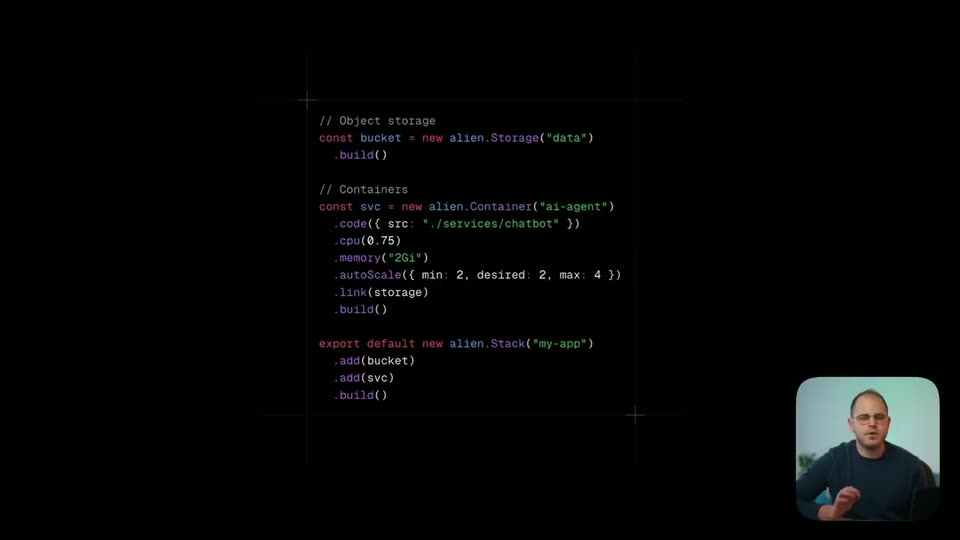
A syntax-highlighted code block sits on black while a man talks in a small video inset at bottom right. At the end the code slides right as a horizontal timeline draws in, dropping cards for Login with Google, Launch with CloudFormation, Managed VMs and Terraform module.
On-screen text: “Login with Google”, “Launch with CloudFormation”, “Managed VMs”, “Terraform module”, “$5M Raised”, “Jibe”, “BASIS SET”, “VENTURES”
Camera: Static
A black-grid timeline diagram builds left to right: green dots and lower callout boxes cover the easy-customer side, then at 10s the line extends into red dots with upper callout boxes for hard customers. A man gestures in a rounded video inset at the bottom right.
On-screen text: “EASY CUSTOMERS”, “One-click setup”, “Login with Google”, “ONE-CLICK GCP”, “Launch with CloudFormation”, “ONE-CLICK AWS”, “Managed VMs”, “NO KUBERNETES”, “Terraform module”, “IAC HANDOFF”
Camera: Static
A dark deployment dashboard fills the frame, with a webcam inset of a presenter at a laptop bottom-right. A cursor clicks the customer name field, types mercurial-clinic, and clicks the green Generate Link button. The card then updates to a ready state showing a deployment URL and Copy button.
Techniques: Cursor demo
Camera: Static
A dark browser window shows the Potion Health deployment portal: a form with environment and install buttons beside a step-by-step CloudFormation panel. A cursor highlights the URL bar, hovers the launch button, and the right panel switches to a Google Cloud setup. A presenter's webcam sits bottom-right.
Techniques: Cursor demo
Camera: Static
A dark deploy screen of the Potion Health app fills the frame beside a small video-call inset of the presenter. The cursor hovers over form options, clicks Google Login, and the right panel switches to a Google Cloud sign-in checklist with a green Start deployment button.
Techniques: Cursor demo
Camera: Static
A dark deployment screen fills the browser. A cursor hovers the Google Login option, then moves to the Continue with Google button on the right and clicks it. The page fades as a Google sign-in tab loads. A webcam feed of a man at a laptop sits bottom right.
Techniques: Cursor demo
Camera: Static
A dark web app displays a Google sign-in dialog. A cursor selects an account, the window switches to a permission prompt, and the cursor moves to the Allow button. A small webcam feed of a man sits in the bottom right corner.
Techniques: Cursor demo
Camera: Static
A dark deployment form occupies the screen with a Google Login steps panel on the right. A white cursor hovers over the blank form area, and a small webcam feed of a man at a laptop sits in the bottom-right corner.
Techniques: Cursor demo
Camera: Static
A dark deployment setup screen in a browser. A Google sign-in dialog closes, then a cursor picks a project from a dropdown and clicks the green Start deployment button, which shows a loading spinner. A small webcam video of a presenter sits in the bottom-right corner.
Techniques: Cursor demo
Camera: Static
A dark browser window shows the Potion Health prod deployment page with a releases list and configuration panel. A small webcam inset in the lower right shows a man in a dark shirt gesturing as he speaks. The cursor hovers over the status card.
Techniques: Cursor demo
Camera: Static
A dark dashboard interface fills the frame, showing a deployment link card and stat panels. A mouse cursor drifts from the top of the page down to the left sidebar, hovering over menu items. A small webcam video of a man at a laptop sits in the bottom right corner.
Techniques: Cursor demo
Camera: Static
A dark deployments dashboard fills the frame with a list of services. A cursor glides to a row and clicks it, opening a Recent Activity detail view on the right. A small webcam feed of a man in a dark shirt sits in the bottom right corner.
Techniques: Cursor demo
Camera: Static
A dark deployment dashboard fills a browser window. The Infrastructure list scrolls down slowly, revealing rows of resources tagged Pending or Provisioning, while a cursor hovers over them. A small webcam video of a man in a dark shirt sits in the bottom right corner.
Techniques: Cursor demo
Camera: Static
A dark schematic on a black grid shows two boxes, Your Cloud and Customer's Cloud, linked by dashed arrows, with a rounded speaker video inset bottom right. The slide cycles through three states: Push, Pull with reversed arrows and an Agent box, and Airgapped with a dashed divider.
On-screen text: “DEPLOYMENT MODELS · 1 / 3”, “Push”, “Like sharing a Google Drive folder”, “Your Cloud”, “Alien Deployment Manager”, “Push updates”, “Collect telemetry”, “Run commands”, “cloud APIs”, “Customer's Cloud, services, infra”
Camera: Static
A dark deployment dashboard fills the frame, sidebar and detail panels listing running services in green. A mouse cursor drifts over the status and compute rows as the page scrolls a few lines. A small rounded webcam inset in the corner shows a man watching the screen.
Techniques: Cursor demo
Camera: Static
A patient list in a browser window crossfades into a single patient's record page, the cursor hovering over the AI Health Agent panel. A small webcam of the presenter sits in the bottom-right corner.
Techniques: Cursor demo
Camera: Static
A browser window shows a patient record interface with an AI Health Agent card and a green Run AI Health Review button. A cursor hovers over the Diagnoses panel, then moves to the agent card. A man speaking appears in a small bottom-right video inset.
Techniques: Cursor demo
Camera: Static
A dark code editor shows a config file; the cursor selects the value false on line 7 and replaces it with true, then moves to the left panel, types a commit message, and clicks the Commit button. A man appears in a small webcam box at the bottom right.
Techniques: Cursor demo
Camera: Static
A browser window shows the Potion Health patient record for Robert Anderson, with an AI Health Agent panel and a green Run AI Health Review button. A small video-call window with a bespectacled man sits in the bottom right corner, and a cursor drifts from the agent panel to the address bar.
Techniques: Cursor demo
Camera: Static
An Alien node links to a Your Cloud panel of Alien Manager rows with dashed lines in orange, blue and green flowing to a Customers column of AWS, GCP, Azure and On-Prem cards. A presenter in a corner gestures then cuts to a Thank you card with alien.dev and @alien.
On-screen text: “Thank you”, “alien.dev”, “@alien”
Camera: Static
A dark closing card with a soft green glow. The Alien logo sits above a large Thank you headline, Thank white and you glowing green, with the URL and X handle in small white text below. A rounded inset of the presenter speaking fills the bottom right corner.
On-screen text: “Thank you”, “alien.dev”, “@alien”
Camera: Static