0:57
AI Lip Sync, Dubbing & Video Translation Demo | SyncMonster
SyncMonster.AI · Sep 2025
OpenAI’s 2:13 launch film runs 18 scenes, about 7.4 s each. The product is on screen from the first frame. There is no explicit call to action; a voiceover carries the film. The video alternates a static talking-head narrator with full-screen UI demos, each use case announced by the host and then shown end to end with cursor-driven interactions. Signature moves include horizontal headline slides, cross-dissolves between the warm set and the interface, and 3D-tilted window mockups floating over a blue gradient.
Is this your launch? to your site or press kit.
SyncMonster.AI · Sep 2025
Harvey · Mar 2025
Films whose music sounds like this one, voice left out
Spacesheep · Corporate tech presentation with modern electronic background
Amplitude · Corporate tech launch
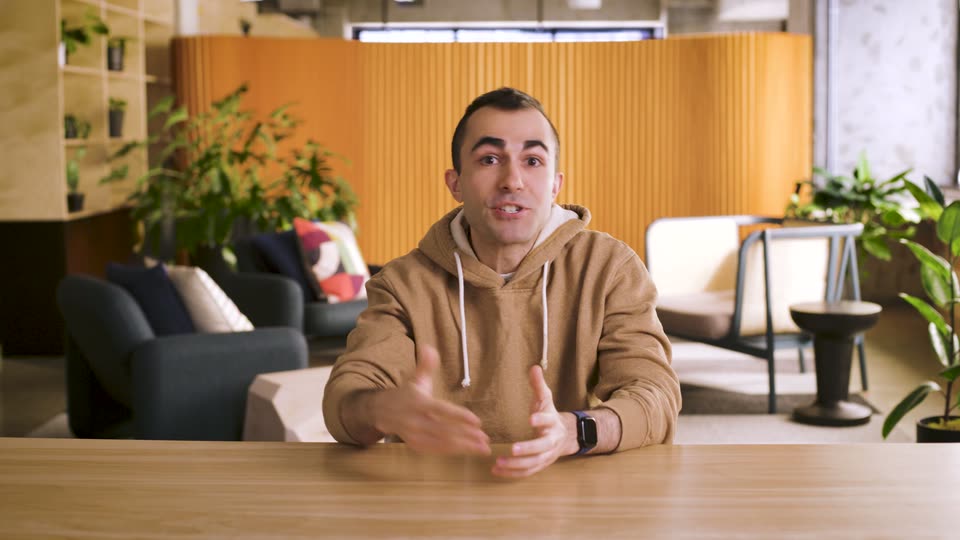
A man in a gray jacket sits centered at a wooden desk, speaking to the camera behind an open laptop with its lid facing the viewer. Warmly lit shelves with plants and small objects fill the background. The camera holds a static medium shot for the full clip.
Camera: Static
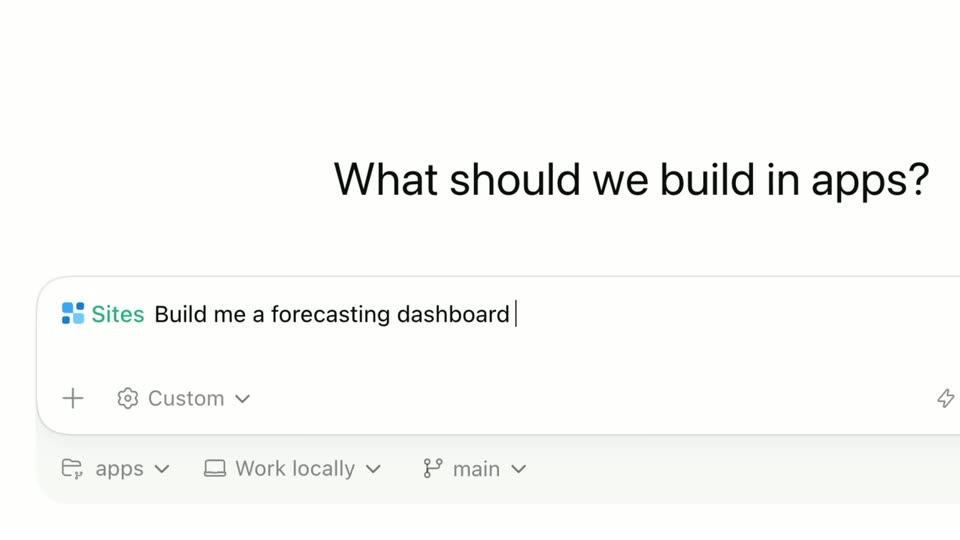
Close-up of a white prompt input field. A black headline 'What should we build in apps?' slides horizontally above it. Inside, '@site' turns into a blue 'Sites' chip, then a forecasting-dashboard prompt types out. A model selector and send button appear on the right.
On-screen text: “What should we build in apps?”
Techniques: Kinetic type
Camera: Pan
A light chat window titled Build QBR forecasting dashboard fills the frame over a blurred blue background. A cursor drifts down from the top and hovers the Open in button on a deployed dashboard card, while a headline slides in at the edge.
On-screen text: “What should we build in apps?”, “k locally”
Techniques: Cursor demo, Kinetic type
Camera: Static
A browser window on a blue desktop shows a QBR forecast dashboard with a dark header and light body. The page scrolls down past KPI cards, a weekly bar chart and two data tables, then scrolls back to the top, while a cursor drifts across the layout.
Techniques: Cursor demo
Camera: Static
A man in an olive jacket sits at a wooden table behind a closed black laptop, speaking to camera in a warm-lit room with shelves of small objects and a plant. A small caption fades in at the lower left.
On-screen text: “Available for Business & Enterprise accounts”
Camera: Static
A product interface for an account workspace, showing line charts and a source shelf, scrolls down as a cursor clicks a chart column and a snapshot panel updates to 96. The sidebar switches views, then the frame zooms into the page header.
Techniques: Cursor demo, UI zoom
Camera: Push in
A business review document with a rising line chart and a large 46 percent stat cross-dissolves into a centered live shot of a man in a green jacket seated at a desk.
Camera: Static
A man in an olive jacket speaks to camera behind a laptop at a wooden desk, in a warm-lit room with shelves and plants. The shot cuts to a full-screen product interface showing a forum attendee hub with agenda and audience panels.
Camera: Static
A forum attendee hub UI sits on a blue gradient. A cursor clicks the Operations filter, updating the agenda list and center session panel, then scrolls the page down. A live-action shot of a man gesturing in an office fades over the interface.
Techniques: Cursor demo
Camera: Static
A man in an olive jacket sits centered at a wooden table behind a closed dark laptop, speaking to the camera in a static medium shot, with a lit shelving unit of decor and a plant framing the background.
Camera: Static
A Compass Memo interface fills the frame over a blue gradient. A cursor clicks the Brief, Evidence trail and Review questions tabs, swapping the document body, then scrolls down past a bar chart to the risk section.
Techniques: Cursor demo
Camera: Pan
A tilted three-column memo document floats over a blue gradient, its panels listing strategic fit, expected impact, risks and a review file. The mockup holds still with a soft drop shadow.
Techniques: 3D mockup
Camera: Static
A man in an olive blazer sits centered at a wooden table, speaking to camera with a black laptop closed in front of him. Warm-lit shelves holding plants and small objects fill the background. The camera holds a static medium shot as he talks.
Camera: Static
A white Sites dashboard lists site cards, each with a thumbnail, title, URL, lock and Share button. A cursor glides across the list and stops on the Share control of one row.
Techniques: Cursor demo
Camera: Static
A settings page in a window with a blue gradient frame shows sharing, secrets and danger zone sections. A cursor clicks the Sites breadcrumb, and the view crossfades into a list of site rows with thumbnails and Share buttons.
Techniques: Cursor demo
Camera: Static
A 3D-tilted app window lists sites over a blue gradient. A cursor clicks a row's Share button, a share dialog pops in centered, then the cursor hits Copy link and a confirmation toast drops from the top.
Techniques: Cursor demo, 3D mockup
Camera: Pull out
A man in an olive jacket sits centered at a round wooden table, a closed laptop lid facing the camera. He speaks directly to the lens in a warm-lit room, shelves of small decor and a leafy plant framing him. The camera holds a static medium shot.
Camera: Static
On a plain off-white card, the black OpenAI wordmark sits centered above the small URL openai.com/codex. The wordmark then morphs into the interlocking-loop OpenAI knot logo while the URL stays locked in place.
On-screen text: “OpenAI”, “openai.com/codex”
Techniques: Morph
Camera: Static