0:54
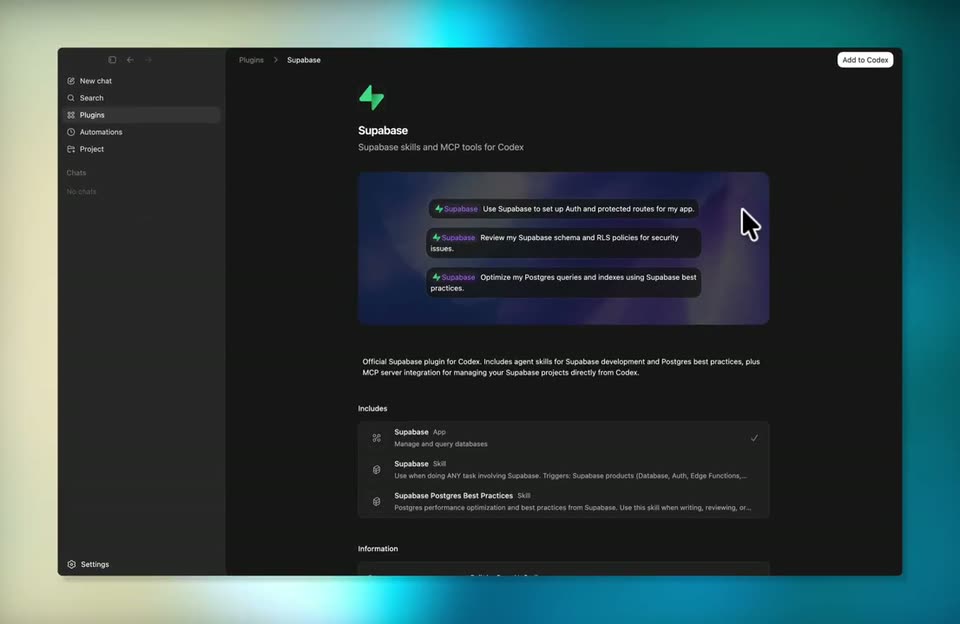

Supabase - You asked, we delivered! Supabase is now available as a Codex plugin!
Supabase · Developer tools · Apr 2026
Harvey · Mar 2025 · 0:50 · AI-annotated
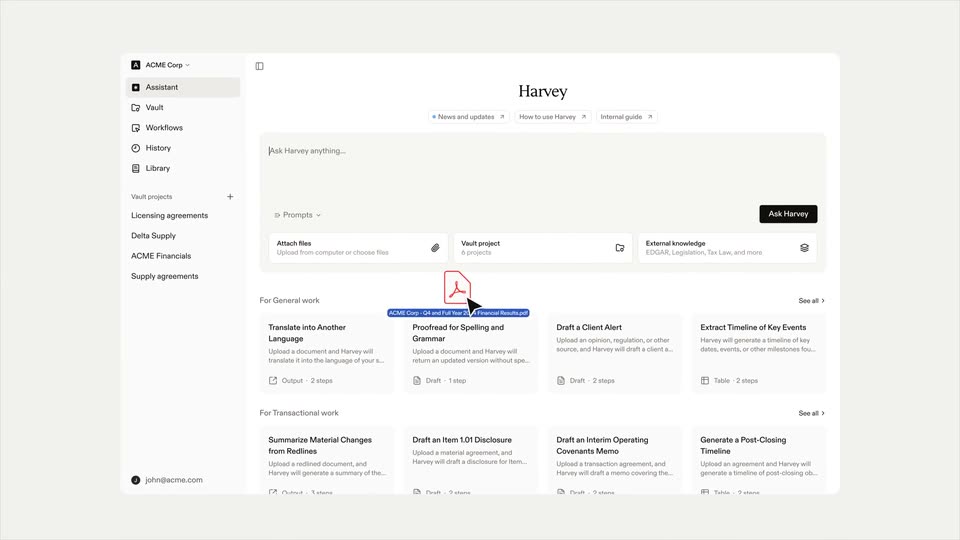
Harvey’s 0:50 launch film runs 22 scenes, about 2.3 s each. The product is on screen from the first frame. There is no explicit call to action. The video is built as a series of locked-off serif title cards on black and off-white that frame one long, unbroken interface demo, cutting at a slow six cuts per minute so the UI motion does the storytelling. Its signature moves are the type cards that fade in and hold, the 3D tilt that snaps the interface flat, and the sequential checklist ticks that punctuate each step of the assistant's work.
Is this your launch? to your site or press kit.
Supabase · Developer tools · Apr 2026
Airtable · Productivity · Jan 2026
Computable · Fintech · Aug 2026
The word Harvey in white serif type sits centered on a black field and brightens from dim gray to full white over the half second.
On-screen text: “Harvey”
Camera: Static
A white serif wordmark reads “Harvey” centered on a flat black field. The frame stays locked and the text holds still for the full duration.
On-screen text: “Harvey”
Camera: Static
A black screen holds the word Harvey centered in white serif type. The frame stays locked off with no motion for the full duration, presenting the brand name as a static sign-off.
On-screen text: “Harvey”
Camera: Static
A centered black serif line reads “For all the times you’ve thought” on a pale gray background. The line fades in from light gray to full black and holds.
On-screen text: “For all the times you’ve thought”
Camera: Static
A white SEC filing document, Schedule 14A and Form 10-K for CBRE Group, Inc., fills the frame, the company name in large bold serif at center, with other filing pages at the left and right edges. A small caption is overlaid.
On-screen text: “For all the times you've thought”
Camera: Pull out
A white background holds a tiled grid of SEC filing pages, each slightly rotated. A central Schedule 14A names CBRE Group, a left Form 8-K names META Platforms, and a right Form 40-K names OMNIAB. The arrangement stays static across the clip.
Camera: Pull out
A single line of dark serif text, a quoted statement, sits centered on a plain off-white background and holds completely still for the duration of the shot.
On-screen text: ““I can't believe I went to law school for this””
Camera: Pan
The word Harvey in a black serif font is centered on a plain light gray background. The text remains completely still in a locked-off frame.
On-screen text: “Harvey”
Camera: Static
A cream field holds the centered serif wordmark “Harvey”, then cuts to the line “Now with more agency”. A final cut reveals the Harvey assistant interface, its left navigation and prompt box, as a static frame.
On-screen text: “Harvey”, “Now with more agency”
Camera: Static
The Harvey interface tilts in 3D perspective and snaps flat. A cursor clicks the Attach files control, opening a file picker listing two PDFs, each framed by a red outline.
Techniques: 3D mockup, Cursor demo
Camera: Static
The Harvey assistant screen reframes onto an attached PDF, then a Suggested actions card builds with three buttons and prompts as a cursor hovers and selects the first prompt, isolating that line on white.
Techniques: UI zoom, Cursor demo
Camera: Static
A white chat panel shows an H avatar and a Working header. Three status lines with spinning loaders fade in sequentially, while a gray input box holding a typed prompt and a cursor sits at the bottom in the first frame, then vanishes.
Camera: Static
A white interface shows an H avatar beside a Working... header above four task lines. The status icons step from spinner and empty circles to checkmarks as each line completes, and the last line fades from light gray to full opacity.
Techniques: Morph
Camera: Static
A generated answer streams in with ghosted overlapping lines, then settles into two paragraphs of an earnings summary. A suggested follow-ups card fades in below. The view then scrolls to the empty input box with the black Ask Harvey button.
Techniques: Kinetic type, UI zoom
Camera: Static
A centered light-gray input bar on white shows a placeholder, then a prompt is typed in, with two phrases in bold. A cursor glides in and rests on the black Ask Harvey button.
Techniques: Cursor demo
Camera: Static
A white product screen shows a typed prompt in a light box with an Ask Harvey button and a cursor resting on it. The box then clears, leaving only a small H badge, a spinner, and the gray status line Assessing the request.
Techniques: Cursor demo
Camera: Static
On a white chat screen, a message from the H avatar asks about querying EDGAR for Meta's 10-Ks, then three pill buttons fade in beneath it. A cursor glides upward and hovers over the first option, which highlights.
Techniques: Cursor demo
Camera: Static
On a white background, a loading line with a spinner gives way to a question, then a table card appears and its rows type in one by one as a cursor slides in to rest on the Submit button.
Techniques: Cursor demo
Camera: Static
A white AI assistant panel shows a checklist ticking off tasks as a summary paragraph streams in below. The view scrolls up and zooms into the body text while three source file cards slide in on the right.
Techniques: UI zoom
Camera: Pull out
A white AI assistant workspace shows a status line that switches from Working with a five-item checklist to Finished in 5 steps as the checklist dissolves into two paragraphs of financial analysis. A follow-up question bar appears at the bottom.
Camera: Pull out
A dark gray serif headline reads “Agents That Work Like You Do,” centered on a plain light gray field. The type sits still in the middle of the frame with no motion or camera move for the full shot.
On-screen text: “Agents That Work Like You Do”
Camera: Static
The white Harvey wordmark sits centered on a solid black background, held static for the full shot as a closing sign-off.
On-screen text: “Harvey”
Camera: Static