2:41
Explore
Amplitude Guide and Survey Overview
Amplitude · Feb 2025 · 3:25 · AI-annotated
- Length
- 3:25
- Scenes
- 42 · 4.9 s avg
- Product on screen
- 0:39
- Features shown
- 2
- Call to action
- 3:19 · 97%
- Voiceover
- Yes
00:00:00 / 03:25:00
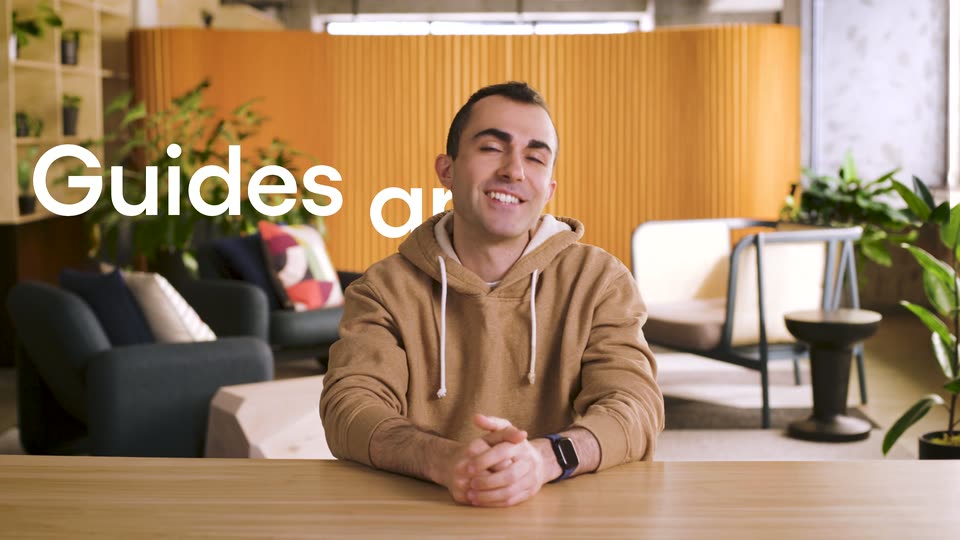
Amplitude’s 3:25 launch film runs 42 scenes, about 4.9 s each. The product shows up at 0:39 and 2 features are revealed. The call to action lands at 3:19 (97% in), over a voiceover. The video alternates a locked-off talking-head presenter in a warm office lounge with fast-cut UI demos and 3D card montages, using clapperboard beats and mock pop-ups as recurring gags. Each feature segment is bridged by title cards and soft gradient backdrops, keeping the pace brisk at about six cuts per minute.
Footage neededEstimated needs: 3 capture groups — your screens or recordings · 1 official logo — reused across the film · 17 filmed passages — shoot, supply or replace · 1 graphic passage — draw or supply · 2 3D passages — build or supply
Is this your launch? to your site or press kit.
More like this

0:53
CrowdReply - Today we're introducing Claude for Marketing. The first AI agent tha
CrowdReply · Jul 2026
0:31
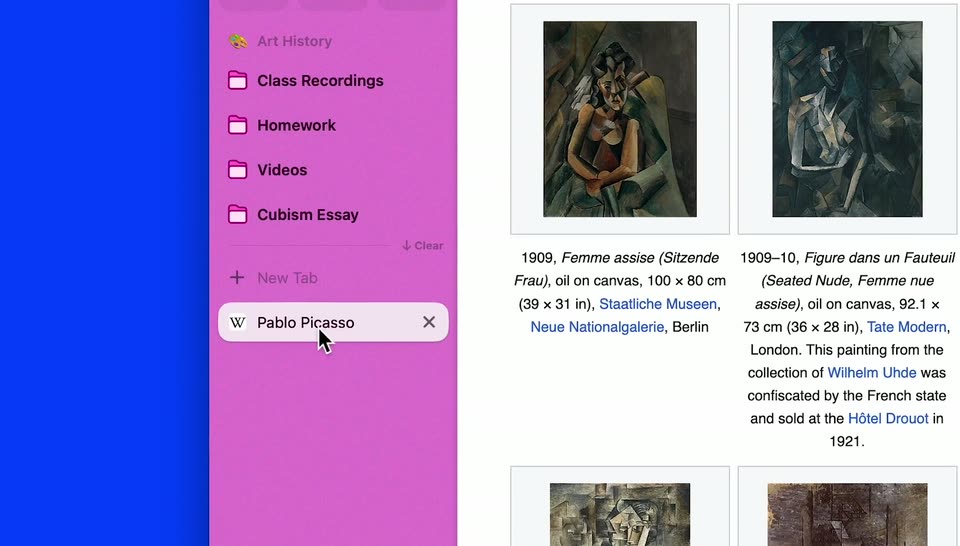

Arc for Students | Everything in its right place
The Browser Company · Productivity · Sep 2023
Amplitude Guide and Survey Overview, scene by scene
· 42 scenes as text
01 · Hook · 0:00–0:06
A man in a tan hoodie sits at a wooden table in a bright office with orange slatted walls and plants. A hand holds a clapperboard in front of his face, then pulls it away as he looks to camera and speaks with open-hand gestures.
Camera: Static
02 · Hook · 0:06–0:11
A man in a tan hoodie sits at a wooden table in a bright office lounge, framed in a locked-off medium shot. A hand holds a clapperboard in front of his face, claps it, then pulls it away as he smiles and gestures toward the camera.
Camera: Static
03 · Problem · 0:11–0:21
A man in a tan hoodie sits at a wooden table in a sunlit office lounge. A hand holds a clapperboard in front of his face, snaps it shut, and pulls it away. He then talks to the camera, gesturing with both hands.
Camera: Static
04 · Problem · 0:21–0:29
A clapperboard is pulled away to reveal a man in a tan hoodie at a wooden table, gesturing as he talks to camera. White mock popup boxes with close buttons then pop in around him, multiplying until they crowd the frame.
On-screen text: “15 REASON TO CLICK ME. YOU WON'T BELIEVE #9”, “You've unlocked an exclusive offer! (And by 'exclusive' we mean 'shown to every visitor'...)”, “⚠ Warning! ⚠ Ignoring this message will bring 7 years of bad internet speed.”, “If you close me, I'll just come back stronger.”, “LOOK AT ME PLEASE I NEED ATTENTION”, “OOPS IT SEEMS YOU'VE IGNORED ME YET AGAIN”, “Hey there, customer! This popup is super important to the product team's goals. Please click”, “Check out our new feature!”, “Maybe you didn't hear me.”, “CONGRATULATIONS! You've won the chance to close this popup! We have a new feature! Check it out. Oops! Maybe you didn't hear me! We have a new feature! Check it”
Camera: Static
05 · Problem · 0:29–0:32
A man in a camel hoodie speaks to camera against an orange slatted wall, smiling and gesturing with open hands. The shot then cuts to a wider frame showing him seated at a light wood table, hands clasped, in a plant-filled office lounge.
Camera: Static
06 · Problem · 0:32–0:36
A man in a tan hoodie sits at a light wooden table in an office lounge, facing the camera. He talks and gestures with both hands, palms open, while the background holds an orange slatted wall, potted plants and blue armchairs.
Camera: Static
07 · Problem · 0:36–0:39
A man in a tan hoodie talks to camera against an orange ribbed wall. A white notification banner with bold black text and a yellow underline slides in from the left, then a cursor arrow glides across and the banner disappears.
On-screen text: “Checkout our new feature!”
Techniques: Cursor demo
Camera: Static
08 · Product intro · 0:39–0:59
A man in a tan hoodie sits at a wooden table in a plant-filled office lounge, speaking to the camera and gesturing with his hands. At 13s a light rounded card holding a black geometric mark and the text Command AI scales in at the left edge and holds.
On-screen text: “Command AI”
Techniques: Kinetic type
Camera: Static
09 · Product intro · 0:59–1:07
A man in a tan hoodie sits at a wooden table in a bright office lounge, talking to camera and gesturing with both hands. Four mock news headline cards pop in around him, hold for a beat, then slide out as he keeps speaking.
On-screen text: “TechCrunch”, “Amplitude buys Command AI to bolster its app engagement offerings”, “Amplitude acquires startup Command AI to improve UX with user assistant”, “Yahoo”, “The American Bazaar”, “Amplitude acquires AI startup Command AI”, “Startups Magazine”, “AMPLITUDE ACQUIRES COMMAND AI TO MAKE TECH EASIER TO USE”
Camera: Static
10 · Product intro · 1:07–1:13
A man in a tan hoodie sits at a table against an orange ribbed wall, speaking to camera. He gestures with both hands and leans in and out as he talks. A plant and a patterned pillow sit blurred in the background. The shot is a static medium close-up.
Camera: Static
11 · Feature reveal · 1:13–1:19
A man in a tan hoodie sits at a wooden table in a bright office with plants, speaking to camera and gesturing. Large white words scale in over the left and right of the frame while the camera stays locked off.
On-screen text: “Guides ai”, “Surveys”
Techniques: Kinetic type
Camera: Static
12 · Feature reveal · 1:19–1:27
A product setup screen shows the Targeting and Trigger panels. The frame zooms in on the Trigger section while a cursor clicks the timing dropdown, opening a menu of trigger options and hovering over Rage click.
Techniques: UI zoom, Cursor demo
Camera: Push in
13 · Feature reveal · 1:27–1:28
A settings dropdown lists trigger options such as Rage click and User confusion, the cursor rests on Rage click, then the menu closes and a white rounded nudge card slides in from the right over a dotted panel.
Techniques: Cursor demo
Camera: Pull out
14 · Feature reveal · 1:28–1:29
A blurred browser window with a left sidebar list and a grid of content cards comes into focus and reframes wider to reveal the address bar, while a cursor hovers in the center under a soft color gradient.
Techniques: Cursor demo, UI zoom
Camera: Push in
15 · Feature reveal · 1:29–1:30
A flat, gradient-tinted browser mockup shows a search page: a left column of result rows and a right grid of cards with avatar circles. A black cursor hovers over the left list and drifts down a row.
Techniques: Cursor demo
Camera: Push in
16 · Feature reveal · 1:30–1:32
A blurred dashboard, with a row list on the left and cards on the right, holds a dark tooltip offering a guided tour. The frame zooms into the tooltip while a cursor moves onto the blue button, the backdrop dissolving into a soft blue-to-peach gradient.
Techniques: UI zoom, Cursor demo
Camera: Push in
17 · Feature reveal · 1:32–1:34
A dark onboarding tooltip with a blue Show me button and a cursor sits over a blurred dashboard, then the tooltip closes and the view pulls back to a sharp settings form with Targeted Users selected.
Techniques: Cursor demo, UI zoom
Camera: Static
18 · Feature reveal · 1:34–1:38
A flat Amplitude targeting panel fills the frame. A cursor moves to the Cohort button on the Segment 1 row and clicks it, opening a dropdown of cohort options, while the view reframes to center on that row.
On-screen text: “Confused by the dashboard?”, “I'll guide you through the essentials!”, “Show me”
Techniques: Cursor demo, UI zoom
Camera: Static
19 · Feature reveal · 1:38–1:45
A man in a tan hoodie sits in a lounge with an orange slatted wall, plants and a sofa behind him. He speaks to camera, gesturing with both hands and leaning forward, framed in a static medium shot.
Camera: Static
20 · Feature reveal · 1:45–1:49
A man in a tan hoodie sits at a wooden table in a plant-filled office lounge, facing the camera. He speaks and gestures with both hands, palms open, then clasps them. Static medium shot with warm lighting and an orange paneled wall behind.
Camera: Static
21 · Feature reveal · 1:49–1:49
A close-up of a two-by-two grid of rounded cards, each holding a pale circle and two horizontal bars, floats over a soft gradient that shifts from blue and green on the left to orange and pink on the right. The shot holds still.
Camera: Static
22 · Feature reveal · 1:49–1:54
A white survey card fades in centered over a blurred, multicolor background split by a faint vertical line. It poses a recommendation question with a 0 to 10 rating row, the 9 box outlined in blue, and a blue Submit button spanning the bottom.
Camera: Static
23 · Feature reveal · 1:54–1:56
A desktop app window plays back a session replay of the AmpliMoney website, its centered modal dialog prompting an income update. The frame pulls back to reveal the top toolbar and the left icon rail.
Techniques: UI zoom
Camera: Pull out
24 · Feature reveal · 1:56–1:58
A screen-recording player shows the AmpliMoney website. An income-update dialog with a money-bag icon and red hand-drawn marks closes, revealing the blue hero panel and a phone form mockup.
Techniques: Cursor demo
Camera: Pull out
25 · Feature reveal · 1:58–2:01
A screen-replay player shows a bank website with a centered modal reading 'It's time to update your income'. A red cursor trail sweeps across the page and hovers over the modal's buttons while the background page scrolls to a bonus offer.
Techniques: Cursor demo
Camera: Static
26 · Feature reveal · 2:01–2:03
A replay player shows a bank landing page with a couple and an update your income modal; a red line and circle are drawn over it. The screen cuts to the editor, where a Create dropdown is open and a red arrow points at the Draft button.
Camera: Static
27 · Feature reveal · 2:03–2:08
A product builder interface fills the frame, then zooms into a modal block labeled Having Trouble Uploading Your ID? while a cursor hovers over a button field. The view reframes to the top-right toolbar as a hand cursor points at a magic-wand icon.
Techniques: UI zoom, Cursor demo
Camera: Push in
28 · Feature reveal · 2:08–2:12
A white modal titled New experiment type zooms out to center over a dimmed dashboard, A/B test selected and Continue button at the lower right, while a cursor drifts across the card.
Techniques: UI zoom, Cursor demo
Camera: Pull out
29 · Demo · 2:12–2:20
A man in a camel hoodie sits at a wooden table in a sunlit office lounge, talking to camera. He gestures with both hands, palms open, then rests them clasped on the table. Behind him, an orange slatted wall, dark armchairs and potted plants stay in soft focus.
Camera: Static
30 · Demo · 2:20–2:30
A man in a tan hoodie sits in a room with orange slatted walls, speaking to the camera. He gestures with his hands while talking. A plant and a chair are visible in the soft-focus background.
Camera: Static
31 · Demo · 2:30–2:31
A man in a tan hoodie sits at a wooden table in a plant-filled office lounge, facing the camera. He speaks and gestures with both hands against a backdrop of an orange slatted wall, gray sofas, and greenery.
Camera: Static
32 · Demo · 2:31–2:36
A dark setup checklist card scales in from blur to sharp focus at center on a pale blue backdrop, casting a soft reflection below. It holds steady, then the frame widens and the card tilts into 3D perspective as a second white card appears at the right edge.
Techniques: 3D mockup
Camera: Static
33 · Demo · 2:36–2:37
Two UI cards float in 3D perspective over a soft blue gradient, a dark setup panel on the left and a white fashion card with a model photo on the right. The camera pushes in, sharpening focus on the central card as the left panel blurs.
Techniques: 3D mockup, UI zoom
Camera: Pan
34 · Demo · 2:37–2:41
A two-panel card floats over a blurred dashboard: a cream panel with a serif headline and black button beside a photo of a woman in a beige coat. It holds, then slides left as a second card with a blue sky image and white headline slides in from the right.
Camera: Pan
35 · Demo · 2:41–2:45
A centered popup card floats over a blurred webpage. Its sky header shows bold white 'Enhanced Cloud Services' text with a close icon; a white panel below holds a 'Cloud Services Upgrade' blurb and a black 'Show me' button. The headline opens with a brief RGB-split glitch.
Camera: Static
36 · Demo · 2:45–2:45
A white modal banner reading Enhanced Cloud Services, with a sky-and-cloud image and a dark Show me button, scales up at the center of a blurred dashboard. As it grows, the camera pulls back to reveal payment and feedback cards on either side.
Techniques: UI zoom
Camera: Pan
37 · Demo · 2:45–2:46
A blurred dashboard sits behind a white feedback modal that racks into focus. The modal poses a recommendation question, its 0 to 10 rating row fills in with 9 highlighted, and a blue Submit button spans the bottom.
Techniques: UI zoom
Camera: Static
38 · Demo · 2:46–2:51
A white survey modal sits centered over a blurred light-blue interface, asking a recommendation question with a 0 to 10 rating row, the 9 tile outlined in blue, and a blue Submit button. The text resolves from a brief blur in the first second, then the frame holds static.
Camera: Static
39 · Other · 2:51–3:19
A man in a tan hoodie sits behind a wooden table in a sunlit office lounge, speaking to camera and gesturing with both hands. Behind him, an orange slatted wall, potted plants, a blue sofa and a white bench stay in soft focus.
Camera: Static
40 · CTA · 3:19–3:21
On a plain white field, a single blue line draws itself in the center. It begins as a short vertical stroke, then extends left and right into a rounded wave, forming the Amplitude mark in one continuous slow stroke.
Techniques: Masking
Camera: Static
41 · CTA · 3:21–3:22
A blue Amplitude A mark sits centered on a near-white field as a circular mask closes in, the white shrinking to a point and leaving a solid blue background.
Techniques: Masking
Camera: Pull out
42 · CTA · 3:22–3:25
On a solid blue field, the white circle with the blue waveform mark scales down from oversized to its final size, the white Amplitude wordmark fades in to its right, and amplitude.com appears below. The lockup settles by the first second and holds for the rest of the clip.
On-screen text: “Amplitude”, “amplitude.com”
Camera: Static