2:07

Y Combinator - Wato (@watolabs) is building the collaboration layer for teams workin
Wato · B2B · Jun 2026
Warp’s 2:17 launch film runs 43 scenes, about 3.2 s each. The product shows up at 0:24 and 4 features are revealed. The call to action lands at 2:03 (90% in), over a voiceover. Tone is confident, conversational and professional: a single presenter talks directly to camera in a calm home office, and the edit cuts on his feature beats. The video alternates his live-action shots with UI demos and flat graphic cards, all framed on a dithered purple pixel-noise field, and closes on a black Warp logo card. Pacing is moderate (about 112 bpm, 15 cuts per minute) with a steady light electronic underscore. Signature moves: zoom-in and zoom-out camera moves that dive into and out
Is this your launch? to your site or press kit.
Wato · B2B · Jun 2026
Framer Convert · Mar 2026
Films whose music sounds like this one, voice left out
Arvist · Modern electronic
Ramp · Upbeat electronic
Deel · Upbeat corporate electronic
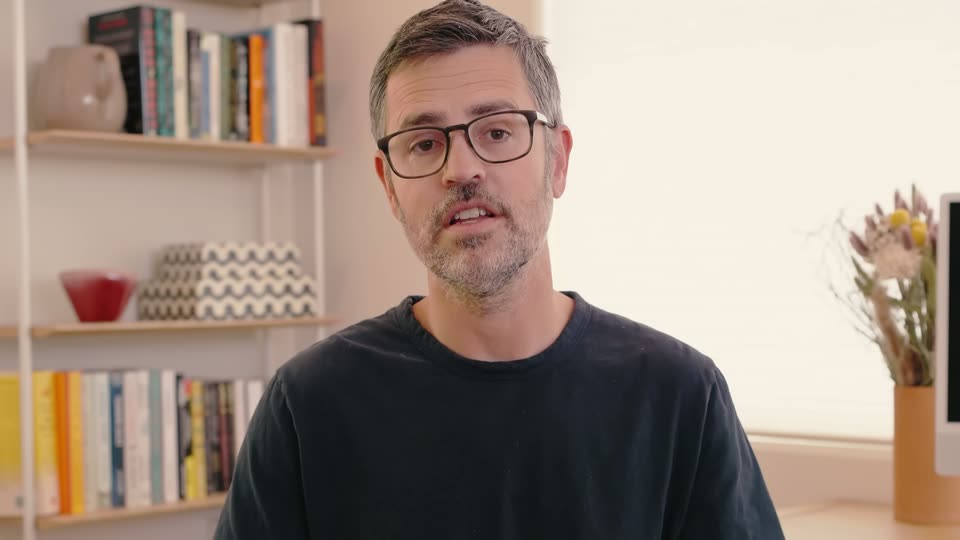
A man with glasses and a black t-shirt sits in a bright home office, facing the camera. He speaks and gestures with both hands, then clasps them in front of his chest. A bookshelf and a desk with a monitor sit behind him.
Camera: Static
A man with glasses and a black t-shirt speaks to camera in a bright home office, bookshelves and a vase of dried flowers behind him. He gestures with his hands as he talks, then the image dissolves into a dark, pixelated abstract pattern.
Camera: Static
A dotted amber map of Europe sits on a dark indigo field. White bullet lines appear one by one; the first line carries three small rounded-square icons, the pair holds, then both are replaced by a second pair of bullets.
On-screen text: “• Choose between multiple agent harnesses”, “• Track, steer, and audit any harness”, “• Run agents on your own infrastructure”, “• Own the data your agents produce”
Techniques: Kinetic type
Camera: Static
A man with glasses and a grey beard, in a dark t-shirt, faces the camera in a bright home office. Bookshelves and a ceramic vase sit behind him; dried flowers in an orange vase stand right. He speaks with small head nods, framed in a static medium close-up.
Camera: Static
A man in a dark t-shirt and glasses stands in a bright room, speaking to the camera and gesturing with his hands. A bookshelf and a desk with a computer sit behind him.
Camera: Static
A man with glasses and a dark t-shirt speaks to camera in a bright room, a bookshelf and a vase of dried flowers behind him. He holds a steady medium close-up and makes small hand gestures as he talks.
Camera: Static
A dark agent window is centered on a grainy, dithered purple field. Inside, the input panel's placeholder text scales in above a small warp chip and a model tag on the right.
Camera: Static
Close-up of a dark input panel with the placeholder “Kick off a cloud agent” and a pink cursor. Above it, the harness label swaps from Warp to Claude Code to Codex, each paired with its API key name, while a purple pixel-noise strip runs down the left edge.
Camera: Push in
A dark Warp terminal window is centered over a purple hash-pattern background, easing in from a slight offset. A prompt types out character by character in the central input field.
Camera: Static
A lavender panel over a purple pixel-cloud background holds the Oz Agent Platform title at top. Three white tiles fade in below, one by one, each with a purple pill label and icon: orange burst for Planner, black code mark for Implementer, black knot for Validator.
On-screen text: “Oz Agent Platform”, “Planner”, “Implementer”, “Validator”
Camera: Static
A man with glasses and a black t-shirt stands in a bright home office, speaking to the camera and gesturing with both hands. Bookshelves line the left wall and a desk with a monitor sits to the right.
Camera: Static
A dark terminal prompt types a long /orchestrate command over a purple glitch background. The frame then zooms out, the terminal shrinking to the bottom as a top search bar and window chrome scale in.
Techniques: UI zoom
Camera: Pull out
A dark Warp terminal window over a purple pixelated backdrop; the typed prompt and path badges sit at the bottom, then the window content zooms in fast, blurring as it dives into the interface.
Techniques: UI zoom
Camera: Push in
A dark terminal window floats over a purple pixel texture. A white cursor slides right across the agent tabs and hovers on client-ui, opening a small tooltip that reads In progress.
Techniques: Cursor demo
Camera: Static
Close-up of a dark Warp terminal window over a purple textured backdrop. A cursor hovers a session tab, a dropdown opens, and the tab switches from cli to client-ui while the code body crossfades between two overlapping states.
Techniques: Cursor demo
Camera: Static
A dark product window sits on a purple textured backdrop. A cursor hovers over the validation tab, opening a dropdown marked In progress, while setup commands and a plan paragraph fill the lower pane.
Techniques: Cursor demo
Camera: Static
A flat runs dashboard window sits centered on a purple pixel background. A cursor glides down the task list, hovering over each row and highlighting it in turn.
Techniques: Cursor demo
Camera: Static
A white agent task card sits on the right over a blurred dark list and a purple pixel texture. Its instruction text expands downward, replacing the Show more link with two extra paragraphs, while a hand cursor hovers on the dimmed left panel.
Camera: Static
A man with glasses and a black t-shirt speaks directly to the camera in a bright room lined with bookshelves. He gestures with both hands as he talks, framed in a static medium close-up.
Camera: Static
A man with glasses and a black t-shirt sits in a bright home office, speaking to the camera. A bookshelf and a desk with a computer frame him. He unclasps his hands and opens them outward in a small explanatory gesture.
Camera: Static
On a purple backdrop of floating code, a Warp agent panel shows the Code architecture task. A cursor clicks the Memory tab to reveal a memory store entry, then the camera zooms into the panel.
Techniques: Cursor demo, UI zoom
Camera: Push in
A product interface card zooms out from a blurred close-up of a memory note to a full page listing Agents and Memories sections, with a cursor hovering at the right edge.
Techniques: UI zoom
Camera: Pull out
A Warp store page sits in slight 3D perspective over a purple grid desktop, showing one agent and one memory entry with a long body paragraph. A black arrow cursor drifts from the memory ID down to the body text.
Techniques: 3D mockup, Cursor demo
Camera: Static
A dark agent interface window, tilted in 3D perspective, floats over a glowing purple nebula of dots and plus signs. The window lists checked git commands beside a details panel, and a cursor hovers over the body text.
Techniques: 3D mockup
Camera: Pull out
A dark agent terminal window is centered on a purple, pixel-noise background. A white cursor drags left to right across a line of agent output, selecting the sentence in a gray highlight.
Techniques: Cursor demo
Camera: Static
A man with glasses and a black t-shirt sits centered in a home office, speaking to camera and gesturing with both hands. A bookshelf and a desk with a black-screen monitor fill the background. The shot holds steady on a medium framing.
Camera: Static
A white New agent panel sits on the right of a browser window, its form fields stacked vertically while the left pane stays blurred. A cursor hovers over the Instructions field, the frame locked off.
Techniques: Cursor demo
Camera: Static
A New agent panel floats over a dimmed list on a purple patterned background. The camera zooms in as the cursor opens the Harness dropdown and changes Warp to Claude Code, exposing a new auth secret field.
Techniques: UI zoom, Cursor demo
Camera: Push in
A man with glasses and a black t-shirt sits in a home office, addressing the camera in a static medium shot. A bookshelf and a desk with a computer frame him. He gestures with both hands, then clasps them in front of his chest.
Camera: Static
A man with glasses and a gray beard in a dark t-shirt speaks to camera in a bright home office, gesturing with his hands. A bookshelf with books and a ceramic vase sits to his left, a window and a monitor edge to his right.
Camera: Static
A dark terminal chat shows an AI bug analysis; the prompt field types 'Implement a fix for the padding' while a mouse cursor moves, then the view zooms out to the full window with a 'Starting cloud environment' toast.
Techniques: Cursor demo, UI zoom
Camera: Pull out
A dark agent window floats over a purple dotted grid. The left pane streams a task report, scrolling through a PR link and validation lines, while the right sidebar flips its status from In progress to Done and the credits counter climbs. A cursor idles at the prompt field.
Camera: Static
A browser window holds a dark GitHub pull request page that scrolls down to reveal the description, linked issue and testing sections, while a cursor drifts over the tabs. The window sits on a purple field of glowing hash symbols.
Techniques: Cursor demo
Camera: Static
A man with glasses and a black T-shirt sits in a bright home office, speaking to the camera and gesturing with both hands. A bookshelf and a desk with a monitor sit behind him; the frame stays locked on him.
Camera: Static
A dark-mode Slack window fills the frame over a purple pixel pattern of repeated O shapes, with a light-purple caption box reading Start in Slack anchored at the bottom.
On-screen text: “Start in Slack”
Camera: Static
A smartphone mockup in 3D perspective floats over a purple pixelated backdrop, its screen showing a terminal chat with a triage task and a browser bar. A purple highlight bar carrying the caption sits below the device. The frame holds still throughout.
On-screen text: “Move to mobile”
Techniques: 3D mockup
Camera: Static
A dark Warp window is centered on a grainy purple backdrop, its triage chat and task rows held static. A lavender caption box with bold black text sits at the bottom; the locked-off frame shows no motion.
On-screen text: “Move to mobile”, “Continue in Terminal”, “app.warp.dev”
Camera: Static
A man with glasses and a black t-shirt sits in a home office, talking to the camera, gesturing with both hands then clasping them. A bookshelf is behind him; a desk with a monitor and dried flowers is to the right. The camera is locked off.
On-screen text: “1m”
Camera: Static
A man with glasses and a gray beard in a black t-shirt sits centered before a wooden bookshelf. His eyes start closed then open as he speaks to camera, in a static medium close-up.
Camera: Static
A man with glasses and a beard speaks to camera on the left of a split frame. The right half is a lavender panel with a white “New in Oz” tag above three feature lines that fade in one after another.
On-screen text: “New in Oz”, “More self-hosting options”, “Richer access controls”, “Improved remote coding”
Techniques: Split screen, Kinetic type
Camera: Pan
A man with glasses and a black t-shirt sits in a bright home office, gesturing with both hands then clasping them as he speaks to camera. A bookshelf and a desk with a monitor and a vase of flowers fill the background.
On-screen text: “New in Oz”, “More self-hosting”, “options”
Camera: Static
A man with glasses and a dark t-shirt sits in a sunlit home office, talking to the camera and gesturing with his hands. Bookshelves, a vase of dried flowers and a bright window fill the background.
Camera: Static
On a black field, a small white rounded square at center morphs into the Warp icon beside the white wordmark warp.dev. The lockup holds, then the wordmark disappears and the icon collapses back into the square.
On-screen text: “warp.dev”
Techniques: Morph
Camera: Static