0:46

Responsive Layouts have landed
Rive · Design · Oct 2024
Framer Convert · Mar 2026 · 0:36 · Full motion · AI-annotated
Framer Convert’s 0:36 launch film runs 11 scenes, about 3.4 s each. The product is on screen from the first frame and 3 features are revealed. The call to action lands at 0:24 (65% in), over a voiceover. The video alternates warm 3D desk shots of the Framer site with flat black interface screens, and each feature is introduced by one voiceover line then proven with counting stats, morphing funnels and typed fields. Cuts land at about eight per minute on a 106 BPM pulse, and the piece ends on a typed URL that hands off to a static logo card.
Is this your launch? to your site or press kit.
Rive · Design · Oct 2024
Framer · Design · Jul 2024
Films whose music sounds like this one, voice left out
Papaya · Electronic Dance Music (EDM)
Character.ai · Upbeat electronic dance
Sonos · Electronic Dance Music
A laptop on a wooden desk in a blurred studio room shows a landing page with a phone mockup and drifting smoke. The headline “Own your data.” scales gently while the locked-off camera holds the 3D perspective.
Techniques: 3D mockup
Camera: Static
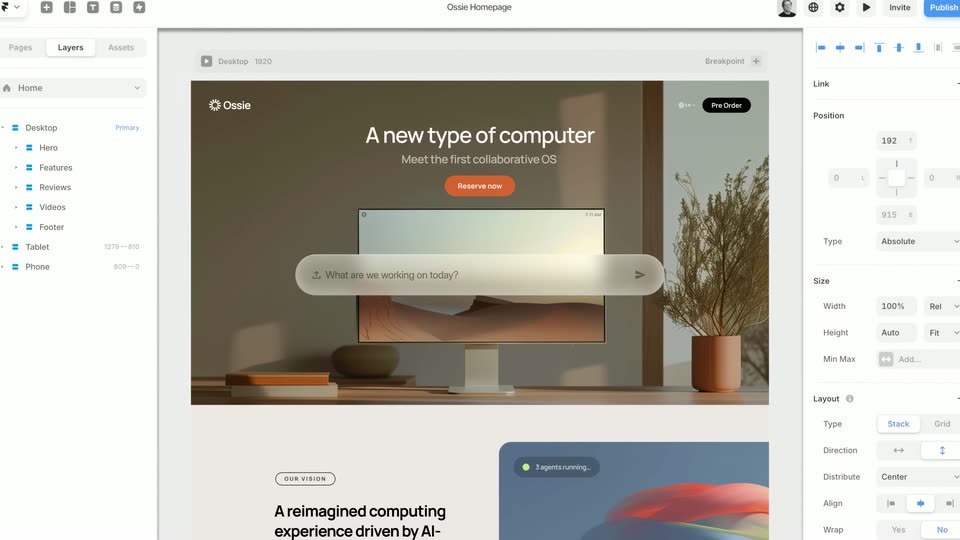
A silver laptop rests on a wooden desk in a blurred home office, its screen filling the frame with a website editor. A phone mockup and a hero headline sit on the canvas while a cursor hovers, and the camera pushes in slowly.
Techniques: 3D mockup, Cursor demo
Camera: Static
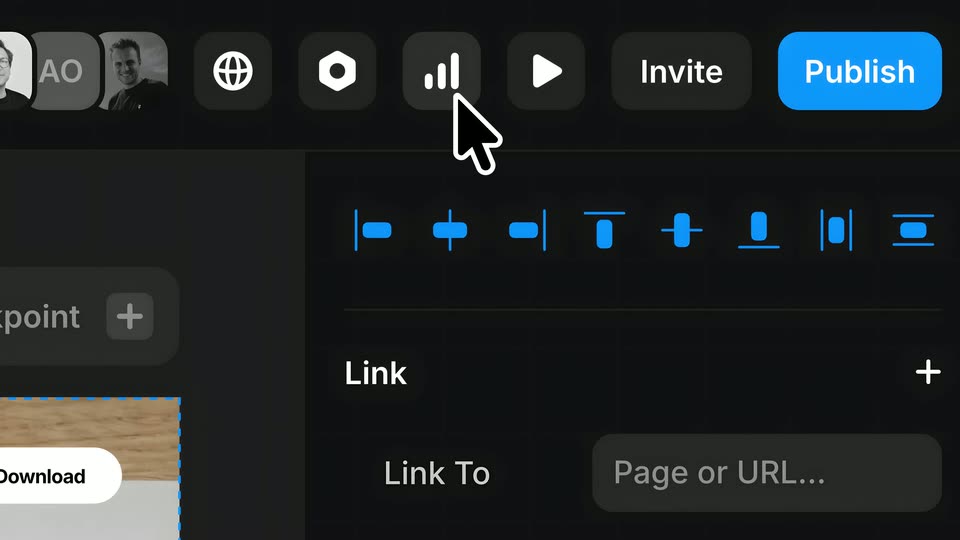
A dark Framer editor fills the frame as a white cursor glides from the Breakpoint control to the analytics icon in the toolbar, then down to the Link panel. The view eases back to reveal the full top bar while a caption scales in over the UI.
On-screen text: “Own your data.”, “Available anywhere”
Techniques: Cursor demo, UI zoom, Kinetic type
Camera: Static
On a dark analytics screen, five stat figures count up as two colored line graphs draw across the chart. The view scrolls down through source, page and device lists, then cuts to a three-step conversion funnel where blue bars shrink from view to download.
Camera: Pan
Full-screen dark dashboard. A conversion funnel morphs from a three-step to a four-step layout; the breadcrumb and metric labels blur and re-form while the blue bars stretch to new values and the area chart below redraws.
Techniques: Morph
Camera: Pull out
Two webpage versions sit side by side under Old and New pill labels. Each panel scrolls vertically at its own pace, comparing the hero section and feature cards that show a phone and a white hub on a wooden table.
On-screen text: “Old”, “New”
Techniques: Split screen
Camera: Pan
Two webpage mockups overlap on a dark field, tagged Old and Winner with a +6% Lift note. The dimmed Old card fades out, then the view pushes in on the Winner hero section showing the phone and Mac.
On-screen text: “Winner”, “+6% Lift”, “Old”
Techniques: UI zoom
Camera: Static
A dark settings panel on a black background. A tracking field is typed with product-hunt, then the panel scrolls up to reveal a Conditions row with a ref parameter and an Equals dropdown, as a mouse cursor slides in.
Techniques: Cursor demo, UI zoom
Camera: Static
A dark Trigger settings panel with a cursor fills the frame, then the view pulls back to reveal a sunlit wooden desk with a phone chat and a white Mac. The panel fades out and a green notification banner appears at the top.
Techniques: Cursor demo, UI zoom, 3D mockup
Camera: Pull out
On a black background, white bold “Always secure” flanks a gray padlock icon labeled CCPA. The center swaps to a ring of stars with GDPR and “secure” becomes “compliant”. The line clears, then framer.com/convert types out with a blinking cursor.
On-screen text: “Always secure”, “CCPA”, “Always GDPR compliant”, “framer.com/convert”
Techniques: Kinetic type
Camera: Static
A white Framer logo, two offset geometric shapes, holds centered on a black background with the URL framer.com/convert. The mark stays still for several seconds, then fades to black.
On-screen text: “framer.com/convert”
Camera: Static