0:49
Explore
Marketing Cloud - WhatsApp Business Messaging: Direct Integration
Salesforce · 1:06 · Full motion · AI-annotated
- Length
- 1:06
- Scenes
- 9 · 7.4 s avg
- Product on screen
- 0:00
- Features shown
- 2
- Voiceover
- Yes
00:00:00 / 01:06:15
- Length
- 1:06
- Scenes
- 9 · 7.4 s avg
- Product on screen
- 0:00
- Features shown
- 2
- Voiceover
- Yes
Salesforce’s 1:06 launch film runs 9 scenes, about 7.4 s each. The product is on screen from the first frame and 2 features are revealed. There is no explicit call to action; a voiceover carries the film. The video books a flat illustrated landscape around screen recordings, opening and closing on the pink-tree hill while the middle walks through the Marketing Cloud interface step by step with a moving cursor. Pacing is steady and cut-light at about five cuts per minute, with quick dissolves between UI states to keep the tutorial flowing.
No filming indicatedEstimated needs: 3 capture groups — your screens or recordings · 1 graphic passage — draw or supply
Is this your launch? to your site or press kit.
More like this

Similar soundtrack
Films whose music sounds like this one, voice left out
3:24
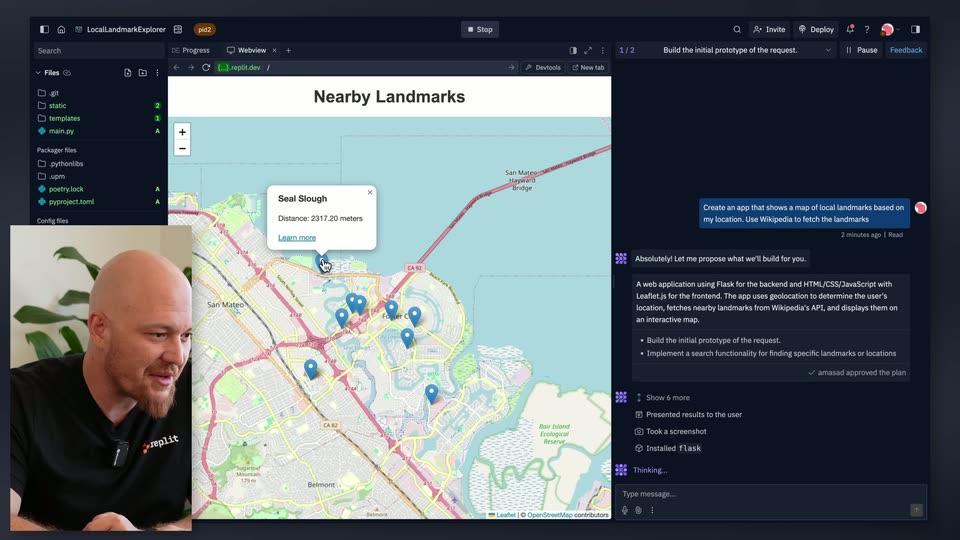

Meet the Replit Agent
Replit · Tech product launch / Instructional video
Marketing Cloud - WhatsApp Business Messaging: Direct Integration, scene by scene
· 9 scenes as text
01 · Product intro · 0:00–0:04
A flat illustration shows a brown bear on a green hill holding a blue blueprint, hammer raised, a blue bird on its shoulder. A pink tree and flowers fill the right. Dark blue headline text sits left, a blue year marker beside the bear. The frame holds still.
On-screen text: “WhatsApp Business Messaging:”, “Direct Integration”, “Marketing Cloud”, “'23”
Camera: Static
02 · Feature reveal · 0:04–0:06
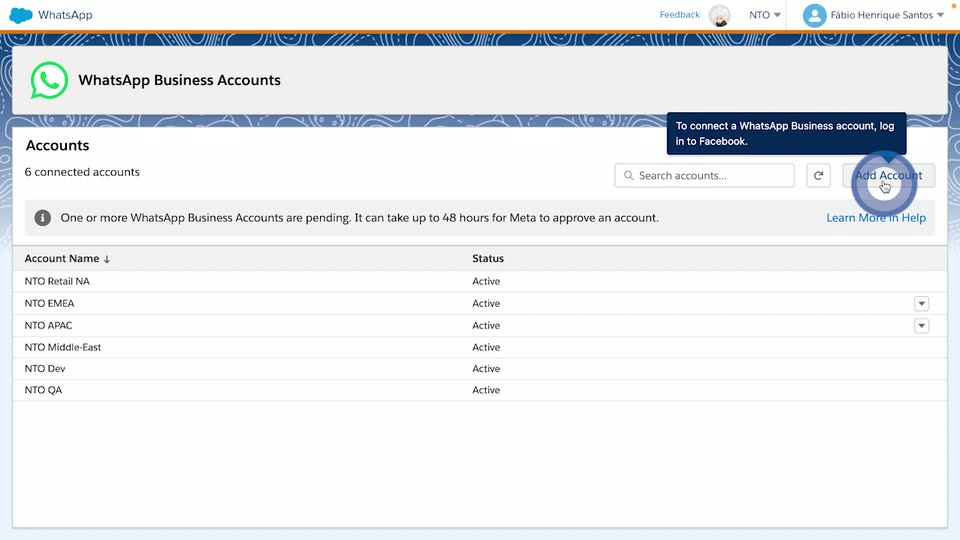
The WhatsApp Business Accounts page lists six connected NTO accounts. A cursor hovers over the Add Account button, then clicks it as a ripple ring spreads, while a dark tooltip explains the Facebook login step.
On-screen text: “WhatsApp Business Messaging:”, “Direct Integration”, “Marketing Cloud”, “'23”
Techniques: Cursor demo
Camera: Static
03 · Feature reveal · 0:06–0:17
A flat phone mockup sits on an illustrated hill with a pink tree. Inside, a WhatsApp setup flow advances through screens with quick dissolves: a cursor clicks Continue, opens a dropdown, picks a country, types a phone number, then rests on the Send Code button.
Techniques: Cursor demo
Camera: Static
04 · Feature reveal · 0:17–0:35
A Journey Builder canvas displays a branching flowchart of colored activity nodes. A cursor scrolls the left icon palette, then clicks the WhatsApp node, sliding open a WhatsApp Message panel with a Select Message button.
Techniques: Cursor demo
Camera: Static
05 · Feature reveal · 0:35–0:36
A browser window shows a marketing cloud app where a WhatsApp message panel switches from an empty state to a file browser; a folder tree appears on the left and a blue dot spinner loads in the center as the cursor moves.
Techniques: Cursor demo
Camera: Static
06 · Feature reveal · 0:36–0:38
A Salesforce template grid with a search field showing “nto”. The cursor moves from the first card to the NTO - Abandon Cart Whatsapp card, which gains a blue checkmark, then rests on the blue Summary button.
Techniques: Cursor demo
Camera: Static
07 · Feature reveal · 0:38–0:40
A browser window displays the Journey Builder interface, a left panel for a WhatsApp message overlaying a flowchart canvas. A cursor clicks the Done button at the bottom; the panel slides out and the canvas widens to reveal the full journey map of connected nodes.
Techniques: Cursor demo
Camera: Static
08 · Feature reveal · 0:40–0:56
A browser window shows the Journey Builder flow canvas. The cursor scrolls the left icon palette, drags an orange diamond node onto the branch after the WhatsApp step, then opens its settings panel to type keywords Yes, No, Exit and a one-day wait before clicking Done.
Techniques: Cursor demo
Camera: Static
09 · Demo · 0:56–1:06
A flat phone mockup sits centered on a flat illustration of a green hill, blue sky and pink tree. The screen shows a NTO chat thread with a video, a coupon message, Yes/No buttons and a sent Yes bubble. A cursor drifts inside the screen while the frame stays locked off.
Techniques: Cursor demo
Camera: Static