
1:07
Explore
00:00:00 / 03:24:09
- Length
- 3:24
- Scenes
- 29 · 7.0 s avg
- Product on screen
- 0:00
- Features shown
- 4
- Call to action
- 3:08 · 92%
- Voiceover
- Yes
- Views
- 188K on YouTube
as of November 21, 2026
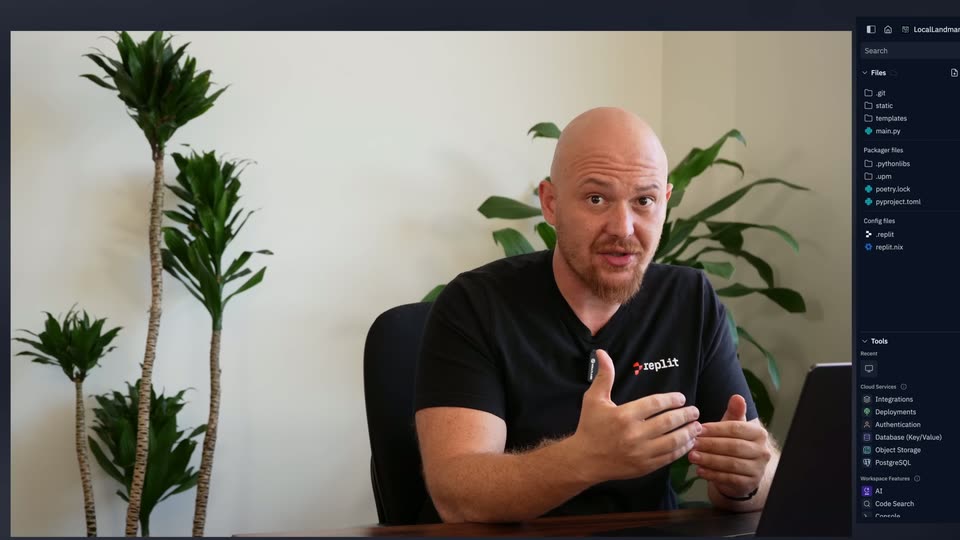
Replit’s 3:24 launch film runs 29 scenes, about 7.0 s each. The product is on screen from the first frame and 4 features are revealed. The call to action lands at 3:08 (92% in), over a voiceover. The video is built as a desk-bound presenter alternating with full-screen screen recordings of the Replit IDE, using small webcam insets that scale up to bridge the two modes. Pacing is slow and steady at about three cuts per minute, letting the demos run uninterrupted, with black logo cards and a violet title card as the only graphic beats.
Footage neededEstimated needs: 7 capture groups — your screens or recordings · 1 official logo — reused across the film · 7 filmed passages — shoot, supply or replace
Is this your launch? to your site or press kit.
More like this


Similar soundtrack
Films whose music sounds like this one, voice left out
3:55

Primitive - we 💌 email
primitive · Technical demonstration / Tutorial
2:54

1:06
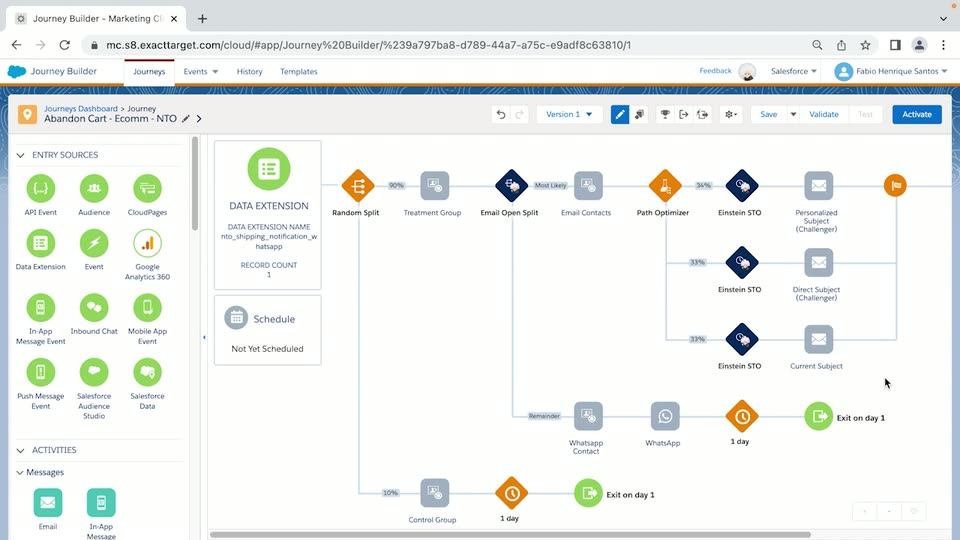
Marketing Cloud - WhatsApp Business Messaging: Direct Integration
Salesforce · Corporate tutorial / Instructional voiceover
Meet the Replit Agent, scene by scene
· 29 scenes as text
01 · Product intro · 0:00–0:01
On a black field, an orange logo assembles from three rounded squares that appear one after another, settling into the brand mark at the center of the frame.
Camera: Static
02 · Problem · 0:01–0:23
A bald man in a black t-shirt with a small replit logo sits at a wooden table, framed waist-up against a plain wall with tall houseplants behind him. The shot opens dim and brightens as he talks to camera, gesturing with both hands. The locked-off medium shot holds steady.
Camera: Static
03 · Product intro · 0:23–0:27
On a black background, a violet dot-cluster logo assembles on the left as white headline and subline text fade in on the right, then hold still. The logo's circles pop into place while the type settles to full opacity.
On-screen text: “Introducing Replit Agent”, “An automated software developer that places you in creative control.”
Camera: Static
04 · Product intro · 0:27–0:30
A bald man in a black Replit T-shirt sits at a desk, talking and gesturing, while a picture-in-picture inset in the top left shows his TED talk, cutting from a wide stage shot to a close-up of the speaker.
Techniques: Split screen
Camera: Static
05 · Product intro · 0:30–0:38
A bald man in a black replit t-shirt sits at a desk with a laptop, talking and gesturing, while a picture-in-picture inset at the top left shows him presenting on a stage before a blue hexagon screen. Both shots stay locked off.
Techniques: Split screen
Camera: Static
06 · Product intro · 0:38–0:39
A bald man in a black Replit shirt sits at a desk with a laptop, hands clasped, while a smaller inset in the top left shows the same man gesturing before a blue hexagon backdrop.
Techniques: Split screen
Camera: Pan
07 · Demo · 0:39–0:42
A dark Replit home screen fills the frame; a man speaks in a bottom-left video inset. A prompt types itself into the Replit Agent field, the Start building button becomes Crunching Repl, then the screen cuts to a dark loading page with an orange three-square logo.
Techniques: Cursor demo
Camera: Static
08 · Demo · 0:42–0:47
A dark chat UI fills the frame. A blue prompt bubble and an agent plan card with checkboxes appear; a cursor ticks one box, then the plan condenses into an approved summary. A small live-action inset of a bearded man in a black shirt sits in the lower left.
Techniques: Cursor demo
Camera: Static
09 · Demo · 0:47–0:55
A bald presenter in a black Replit shirt gestures inside a small bottom-left window layered over a dark IDE. The right chat pane holds a blue user request and the AI's Flask plan, its label shifting from Thinking to Creating main.py, while the center editor types Python code line by line.
Camera: Static
10 · Demo · 0:55–0:58
A screen recording of a code editor shows files being created one after another, main.py, index.html and style.css, while a bald man in a black shirt gestures in a small video inset at the lower left.
Camera: Static
11 · Demo · 0:58–1:04
A dark editor types and scrolls code while a bald man in a black shirt gestures in a small video inset at lower left. A right-side chat panel lists the agent's plan, and the editor header shifts from Creating to Created, then to an Installed dependencies card.
Camera: Static
12 · Demo · 1:04–1:11
A dark IDE screen fills the frame; the center terminal streams install lines and the right chat panel appends build steps, while a bearded man in a bottom-left video inset gestures and speaks.
Camera: Static
13 · Demo · 1:11–1:29
A three-panel layout pairs a talking-head inset with a live map app and an AI chat. Blue pins drop onto the Foster City map, a Seal Slough popup opens, then the cursor types and sends a confirmation in the chat as the man gestures.
Techniques: Split screen, Cursor demo
Camera: Static
14 · Demo · 1:29–1:31
A dark three-panel IDE fills the frame: file tree left, a map titled Nearby Landmarks with a popup center, agent chat right. New file-edit lines appear at the chat's bottom. A small inset of a man in a black shirt gestures lower left.
Camera: Static
15 · Feature reveal · 1:31–1:33
A screen recording of the Replit IDE shows a file tree, a chat panel and a web preview that loads a world map with a search bar. The small inset of the presenter then crossfades to a full shot of him gesturing at a desk with plants.
Camera: Push in
16 · Feature reveal · 1:33–1:51
A locked-off shot of a bald man in a black Replit t-shirt at a desk with a laptop, gesturing as he speaks, with tall green plants behind him. At the end the frame is enclosed in the Replit interface with a top toolbar and a chat panel on the right.
Techniques: Split screen
Camera: Pull out
17 · Feature reveal · 1:51–1:52
A Replit workspace fills the frame: a file tree on the left, a map webview in the center and an agent chat log on the right. A cursor types into the search box while a bearded man in a black shirt gestures in a small video inset at the lower left.
Techniques: Cursor demo
Camera: Static
18 · Feature reveal · 1:52–2:02
A presenter in a bottom-left inset talks beside a screen recording of a dark IDE. A cursor types
Techniques: Split screen, Cursor demo
Camera: Static
19 · Feature reveal · 2:02–2:06
A bald presenter in a black Replit shirt talks in a bottom-left webcam box while the Replit IDE fills the screen. A cursor clicks the Good feedback button in the chat panel, then the center deploy view switches to a Reserved VM configuration form.
Techniques: Cursor demo, Split screen
Camera: Static
20 · Feature reveal · 2:06–2:14
A man speaks in a small webcam inset at the bottom left while the Replit interface fills the screen. The cursor scrolls the deployment settings down and clicks the blue Deploy button, which switches the panel to a deploying log with progress bars.
Techniques: Cursor demo
Camera: Static
21 · Feature reveal · 2:14–2:16
A man in a black t-shirt sits at a wooden desk, green plants behind him, gesturing with both hands toward a small lapel mic clipped to his chest. He smiles and speaks. The frame fades in from black.
Camera: Static
22 · Feature reveal · 2:16–2:33
A man in a black shirt sits at a desk with a laptop, gesturing as he speaks. A flat phone mockup of the Replit app slides in from the left, showing a code editor creating files, then slides out to the left.
Techniques: Split screen
Camera: Pull out
23 · Feature reveal · 2:33–2:48
A full-screen capture of the Replit editor shows a CSS file, then pyproject.toml, then Python code, while the agent chat panel on the right lists completed steps. A small live-action inset of the presenter gestures in the lower-left corner as the cursor clicks through files.
Techniques: Cursor demo
Camera: Static
24 · Feature reveal · 2:48–2:59
A dark product interface fills the frame, with a bearded presenter in a black shirt gesturing in a bottom-left inset. The deployment log gains new lines, then the cursor moves to the Overview tab and a Production status card appears.
Techniques: Cursor demo
Camera: Static
25 · Demo · 2:59–3:07
A man in a small box at bottom left gestures while a web map of the Bay Area fills the rest of the frame. The map zooms into Foster City, blue pins cluster, and the cursor clicks a pin to open a white info card.
Techniques: Split screen, UI zoom, Cursor demo
Camera: Push in
26 · Demo · 3:07–3:08
A web map app screen fills the frame, showing a Seal Slough card and blue pins over San Mateo. A presenter in a black replit shirt fades in from a small corner inset and scales up to a left panel, pushing the map to the right.
Camera: Push in
27 · CTA · 3:08–3:20
A bald man with a reddish beard, wearing a black T-shirt with the replit logo, sits at a wooden desk and talks to the camera, gesturing with his hands. A laptop is in the lower right foreground, tall potted plants behind him, white wall, locked-off medium shot.
Camera: Static
28 · Outro · 3:20–3:23
A purple mark of nine dots joined by wavy lines sits centered on a black background. It brightens from a dim tone to full color, then holds still.
Camera: Static
29 · Outro · 3:23–3:24
A purple nine-dot grid with curved connectors sits centered on a black background, then fades out to black.
Camera: Static