0:11

Suno - Introducing Suno MCP Beta Create songs from wherever you get inspire
Suno · AI · Oct 2026
Featherless AI · Sep 2026 · 0:49 · AI-annotated
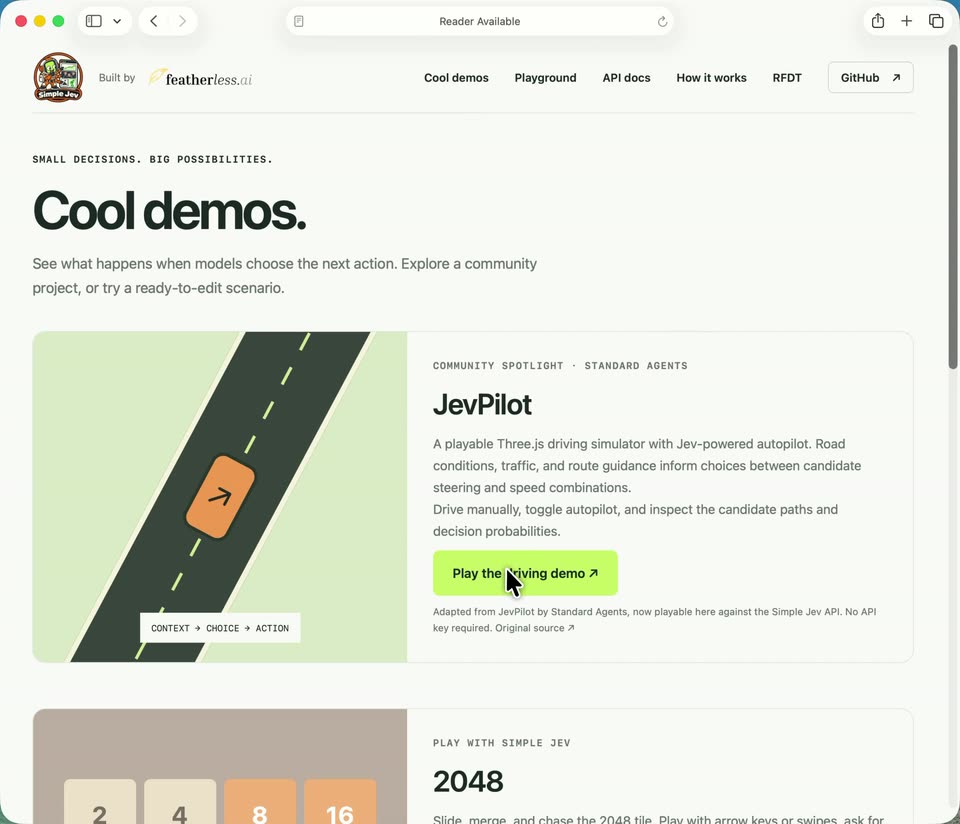
Featherless AI’s 0:49 launch film runs 9 scenes, about 5.5 s each. The product is on screen from the first frame and 3 features are revealed. There is no explicit call to action. A cursor-driven browser tour that opens on the product homepage, then walks through three live demos (JevPilot driving, food classification, 2048) using the demo gallery as the hub that launches each one. Pacing is real-time and uncut, with the signature moves being the cursor clicking lime-green action buttons and the on-screen probability bars and blue path beam updating live.
Is this your launch? to your site or press kit.
Suno · AI · Oct 2026
Linear · Productivity · Sep 2024
Spacesheep · B2B · Nov 2026
A browser window displays the Simple Jev homepage, with a large headline, mascot, and two dark code panels. A cursor moves toward the top navigation, and the address bar highlights.
Techniques: Cursor demo
Camera: Static
A desktop browser window shows the featherless.ai Cool demos page with the JevPilot driving demo card. A cursor glides from the top navigation to the green Play the driving demo button while the address bar settles on Reader Available.
On-screen text: “Turn context into”, “clear decisions.”, “Try the demo APl in one request”, “Copy”
Techniques: Cursor demo
Camera: Static
A browser window shows a centered loading state on a light gray page: a small emblem, the bold line “Getting your drive ready”, a status line switching from “Loading JevPilot...” to “Preparing the road...”, and a spinning ring. A black cursor drifts to the lower right and rests.
Camera: Static
In a browser window, a 3D driving simulator sits on a city street. A cursor clicks the Engage Jev button, turning it red, and a white car speeds down the road with a blue path beam ahead. The cursor then clicks Cool demos, switching the page to a landing view.
Techniques: Cursor demo
Camera: Push in
A full browser window on a white page scrolls down through a list of demo cards, each pairing an image (a road, 2048 tiles, a hot dog and sandwich) with a title and a green button. A cursor drifts down and hovers the buttons.
Techniques: Cursor demo
Camera: Pan
A flat browser window of a web app titled Hot dog or sandwich? scrolls down as a hand cursor moves to a green Classify all button and clicks it. Photo cards below switch to a Classifying status as the page keeps scrolling.
Techniques: Cursor demo
Camera: Pan
A browser window holds a fixed frame while a grid of food photo cards scrolls down, each card showing a hot dog, sandwich, burger or pizza with green confidence bars. A cursor drifts across the cards and stops on the top navigation.
Techniques: Cursor demo
Camera: Pull out
A browser window shows a product website scrolling down the page. A green road illustration and a 2048 tile grid move past as the view descends, and a cursor glides to hover over a lime-green button.
On-screen text: “simplejeverse.ai”
Techniques: Cursor demo
Camera: Pan
A macOS browser window fills the frame on the Simple Jev 2048 page. The cursor picks a classifier model, clicks Start classifier, and the AI plays moves: tiles slide and merge on the grid while green probability bars update in the side panel.
Techniques: Cursor demo
Camera: Static