0:58

Ploid Demo: Creating a Dataset
Ploid · B2B · Oct 2026
Spacesheep · Nov 2026 · 2:42 · AI-annotated
Spacesheep’s 2:42 launch film runs 8 scenes, about 20 s each. The product is on screen from the first frame and 1 feature is revealed. There is no explicit call to action; a voiceover carries the film. A locked-off screen-share demo framed by two webcam insets on a black field of scattered colored squares. The structure is a single continuous take: a conversational opening, a live query that builds a dashboard under a running timer, a six-step pipeline walkthrough, and a live-data close, with pacing driven by the on-screen timer and cursor rather than cuts.
Is this your launch? to your site or press kit.
Ploid · B2B · Oct 2026
Ekpa · Fintech · Jul 2026
Supabase · Developer tools · Jul 2025
A browser window on a black field with scattered colored squares shows a quick-queries document. The page scrolls past stat cards, a flow diagram and a timing bar chart, then cuts to a blank dotted canvas. Two men sit in webcam insets at the lower corners.
Techniques: Split screen
Camera: Static
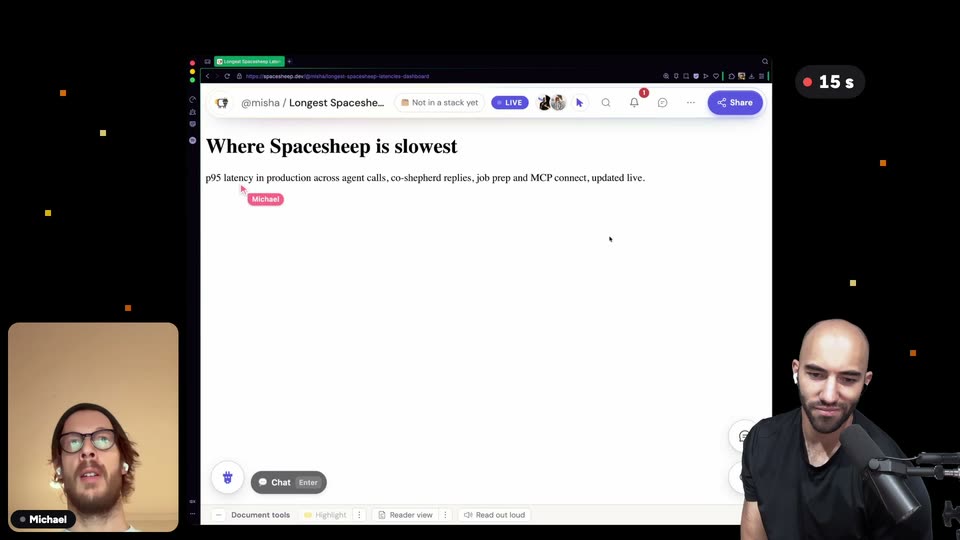
A locked-off browser window on a black, square-dotted background shows an empty Spacesheep document while a red timer counts up in the corner. A heading and latency cards with sparklines and a bar chart load in. Two men watch from call windows at the lower left and right.
On-screen text: “1 s”, “2 s”, “3 s”, “4 s”, “5 s”, “6 s”, “7 s”, “8 s”, “9 s”, “10 s”
Techniques: Split screen
Camera: Static
A browser window with the Spacesheep latency dashboard fills the center of a black frame, flanked by two webcam feeds of the hosts. The page scrolls down and back up while a pink Michael cursor drifts across the stat cards and bar charts.
Techniques: Split screen, Cursor demo
Camera: Static
A browser window of the Spacesheep latency dashboard fills the center, flanked by two webcam feeds of presenters. A cursor labeled Michael glides over the metric cards and the model bar chart as the speakers discuss the numbers.
On-screen text: “Michael”
Techniques: Cursor demo
Camera: Static
A browser window shows a six-step flowchart while a 'Michael' cursor walks down the boxes, highlighting each in purple. Two webcam feeds flank the screen, and a numbered caption card swaps at the bottom with each step.
On-screen text: “You ask in plain words”, “I wanna see latencies”, “Not a model call”, “A fast router picks the data skill, in tens of milliseconds”, “Schemas are already cached”, “Every table, column and type, ready on the edge”, “Not a model call again”, “Whole chain runs in one pass, no back and forth to the LLM”, “Charts and data, at once”, “Queries hit Datadog, Mixpanel or your database”
Techniques: Split screen, Cursor demo
Camera: Static
A browser window on a black dotted background shows a latency dashboard with metric cards and purple bar charts. The page scrolls down while a cursor tagged 'Michael' hovers over the bars and the numbers tick down live. Two hosts sit in small video-call windows at the lower corners.
Techniques: Cursor demo
Camera: Static
A shared dashboard titled 'Where Spacesheep is slowest' fills the center, flanked by a small video feed on the left and a bald presenter gesturing on the right. A pink cursor tagged 'Michael' drifts down the latency bar chart as the page scrolls.
Techniques: Split screen, Cursor demo
Camera: Static
A browser window displays a latency dashboard with stat cards and a bar chart, while a pink cursor tagged Michael glides across the bars. A bearded man in a webcam feed sits left; a bald man gestures into a microphone on the right.
Techniques: Split screen, Cursor demo
Camera: Static