0:11


Suno - Introducing Suno MCP Beta Create songs from wherever you get inspire
Suno · AI · Oct 2026
Linear’s 0:53 launch film runs 14 scenes, about 3.8 s each. The product is on screen from the first frame and 3 features are revealed. The call to action lands at 0:47 (89% in), over a voiceover. One locked-off live-action take of a hand driving the Linear app on an iPhone, cut only when the workflow changes, with the voiceover naming each feature as the fingers demo it. The pace is real-time and steady, ending on a hard cut to a flat black QR code card.
Is this your launch? to your site or press kit.
Films whose music sounds like this one, voice left out
Kaelio · Corporate tech launch
Spacesheep · Electronic
Anthropic · Electronic
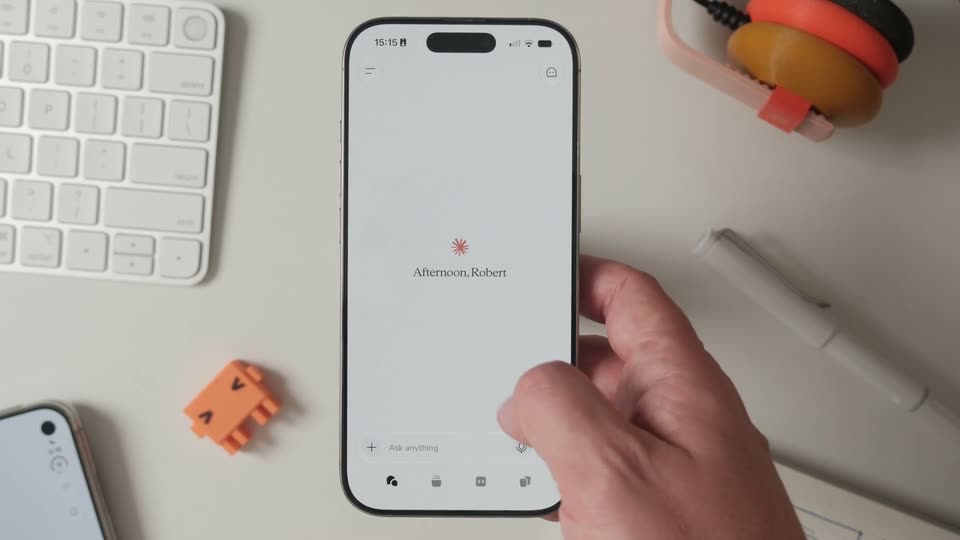
Locked-off medium shot of a hand holding an iPhone on a desk. The home screen is shown, then a finger taps the Linear app, scrolls the issue list, taps settings, and opens a new issue form where it types a title. Steady real-time pace.
Camera: Static
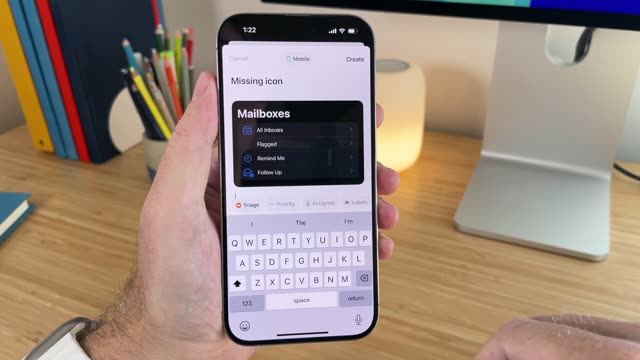
A hand holds an iPhone over a wooden desk. A finger taps the screen as the title field fills with “Missing icon”; a dark Mailboxes list and the keyboard occupy the lower half.
Camera: Static
A hand holds a phone over a wooden desk while a finger taps the top of the screen. The app screen shows a new-issue form with a Mailboxes panel, then switches to a Home list of project rows. Colored pencils and books sit blurred in the background.
Camera: Static
A hand holds an iPhone at a desk, the Linear Home screen showing a black 'Issue created' toast. A finger taps the inbox tab and the screen transitions to a notification inbox list.
Camera: Static
A hand holds an iPhone showing the Linear inbox list. The index finger taps the top issue, and the screen switches to the issue detail view with a comment thread. Shot tight on the phone against a wooden desk with pencils.
Techniques: Cursor demo
Camera: Static
A hand holds a phone on a wooden desk, its screen filling the frame. A finger taps a comment, a row of emoji reactions slides up and a menu with Reply, Copy text, Delete opens. A thumbs-up badge then appears on the comment as the phone tilts.
Camera: Static
A hand holds a phone on a wooden desk as the app switches from an issue detail screen, where a dark list panel shrinks away, to a full Inbox list of tasks. The background holds colored folders, a pencil cup and a glowing lamp.
Camera: Static
A hand holds a phone showing the Linear inbox. A finger swipes a row left to reveal a red Delete button, then the row vanishes and the list shifts up. The finger long-presses the next row, which lifts into a floating card above a menu of snooze options.
Camera: Static
A hand holds a phone over a wooden desk. A finger taps the open snooze menu on a notification card, the card collapses, and the inbox task list resolves into focus behind it.
Camera: Static
A hand holds an iPhone showing the Linear inbox over a desk with a monitor and colored pencils. A finger taps the settings tab, the screen switches to the settings list, then taps a row.
Techniques: Cursor demo
Camera: Static
Close-up of a hand holding a phone over a desk, the Linear Settings list on screen. A finger taps Notifications, the view swaps to the notifications page, then the finger taps the time zone row.
Camera: Static
A hand holds a tilted smartphone showing the Linear Notifications settings page, with green toggles and a 9:00 AM to 5:00 PM schedule. The camera stays still against a desk with colored folders, pencils and a warm lamp.
Camera: Static
A hand holds an iPhone upright against a desk with a warm lamp and monitor stand. The Linear app screen switches from a Notifications settings page to the Home list of favorites. Locked-off camera, steady hold.
Camera: Static
A black end card fades in and holds still. A white 'Linear Mobile' headline sits above two lines of subtext, a white QR code with a small striped circle at its center, and a small caption with a URL below.
On-screen text: “Linear Mobile”, “Complex workflows in compact form.”, “Available for iOS and Android.”, “Scan to download or visit”, “linear.app/download-mobile”
Camera: Static