1:32


machine0 (YC S26) - Product Demo
machine0 · B2B · Jul 2026
Linear · Sep 2024 · 0:54 · AI-annotated
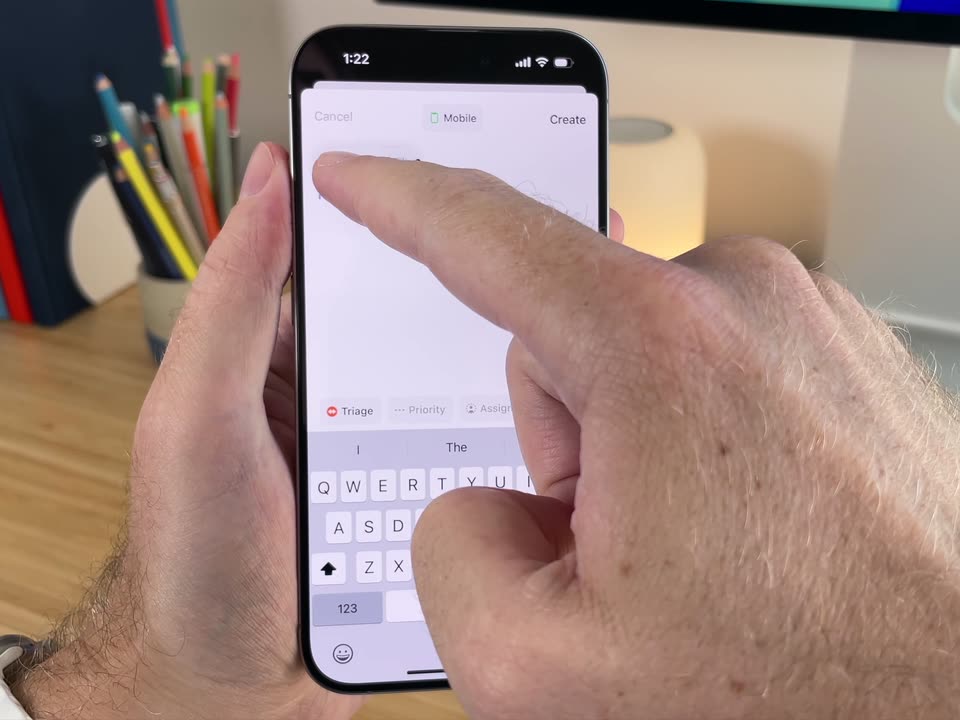
Linear’s 0:54 launch film runs 15 scenes, about 3.6 s each. The product is on screen from the first frame and 4 features are revealed. The call to action lands at 0:42 (79% in), over a voiceover. The video is one continuous handheld shot of a hand driving an iPhone on a desk, cut at a steady mid-tempo so each cut lands on a new screen state. Signature moves: the phone held rock-steady against a warm blurred desk, UI cross-fades and bottom-sheet slides, and a hard cut to a black QR end card.
Is this your launch? to your site or press kit.
machine0 · B2B · Jul 2026
Suno · AI · Oct 2026
Almanac · B2B · Aug 2026
A hand holds an iPhone against a desk with colored pencils and a glowing lamp. The home screen shows a clock and calendar widget. A finger taps the Linear icon, and the screen switches to the app's issue list.
Camera: Static
A hand holds an iPhone showing the Linear Home screen with a list of favorite projects. A finger taps the screen and the list scrolls up to reveal two more teams. The phone is held over a wooden desk with colored pencils and a warm lamp in the background.
Camera: Static
A hand holds an iPhone on a desk with pencils and a glowing lamp. The Linear home list is shown, then a finger taps the create tab, opening a new issue form. The finger types a title and drops a screenshot of a Mailboxes list into the description field.
Camera: Static
A hand holds an iPhone on a wood desk and taps Create on a new-issue sheet titled Missing icon. The sheet closes to the Home list with an Issue created toast, then a thumb taps the inbox tab and the new item appears at the top of the list.
Camera: Static
A hand holds a phone over a desk with colored pencils and a lamp. The Linear inbox list fills the screen, then a finger tap on the top row switches the view to the issue detail, showing properties and a comment thread.
Techniques: Cursor demo
Camera: Static
Close-up of a hand holding a phone on a wooden desk. A finger taps a comment, a reaction sheet slides up, the finger taps a thumbs-up, and the reaction appears under the comment.
Camera: Static
A hand holds a phone on a desk as the interface cuts from an issue detail with a Mailboxes panel to a Home list of notifications. Soft desk props sit out of focus behind it.
Camera: Static
A hand holds a smartphone upright against a desk backdrop of colored pencils and a warm lamp. The screen shows the Linear inbox with five notification rows and a bottom tab bar. The shot stays static.
Camera: Static
A hand holds a phone showing the Linear inbox. A finger swipes a row left to reveal a red Delete button, then taps it. The list scrolls, the finger taps a row to open a menu, and expands Snooze to show time options.
Techniques: Cursor demo
Camera: Static
A hand holds a phone upright, its screen in sharp focus showing the Linear inbox list, against a softly blurred desk with colored pencils and a warm lamp. The phone stays steady with only a slight handheld drift.
Camera: Static
A hand holds a phone showing the Linear inbox list. A second finger taps the gear icon at the bottom, switching to the settings screen, then taps a row. The desk with pencils and a lamp stays softly blurred behind.
Camera: Static
A hand holds an iPhone over a wooden desk, the Linear app open. A finger taps the Notifications row, the screen cross-fades to the Notifications page, then the finger flips two green toggles on. Colored pencils sit blurred in the background.
Camera: Static
A hand holds a smartphone steady, showing a notifications settings screen with two green toggles, a weekday row and time fields, over a desk with colored pencils and a glowing lamp. A finger hovers at the lower right edge of the device.
Camera: Static
A hand holds an iPhone upright on a wooden desk, the screen cycling through the Linear app: a Notifications settings page, then the main Settings list, then the Home favorites list. The hand and blurred background stay still while the interface changes.
On-screen text: “linear.app/download-mobile”
Camera: Static
A black card fades in from black. A large white headline reads Linear Mobile above two lines of subtext. A white QR code with a small striped circle at its center sits below, with a small caption and URL under it. The frame is locked off.
On-screen text: “Linear Mobile”, “Complex workflows in compact form.”, “Available for iOS and Android.”, “Scan to download or visit”, “linear.app/download-mobile”
Camera: Static