2:05

A new visual editor: design directly in your codebase
Cursor · Developer tools · Dec 2025
Spacesheep · Nov 2026 · 1:10 · AI-annotated
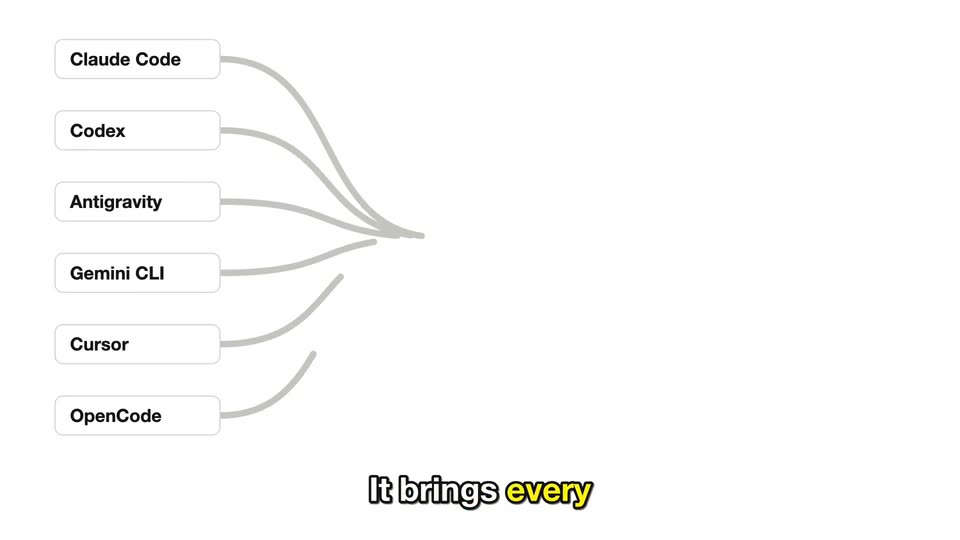
Spacesheep’s 1:10 launch film runs 25 scenes, about 2.8 s each. The product shows up at 0:20 and 3 features are revealed. The call to action lands at 1:00 (86% in), over a voiceover. A talking-head launch video that alternates a presenter in front of a red brick wall with flat off-white motion graphics and flat UI screenshots. The style is built on a recurring converging-lines diagram that funnels labeled pills into the sessionpipe logo mark, paired with chunky outlined captions that highlight one keyword at a time, so the rhythm is short spoken beats cut to a single animated idea per line.
Is this your launch? to your site or press kit.
Cursor · Developer tools · Dec 2025
Eccasion · Nov 2026
Films whose music sounds like this one, voice left out
Linear · Electronic
Resend · Upbeat electronic background music
OpenAI · Electronic
A man in a green beanie and glasses talks to camera against a red brick wall, holding a small black device to his mouth and gesturing with his free hand. Subtitles build a sentence at the bottom, key words in yellow, while a white sessionpipe logo badge sits top left.
On-screen text: “By time this”, “video ends,”, “someone will have”, “launched a new”, “harness.”
Camera: Static
A man in a green beanie and glasses holds a small furry lavalier mic near his chin and speaks to camera against a red brick wall. A sessionpipe badge sits top-left while caption phrases swap along the bottom.
On-screen text: “sessionpipe”, “We already use”, “Codex,”, “Claude Code,”, “Antigravity.”, “Each one is”, “a little different,”, “to control those”, “sessions without building”, “yet another harness.”
Camera: Static
A man in a green beanie and glasses holds a small clip-on mic to his mouth and speaks to camera in front of an exposed brick wall. A white sessionpipe badge stays top-left while two-tone captions swap phrase by phrase along the bottom.
On-screen text: “sessionpipe”, “yet another harness.”, “What if there”, “were one protocol,”, “one normalized API,”, “so You can”, “plug in to”, “any harness,”, “orchestrate your sessions,”, “and bring them”
Camera: Static
A man in a green beanie and glasses holds a lavalier mic against a red brick wall, gesturing with a raised fist. A white sessionpipe badge sits top left while a bottom caption highlights the spoken words in yellow.
On-screen text: “into a new”, “IDE you're building?”
Camera: Static
A man in a green beanie and glasses stands before a brick wall, holding a small black object and gesturing as he speaks. Yellow outlined captions appear at the bottom of the frame while a white sessionpipe logo badge stays fixed in the top left corner.
On-screen text: “sessionpipe”, “And that's why”, “we're building sessionpipe.”
Camera: Static
On a plain off-white background, the sessionpipe logo sits centered: a gray chevron, black dash and orange dot beside the black lowercase wordmark. A caption below reads 'we're building sessionpipe.' with the brand name in yellow. The frame is locked off and static.
On-screen text: “we're building sessionpipe.”
Camera: Static
A vertical stack of six white pills labeled with AI tool names sits on the left; gray curved lines extend from each pill and converge into a single point on the right. Below, a caption appears word by word with one word highlighted yellow.
On-screen text: “It brings every”, “harness down to”
Techniques: Kinetic type
Camera: Static
A white diagram shows six labeled boxes on the left, each feeding a gray curve with an orange dot that converges on the sessionpipe wordmark at right. A gray subtitle one protocol fades in below it as a bottom caption reads one protocol. with the second word in yellow.
On-screen text: “harnesses down to”, “one protocol.”
Camera: Static
A man in a green beanie and glasses speaks into a microphone against an exposed brick wall. A white sessionpipe badge sits top left while white subtitles with a yellow highlight appear at the bottom.
On-screen text: “sessionpipe”, “Even if you're”, “into Chinese models,”
Camera: Static
Three device cards link by curved gray lines to a central sessionpipe mark. A Sessions panel slides in and fills with rows while bottom badges tick on. A phone mockup appears at right, a dotted line arcs to a device, and highlighted captions type along the bottom.
On-screen text: “Plug one in,”, “and every session”, “transcript is saved”, “and backed up.”, “Search them with”, “or your own.”, “Start a conversation”, “from any device.”
Techniques: Kinetic type
Camera: Static
Three device cards on the left send orange lines with traveling dots into a central sessionpipe node, beside a Sessions list and a phone mockup. Bottom feature checkboxes tick on, and a yellow-and-black caption at the bottom swaps between two lines of the tagline.
On-screen text: “All your AI”, “in one place.”
Techniques: Kinetic type
Camera: Static
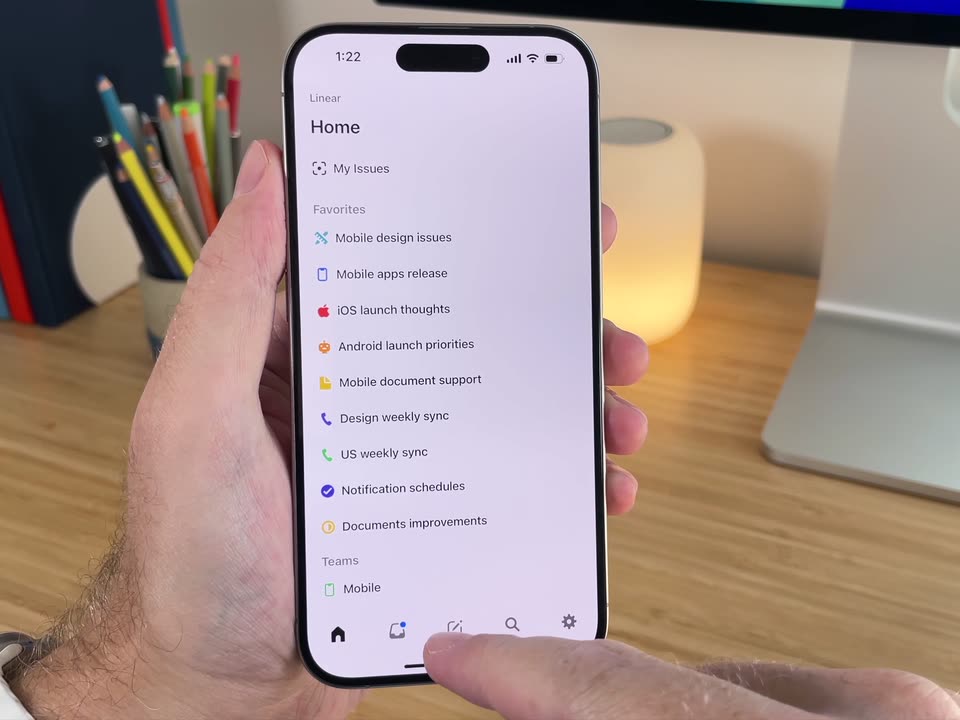
A flat screenshot of a task board app, with a left sidebar and a list of issue cards, sits centered on a light gray background. Below it, a caption builds word by word at the bottom edge.
On-screen text: “It comes with”, “a GUI,”
Techniques: Kinetic type
Camera: Static
The sessionpipe search screen lists webhook results; the panel crossfades from a ghosted double exposure into a clean list. Bold lowercase captions with yellow highlights pop in phrase by phrase at the bottom, matching the voiceover.
On-screen text: “you can,”, “or connect to”, “your UI,”, “change it,”, “or connect to”, “your UI,”
Techniques: Kinetic type
Camera: Static
A dark kanban-style interface sits tilted in 3D perspective on a light gray background. Beneath it, large yellow words with black outlines pop in one by one: “your UI,” then “IDE,”.
On-screen text: “your UI,”, “IDE,”
Techniques: 3D mockup, Kinetic type
Camera: Static
A man in a green beanie and glasses speaks into a handheld mic against a brick wall. A dark sessionpipe board overlays him at the start, then the frame clears to a clean talking-head shot. Bottom captions swap phrase by phrase, key words in yellow.
On-screen text: “or integration.”, “Our team runs”, “many harnesses on”, “many machines and”, “cloud boxes,”
Camera: Pull out
A man in a green beanie and black glasses speaks into a handheld microphone against a red brick wall. White captions with a yellow outline sit at the bottom as he talks, and a white sessionpipe badge stays in the top left.
On-screen text: “sessionpipe”, “and we want”, “integrations to be”, “easy,”
Camera: Static
A man in a green beanie and black glasses speaks into a handheld microphone against a red brick wall, framed center. Subtitles swap at the bottom as he talks, while a white sessionpipe logo badge stays fixed in the top-left corner.
On-screen text: “sessionpipe”, “When you connect,”, “sessionpipe to Spacesheep,”, “for example,”
Camera: Static
A white share-session card sits centered on a light background. A caret types @priya into the input, a Priya row slides in under You, then @tomas is typed and a Tomas row appears, while bottom captions swap between two phrases.
On-screen text: “those sessions with”, “colleagues and friends,”
Techniques: Cursor demo
Camera: Static
A white space card on the left shows a bold headline and body copy with the first line highlighted in pink, plus latency metrics below. On the right, a comment box with a session tag and Send button fades in. A bottom caption reads 'talk back to'.
On-screen text: “talk back to”
Camera: Static
Two flat UI cards on white: a space document with a redlined sentence and a comment box where a session prompt is typed and sent to a Claude Code reply. The view cuts to a session card beside a phone mockup. A yellow outlined caption builds word by word below.
On-screen text: “talk back to a session by redlining a space, and talk to”
Techniques: Kinetic type
Camera: Static
On a light dotted background, a desktop card and a phone sit side by side. The card's status flips from idle to working as a red border and dashed line link it to the phone. A caption builds word by word along the bottom.
On-screen text: “and talk to your sessions from”
Techniques: Kinetic type
Camera: Static
A red-bordered card labeled Claude Code links via a dotted line to a flat phone mockup on a white dot-grid background. Inside the phone, a pink chat bubble types out “On it. Rolling the cache out to 100% now.” while the caption “your phone.” sits below.
On-screen text: “your phone.”
Camera: Static
A man in a green beanie and black glasses speaks into a handheld microphone against a red brick wall. A white sessionpipe logo badge stays fixed in the top-left corner while yellow captions with white outlines build line by line at the bottom, matching his speech.
On-screen text: “sessionpipe and its”, “protocol are completely”, “open-sourced.”
Camera: Static
A man in a green beanie and glasses speaks to the camera against a brick wall. A white pill badge with a scissors icon at the top left swaps from the project name to the GitHub URL, and caption lines change at the bottom, one word highlighted yellow.
On-screen text: “sessionpipe”, “Check it out”, “github.com/spacesheep-dev/sessionpipe”, “on GitHub and”, “let us know”, “if you have”, “any feedback.”
Camera: Static
A light-gray end card holds two brand lockups, sessionpipe and spacesheep, side by side above a bold tagline, a black GitHub URL pill and a small open-source caption. The whole card fades in from a dimmed state in the first half-second, then holds on a locked-off frame.
On-screen text: “All your sessions, connected.”, “github.com/spacesheep-dev/sessionpipe”, “Open source · Apache-2.0”
Camera: Static