1:18


Zaplar (YC S26) - Showcase Series 1: Booking Engine When we developed the booking engi
Zaplar · B2B · Nov 2026
DJI’s 1:44 launch film runs 39 scenes, about 2.7 s each. The product is on screen from the first frame and 7 features are revealed. The call to action lands at 1:18 (75% in), over a voiceover. Tone is clean and instructional, built on a strict two-track rhythm: a locked-off presenter on a white backdrop intercut with shallow-focus b-roll of the phone UI and the drone in flight. Pacing is steady at about 110 bpm with frequent hard cuts, and the signature moves are the swipe-and-tap UI close-ups, the periwinkle-on-black title cards, and the rim-lit DJI logo stings that bookend the piece.
Is this your launch? to your site or press kit.
Zaplar · B2B · Nov 2026
Google · AI · Apr 2011
Lucidic AI · B2B · Jul 2025
Films whose music sounds like this one, voice left out
Ecovadis · Upbeat corporate electronic
Microsoft · Modern corporate promotional music with elements of upbeat electronic, indie rock, and alternative.
Nintendo · Upbeat electronic
The DJI logo fades in at the center of a black field, holds as a flat dark blue mark, then fades back to black.
Camera: Static
A black frame holds two centered lines of text that fade in from black: a periwinkle-blue GROUND STATION headline over a smaller white line reading PHANTOM 2 VISION / VISION +. The lockup then holds still for the rest of the shot.
On-screen text: “GROUND STATION”, “PHANTOM 2 VISION / VISION +”
Camera: Static
A bearded man in a plaid shirt holds a white drone remote against a white backdrop, gesturing as he speaks, with a lower-third caption fading in. The scene cuts to an over-the-shoulder outdoor view of him piloting the drone over a hazy city skyline, a title appearing at left.
On-screen text: “MICHAEL PERRY”, “PUBLIC RELATIONS MANAGER”, “GROUND STATION”, “PHANTOM 2 VISION / VISION +”
Camera: Static
A man in a black T-shirt stands on a hilltop above the Los Angeles skyline as a quadcopter flies past. The camera pans with the drone, then cuts to a hand holding a white remote with a smartphone on top, its screen showing a map with a numbered waypoint path.
On-screen text: “MICHAEL PERRY”, “PUBLIC RELATIONS MANAGER”
Camera: Pull out
A hand holds a white two-stick drone controller with a smartphone clipped on top, showing a green map with purple waypoint pins. A finger taps the screen, the map cuts to a live field camera view, then the finger rests on the left control stick, grass blurred behind.
Techniques: Cursor demo
Camera: Static
A close-up of a person's hands on a white drone remote, thumbs resting on the joysticks. A phone mounted on top shows a live aerial view of a field and trees with flight telemetry. The green grass background stays soft and out of focus.
Camera: Static
A bearded man in glasses and a plaid shirt stands on the right against a plain white backdrop, holding a white drone controller at chest height. He speaks toward the left of the frame with small hand movements while the camera stays locked off.
Camera: Static
A phone in a white mount fills the frame, its screen showing the DJI Vision settings list. A finger taps the Metric toggle, and a dark disclaimer dialog with Decline and Accept buttons slides up over the list, then clears to reveal the Ground Station row again.
Camera: Static
A close-up of a phone in a white clip shows the app's settings screen. A finger taps Accept on a disclaimer dialog, the dialog switches to a tips note, then clears to reveal the list with the Ground Station toggle on. A white drone sits blurred in the foreground.
Camera: Static
A phone clamped to a white drone controller rests in a blurred grass field. Its screen shows a live drone camera feed; a finger swipes left, and the view transitions to a top-down GPS map with a centered drone marker.
Camera: Static
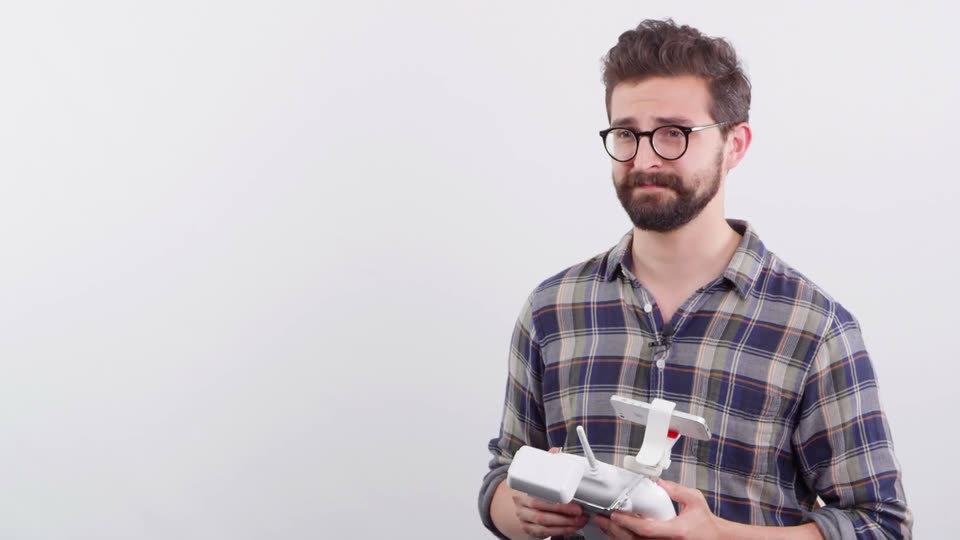
A bearded man with round glasses in a blue plaid shirt stands against a plain white wall, framed right of center. He holds a white drone controller with two antennas and a red button, gesturing with his right hand as he speaks to camera.
Camera: Static
A close-up shows a phone clamped to a white drone controller, its screen displaying a green map. A finger taps and drags across the map, drawing a route line past numbered waypoints, while blurred grass fills the background.
Techniques: Cursor demo
Camera: Static
A hand holds a white drone controller with an iPhone mounted on it against blurred grass, the screen showing a green map with numbered waypoints. A finger taps a waypoint, drags the height slider, then taps Done, revealing the flight path lines.
Camera: Static
A bearded man with glasses in a plaid shirt stands against a plain white wall, holding a white drone with its remote. He gestures with his free hand while speaking. Locked-off medium shot, subject framed right of center.
On-screen text: “Done”
Camera: Static
A hand slides in from the right and taps the GO button on a phone screen showing a flight map with purple waypoints. The phone is clamped to a white drone controller, shot against blurred green grass.
Camera: Static
A man in a black shirt stands on a gravel overlook with a city skyline behind him, holding a white controller. A white quadcopter lifts off from the ground and climbs higher into the sky as he tilts his head up to follow it.
Camera: Static
A hand grips a white drone controller with a smartphone mounted on top, its screen showing a live feed of treetops against the sky. A finger taps the phone screen to adjust the camera angle.
Techniques: Cursor demo
Camera: Static
Close-up of a hand holding a phone clipped to a white remote controller. The index finger swipes and taps the screen, which shows a live drone view of a grid-like structure, against a blurred green field.
Camera: Static
A bearded man in a plaid shirt stands at the right against a plain light backdrop, holding a white drone controller with a phone mount. He talks and gestures with his free hand, then returns it to the controller.
On-screen text: “Distance: 2.2ft Altitude: -1.3ft Speed: 0.0mph”
Camera: Static
A phone in a black case clamped to a white drone controller shows a map app with a purple waypoint. A finger taps the GO button, a battery warning dialog appears over the dimmed map, and the finger taps Go.
Techniques: Cursor demo
Camera: Static
A smartphone clamped in a white holder displays a map with red no-fly circles; a finger taps and zooms into one zone. Cut to a bearded man in a plaid shirt holding a white drone controller as he speaks.
Techniques: UI zoom
Camera: Static
A bearded man in a plaid shirt holds a white drone controller and gestures while speaking against a white wall. The shot cuts to a close-up of his finger tapping the phone screen mounted on the controller, which shows a map.
Camera: Static
Close-up of a hand on a white drone controller with a phone clipped on top. The phone screen switches from a green map to a live view, and the index finger taps a Coming home button. The other hand rests on the controller stick against blurred grass.
Techniques: Cursor demo
Camera: Static
A man in a black T-shirt stands on a paved overlook above a hazy skyline, holding a white remote controller. A white quadcopter drone flies low toward the camera, growing larger. Static white HUD text, a timer, the caption 'Coming home' and telemetry, overlays the shot.
On-screen text: “000:01:56”, “Coming home”, “Distance: 1.4ft Altitude: 61.3ft Speed: 1.0mph”
Camera: Pan
A bearded man in a plaid shirt stands against a plain light gray backdrop, holding a white drone controller in his left hand. He gestures with his right hand as he speaks, positioned right of frame with open space to the left.
Camera: Static
Close-up of a white drone controller with a mounted phone showing a map of purple pins, against a blurred golden field. A thumb rolls the right stick and flips the S1 switch while the phone stays in frame.
Camera: Static
A bearded man in a plaid shirt holds a white drone in one hand and gestures with the other while speaking, framed right of center against a plain light gray backdrop.
Camera: Static
A top-down drone shot of a dense residential block with a winding pink road, cars crawl along its curves while the frame drifts slowly, then the image fades to black.
Camera: Push in
An aerial drone shot pushes in toward a red and white striped tower standing on a grassy hill. Dry vegetation fills the foreground while trees and a small town sit under a clear blue sky in the distance.
Techniques: Parallax
Camera: Static
A red and white striped cylinder stands on a grassy 3D hillside as the camera orbits it fast, revealing its open polygonal top, with a river and a distant town on the ridge behind.
Techniques: Parallax
Camera: Push in
An aerial drone shot drifts forward over bright green terraced rice fields cut into a densely forested hillside, the camera holding a high wide angle as the stepped paddies and surrounding canopy fill the frame.
Camera: Static
An aerial drone shot glides over bright green terraced rice fields cut into a steep, forested hillside. The camera drifts forward, revealing the layered paddies and the dense jungle surrounding them.
Camera: Static
A bearded man in a plaid shirt holds a white drone controller against a plain white backdrop, gesturing while speaking. It cuts to an outdoor shot where an operator points at the phone on the controller, a blurred city skyline behind.
Camera: Static
A person in a black t-shirt holds a white drone controller, fingers adjusting the smartphone clamped to its mount. A blurred city skyline and green shrubs fill the background in warm daylight.
Camera: Static
A phone in a white mount shows a green map with two purple pins. A finger taps the screen and the map shrinks as a black height panel slides up, listing three purple pins at 12ft, 13ft and 13ft. The camera stays locked off on the angled device.
Techniques: Cursor demo
Camera: Static
Low locked-off angle on a white quadcopter with spinning props and red LEDs, parked on gravel with a city skyline on the horizon. The drone lifts off, flies toward the skyline and shrinks to a dot, leaving the empty field.
On-screen text: “mm”
Camera: Static
A bearded man in a plaid shirt stands against a plain white backdrop, holding a white drone controller and gesturing as he speaks. The shot cuts to black, where the dark DJI logo fades in at the center.
Camera: Static
The DJI wordmark sits centered on a black field. A blue rim light traces its upper edges, then the fill brightens from near-shadow to a flat dark blue and holds still.
Camera: Static
A static YouTube end screen sits over a blurred shot of cyclists on a dirt track. A top bar holds the DJI logo, a URL and a red subscribe button. Two rows pair cycling and racing thumbnails that cut through clips with blue titles and white descriptions.
On-screen text: “FIND US”, “WWW.DJI.COM”, “SUBSCRIBE”, “DJI - INTRODUCING THE PHANTOM 2 VISION PLUS”, “OUR BEST PHANTOM YET, EQUIPPED WITH ITS OWN 3-AXIS CAMERA STABILISATION SYSTEM AND THE POWER TO SHOOT 14 MEGAPIXEL STILLS AND 1080P VIDEO.”, “DJI - VISION PLUS AND MOTOR RACING”, “UP AND COMING, ULTRA TALENTED YOUNG RACE DRIVER MATT SOLOMON TALKS PHANTOM 2 VISION+ AS AN IDEAL TOOL FOR MOTOR RACING.”
Camera: Static