
1:55
Explore
Zaplar (YC S26) - Showcase Series 1: Booking Engine When we developed the booking engi
Zaplar · Nov 2026 · 1:18 · AI-annotated
- Length
- 1:18
- Scenes
- 20 · 3.9 s avg
- Product on screen
- 0:00
- Features shown
- 2
- Voiceover
- No
00:00:00 / 01:18:52
Zaplar’s 1:18 launch film runs 20 scenes, about 3.9 s each. The product is on screen from the first frame and 2 features are revealed. There is no explicit call to action. The video is built as a slow reveal: a defocused title card, a 3D field of block cards, then a continuous two-column booking UI that alternates between guest screens and the page builder via 3D device zooms. Pacing is deliberate with long holds and soft fades, and the signature move is the camera diving between a zoomed-in card and the full editor.
No filming indicatedEstimated needs: 4 capture groups — your screens or recordings · 1 official logo — reused across the film · 1 graphic passage — draw or supply · 7 3D passages — build or supply
Is this your launch? to your site or press kit.
More like this
1:10
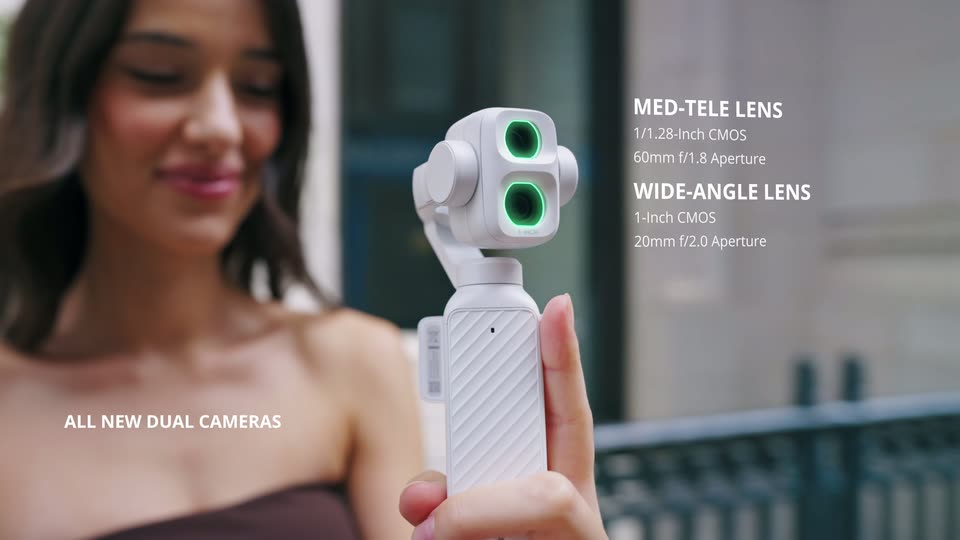

DJI Osmo Pocket 4P is now available in Pearl White—the Dual-Camera Cinematic Pocket Gimbal Camera.
DJI · Hardware · Oct 2026
1:03
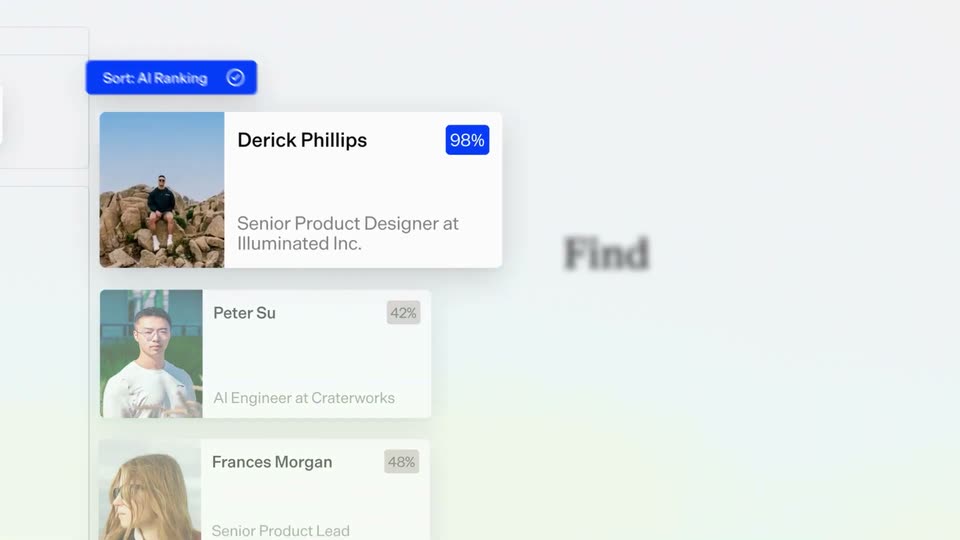

A Fresh Look for Gem | UI Animation & Sound Design
Gem · Sep 2026
Zaplar (YC S26) - Showcase Series 1: Booking Engine When we developed the booking engi, scene by scene
· 20 scenes as text
01 · Product intro · 0:00–0:00
A soft, out-of-focus gray gradient fills the frame. A darker smudge sits at the right edge while a pale highlight drifts left of center, with no sharp subject in view.
Camera: Static
02 · Product intro · 0:00–0:04
A soft gray blurred background holds a centered black title, Booking Engine, which sharpens from a defocused start and then fades out at the end. A small zaplar logo lockup sits below the title throughout the locked-off frame.
On-screen text: “Booking Engine”
Camera: Static
03 · Demo · 0:04–0:05
A light-gray 3D field of tilted UI cards (Dates, Question, Packages, Event space, Design block) floats in perspective over a soft gradient while a large centered 'Booking Engine' headline and a small 'zaplar' wordmark fade out.
On-screen text: “Booking Engine”, “zaplar”
Techniques: 3D mockup
Camera: Static
04 · Demo · 0:05–0:09
A field of white UI cards, each with an icon and a label such as Dates, Rooms, Event space and Restaurant, drifts through a soft gray 3D space. The cards start scattered at varying depths and settle into a single horizontal row as the camera pulls back.
Techniques: 3D mockup, Parallax
Camera: Pull out
05 · Demo · 0:09–0:10
Six white feature cards, each with a small icon and a short label, ease from a staggered offset into a single aligned horizontal row on a light gray gradient, then hold.
Camera: Static
06 · Demo · 0:10–0:14
A hotel booking form fades in from a soft blur. On the April calendar the 15th and 16th highlight, the guest counter climbs to 12, then the panel switches to the Conference Room view showing The Glass Room.
Camera: Static
07 · Demo · 0:14–0:18
A booking interface shows a list of conference rooms on the left and a dark summary panel on the right. The room list scrolls up to reveal The Boardroom, whose Book button flips to Booked, and the summary panel adds a Your Event line for the room.
Camera: Pan
08 · Demo · 0:18–0:21
A two-column booking screen over a blurred outdoor backdrop: restaurant cards fade in on the left, the guest count ticks to 12 and a 7:30 PM slot darkens, then a Dining Room line item drops into the dark summary panel on the right.
Camera: Static
09 · Demo · 0:21–0:26
A hotel booking interface keeps its dark summary panel fixed on the right while the room list scrolls up on the left past Courtyard, Garden, Classic, Deluxe and Signature cards. A minus, count, plus stepper fades in on the Signature Suite row, its count rising from 1 to 4.
Camera: Pan
10 · Feature reveal · 0:26–0:30
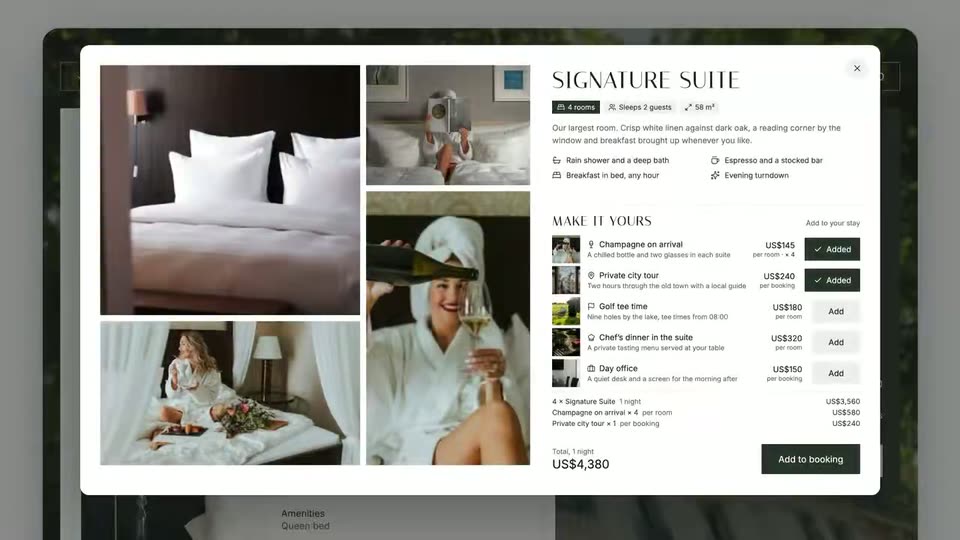
A tablet in 3D perspective shows a hotel booking card that fades in. Two add-on rows flip to Added with checkmarks, the total price ticks up from US$3,560 to US$4,580, then the whole card fades out over a blurred room background.
Techniques: 3D mockup
Camera: Pull out
11 · Feature reveal · 0:30–0:38
A 3D laptop on white starts zoomed into a hotel confirmation page, then pulls back to the full builder. A cursor flips the Agent mode switch, accepts the dialog, and a success toast appears. The camera dives back into the confirmation card.
Techniques: UI zoom, 3D mockup, Cursor demo
Camera: Static
12 · Feature reveal · 0:38–0:48
A tablet in 3D perspective shows a hotel suite booking page. A chat widget slides in, a cursor types a question about the golf course, a reply bubble appears, then the widget closes and the cursor taps Add on Golf tee time, raising the total.
Techniques: 3D mockup, Cursor demo
Camera: Push in
13 · Demo · 0:48–0:49
A tilted tablet mockup in 3D perspective shows a hotel booking interface, the room list on the left and a dark green summary panel on the right that settles into place. A blurred outdoor scene sits behind the screen.
Techniques: 3D mockup
Camera: Static
14 · Demo · 0:49–0:51
A two-column booking screen holds a dark green summary panel on the right while the left event-information panel, with a Paris building photo and a detail list, fades in from white, holds, then fades back out. The Info tab stays highlighted in the top navigation.
Camera: Static
15 · Demo · 0:51–0:55
A booking summary screen shows a selections list on the left and a request form on the right. The name and email fields type themselves, the Send request button turns into Request sent, then a confirmation panel with a checkmark fades in over the dimmed interface.
Camera: Pull out
16 · Demo · 0:55–0:56
A close-up of a confirmation screen, with a dark request panel on the right, zooms out to reveal the full editor. A left menu and a right properties panel frame the document, and two green booking cards sit on either side.
Techniques: UI zoom
Camera: Pull out
17 · Demo · 0:56–1:10
A 3D laptop mockup on white frames a hotel page builder. A cursor opens Add block, selects Info, then clicks Republish; a green-check modal confirms the published flow as the shot fades to white.
Techniques: 3D mockup, Cursor demo
Camera: Static
18 · Outro · 1:10–1:15
A washed-out laptop interface fades to a soft gray gradient while the centered black line Capture any type of booking holds still, then dissolves in place into with one booking engine.
On-screen text: “Capture any type of booking”, “with one booking engine.”
Camera: Static
19 · Outro · 1:15–1:17
Black text reading “with one booking engine.” sits centered on a soft gray gradient, then the line clears and a small teal ring logo fades in at the center.
On-screen text: “with one booking engine.”
Camera: Static
20 · Outro · 1:17–1:18
A dark green zaplar logo, a two-by-two rounded-square mark beside a lowercase wordmark, is centered on a soft gray gradient background. The frame stays locked and still for the full duration.
Camera: Static