Feature reveal
A sequence devoted to one feature: its announcement and its demo.
70,609 scenes · page 75 of 1177
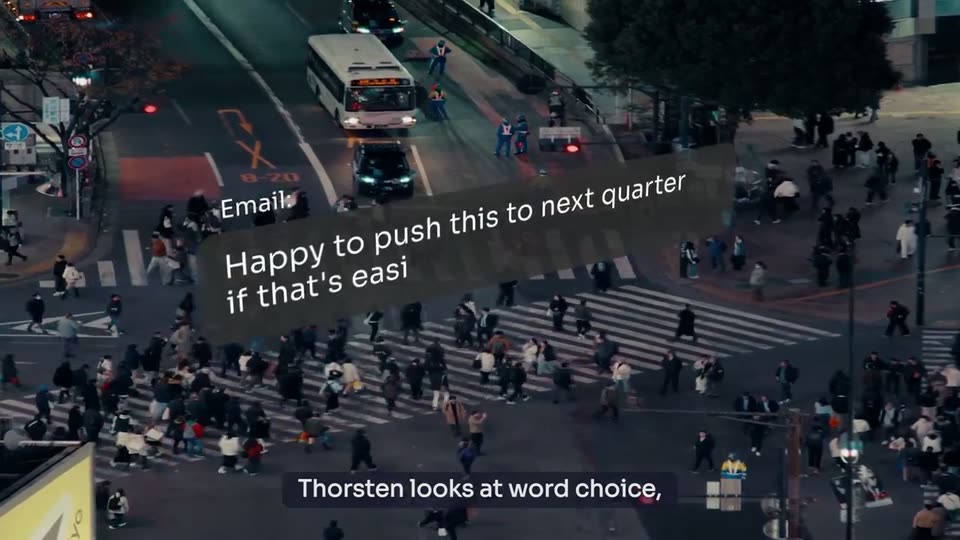 0:54–0:55millionways · Thorsten-4 | millionwaysAerial locked-off shot of a busy city intersection at dusk, crowds crossing a zebra crossing. A translucent dark email card floats center, labeled Email:, while its body types out word by word. A white caption pill sits at the bottom.
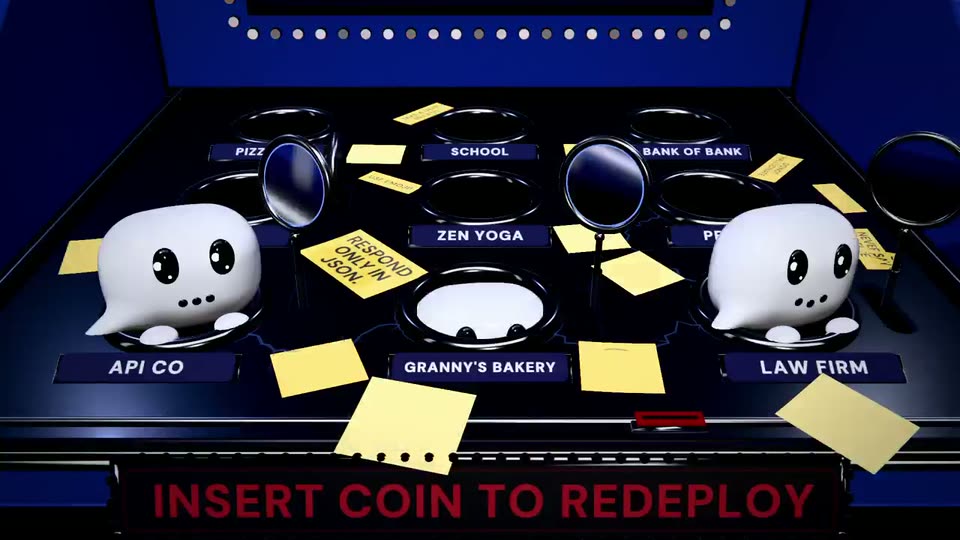 0:32–0:34Mirrors · Quit playing whack-a-mole with your agents, and put down the hammer 🔨 https://mirrors.dev 🪞 | Mirrors (YC F26)A 3D-rendered arcade playfield where white ghost characters hop between holes labeled with company names as blue paddles rise on stalks. A large white caption reads Put down the hammer. at the bottom, above a red marquee.
 0:20–0:35Moonshot · We believe the next great computing interface will be companionship. So we're introducing Luna: a personal computer you wear around your neck. We're building it to bring Samantha into your… | Moonshot (YC s26)A man in a red T-shirt holds a phone toward the camera, its blue screen showing a pink voice orb; he taps the orb, then lowers the phone and speaks to the camera in a room lit by string lights. White subtitles caption his words along the bottom.
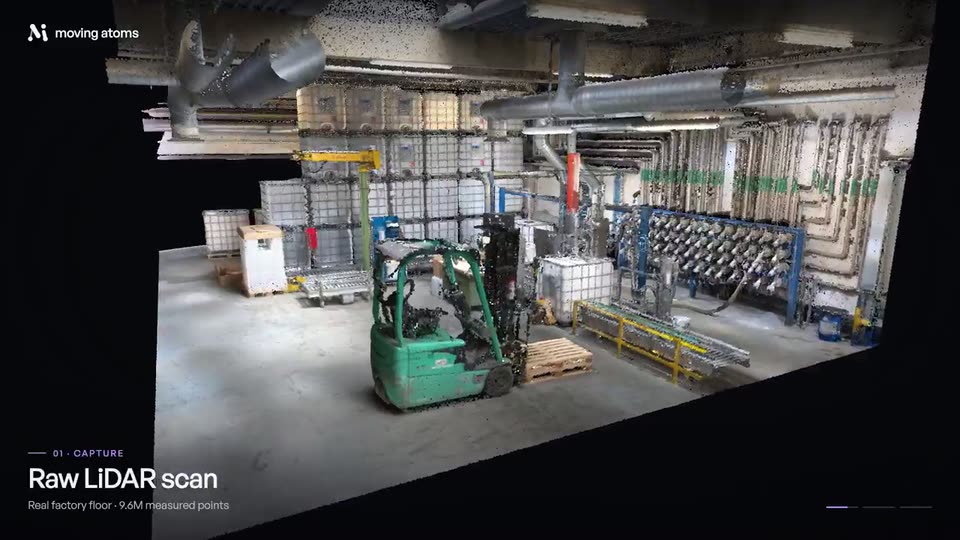 0:00–0:02Moving Atoms · Moving Atoms (YC S26) is releasing our latest model functionality. Scan to Model. Send a LiDAR or SLAM scan from any scanner. Within 48 hours every object comes back separated, measured andA white point-cloud LiDAR scan of a factory floor, with a green forklift, IBC totes and overhead pipes, sits in 3D perspective on black. The camera pans slowly right, revealing more of the scan, while a caption block holds in the lower left.
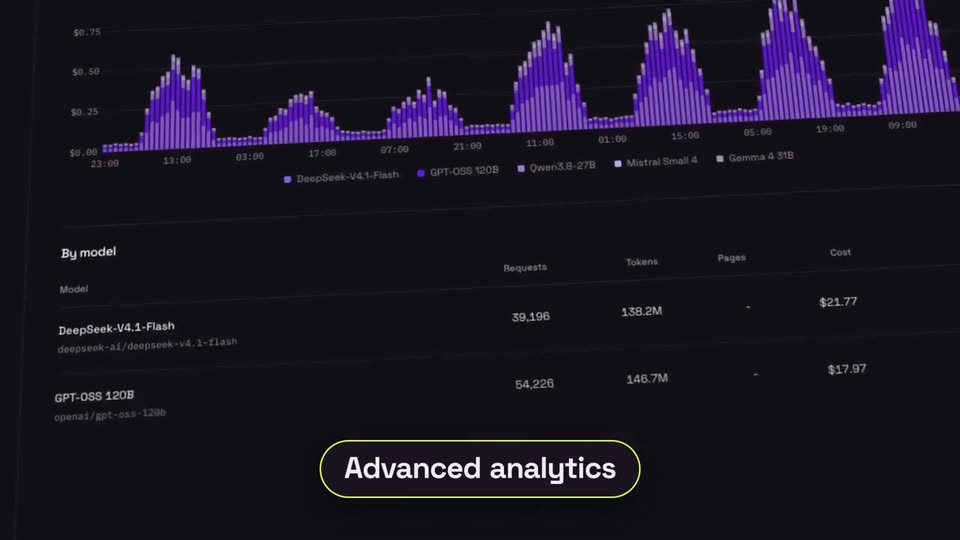 0:05–0:10Munito AI · Two new things today in the Munito console. Paid tiers, open to anyone. No “contact sales”, no “let’s find 30 minutes”. Add credits in the console: the more you add, the higher your tier and your… | Munito AIA dark analytics dashboard fills the frame; stat cards for requests and tokens pop in one by one above a purple cost bar chart. The camera then scrolls down and tilts the screen into 3D perspective, revealing a per-model usage table.
 0:09–0:12NeoSigma · Introducing NeoEval: evals built from your production failures, run on your real agent. Your production data is already a goldmine of real tasks, failures, and human corrections. It captures… | NeoSigmaOver a black background of dim log text, a white headline reads The Eval Engine at the top left. The phrases for your and Production Data fade in below it, one line at a time, left-aligned.
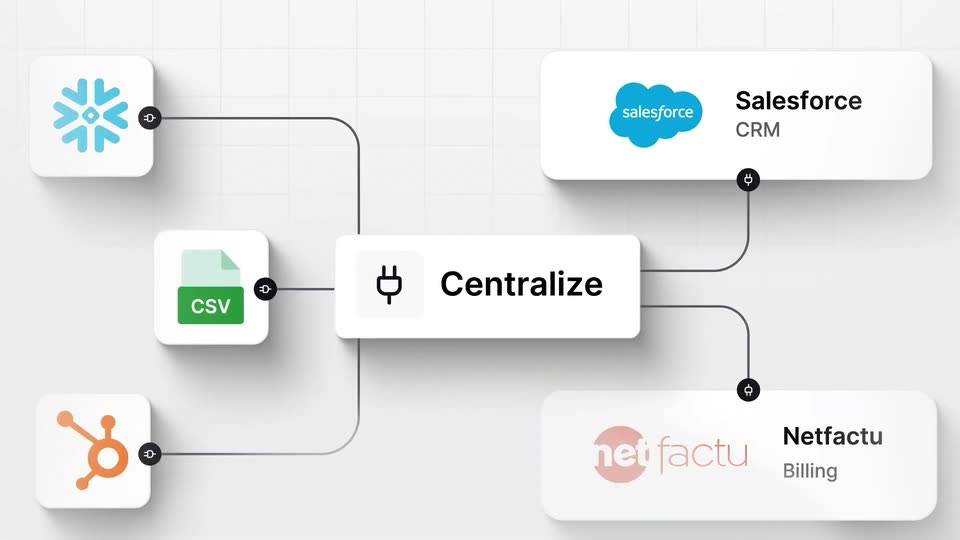 0:21–0:22Netter · NETTER 1 - Samuel LadroueA central white card with a plug icon and the word Centralize sits on a light grid, surrounded by cards holding a snowflake, a CSV file, a network node, a Salesforce logo and a Netfactu logo, joined by thin gray connector lines; the cards fade in and settle.
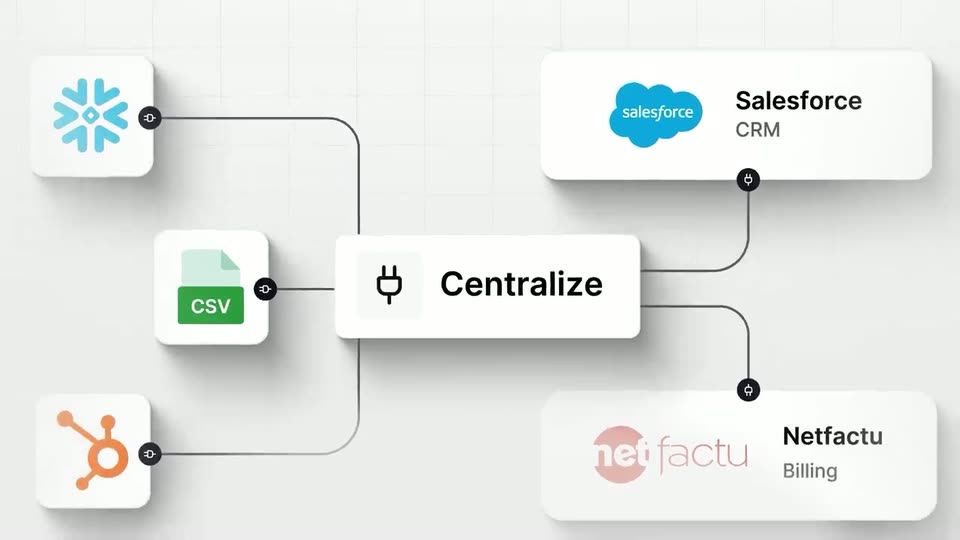 0:21–0:23Netter · Netter (YC P26) helps companies regain control over their data, so teams can pilot their activities with high precision. Most companies are sitting on years of valuable data, spread across differentA flat diagram on a light gray grid: a central white card with a plug icon crossfades the word between “Centralize” and “Clean” while surrounding icon and logo cards (snowflake, CSV, network, Salesforce, Netfactu) fade in, linked by thin lines with plug nodes.
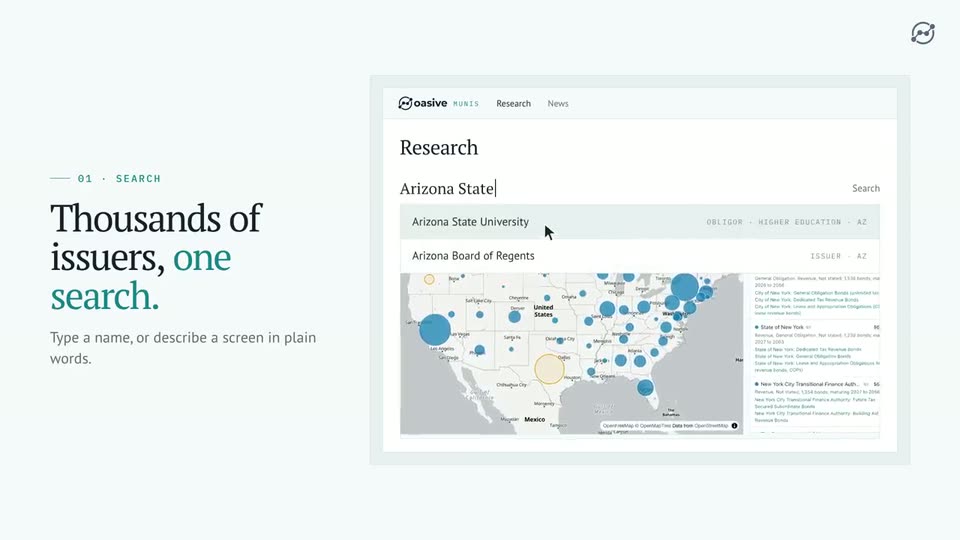 0:09–0:13Oasive · See Oasive (YC F26)’s activity on LinkedInOn the right, the Oasive Munis research screen zooms into the US bond map as “Arizona State” is typed into the search bar; a dropdown of issuer suggestions opens and a cursor hovers over the first. On the left, a static serif headline holds.
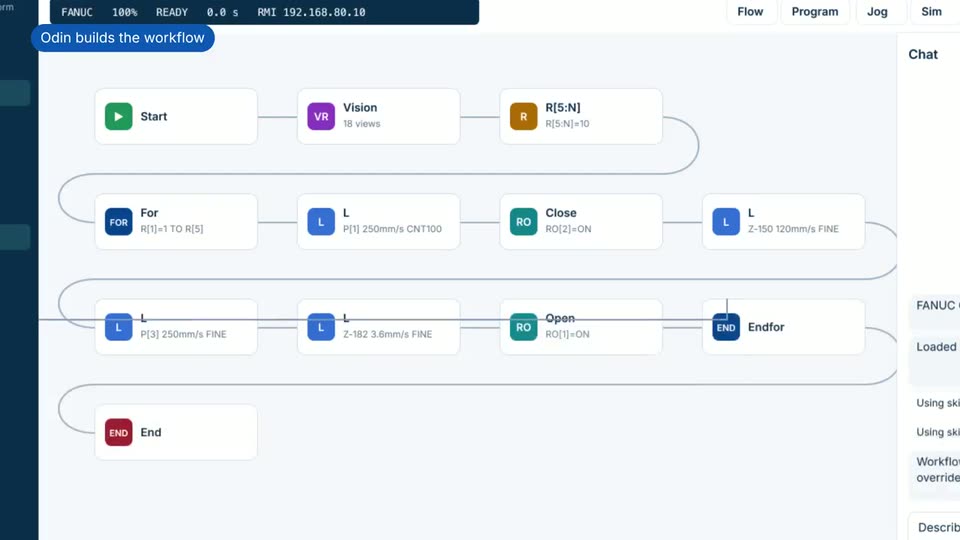 0:28–0:31Odin Robotics · See Odin Robotics (YC F26)’s activity on LinkedInBlue caption 'Odin builds the workflow' sits top left over a flowchart. White node cards with colored icons appear one by one, linking into a path, then the view zooms out to reveal the full interface: dark sidebar, top status bar and a chat panel.
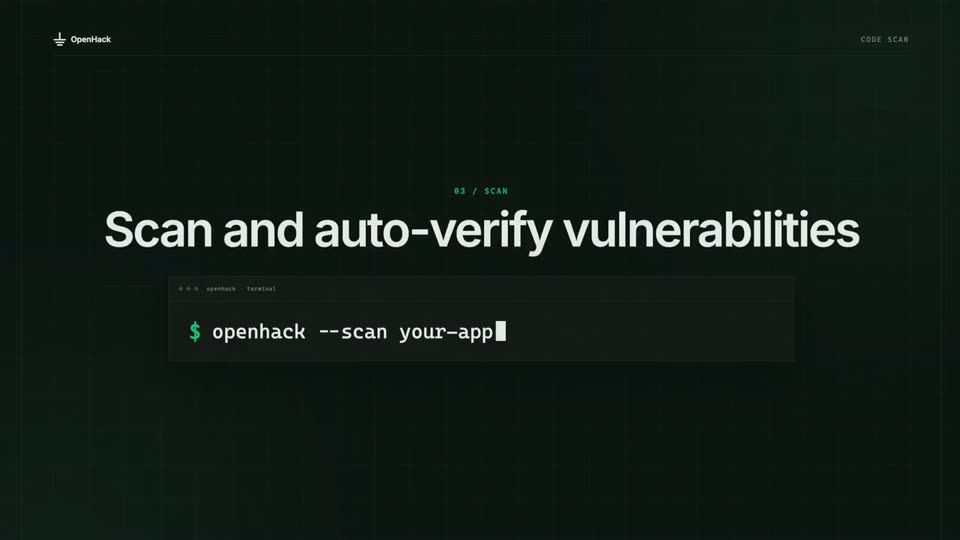 0:14–0:17OpenHack · Introducing the all new OpenHack TUI - an open source terminal interface for security tasks, codebase scanning and pentesting. Connect any model. Scan & auto verify vulnerabilities. Pentest any app.… | OpenHackA dark grid-backed product page holds a centered headline that fades in above a terminal mockup, where the command openhack --scan your-app types out character by character behind a block cursor. The view then crossfades to a results header reading 6 verified vulnerabilities with a scanning status on the right.
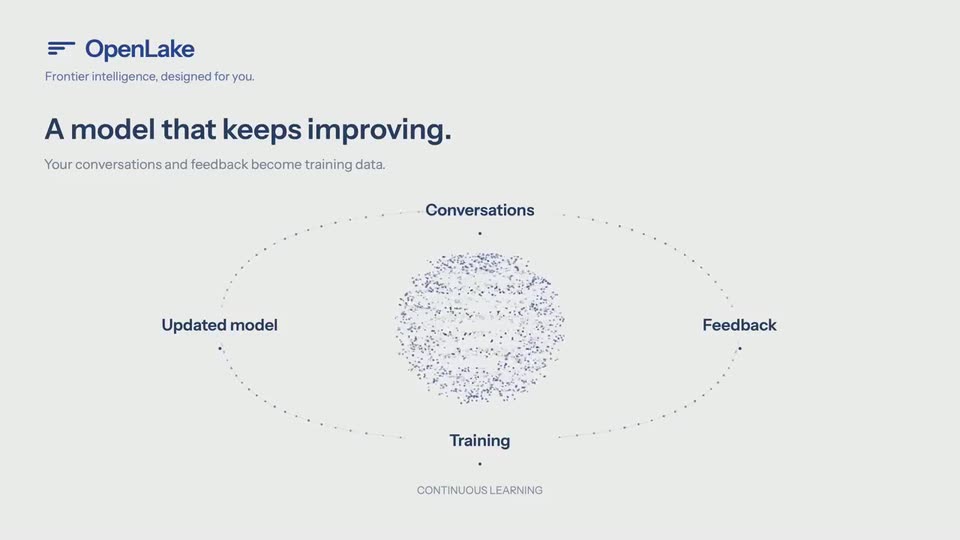 0:49–0:53OpenLake Technologies · Own your Intelligence. OpenLake is a real time inference platform which improves your model quality in real time. Plug in your datasets, RL environments and conversations. Get the intelligence your… | OpenLake Technologies (YC F26)A light-gray slide holds a rotating sphere of fine dots at center, ringed by four labels on a dotted ellipse: Conversations, Feedback, Training, Updated model, under a navy headline. At the end the diagram fades as model cards (Kimi, GLM, Other open models) and a Ready to deploy caption fade in.
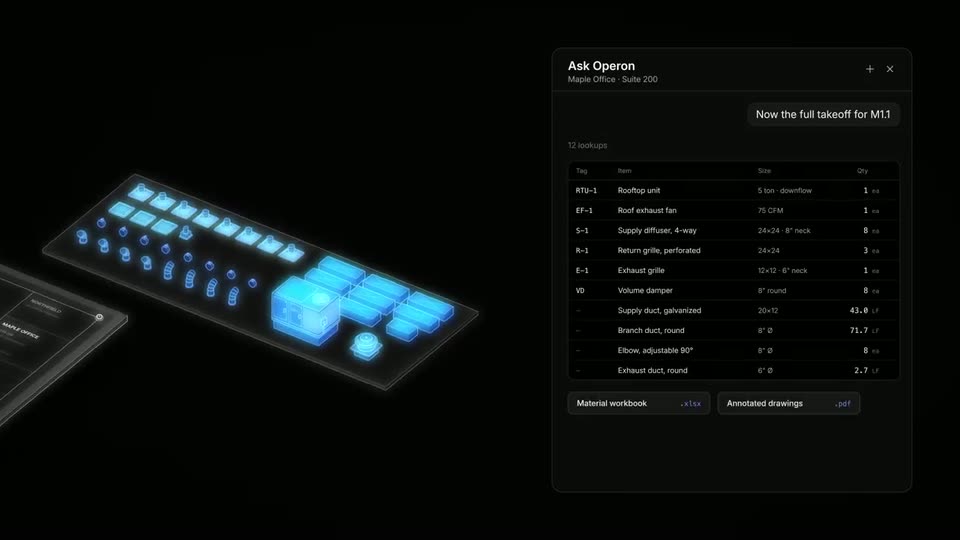 0:21–0:24Operon · HVAC / Mechanical @ hvac.operonsolutions.com | Operon SolutionsA 3D isometric blueprint with glowing blue HVAC units rotates on the left, the units lifting off the plan, while a flat chat panel on the right fills a takeoff table row by row and two file chips fade in at its bottom.
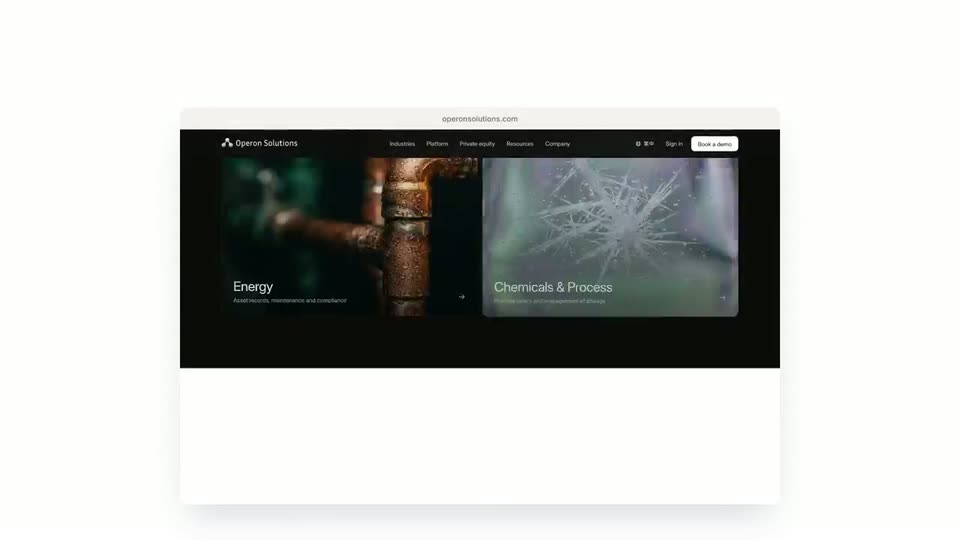 0:28–0:29Operon · Operon's New Home: operonsolutions.com | Operon SolutionsA dark website page inside a centered browser window on a white background scrolls upward, sliding the first pair of industry cards off and bringing two more cards into view.
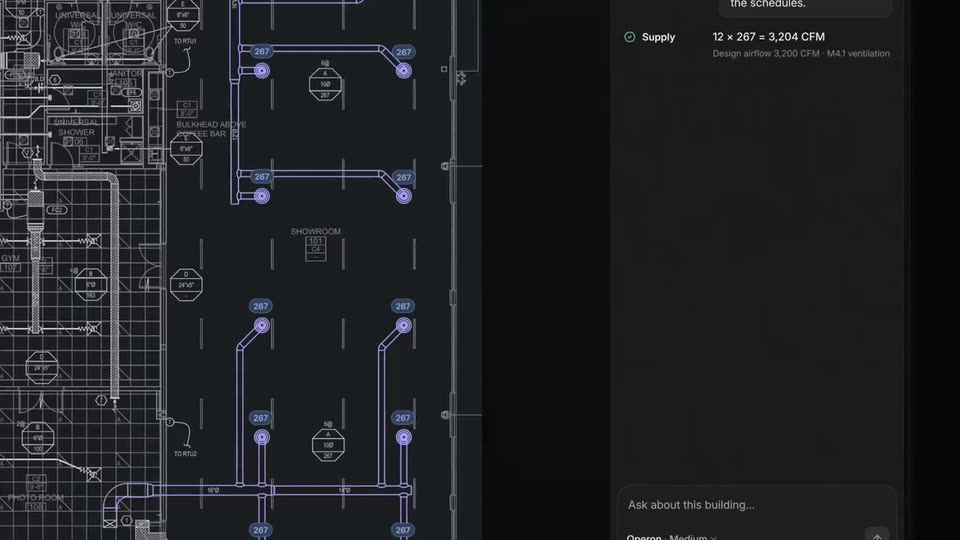 0:59–1:14Operon · Operon Solutions posted on LinkedInA dark HVAC plan fills the center of a three-panel app. A cursor hovers a diffuser, types a prompt in the right chat box, and sends it. The plan zooms out as purple dots trace ducts to twelve diffusers, then reframes on the showroom as results fill the chat.
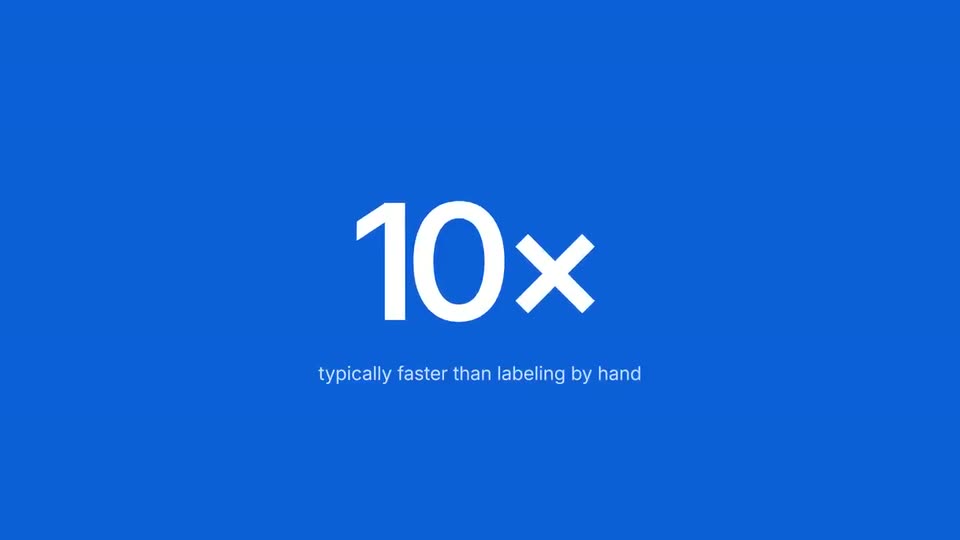 0:10–0:12Operon · We've received overwhelming requests from the HVAC & Construction industry over the past few months and today we're excited to launch our first product in this space! | Operon SolutionsA solid blue field holds a large white 10x in the center, the numeral one resolving from a flag shape into its final form. A smaller white caption, typically faster than labeling by hand, fades in beneath it. The frame stays locked off.
 0:17–0:18Origami · Thrilled to announce Origami Agents (YC F24) is officially live as part of Y Combinator's F24 batch. We couldn't be more grateful for the support so far, and are excited to show the world what we'veA brown pinstripe background holds the white serif phrase “but this” centered. The vertical stripes and the scaling text dissolve together into a flat dark brown field.
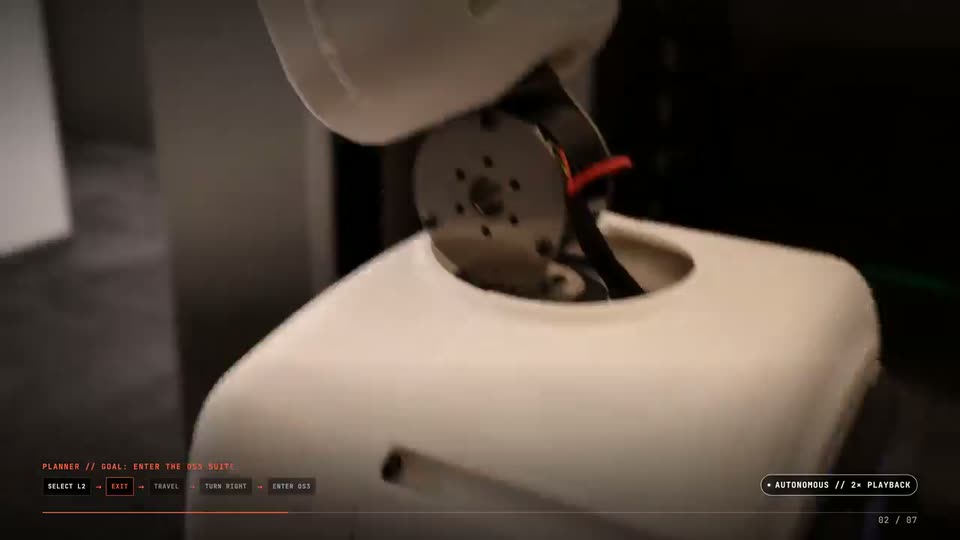 0:23–0:30OS3 · Preorders Live Now. | OS3A white robotic arm with a black bag strapped to its wrist presses a button on a dark elevator panel, a green laser line crossing the frame. The camera then tracks the arm as it turns and walks through a doorway into a brighter room. A monospace HUD overlay sits at the bottom corners, and a large headline caption appears over the locked-off shot.
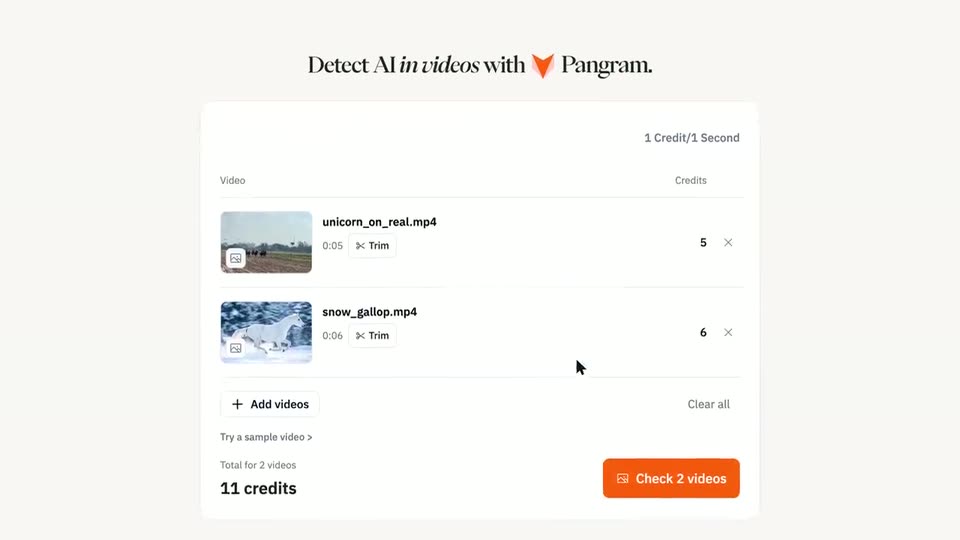 0:19–0:22Pangram · Introducing Pangram Image 1.0, our newest model for AI image and video detection. Pangram Image 1.0 identifies 99.2% of AI-generated images while maintaining a 0.27% FPR. It integrates into our… | Pangram LabsA product interface card sits under a serif headline on a cream background. A cursor drags a video file into the drop zone, the card populates with two video rows and an orange check button, then clears back to the empty state.
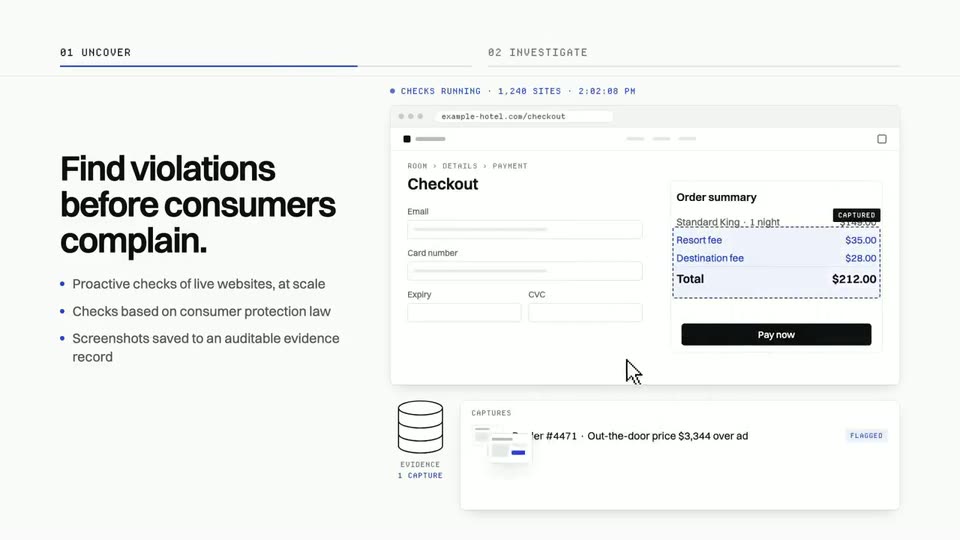 0:55–1:07Particularity · We're Live! | ParticularityA flat browser mockup cycles through a car dealer quote, a hotel checkout total, and a cancel-by-phone modal, each boxed by a dashed capture border as a cursor clicks. A left headline and a growing flagged-captures list stay fixed while a top progress line creeps toward 02 Investigate.
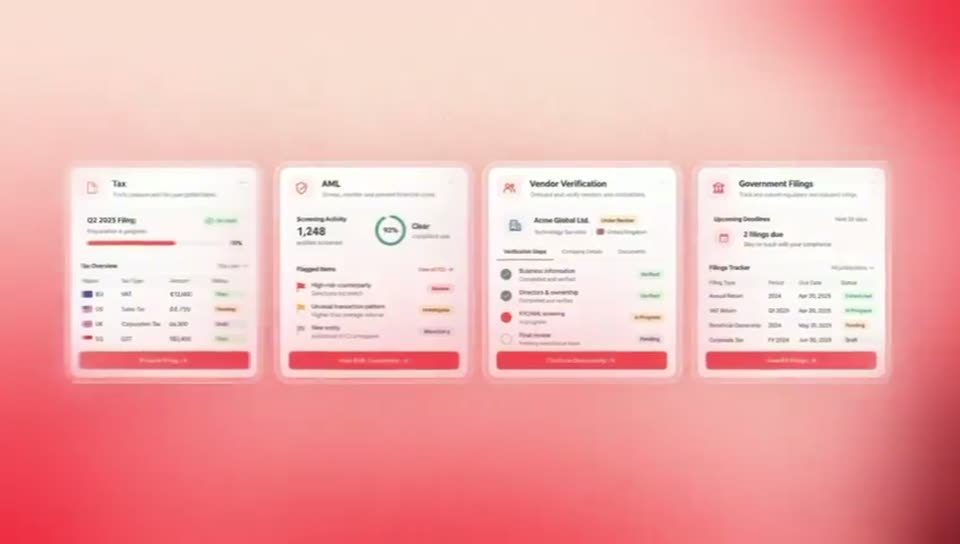 0:47–0:49Peko · The future of business starts with Peko. From the first invoice to the first payment, from payroll to compliance, everything a business needs, on one platform. Built for the next generation of… | PekoFour white compliance dashboard cards labeled Tax, AML, Vendor Verification and Government Filings slide in from the left and settle into a horizontal row over a warm red-to-orange gradient, each casting a soft drop shadow. A white caption line sits at the top.
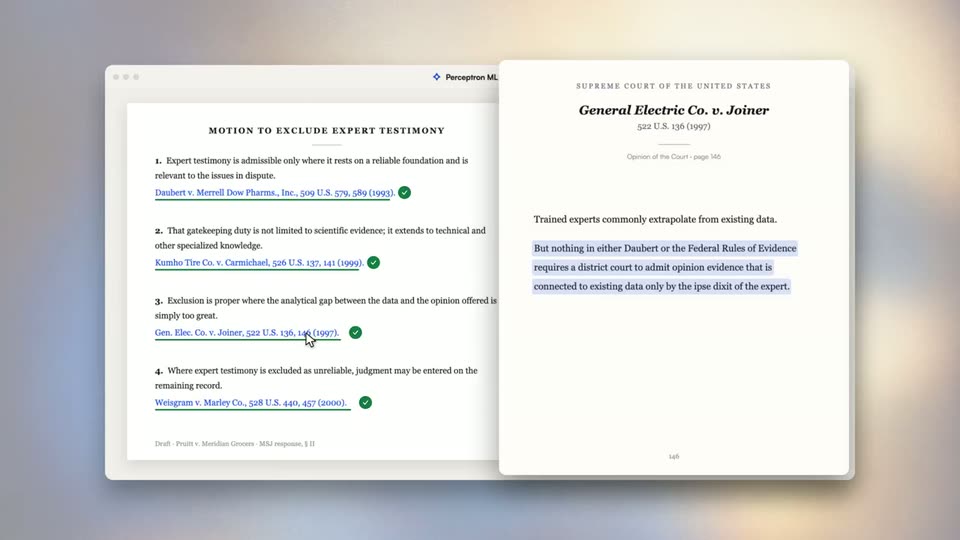 1:38–1:41Perceptron ML · Perceptron ML (YC S26) is making law firms AI-native. Courts have caught lawyers citing AI-invented cases more than a thousand times. Meanwhile, the AI and software law firms get sold is off theTwo document panels float on a blurred background. The left lists a legal motion with underlined case citations and green check marks; the right starts out of focus, then sharpens as a highlighted passage fills in. A cursor sits on the left list.
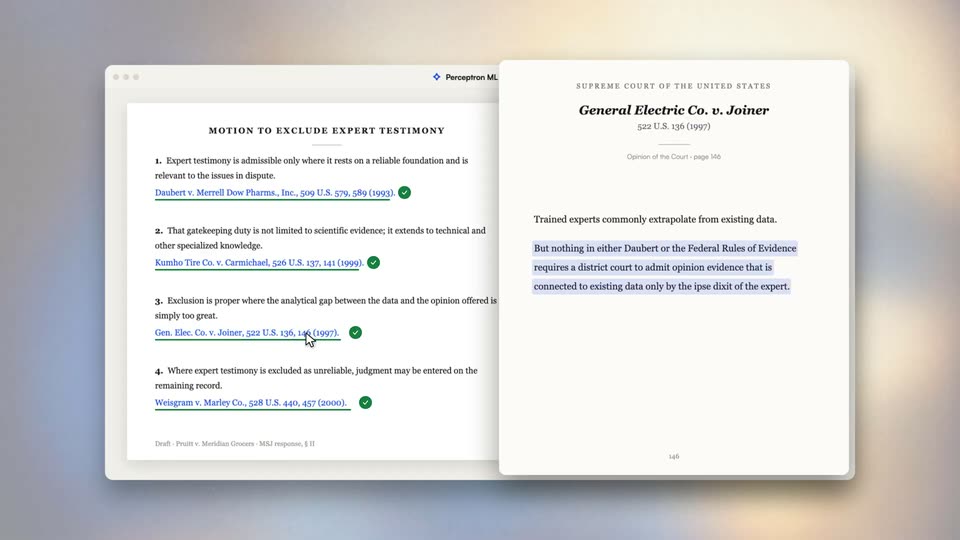 1:38–1:41Perceptron ML · Perceptron ML (YC S26)Two document windows sit side by side on a blurred gradient backdrop. The left draft lists numbered points with blue case citations and green check marks, a cursor hovering on one; the right panel shows the source opinion with a purple-highlighted passage. The left header bar fades in.
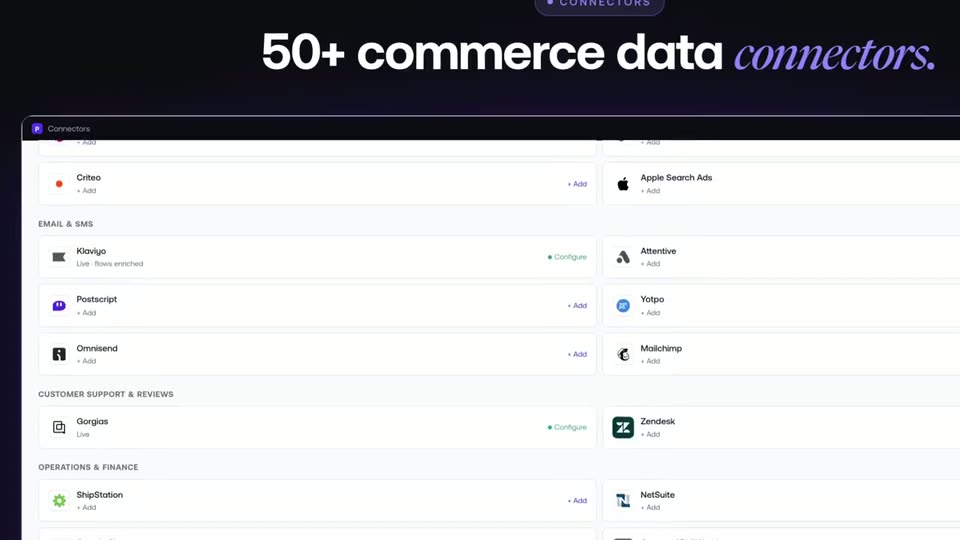 0:07–0:12Polar Analytics · Dashboards are dead. Agents are everywhere. Five years ago, you bought a BI tool because someone needed a chart. Today? Claude is in Slack. ChatGPT is in ops. Finance is querying Sheets. Your… | David DokesThe Polar logo and the headline “50+ commerce data connectors.” sit above a white Connectors panel on a dark background. The camera pushes into the panel as its two-column list of integrations scrolls, then pulls back to the full frame.
 0:08–0:11Polar Analytics · Thrilled to share that Polar is officially joining Anthropic ...Claude directory ;) Today is a big day. Anthropic just approved our MCP. We're officially in the Claude directory, alongside dataA white dropdown menu lists file, screenshot and connector options, then swaps to a connectors submenu where Add connector is highlighted, as the frame eases in on the panel.
 0:42–0:46Polar Analytics · Today we're introducing Polar Operator. The AI operator built for commerce, working with your team in Slack. It starts with the data and definitions your team already trusts - so it doesn't… | Polar Analytics 🐻❄️A black frame holds a white headline above a chat card that fades in, showing Patrick Brennan's question and Charbel's reply with a POLAR TEAM badge. The card stays still, then the letters Po begin to appear below.
 0:55–0:56Polsia · I hired a team of eleven. He is still a solo founder. Ask him. Log entry two | PolsiaSplit screen: a grainy black-and-white shot of a man beside a phone on a tripod by the sea, with scanlines. The word HIRE slides in on a dark right panel, then the footage tears into pixelated blocks and the frame goes black.
 0:07–0:08Polylane · Introducing Polylane · PolylaneTwo small teal dots, each ringed by a soft glow, slide toward each other on a white background and coalesce into a single centered dot.
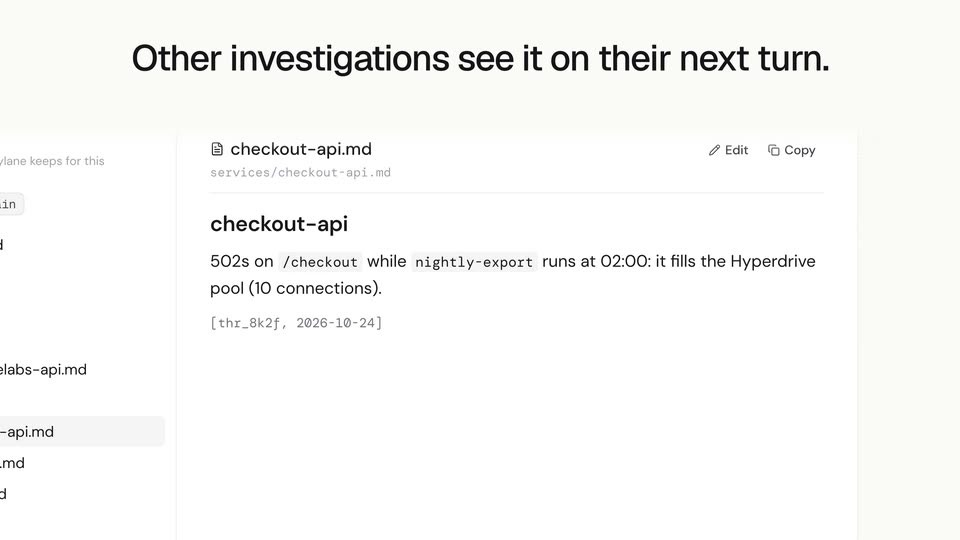 0:16 · 0.6sPolylane · Memory you can read and edit · PolylaneA flat workspace interface assembles under a static headline. The left file tree, the center markdown document and the right chat panel fade and slide into place, settling into a three-column layout.
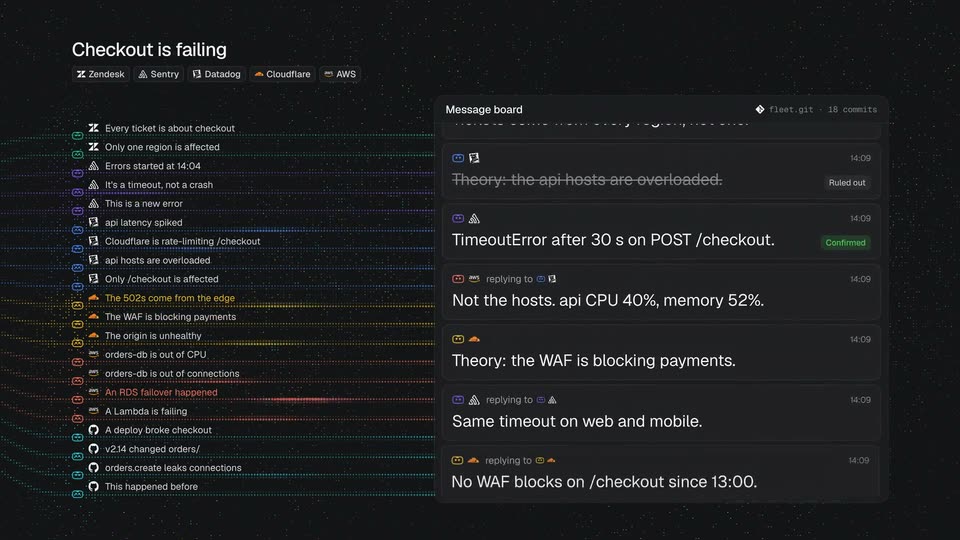 0:11–0:29Polylane · Polylane: fleet darkA tagline with brand logos fades over a dark board titled 'Checkout is failing.' The camera starts zoomed into the lead list, pans down, then pulls back to a Message board where messages post one by one, some struck through as ruled out, ending on a green 'Found it' card.
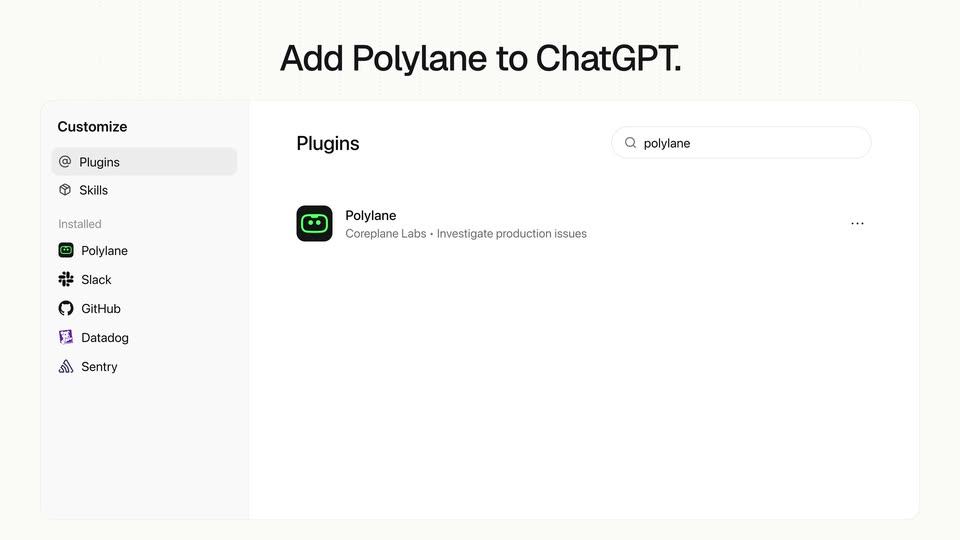 0:03–0:06Polylane · Polylane for ChatGPT · PolylaneA flat ChatGPT plugins screen under the headline “Add Polylane to ChatGPT.” A cursor moves to the plus button beside the Polylane entry and clicks it; Polylane appears in the installed sidebar and the plus becomes dots. The scene fades as the next headline fades in.
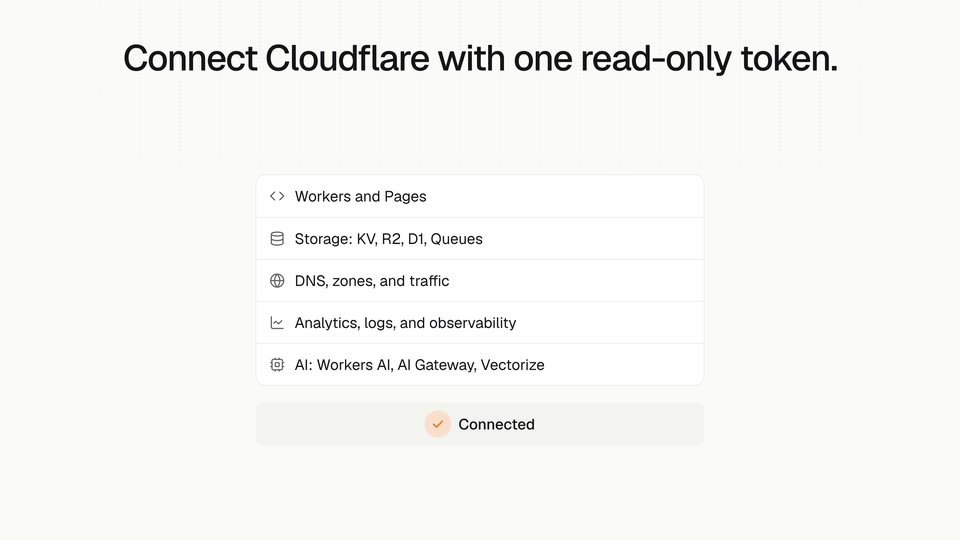 0:03–0:06Polylane · Polylane for Cloudflare · PolylaneA centered card of five Cloudflare capability rows resolves from a soft blur under the headline; a cursor clicks the dark Connect button, which crossfades into a light pill marked Connected with an orange check.
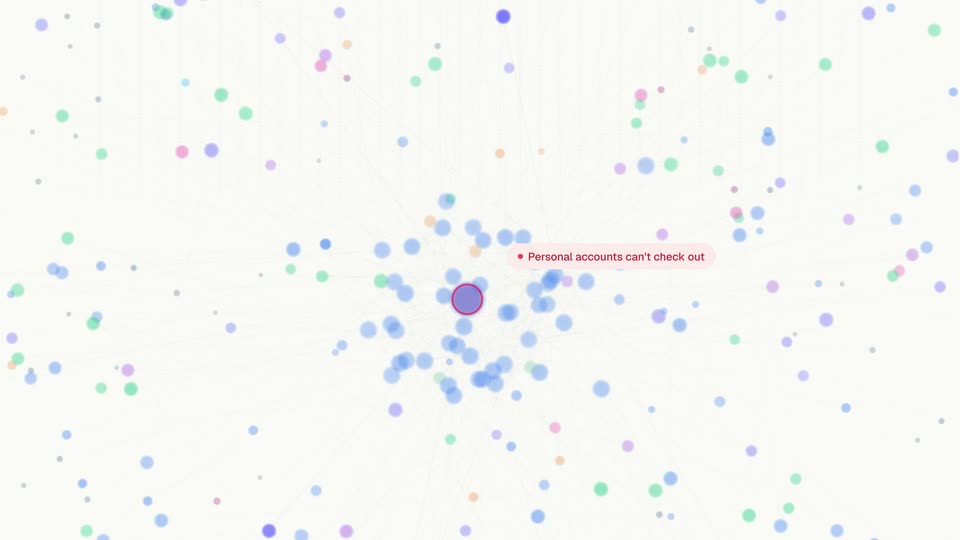 0:15–0:17Polylane · Polylane for Vercel · PolylaneA dense network of multicolored dots on a cream background zooms in on a node circled in red. The surrounding dots blur and fade until only that node's connections remain. A pink pill caption slides from the right to the top.
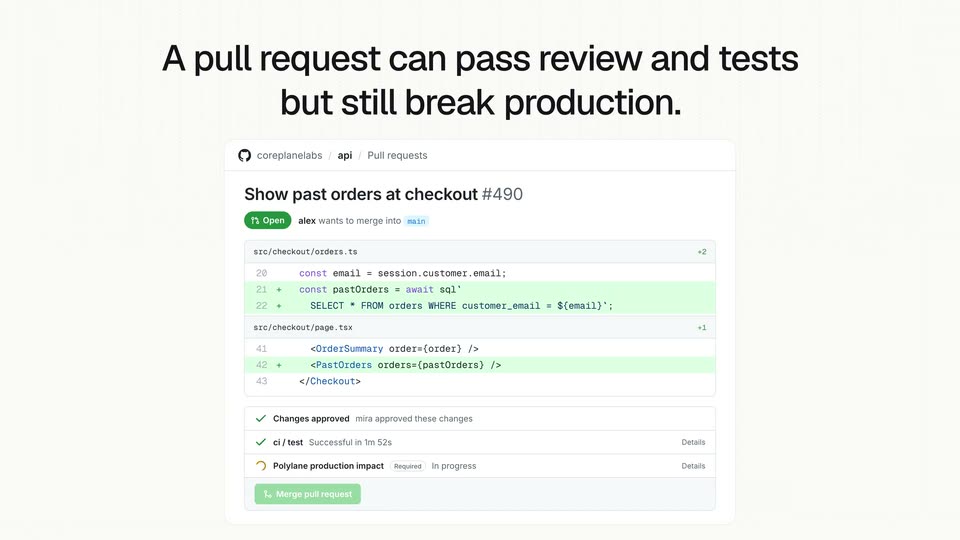 0:10–0:14Polylane · Polylane Impact Analysis · PolylaneA flat GitHub pull request card sits on a light gray background beneath a bold black two-line headline. The card sharpens from a soft blur, then a red outline flashes around one SQL code line. The headline crossfades to a new statement.
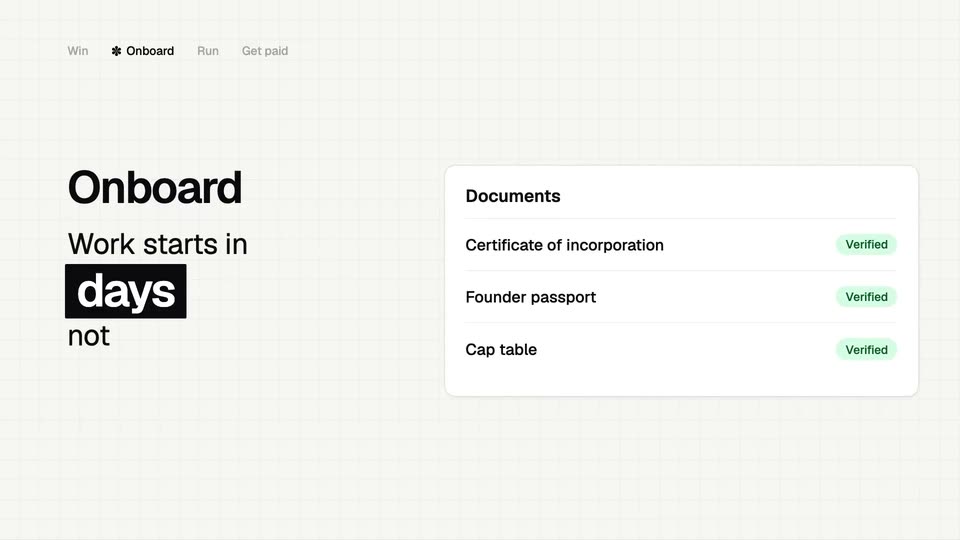 0:44–0:52Praxis · Praxis Launch YCLeft headline 'Onboard' turns black on a grid background as a caption fades in; a right Documents card fills with three rows whose pills flip from Checking to Verified. The caption then swaps to a tagline boxing 'days' and striking '2 weeks', before a cut to the Run section.
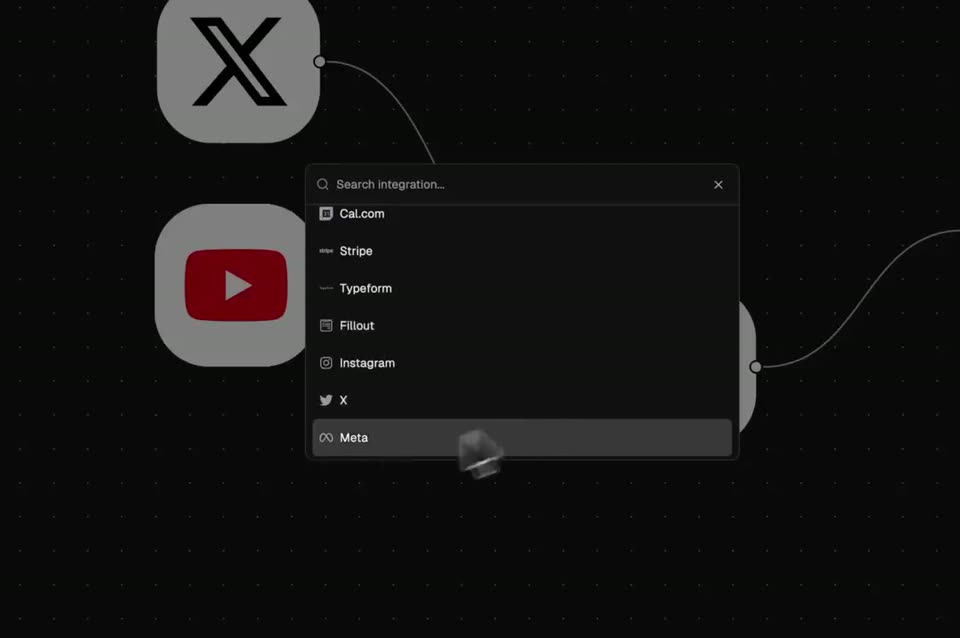 0:03–0:07Pulse · Psst, dark mode is here. If you're running youtube lead gen offers then you need to setup some tracking for your content, because YouTube dashboard only tells views. Pulse makes it easy by giving… | PulseOn a dark dotted canvas, an integration search panel opens over a flow of connected tiles. The cursor glides down the list, rows highlight and the list scrolls, then the panel fades out leaving the X, YouTube and globe nodes linked by curved lines.
 0:23–0:24Qlo · We just launched Qlo (YC S26)'s Inbox Agent. Commercial underwriters can spend up to 80% of their day in the inbox - chasing missing applications, loss runs, and other submission documents. Most… | Ryan HuExtreme close-up of a person's eye in warm low light, half the face in shadow. The eyelid lifts to open the eye while a white headline holds centered over the face.
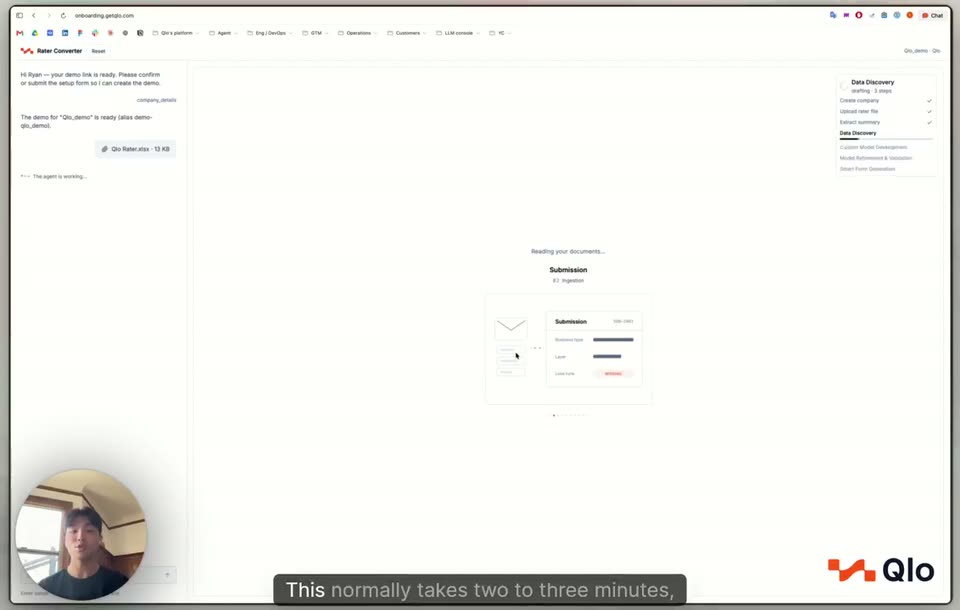 0:26–0:38Qlo · Your rater shouldn’t take months to implement. Today, we’re launching Qlo’s Rater Converter. Give it an existing Excel rating file. It turns that file into a working digital rater inside Qlo while… | Ryan HuA locked-off browser view of the onboarding app. A center Submission card switches from a System Inbox diagram with status chips to an Ingestion form, while a task checklist in the top right accumulates completed steps. A circular webcam feed of the speaker sits in the bottom left.
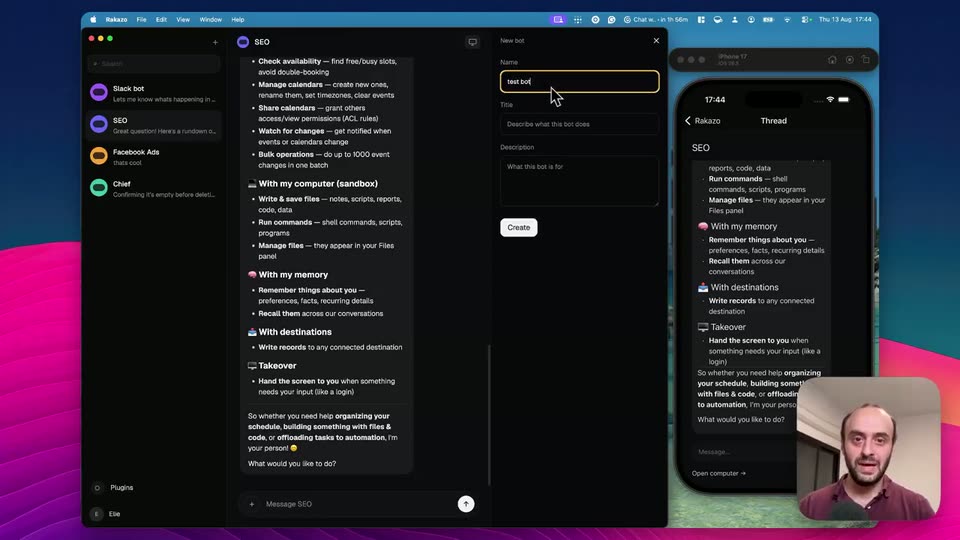 0:17–0:20Rakazo · Eliezer Steinbock | SpaceXAI | 27 likes · 6 commentsIn a dark desktop app, a cursor types test bot into the Name field of a New bot form, then moves into the Title field. An iPhone mockup and a small video call of a man sit beside the window.
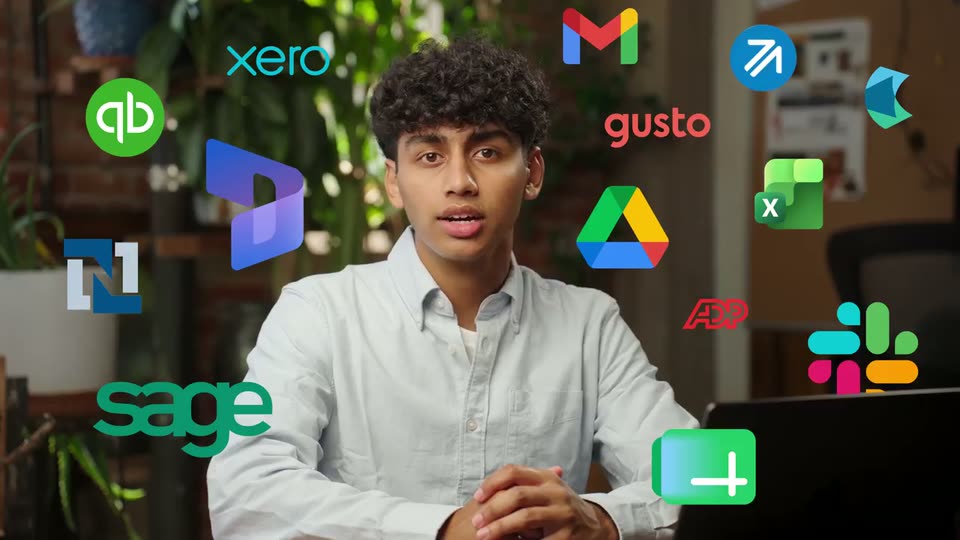 0:50–0:55Rational · Rational (YC S26) builds AI employees for accounting. Over 300,000 accountants have left the field in the past 5 years, and the talent shortage has led firms to reject clients and revenue because ofA young man in a light shirt talks to camera at a desk with a laptop, in a plant-filled office. Colorful app logos (xero, QuickBooks, sage, Gmail, Gusto, Drive, Slack) pop in around him and drift up, then fade as large white text 'just faster' appears at the bottom.
 0:40–0:45Recursive · Recursive Flint is here: our first model, built with the Eureka Machine. Fast, local coding. Open weights available on Hugging Face.A white dot on a dark dashed grid drifts right, leaving a thin curved trail. More white and orange dots follow, each drawing a line, until the frame fills with a dense web of sweeping white curves.
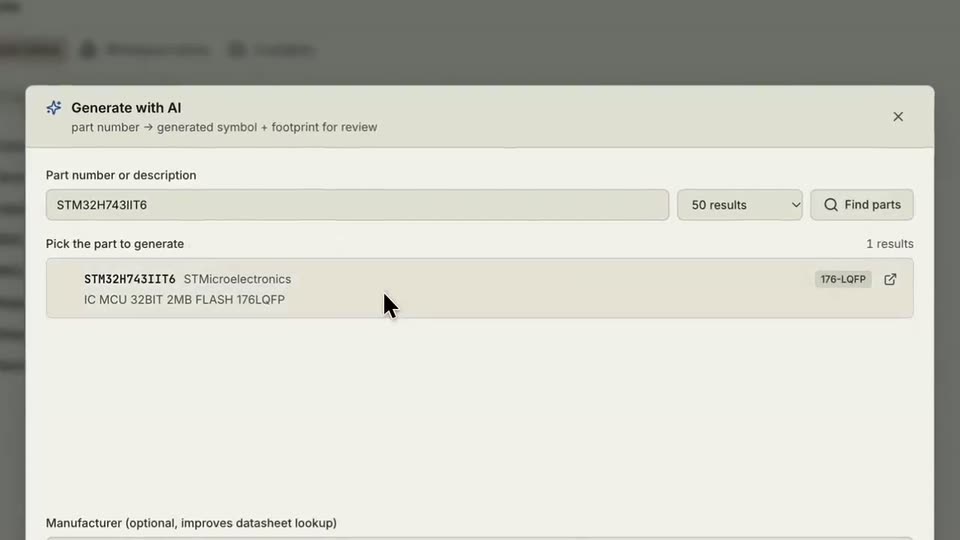 0:02–0:06Resin Technologies · Stop drawing component libraries by hand. Give Resin any MPN or datasheet and it builds the symbol and footprint, with every pin and pad traceable to the source datasheet. | Resin TechnologiesA product modal titled Generate with AI opens over a dimmed dashboard. A cursor types a part number, clicks Find parts, and a single result row appears. The panel scrolls down to reveal an orange Generate button, which the cursor presses.
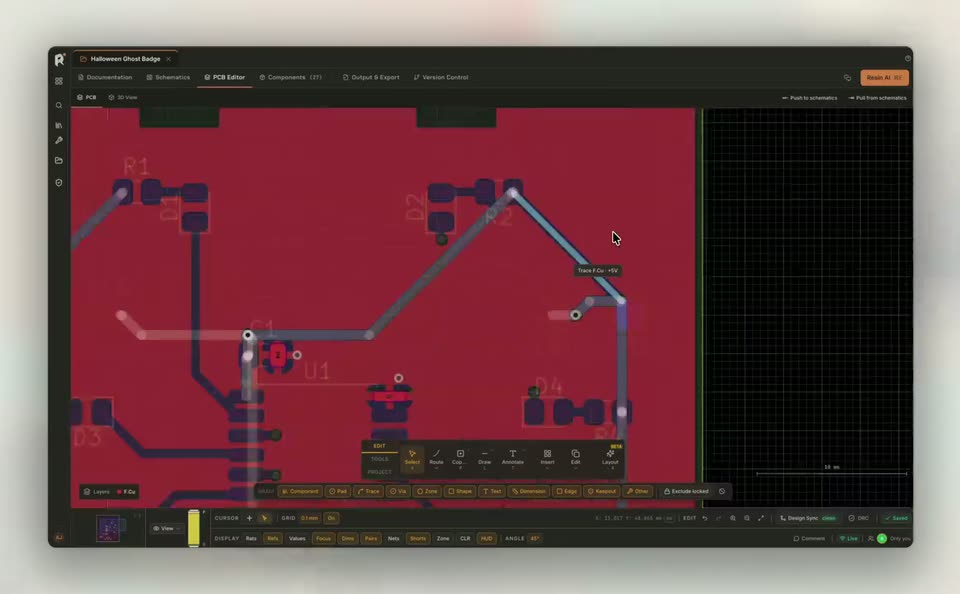 0:03–0:04Resin Technologies · Introducing Semantic Diffs. You can now *see* what changed across revisions -- parts, traces, vias etc. -- instead of inspecting blobs of text. Live now for all users! | Resin TechnologiesA dark PCB editor window sits on a light gray backdrop, a red board with teal traces filling the canvas. A white cursor hovers at the right edge while dark headline text is overlaid across the board.
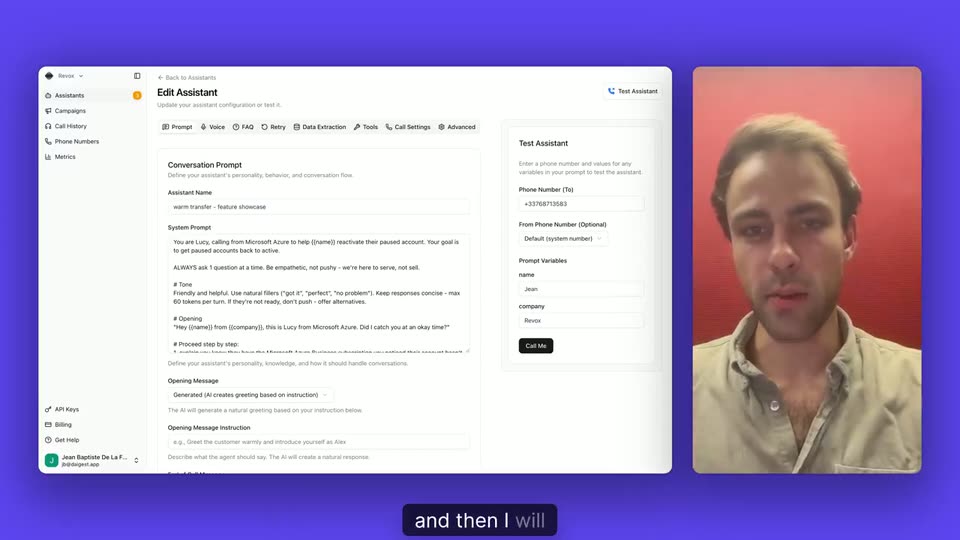 0:18–0:36Revox · We transform your outbound calls with inbound calls with this new Revix feature: Warm Call Transfer 🔥 | RevoxScreen recording of the Revox Edit Assistant dashboard, presenter's webcam pinned at right over a red gradient. A cursor types a phone number and the name and company values into the Test Assistant panel, then the frame zooms out to reveal the full interface and left sidebar. Subtitles caption the voiceover along the bottom.
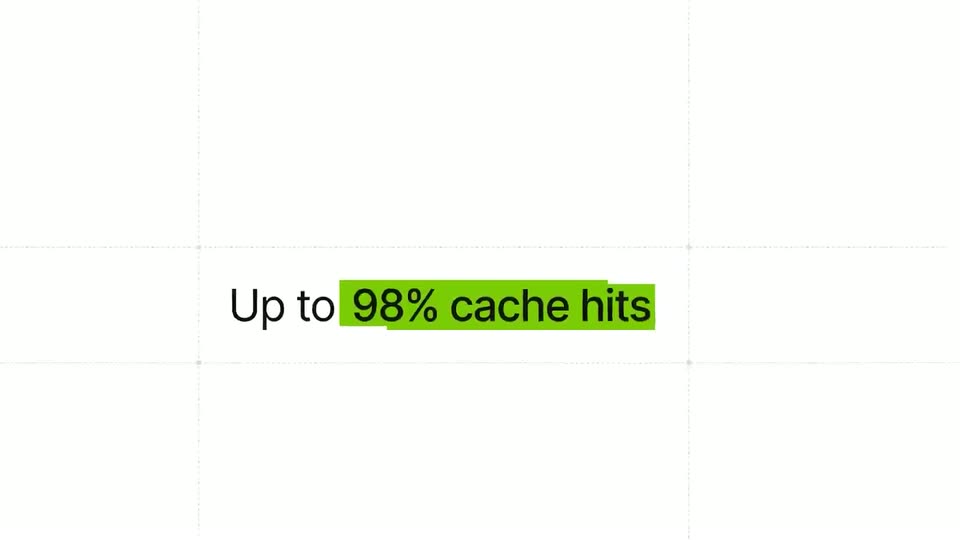 0:09–0:11RightNow · runinfra coding plan is live the fastest open models in claude code, codex, opencode and 16 more agents. from $10 a month more usage per dollar and faster tok/s than other providers. both, not one… | RightNow InferenceOn a white dashed grid, the line Up to 98% cache hits slides in and scales up, its tail boxed in green, then settles to the lower left. A green pixel cluster, a green GLM dropdown and a grid of green squares fade in on the right.
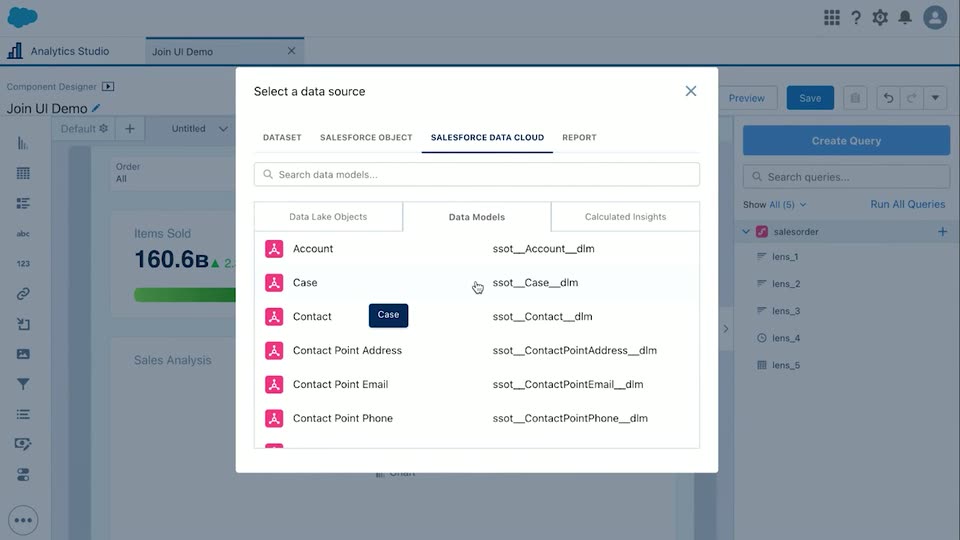 0:26–0:33Salesforce · Analytics - Join Data User InterfaceA dimmed analytics app sits behind a centered data source modal. The cursor clicks the Data Cloud tab, then the Data Models sub-tab, and scrolls the list down to a Sales Order row, where a tooltip appears beside it.
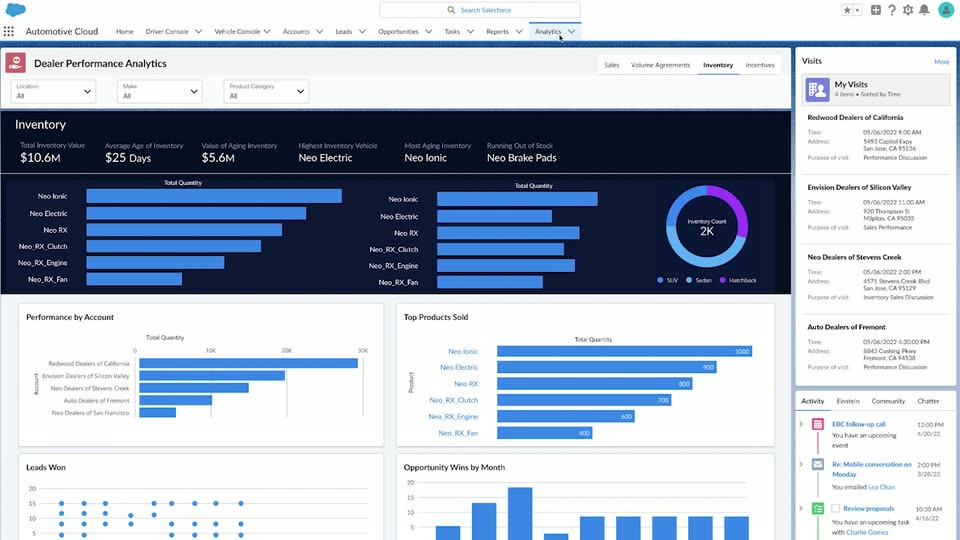 0:29–0:32Salesforce · Automotive Cloud - Automotive Cloud IntelligenceA full analytics dashboard shows inventory KPIs and blue bar charts across a white grid. The frame then zooms in, dropping the top navigation and enlarging the inventory section and its charts.
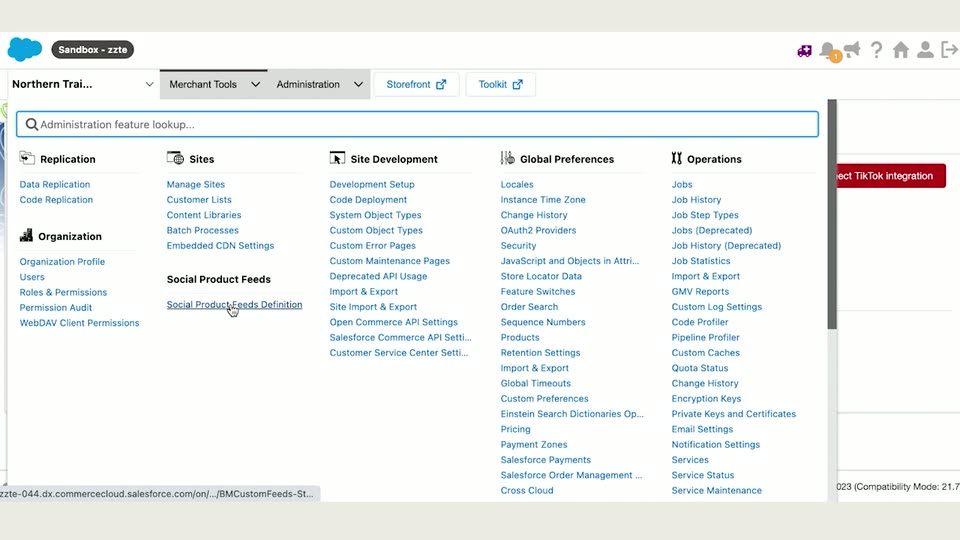 0:31–0:34Salesforce · Commerce Cloud - TikTok Integration for Commerce EnhancementsA Salesforce admin screen shows a multi-column menu of tools. A cursor moves from the Administration dropdown down to the Social Product Feeds Definition link, which underlines on hover, while a red TikTok integration button sits at the right edge.
 0:24 · 0.8sSalesforce · Loyalty Management - Quick Promotion SetupA locked-off screen of the Loyalty Management app: tabs and a search bar sit above a wide blue panel with a faint contour pattern. The heading Quick Promotion Setup holds still over the empty area while a cursor rests at center.
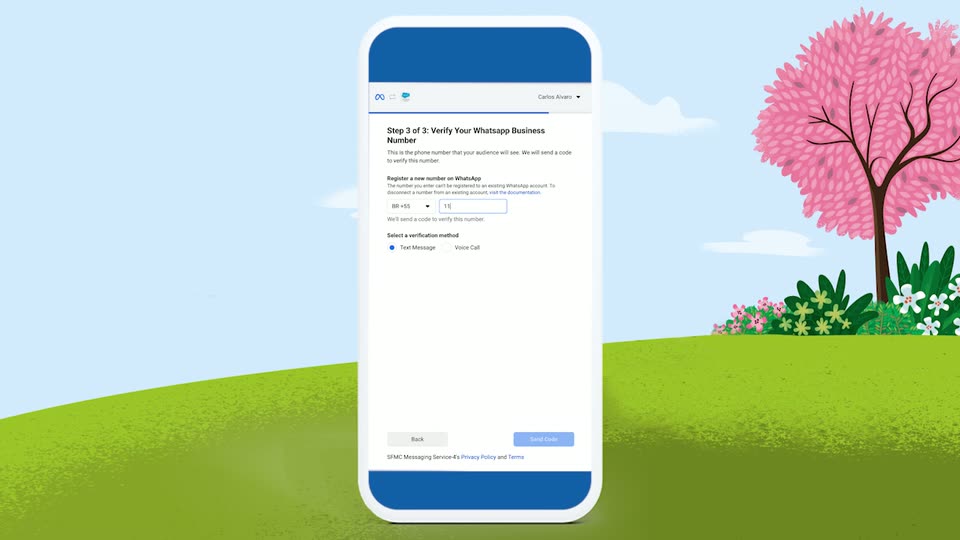 0:06–0:17Salesforce · Marketing Cloud - WhatsApp Business Messaging: Direct IntegrationA flat phone mockup sits on an illustrated hill with a pink tree. Inside, a WhatsApp setup flow advances through screens with quick dissolves: a cursor clicks Continue, opens a dropdown, picks a country, types a phone number, then rests on the Send Code button.
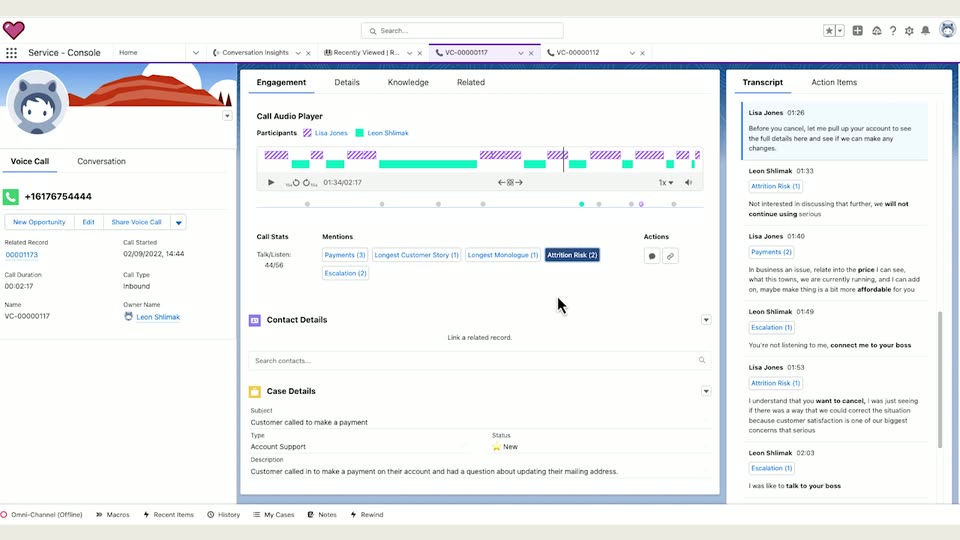 0:25–0:41Salesforce · Service Cloud - Salesforce Contact Center: Insights & SchedulingA Salesforce service console fills the frame. A cursor clicks the audio timeline, then the Attrition Risk mention tag, which turns blue and scrolls the transcript to the matching message.
 0:39–0:40Salesforce · Slack - CanvasA white Canvas panel on a beige backdrop scrolls upward at a steady pace, moving from the About Acme paragraph and Account Team list past Key Contacts and Exec Briefing Prep, then a row of four avatar photos, ending on a Sales Cloud Opportunities card.
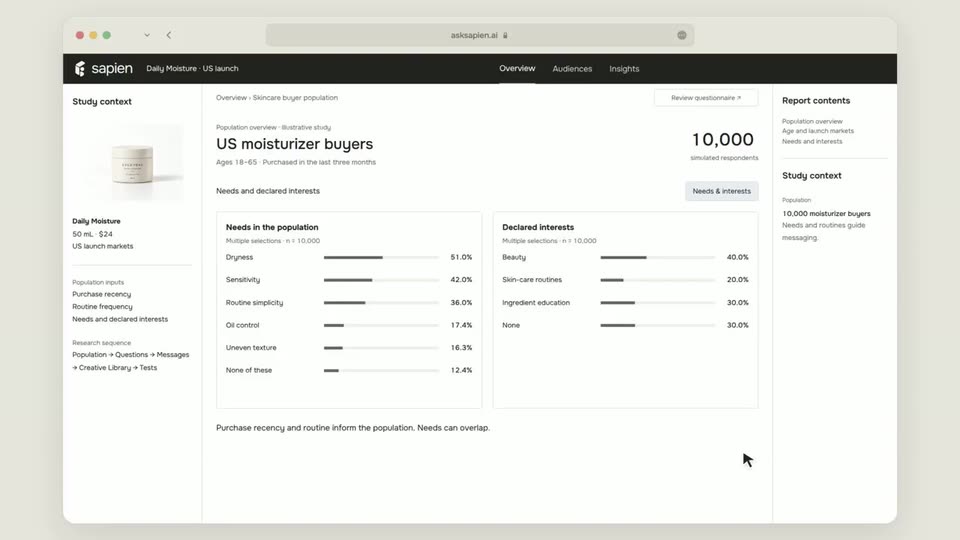 0:13–0:21Sapien · Introducing Sapien for marketing: predict what converts before you spend. Test messaging, creative, branding, landing pages, offers, and targeting against simulated populations of your exact ICPA browser window shows the Sapien dashboard with bar charts for US moisturizer buyers. A cursor glides to the Needs & interests tab and clicks it, swapping the age and market charts for needs and interests. The view then dissolves to a questionnaire page.
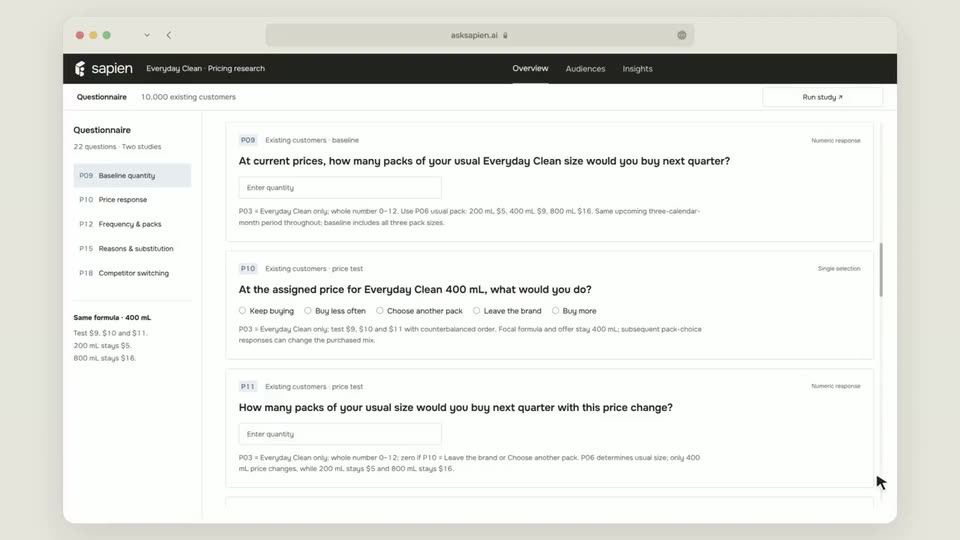 0:26–0:29Sapien · We’re launching Sapien for pricing and offer testing. See how demand changes at each price, which customers you’d keep, and which new buyers you could win. Before you change a single priceA browser window displays a pricing questionnaire with three question cards while the cursor hovers at the right edge. The view then switches to an analytics screen with a segment filter sidebar, a line chart of volume demand, and a report contents panel.
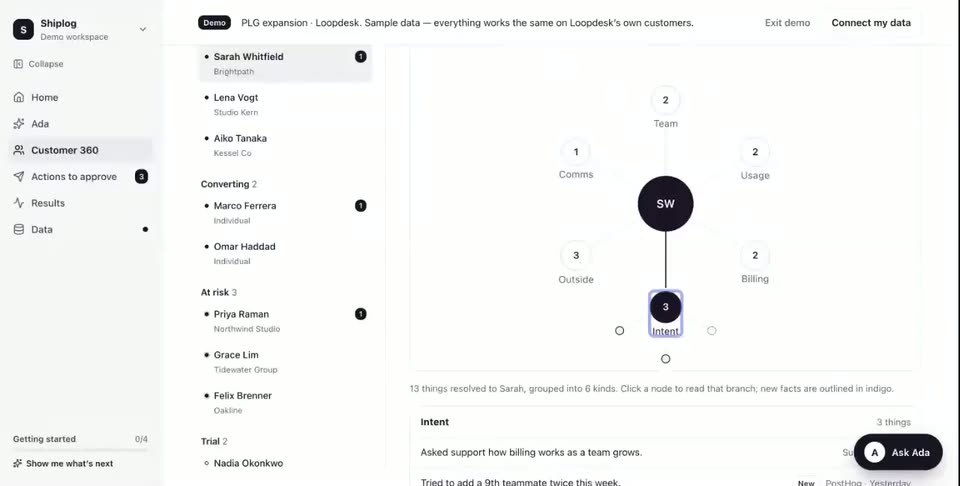 1:10–2:28Shiplog · #customersuccess #ai #saas #productledgrowth #revenuegrowth | Shiplog (F/AI F26)A cursor clicks nodes on a radial customer graph, each click highlighting a branch and refreshing the fact list below. The view then zooms in on the graph as the demo continues.
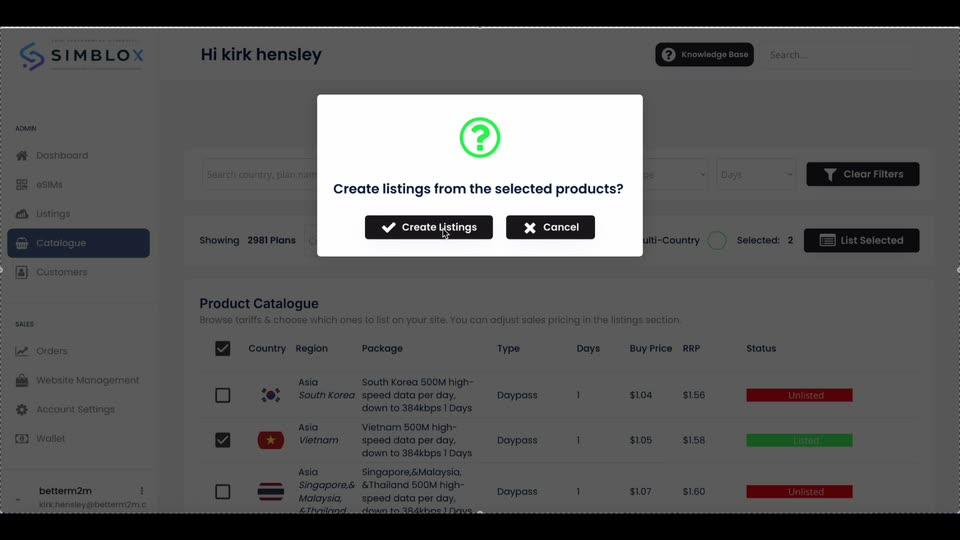 0:32–0:33SimBlox · SimBlox: minute demoA dimmed Symblox admin dashboard shows a centered white modal with a green question mark icon and two black buttons. A cursor glides from the right edge to hover over the Create Listings button. The background catalogue table lists country rows with red and green status tags.
 0:17–0:19SimBlox · SimBlox: advertA night globe in 3D rotates as glowing cyan and magenta arcs link city lights across continents. Four feature captions with icons sit along the bottom, then vanish as the camera tilts to a low horizon view of the sphere.
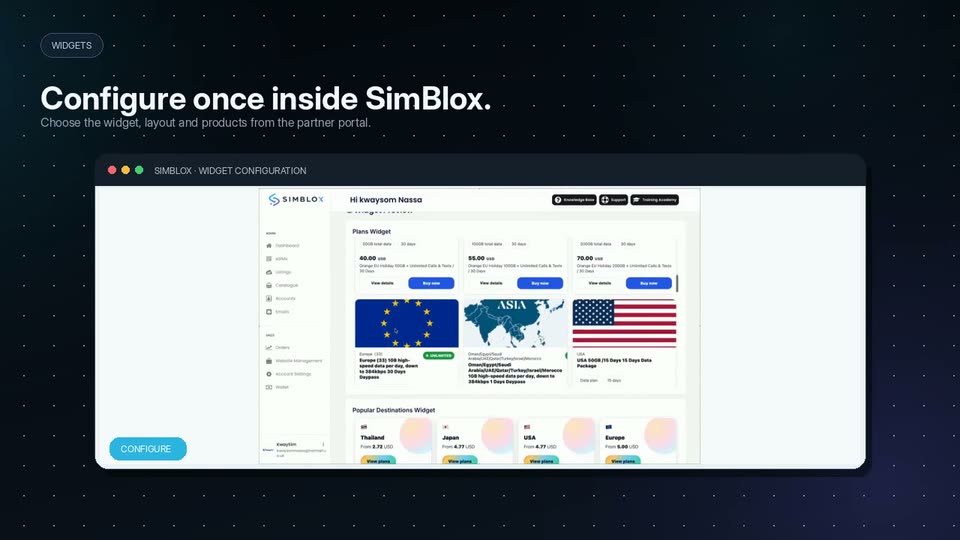 0:22–0:26SimBlox · SimBlox launch filmA dark dotted-grid backdrop holds a white headline and gray subheadline top left. A flat browser mockup of the SimBlox partner portal sits centered, its interface scrolling vertically past widget settings and orange Europe eSIM preview cards. A cyan CONFIGURE button anchors the lower left.
 0:16–0:17SimBlox · SimBlox: apps demoA presenter sits in a small webcam box at the lower left while a phone app drawer fills the right, showing a grid of eSIM and utility icons above a search bar.
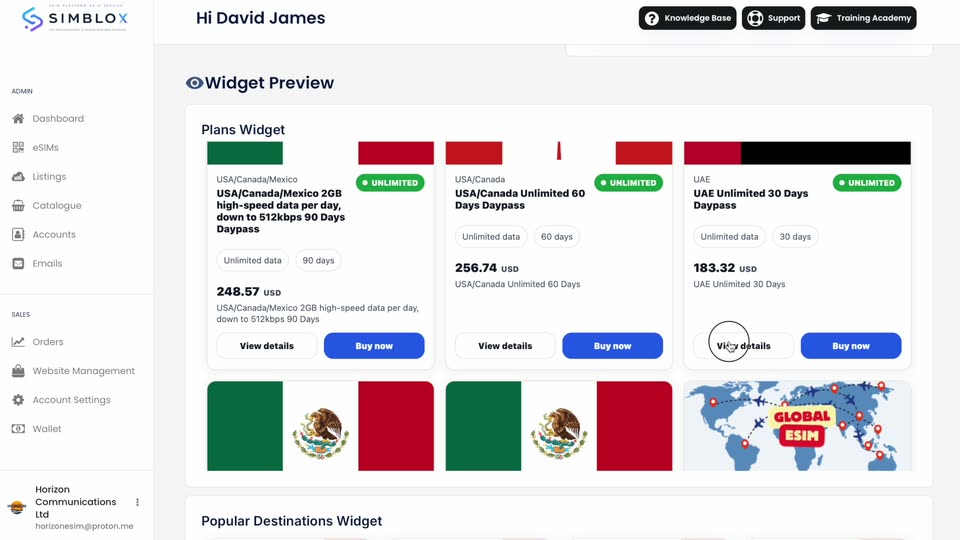 0:08–0:09SimBlox · SimBlox: web widgets demoA flat dashboard screen shows a left sidebar menu and a Widget Preview panel holding three plan cards, each with a flag, price and blue Buy now button. A mouse cursor travels down the right side and hovers over a View details button.