
0:29
Explore
Dashboards are dead. Agents are everywhere. Five years ago, you bought a BI tool because someone needed a chart. Today? Claude is in Slack. ChatGPT is in ops. Finance is querying Sheets. Your… | David Dokes
Polar Analytics · 0:34 · Code only · AI-annotated
- Length
- 0:34
- Scenes
- 20 · 1.7 s avg
- Product on screen
- 0:01
- Features shown
- 6
- Voiceover
- No
00:00:00 / 00:34:21
- Length
- 0:34
- Scenes
- 20 · 1.7 s avg
- Product on screen
- 0:01
- Features shown
- 6
- Voiceover
- No
Polar Analytics’s 0:34 launch film runs 20 scenes, about 1.7 s each. The product shows up at 0:01 and 6 features are revealed, with social proof. There is no explicit call to action. The video opens on a typed question, names the product, then walks three numbered steps (Connect, Build, Ask) as title cards paired with interface demos, and closes on a customer quote plus a final tagline card. Its signature moves are tilted 3D product windows, slow camera pushes into UI panels, and a split-type headline system that pairs a bold sans with an italic serif accent word in purple or mint.
No filming indicatedEstimated needs: 5 capture groups — your screens or recordings · 1 official logo — reused across the film · 1 graphic passage — draw or supply · 2 3D passages — build or supply
Is this your launch? to your site or press kit.
More like this



Dashboards are dead. Agents are everywhere. Five years ago, you bought a BI tool because someone needed a chart. Today? Claude is in Slack. ChatGPT is in ops. Finance is querying Sheets. Your… | David Dokes, scene by scene
· 20 scenes as text
01 · Hook · 0:00–0:01
On a dark field with a soft central glow, a small gray YOU ASK label sits above a white rounded pill that scales up from the center. The question fills the pill with a blinking text cursor, and a faint blue grid icon marks the top right corner.
On-screen text: “YOU ASK”, “What's our blended ROAS?”
Techniques: Kinetic type
Camera: Static
02 · Product intro · 0:01–0:03
A dark frame holds a purple app icon and a small INTRODUCING label. Below, the headline Polar Headless. builds in: white Polar first, then purple Headless. sliding in with a brief trailing echo.
On-screen text: “INTRODUCING”, “Polar Headless.”
Techniques: Kinetic type
Camera: Static
03 · Product intro · 0:03–0:04
A near-black frame with a soft purple glow at the center. Two centered lines fade in from dim to full: 'The first Headless BI,' in white, then 'purpose-built for commerce.' with 'purpose-built' in purple italic. Faint purple line shapes sit in the corners.
On-screen text: “The first Headless BI,”, “purpose-built for commerce.”
Camera: Static
04 · Demo · 0:04–0:06
A dark 3D scene centers a tilted product window listing commerce data features, flanked by columns of source and AI logos. The camera slowly pushes in, scaling the white-and-green headline at the top while the side columns slide out of frame.
On-screen text: “Polar”, “All your data in one place.”, “One click to connect it to every AI.”
Techniques: 3D mockup, UI zoom
Camera: Push in
05 · Feature reveal · 0:06–0:07
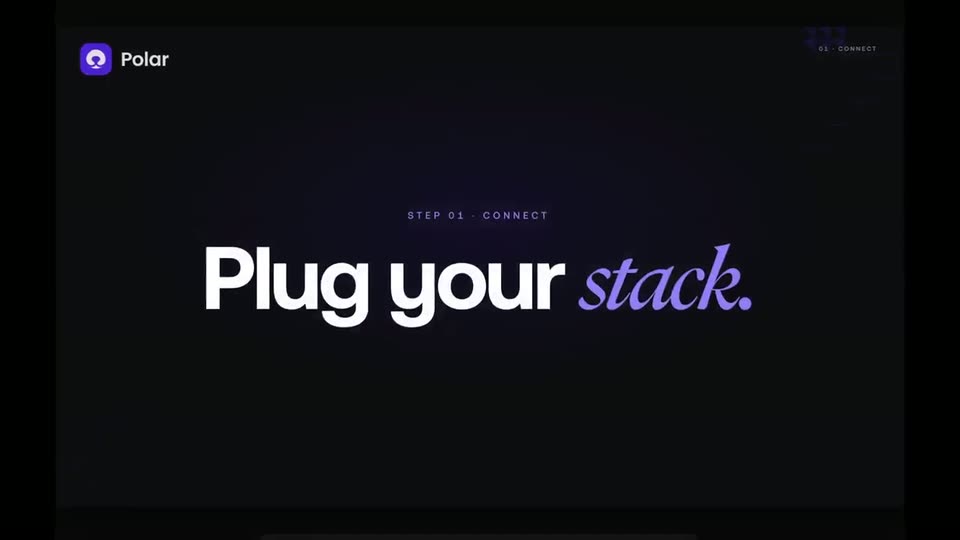
A dimmed product dashboard with a centered headline and two columns of integration logos fades to black, leaving the small label STEP 01 · CONNECT above the large line Plug your stack., the second word in purple italic.
On-screen text: “STEP 01 · CONNECT”, “Plug your stack.”
Camera: Static
06 · Feature reveal · 0:07–0:12
The Polar logo and the headline “50+ commerce data connectors.” sit above a white Connectors panel on a dark background. The camera pushes into the panel as its two-column list of integrations scrolls, then pulls back to the full frame.
On-screen text: “CONNECTORS”, “50+ commerce data connectors.”, “01 CONNECT”
Techniques: UI zoom
Camera: Static
07 · Feature reveal · 0:12–0:15
A dark slide holds the Polar mark top left and a small section tag top right. On the left, a large white number counts up from 0 to 412+ above a purple-italic caption. On the right, a rounded panel fills row by row with multicolored metric chips that fade in.
On-screen text: “READY-MADE COMMERCE ONTOLOGY”, “412+”, “governed commerce metrics.”
Techniques: Kinetic type, Masking
Camera: Static
08 · Feature reveal · 0:15–0:16
A locked-off dark title card holds the headline Configure your data layer. in white bold sans, the closing words in purple italic serif. A small purple STEP 02 · BUILD label sits above, and the Polar logo stays in the top-left corner.
On-screen text: “STEP 02 · BUILD”, “Configure your data layer.”
Camera: Static
09 · Feature reveal · 0:16–0:18
A white metric-builder form panel sits on a dark stage beneath the centered headline “Build custom metrics” and the Polar logo. The camera zooms steadily into the form, pushing the headline off the top edge of the frame.
On-screen text: “CUSTOM METRICS”, “Build custom metrics”, “02 - BUILD”
Techniques: UI zoom
Camera: Push in
10 · Feature reveal · 0:18–0:21
A dark, tilted 3D view of a custom dimensions interface with two rule cards sits on black, framed below by a large headline reading Build custom dimensions. The screen and text hold still across the shot.
On-screen text: “Build custom dimensions”
Techniques: 3D mockup
Camera: Static
11 · Feature reveal · 0:21–0:22
A flat product interface on a dark background displays a SQL query card titled blended_roas, with a code block and a footer note. The headline Build with SQL sits at the top right. The frame is locked off and static.
On-screen text: “Build with SQL”
Camera: Static
12 · Feature reveal · 0:22–0:23
A dark card holds the Polar mark top left. A small label reads STEP 03 - ASK above a large headline that scales in, with Ask in bold white and anywhere. in mint green italic.
On-screen text: “STEP 03 - ASK”, “Ask anywhere.”
Techniques: Kinetic type
Camera: Pull out
13 · Feature reveal · 0:23–0:25
A dark Polar chat interface sits in a locked-off frame. The header reads In Claude with an orange sparkle icon, a query bubble asks about LTV by cohort, and a results panel fills in row by row with channel names and dollar values.
Camera: Static
14 · Feature reveal · 0:25–0:27
Locked-off dark frame: the Polar wordmark sits top left, the n8n logo with the label “In n8n” sits top center, and a browser window shows a static n8n workflow canvas with four connected nodes, two circular tool icons below, and an orange Execute button at the bottom.
On-screen text: “Polar”, “In n8n”
Camera: Static
15 · Feature reveal · 0:27–0:29
A dark product dashboard fills the frame. The left chat panel streams an AI response while the right panel updates from line charts to a white forecast card showing a Q4 margin question and a negative revenue figure. The view cuts to black, leaving only the Polar mark.
On-screen text: “In Lovable”
Camera: Static
16 · Feature reveal · 0:29–0:30
A flat ChatGPT interface mockup sits on a dark background, titled by an In ChatGPT heading with the OpenAI mark. The white panel shows a user query bubble, a green function tag, and two metric readouts with a small chart, all held in a locked-off frame.
On-screen text: “In ChatGPT”
Camera: Static
17 · Social proof · 0:30–0:32
A white testimonial quote with purple quote marks sits centered on a dark background, the Polar logo locked in the top-left corner. The quote dims and fades out as a light dashboard panel with a green headline and a line chart fades in behind it.
On-screen text: “Polar gave us the Snowflake data warehouse, the semantic layer, and the AI access in days. That’s the bar now.”, “Ben - Head of Data”, “JONES ROAD BEAUTY”, “Dashboards for humans.”
Camera: Static
18 · Feature reveal · 0:32–0:32
A dark frame holds the Polar logo top left and a green headline above a flat product interface. The interface splits into a chat panel on the left and a dashboard with a line chart and data table on the right. The shot stays locked off.
On-screen text: “Polar”, “Dashboards for humans.”
Camera: Static
19 · Feature reveal · 0:32–0:33
A dark frame holds the Polar logo top left and a violet headline “MCP for Agents.” above a flat browser window showing a code editor, with a metrics sidebar left and a JSON request and response panel right. The frame is locked off and static.
On-screen text: “MCP for Agents.”
Camera: Static
20 · Outro · 0:33–0:34
On a near-black background, a purple rounded app icon hovers centered above a bold white headline that scales up. A purple italic serif line then appears beneath it as the composition tightens and the icon drifts upward.
On-screen text: “Ask AI anything”, “about your data.”
Techniques: Kinetic type
Camera: Push in