
0:47
Explore
Introducing NeoEval: evals built from your production failures, run on your real agent. Your production data is already a goldmine of real tasks, failures, and human corrections. It captures… | NeoSigma
NeoSigma · 0:47 · AI-annotated
- Length
- 0:47
- Scenes
- 13 · 3.7 s avg
- Product on screen
- 0:06
- Features shown
- 1
- Call to action
- 0:39 · 83%
- Voiceover
- No
00:00:00 / 00:47:21
- Length
- 0:47
- Scenes
- 13 · 3.7 s avg
- Product on screen
- 0:06
- Features shown
- 1
- Call to action
- 0:39 · 83%
- Voiceover
- No
NeoSigma’s 0:47 launch film runs 13 scenes, about 3.7 s each. The product shows up at 0:06 and 1 feature is revealed. The call to action lands at 0:39 (83% in). Built as a chain of short kinetic-type and diagram beats on a grainy near-black field, each beat holding one caption while dot grids and square grids morph between states. Signature moves are the dot-to-line-to-grid transformations, the 4x4 square grid that re-forms as evals, regression tiles and a 3D cluster, and letter-spaced monospace labels that frame every claim.
No filming indicatedEstimated needs: 1 capture group — your screens or recordings · 1 official logo — reused across the film · 6 graphic passages — draw or supply
Is this your launch? to your site or press kit.
More like this
1:46

Prime Intellect - Announcing our $130M Series A to build the Open Superintelligence Sta
Prime Intellect · Jul 2026
1:38
Sahil Mahendrakar - We believe every company should run its own custom models. But right
Cerebellum Labs · Nov 2026
Introducing NeoEval: evals built from your production failures, run on your real agent. Your production data is already a goldmine of real tasks, failures, and human corrections. It captures… | NeoSigma, scene by scene
· 13 scenes as text
01 · Hook · 0:00–0:01
On a plain black background, a centered line of text types out letter by letter, flanked by two small white square dots that hold the left and right ends of the line.
On-screen text: “Your production data”
Techniques: Kinetic type
Camera: Static
02 · Hook · 0:01–0:02
A black frame holds centered white text, “Your production data,” bracketed by two small square dots. The word “data” pulses in opacity while the rest of the line stays fixed.
On-screen text: “Your production data”
Camera: Static
03 · Problem · 0:02–0:06
A rounded square in the center cycles through clips: a black cube on a striped floor, a train platform at dusk, a sunset over water. Small monospace labels fade in two columns on either side. The layout dims, then a large gray NeoEval wordmark fades in at the bottom right.
On-screen text: “ASKED FOR A 60 SECOND VIDEO. MADE A TWO MINUTE VIDEO.”, “READING TRACES”, “FLAGGING SESSIONS”, “LINKED A CHART THAT WOULDN'T OPEN”, “PERSONA, GOAL, CONSTRAINTS”, “SIMULATING USER”, “BUILDING EVALS”, “CLUSTERING FAILURES”, “FRESH PER EVAL”, “CREATING SANDBOX”
Techniques: Kinetic type, Masking
Camera: Static
04 · Product intro · 0:06–0:08
On a dark grid, a matrix of small white and orange dots fills the left half while the white NeoEval wordmark and a rounded loop logo mark hold the right, the logo mark brightening as the clip runs in a locked-off frame.
On-screen text: “NeoEval”
Camera: Static
05 · Feature reveal · 0:08–0:09
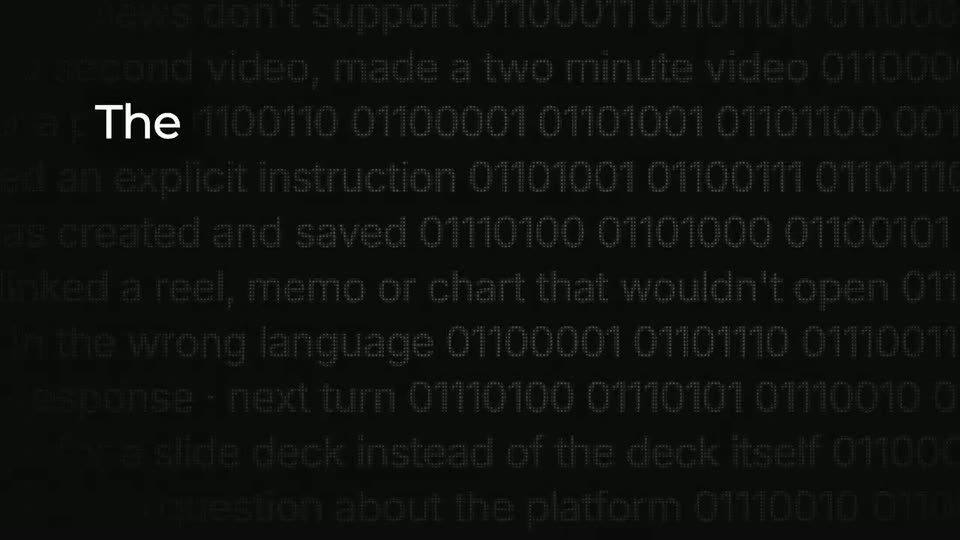
A dark frame holds the white NeoEval wordmark bottom right and a 90 logo top right over a faint paragraph and a dotted waveform on the left. The title and logo clear as a wall of gray text fills the screen and the word The slides in at the left edge.
On-screen text: “NeoEval”, “The”
Camera: Static
06 · Feature reveal · 0:09–0:12
Over a black background of dim log text, a white headline reads The Eval Engine at the top left. The phrases for your and Production Data fade in below it, one line at a time, left-aligned.
On-screen text: “The Eval Engine”, “for your”, “Production Data”
Techniques: Kinetic type
Camera: Static
07 · Feature reveal · 0:12–0:13
On a black field with faint lines of binary code, white headline text reads The Eval Engine for your Production Data in three left-aligned lines. It fades in, holds briefly, then fades out, leaving only the dim code texture.
On-screen text: “The Eval Engine for your Production Data”
Camera: Static
08 · Feature reveal · 0:13–0:29
A dot grid labeled PRODUCTION SESSIONS wipes in on black. Orange dots appear with quoted complaint labels, then pulse as sparse signals. The grid morphs into lines flowing right into a 4x4 square grid labeled EVALS that lights up cell by cell.
On-screen text: “PRODUCTION SESSIONS”, “Your most valuable data is already in production.”, “Every piece of user feedback and frustration is a signal to capture.”, ““That's not what I asked for.””, “THUMBS DOWN”, ““The link doesn't open.””, “USER REWROTE THE ANSWER”, ““Try again.””, ““Why is this blank?””, “These signals are sparse, and they matter most. NeoEval turns them into failures you can replay. EVALS”
Techniques: Masking, Particles, Morph
Camera: Pull out
09 · Feature reveal · 0:29–0:33
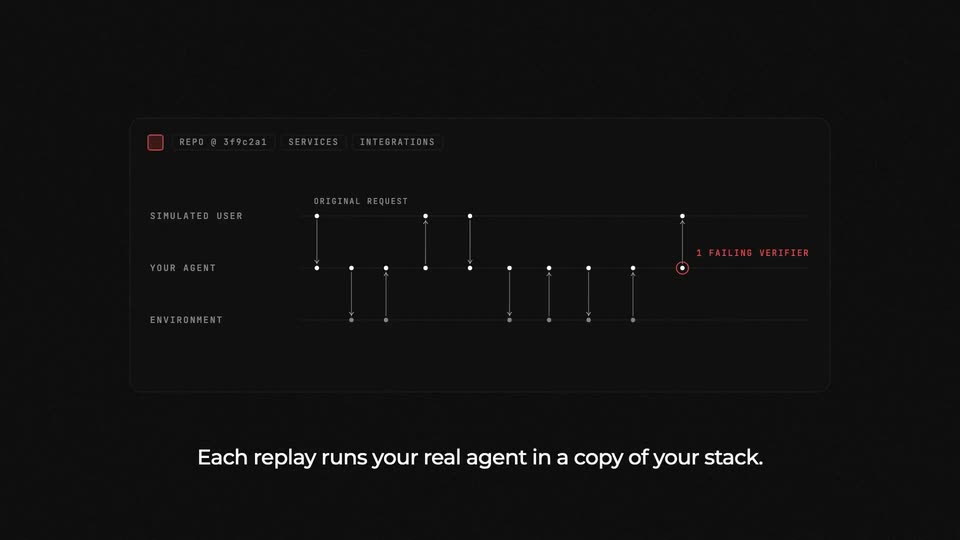
A dark trace panel draws a sequence diagram left to right, dots and arrows linking the simulated user, agent, and environment rows. A red marker appears on the agent row with the label 1 failing verifier. The white bottom caption fades out at the end.
On-screen text: “Each replay runs your real agent in a copy of your stack.”
Techniques: Masking
Camera: Static
10 · Feature reveal · 0:33–0:34
A grid of dark rounded squares sits centered on black, one cell outlined in red. The red outline jumps to a new cell on the right as the whole grid dims, reading like an active key indicator moving across a layout.
Camera: Static
11 · Feature reveal · 0:34–0:39
A 4x4 grid of rounded tiles on black, tagged REPO @ a81d0e4, fills with checkmarks while one red tile shows an X. REGRESSION and FIXED labels fade in below it, then the whole grid squashes into thin vertical slivers.
On-screen text: “REPO @ a81d0e4”, “Test every change against them before it ships.”, “REGRESSION”, “FIXED”
Camera: Static
12 · CTA · 0:39–0:42
On a black field, a 4x4 grid of light rounded squares on the right tilts and rearranges into a 3D perspective cluster. A small Get started label with orange brackets holds on the left.
On-screen text: “[Get started]”
Techniques: Morph
Camera: Static
13 · Outro · 0:42–0:47
On a black field, scattered white dots and strokes coalesce into the NeoSigma mark. The wordmark then draws in as thin outlines and fills to solid white, while a small NeoEval caption fades in beneath.
On-screen text: “NeoSigma”, “NeoEval”
Techniques: Morph
Camera: Static