0:42

SHIFT_Improper Payment Detection_Integrated Case Management_Video_V4
Shift Technology · Feb 2023
OpenHack · 0:30 · Code only · AI-annotated
OpenHack’s 0:30 launch film runs 9 scenes, about 3.4 s each. The product is on screen from the first frame and 3 features are revealed. The call to action lands at 0:28 (91% in). The video is built as a numbered walkthrough: a typed install command opens, then three feature beats (operate, scan, pentest) each pair a centered headline with a live terminal or dashboard demo, and a three-line recap leads into a typed URL. Signature moves are letter-by-letter monospace typing, cross-fades between title cards and interface, and left-to-right assembly of node graphs on a dark grid.
Is this your launch? to your site or press kit.
Shift Technology · Feb 2023
Replit · Developer tools · Nov 2026
On a dark grid, the OpenHack logo sits above a terminal line that types out the install command letter by letter. The view then cross-fades to a workbench title card with a large white headline and a small green section tag.
On-screen text: “Swiss army knife for offensive security.”
Techniques: Kinetic type
Camera: Static
A dark terminal window on a gridded page types a prompt, then lists sandbox commands line by line while a status flag flips from Ready to Done. The headline sits above; the clip ends on a hard cut to a two-column model list.
On-screen text: “Swiss army knife for offensive security.”
Camera: Static
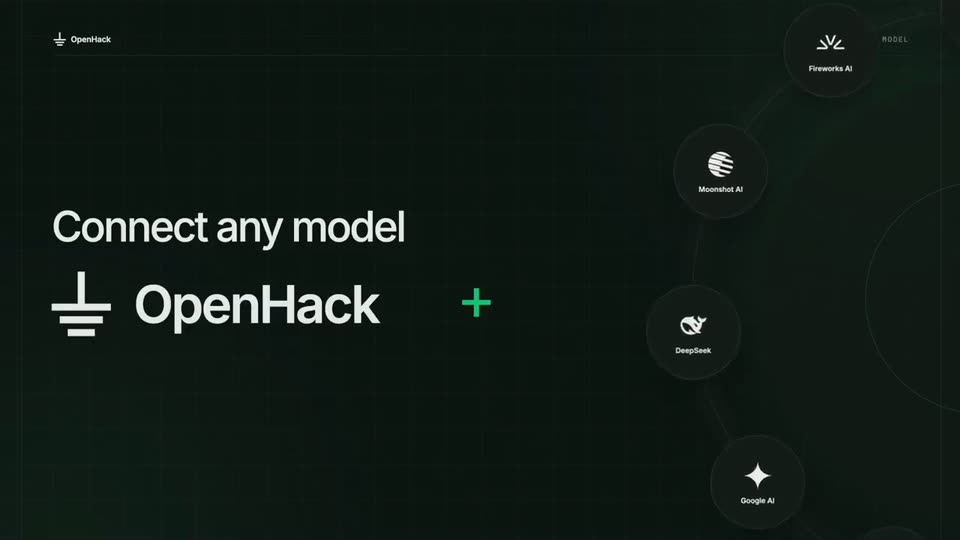
On a near-black grid background, the white headline “Connect any model” and the OpenHack logo sit left of a green plus sign. A string of circular AI-provider badges scrolls upward along a thin curved line on the right.
On-screen text: “Connect any model”
Camera: Push in
A dark grid-backed product page holds a centered headline that fades in above a terminal mockup, where the command openhack --scan your-app types out character by character behind a block cursor. The view then crossfades to a results header reading 6 verified vulnerabilities with a scanning status on the right.
On-screen text: “Connect any model”, “Scan and auto-verify vulnerabilities”, “6 verified vulnerabilities”
Techniques: Kinetic type, Morph
Camera: Static
A dark scan-results screen lists six vulnerability rows that fade in one after another while a file counter ticks up. The interface then dissolves into a centered tagline above a terminal prompt.
On-screen text: “Pentest apps autonomously”
Camera: Static
A faded vulnerability list dissolves behind a large centered headline and a terminal window typing a hack command. The headline and terminal fade out, revealing a results screen titled Exploit path verified with a small entry card at lower left.
On-screen text: “Pentest apps autonomously.”, “$ openhack --hack “0×aa.io””
Techniques: Cursor demo
Camera: Static
On a dark grid dashboard, an attack-path graph assembles left to right: entry, vulnerability and exploit nodes pop in as green connector lines draw between them. A status line fades in below, then the whole diagram dims and a large centered tagline fades in.
On-screen text: “Find verified vulnerabilities.”
Camera: Static
Three centered lines fade in one after another on a dark grid background, the last line in green, then the whole block fades to black.
On-screen text: “Find verified vulnerabilities.”, “Connect to any model.”, “No guardrails.”
Techniques: Kinetic type
Camera: Static
On a near-black grid background, the OpenHack logo and wordmark sit centered above a gray tagline. A white URL types out letter by letter beneath it, ending on a blinking block cursor.
On-screen text: “The open source security agent”, “openhack.com”
Techniques: Kinetic type
Camera: Static