
0:24
Explore
Introducing Semantic Diffs. You can now *see* what changed across revisions -- parts, traces, vias etc. -- instead of inspecting blobs of text. Live now for all users! | Resin Technologies
Resin Technologies · 0:14 · Code only · AI-annotated
- Length
- 0:14
- Scenes
- 6 · 2.4 s avg
- Product on screen
- 0:00
- Features shown
- 1
- Voiceover
- No
00:00:00 / 00:14:18
- Length
- 0:14
- Scenes
- 6 · 2.4 s avg
- Product on screen
- 0:00
- Features shown
- 1
- Voiceover
- No
Resin Technologies’s 0:14 launch film runs 6 scenes, about 2.4 s each. The product is on screen from the first frame and 1 feature is revealed. There is no explicit call to action. A single-feature spot built as one continuous take: a soft-blur title card dissolves into the dark editor, then the camera rides slow zooms and panel slides while the cursor performs every click. Cuts stay sparse at about 8 per minute, letting the interface's own motion, not transitions, carry the story.
No filming indicatedEstimated needs: 1 capture group — your screens or recordings
Is this your launch? to your site or press kit.
More like this
1:04

0:50

Chris Yoo ⚡ CoRL - Fine-tuning VLAs just got so much easier. Today, we're releasing Tra
Dreamscale Labs · Industrials · Oct 2026
Introducing Semantic Diffs. You can now *see* what changed across revisions -- parts, traces, vias etc. -- instead of inspecting blobs of text. Live now for all users! | Resin Technologies, scene by scene
· 6 scenes as text
01 · Feature reveal · 0:00–0:03
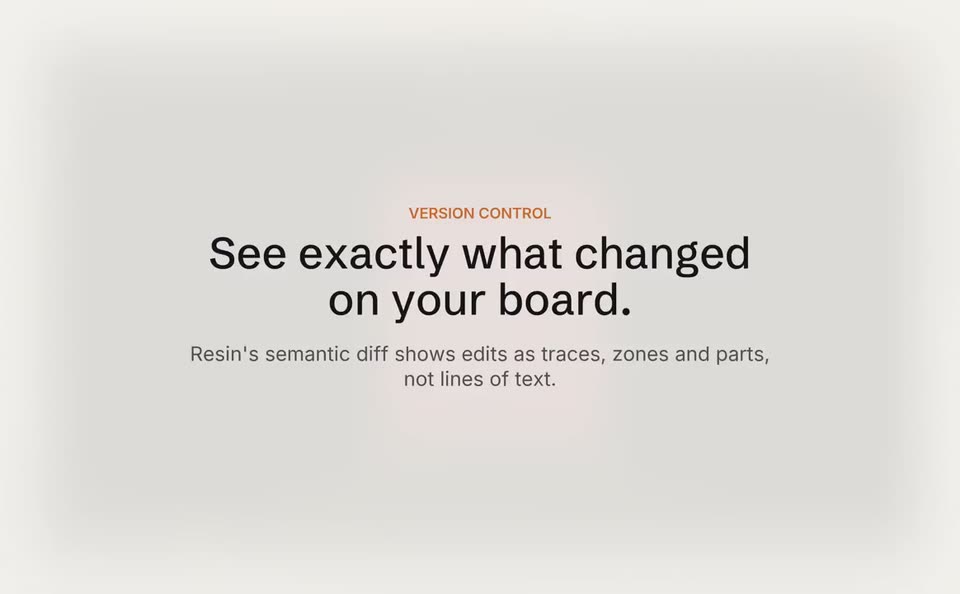
A centered text block fades in from a soft blur on a light gray field: an orange eyebrow, a large dark headline, and a smaller gray caption. In the final beat, a PCB editor screen with a pink diff region fades in behind the text.
On-screen text: “VERSION CONTROL”, “See exactly what changed on your board.”, “Resin's semantic diff shows edits as traces, zones and parts, not lines of text.”
Camera: Static
02 · Feature reveal · 0:03–0:04
A dark PCB editor window sits on a light gray backdrop, a red board with teal traces filling the canvas. A white cursor hovers at the right edge while dark headline text is overlaid across the board.
On-screen text: “See exactly what changed”, “on your board.”, “Resin's semantic diff shows edits as traces, zones and parts,”, “not lines of text.”, “VERSION CONTROL”
Camera: Static
03 · Feature reveal · 0:04–0:07
A red PCB editor canvas shows a circuit board. The cursor clicks a copper trace, which glows cyan as a properties panel slides in from the right listing its geometry. The view then zooms into the board.
Techniques: Cursor demo, UI zoom
Camera: Static
04 · Feature reveal · 0:07–0:09
A dark PCB editor canvas with a grid and component labels fills the frame, then the view zooms in on the top toolbar. The cursor moves right to hover over Version Control, which grows larger as the menu items scale up with the zoom.
Techniques: UI zoom, Cursor demo
Camera: Push in
05 · Feature reveal · 0:09–0:10
A dark interface brightens as a hand cursor clicks Version Control in the top menu, underlining it orange. The view expands to a full layout: a commit history list on the left, a blue PCB schematic with red traces in the center, and a changes panel on the right.
Techniques: Cursor demo
Camera: Pull out
06 · Feature reveal · 0:10–0:14
A dark PCB editor fills the frame on a black backdrop. The blue canvas zooms from the full board to a close-up of red traces and white labels, then the cursor glides to a pad and a dashed dimension line snaps between two points.
Techniques: UI zoom, Cursor demo
Camera: Static