1:04
Explore
Maket - Generate floor and wall textures from text or an image. Light oak, t
Maket · Nov 2026 · 0:24 · AI-annotated
- Length
- 0:24
- Scenes
- 6 · 4.0 s avg
- Product on screen
- 0:00
- Features shown
- 3
- Voiceover
- No
00:00:00 / 00:24:01
Maket’s 0:24 launch film runs 6 scenes, about 4.0 s each. The product is on screen from the first frame and 3 features are revealed. There is no explicit call to action. A single continuous UI take: a centered prompt bar generates marble swatches, the chosen swatch flies into a floor plan that toggles from 2D to 3D, then a scanline sweep reveals a photorealistic kitchen. Pacing is even and unhurried, with long 7-second holds bridged by sub-second slide and scale transitions, all on a plain off-white field with soft shadows and a single blue accent.
No filming indicatedEstimated needs: 3 capture groups — your screens or recordings
Is this your launch? to your site or press kit.
More like this

Maket - Generate floor and wall textures from text or an image. Light oak, t, scene by scene
· 6 scenes as text
01 · Feature reveal · 0:00–0:04
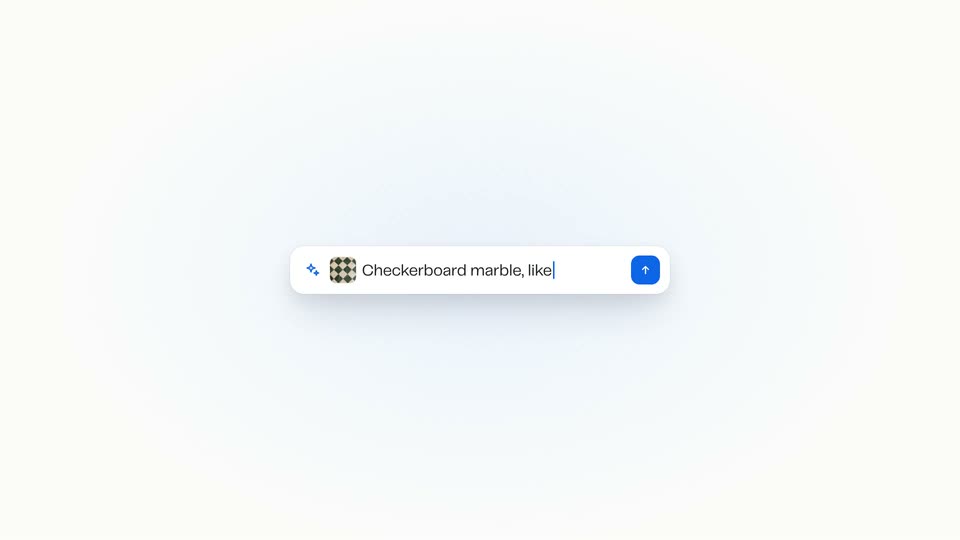
A centered prompt bar with a sparkle icon and blue arrow button rests on a plain off-white field. A cursor drags a checkerboard marble thumbnail into the bar, where it shrinks to a small icon, then types Checkerboard marble, like this beside it.
Techniques: Cursor demo
Camera: Static
02 · Feature reveal · 0:04–0:07
A white prompt bar with a sparkle icon and a marble thumbnail sits at the top. Three checkerboard marble swatches slide in from the left, each with a small name chip. The cursor clicks the first card, which lifts with a blue outline while the others blur.
Techniques: Cursor demo
Camera: Push in
03 · Feature reveal · 0:07–0:08
A green-and-cream diamond pattern swatch card, tagged with a white pill label, slides in from the left leaving a faint trail, then scales up to center with a blue border. A floor plan interface with room outlines fades in behind it; a cursor rests at the card's lower edge.
Camera: Static
04 · Feature reveal · 0:08–0:16
A cursor taps the kitchen room in a 2D apartment plan, then picks a green marble tile from a materials menu. The cursor clicks the 3D toggle, the plan renders into a top-down 3D room with furniture, and the view zooms into the kitchen.
Techniques: Cursor demo, 3D mockup, UI zoom
Camera: Push in
05 · Feature reveal · 0:16–0:16
A flat app window on a light background shows a top-down kitchen render; the viewport tilts into a 3D perspective, raising the cabinets and island while a right-side panel lists finishes.
Techniques: 3D mockup
Camera: Push in
06 · Feature reveal · 0:16–0:24
A white app window shows a low-detail 3D kitchen beside a properties panel. A cursor clicks the Render button in the viewport, and a thin vertical line sweeps across the view, revealing a photorealistic kitchen with flowers and reflections.
Techniques: Cursor demo, Masking
Camera: Static