1:40

ElevenLabs Developers - Introducing creative tools in ElevenLabs MCP. Available now in: Code
ElevenLabs Developers · Sep 2026
Polar Analytics · 0:55 · Full motion · AI-annotated
Polar Analytics’s 0:55 launch film runs 17 scenes, about 3.3 s each. The product is on screen from the first frame and 2 features are revealed. The call to action lands at 0:49 (90% in). The video climbs from promise to proof: lavender title cards state the claim, tight UI close-ups walk through the connector setup, then a rapid loop of typed prompts answers with dashboards that assemble piece by piece. Signature moves are line-by-line headline swaps, zoom-ins on menus, and charts that grow bar by bar and row by row.
Is this your launch? to your site or press kit.
ElevenLabs Developers · Sep 2026
Instinct · Fintech · Oct 2026
Dark navy sans-serif headline swaps line by line on a pale lavender background: 'Turn Claude', then 'into a Data Analyst' with the last two words in purple italic serif, then 'with Polar' beside a purple bear icon. A white card labeled Welcome slides up from the bottom edge.
On-screen text: “Turn Claude”, “into a Data Analyst”, “with Polar”
Techniques: Kinetic type
Camera: Static
On a pale lavender field, the line 'with Polar' lifts and fades as a two-line headline fades in above it. A white chat card slides up from the bottom, its content swapping from a Welcome header to a greeting prompt and a start button.
On-screen text: “with Polar”, “Polar is the first commerce data platform to join the Claude directory”
Techniques: Kinetic type
Camera: Static
A bold dark headline sits above a white Claude welcome card on a pale lavender field. Suggestion pills fade in under the input field, then the card scales up into a full-screen interface while the headline fades out.
On-screen text: “Polar is the first commerce data platform to join the Claude directory”
Techniques: UI zoom
Camera: Static
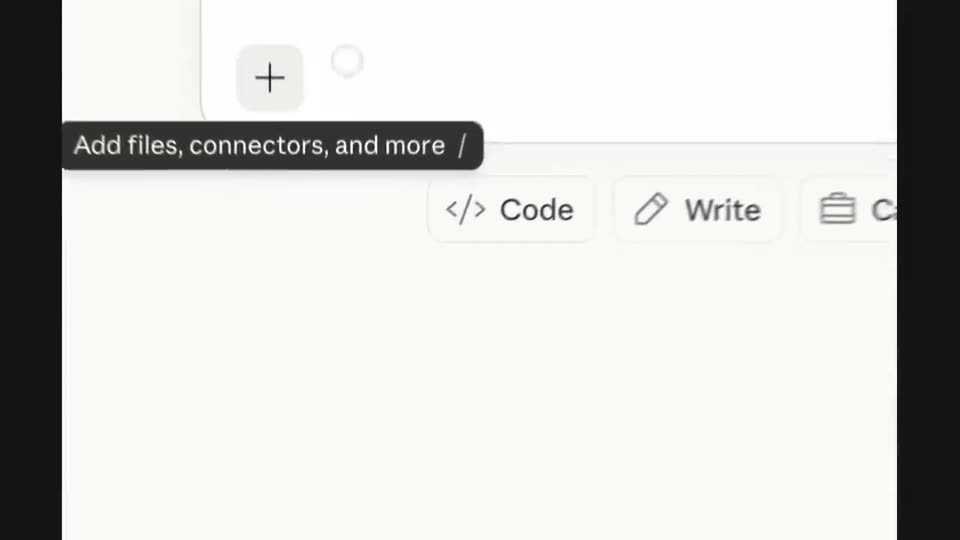
A close-up of a chat input bar zooms in on a plus button as a dark tooltip with white text appears beside it. Below, rounded buttons for Code and Write sit in a row on a light background.
Techniques: UI zoom
Camera: Push in
A white dropdown menu lists file, screenshot and connector options, then swaps to a connectors submenu where Add connector is highlighted, as the frame eases in on the panel.
Techniques: UI zoom
Camera: Pan
A dropdown menu with the “Add connector” row highlighted crossfades into a grid of connector cards, including a Calendar card and a tile with a cube N logo.
Camera: Static
A tight crop of a search bar types out “Polar” as a Polar Analytics result card scales in below it. The frame then pulls back to reveal the full directory, a left sidebar of tabs and a grid of connector cards.
Techniques: UI zoom
Camera: Pull out
A directory window shows the Polar Analytics connector page, with its description, tool tags and details. The left sidebar highlights Connectors. The whole panel drifts upward a few pixels, revealing the Connector URL and More info at the bottom.
Camera: Pull out
A white OAuth dialog card settles into the center of a dark blue field under a bold white headline. Inside, two app icons face an arrow above a checked permissions list; the gray Allow button at the bottom turns into a green Let's analyze button.
On-screen text: “Connect Shopify, Amazon, TikTok, Meta, Google and 50+ DTC connectors to Claude in one-click”
Camera: Static
A dark chat input card sits centered on a near-black background. A white sans-serif prompt types itself out across two lines with a blinking caret, while a small pill badge below shows the data connection status.
Techniques: Kinetic type
Camera: Static
On a pale blue background, a marketing dashboard titled 'Marketing budget allocation' assembles. A chat input with a typed prompt is swapped for four stat cards, a bar chart with growing purple bars, and a table of channel pairs that fade in row by row.
Camera: Static
A dark chat input box sits centered on a near-black background. A prompt types out letter by letter: 'I run 3 stores. What is my acquisition cost by market?' A small pill badge below reads 'Data connected via Polar'.
Techniques: Kinetic type
Camera: Static
A dark chat panel with the typed question dissolves into a light card where a three-line chart draws in, purple, green and yellow, then its point markers pop in. It fades back to the dark panel, leaving a blinking caret in the empty prompt.
Camera: Static
A dark chat input field sits centered on a near-black background. The prompt text types out character by character with a blinking caret, while a small 'Data connected via Polar' pill rests below the box.
Techniques: Kinetic type
Camera: Static
A dark dashboard crossfades in over a faint chat panel. The P&L by Sales Channel table builds row by row, each line fading in from top to bottom until the statement ends on TRUE Contribution Margin.
Camera: Static
A white rounded prompt box sits on a pale lavender field under a bold headline. Example queries type themselves character by character into the box, then clear for a second prompt. The locked-off frame dissolves in from a P&L table and out to the next headline.
On-screen text: “Ask anything about all your data”
Techniques: Kinetic type
Camera: Static
A pale lavender field holds a still dark navy headline, the word 'all' set in purple italic. Beneath it, the orange Claude spark and purple Polar app icon with their wordmarks fade in, then the frame locks off.
On-screen text: “Bring all your commerce data to Claude with Polar”, “Claude × Polar”
Camera: Static