2:34

Introducing Latent
Latent · B2B · Oct 2026
ClickUp · Jul 2024 · 0:42 · Full motion · AI-annotated
ClickUp’s 0:42 launch film runs 14 scenes, about 3.1 s each. The product shows up at 0:18 and 1 feature is revealed. The call to action lands at 0:35 (83% in). The film is a tight problem-to-solution arc: a rapid montage of the same query failing across six apps, a single bold headline that names the product, then a clean UI demo that resolves the tension. Its style is a flat white stage with centered mockups, left-to-right text reveals, a repeating app-icon dock, and a gradient logo and sparkles that bookend the message.
Is this your launch? to your site or press kit.
Latent · B2B · Oct 2026
Essential · Feb 2026
Films whose music sounds like this one, voice left out
Gem · Electronic
Infera · Lo-fi hip-hop / chillhop electronic
CrowdReply · Lo-fi hip-hop / Chillwave
A rounded search bar floats on a white background. A cursor moves in and types 'Product design moodboard' into the field; a 'No results found' card drops in beneath it. The bar then switches to 'Search in Dropbox' as a gray tray holding six app icons slides up from below.
Techniques: Cursor demo
Camera: Static
A rounded white search bar with a magnifying glass icon and a blue Dropbox logo sits centered on a plain background. A black cursor hovers over it, the query Product design moodboard types in character by character, and a panel drops below reading No results found. Try again.
Techniques: Cursor demo
Camera: Static
A search field types out the query Product design moodboard beside a Box icon, then a No results found. Try again. line drops in below. The view reframes to a tighter crop of the bar before a row of app icons fills in at the bottom.
Techniques: UI zoom
Camera: Static
A dark search field with a magnifier icon and a GitHub avatar sits above a gray dock of six app tiles. A white cursor glides in from the left and stops at the placeholder text, while the frame stays locked off.
Techniques: Cursor demo
Camera: Static
A search bar on a dark background types out the query 'Product design moodboard' letter by letter. A box appears below, displaying 'No results found. Try again.' The frame is locked off on the interface.
Techniques: Kinetic type
Camera: Static
A dark search bar holds the query 'Product design moodboard' above a 'No results found' line, with a row of six white app icons below. The frame stays locked and still.
Camera: Static
Locked-off close-up of a search field on a pale background. A cursor types “Product design moodboard” into the bar, a “No results found. Try again.” panel appears beneath it, and the dock of app icons fades out.
Techniques: Cursor demo
Camera: Static
A dark search field types out the query Product design moodboard above a row of six connected app icons. The icon row fades out and a No results found, Try again line appears beneath the field.
Camera: Static
A black bold headline fades in word by word on a plain white background, holds for a beat, then clears as a new line begins appearing at the left edge.
On-screen text: “Tired of looking for answers”, “across all your apps?”, “Int”
Techniques: Kinetic type
Camera: Static
A bold black headline reveals left to right on a white background, then a second line fades in from gray to black. The text blurs as a row of six white app icons on a light gray bar slides in.
On-screen text: “Introducing ClickUp's Connected AI:”, “Bring everything your company knows”, “into one place.”
Techniques: Kinetic type
Camera: Static
A row of six integration icons in white tiles slides across, then scatters into a circle orbiting a central gradient C logo. Dashed lines link each tile to the center, tracing a looping path as the ring rotates.
Camera: Pan
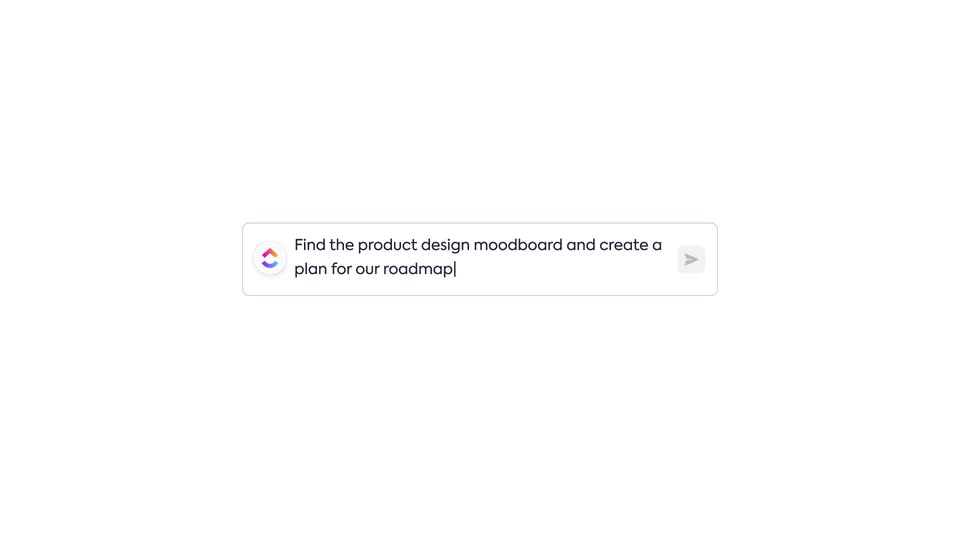
A centered prompt input bar on a white background types out two example prompts character by character, a cursor hovering nearby, then the frame zooms out to reveal the bar docked at the bottom of a tall rounded card.
Techniques: Cursor demo, UI zoom
Camera: Static
A white ClickUp Brain chat card sits on a plain background. An AI reply types out a task plan and a three-item resource list, then action buttons slide in. A cursor clicks the purple Create Task button, and the card dissolves into small dots.
Techniques: Cursor demo, Particles
Camera: Static
Two gradient four-pointed sparkles pop in on a white background, then the ClickUp Brain wordmark blurs into focus with the a in pink, and a purple pill button reading Get started today scales in beneath it before the lockup holds.
On-screen text: “ClickUp Brain”, “Get started today”
Techniques: Kinetic type
Camera: Static