0:56

She’s your perfect match… and she’s a Sales Director | Gojiberry
Gojiberry · Nov 2026
CrowdReply · Aug 2026 · 0:44 · AI-annotated
CrowdReply’s 0:44 launch film runs 15 scenes, about 2.9 s each. The product shows up at 0:07. The call to action lands at 0:41 (95% in). The video is a cursor-led tour in which each shot pushes or blurs into the next UI state, moving from the MCP hub diagram to chat prompts, action cards, a counting score, a report card, and a Slack drop. Signature moves are motion-blur text reveals, zooms into interface elements, and count-up animations, closing on black tagline cards that bloom into a glowing URL pill.
Is this your launch? to your site or press kit.
Gojiberry · Nov 2026
Screenpipe · Sep 2026
Anthropic · AI · Oct 2025
On a white field, the line “Show up in AI answers” blurs into focus at center. A larger version of the next line rushes horizontally across the frame in motion blur, then settles to “By just talking to it”, which holds and fades out with a soft blur.
On-screen text: “Show up in AI answers”, “By just talking to it”
Techniques: Kinetic type
Camera: Static
A dark pill-shaped bar with a row of AI platform logos and three gray lines sits centered on white, sharpening from a soft blur as a cursor enters at the lower right; a caption slides in.
On-screen text: “By just talking to it”
Camera: Static
The frame pulls back from a black AI Platforms pill to reveal a coral MCP pill on the right, linked by a thin line that draws in. A cursor rests on the right pill as 3D icon cubes burst from the left pill and rotate.
Techniques: Cursor demo
Camera: Static
Five black app icons on the left send thin curved lines with small colored dots flowing into a central hub icon labeled CrowdReply MCP, on a white background with soft blue and orange glows. The frame then zooms in on the hub as a cursor hovers over one icon.
On-screen text: “CrowdReply MCP”
Techniques: Particles
Camera: Push in
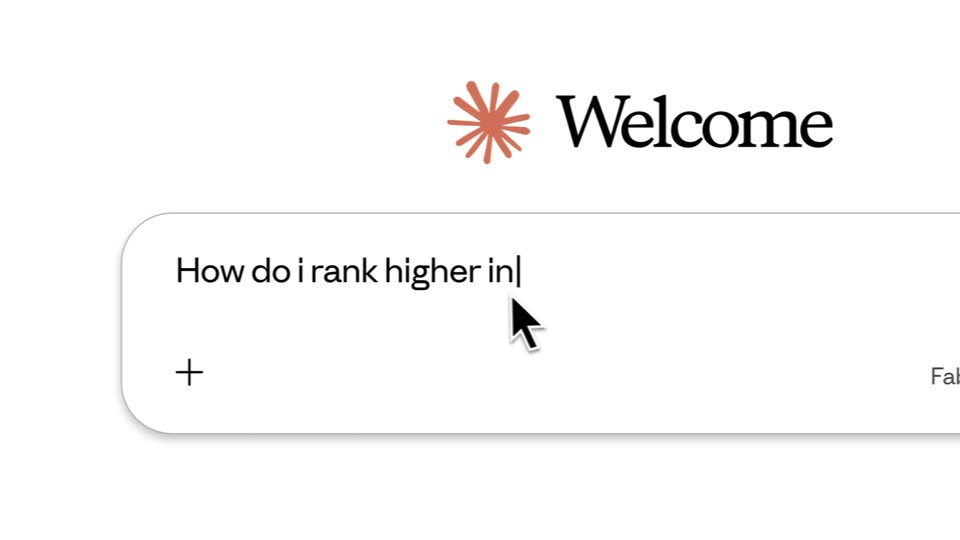
A white product interface shows a rounded search field under a red starburst logo and the word Welcome. The view zooms into the field while a query types in, a black cursor hovering over the input.
Techniques: UI zoom, Cursor demo
Camera: Pull out
A cursor clicks the red send button in the Fable 5 Max chat input, and the frame widens as the AI types a reply and four action cards fill with green status lines. The camera then zooms in on the AI Visibility Score counting up to 71% with a green check.
Techniques: Cursor demo, UI zoom
Camera: Push in
A light chat screen shows a greeting line and an empty input box with a blinking caret. Text then types out the weekly visibility report prompt while a mouse arrow hovers and a faded duplicate card fills in below.
Techniques: Cursor demo
Camera: Pull out
A white chat screen types a prompt into the Fable 5 Max input bar while a serif caption types out on the left. The view then reframes onto a Weekly visibility snapshot report card that fills with red data rows.
On-screen text: “Now let me pull live data from CrowdReply to build the report.”, “Pulling weekly visibility data”, “Live report progress done”
Techniques: Kinetic type
Camera: Static
A light report interface shows a list of metric rows above a document card. The view zooms in on the card, blurring the rows above, while a cursor hovers over the blue file icon and the Download button.
Techniques: UI zoom, Cursor demo
Camera: Pan
A cursor drags a document icon into the Slack app icon, which bounces and pops a red “2” badge, then expands into a white notification card showing a message title and three stat lines.
Techniques: Cursor demo, Morph
Camera: Static
The word Talk in black on a plain white background blurs into focus at center, holds steady for a beat, then shrinks and blurs out toward the left. The frame stays locked off on the empty white field throughout.
On-screen text: “Talk”
Techniques: Kinetic type
Camera: Static
A dark gray background fades to black behind the centered tagline, where the word data. glows orange. The line holds, then slides left out of frame with horizontal motion blur.
On-screen text: “Talk to your data.”
Techniques: Kinetic type
Camera: Static
A single word in orange-red sits centered on a pure black field. It opens with a soft bloom of glow around the letters, which fades over the clip until the word reads as a flat solid color, position locked and static throughout.
On-screen text: “Talk to your data.”, “Build with it.”
Camera: Static
The headline “Build with it.” holds centered on a plain white background, “Build” set in orange and “with it.” in black. The frame stays locked off, with the line static for the full shot.
On-screen text: “Build with it.”
Camera: Static
A near-black frame holds a large white “Build with it.” headline. Centered below it, a small glowing reply. logo pill expands into a wider rounded outline containing the white URL crowdreply.io/mcp.
On-screen text: “Build with it.”, “crowdreply.io/mcp”
Techniques: Morph
Camera: Static