1:43
Anthropic - We’re expanding Claude for Financial Services, with an Excel add-in,
Anthropic · AI · Oct 2025
Anthropic · Oct 2025 · 1:20 · AI-annotated
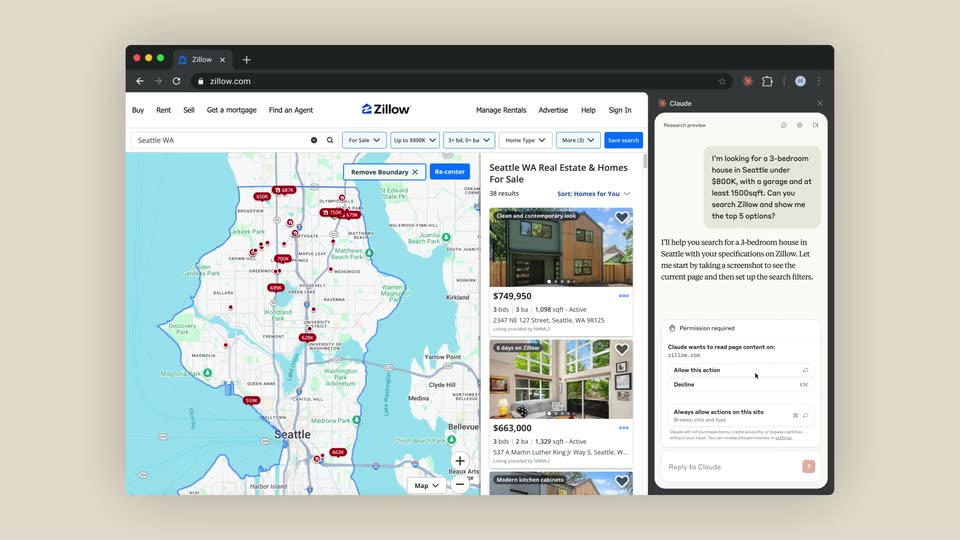
Anthropic’s 1:20 launch film runs 23 scenes, about 3.5 s each. The product shows up at 0:01. There is no explicit call to action. The video is built as one continuous session: a self-drawing sketch dissolves into the app, then prompts type themselves, tool steps stack into collapsible cards, and generated documents scroll into view without cutting to a new screen. Signature moves are the line-drawn intro, the slow zoom from full window to input box, and the terracotta starburst that returns as spinner, bullet marker and final logo.
Is this your launch? to your site or press kit.
Anthropic · AI · Oct 2025
Shielded · B2B · Jul 2026
Anthropic · AI · Aug 2025
A dark gray line sketch draws itself on a beige field: a horizontal bar with a top loop and a short cord ending in a knob hangs from the center, while a hand symbol with a looped palm and finger strokes completes below it.
Camera: Static
A hand-drawn sketch of a clipboard with a line chart and a pointing hand sits on a beige field. The sketch dissolves as a flat greeting card interface with a left sidebar fades in over the same spot.
On-screen text: “wp”
Camera: Push in
The full app window zooms into the chat composer as a long prompt types itself. A cursor drags two CSV files into the box, they settle as chips, and the cursor clicks the red send button.
Techniques: UI zoom, Cursor demo
Camera: Static
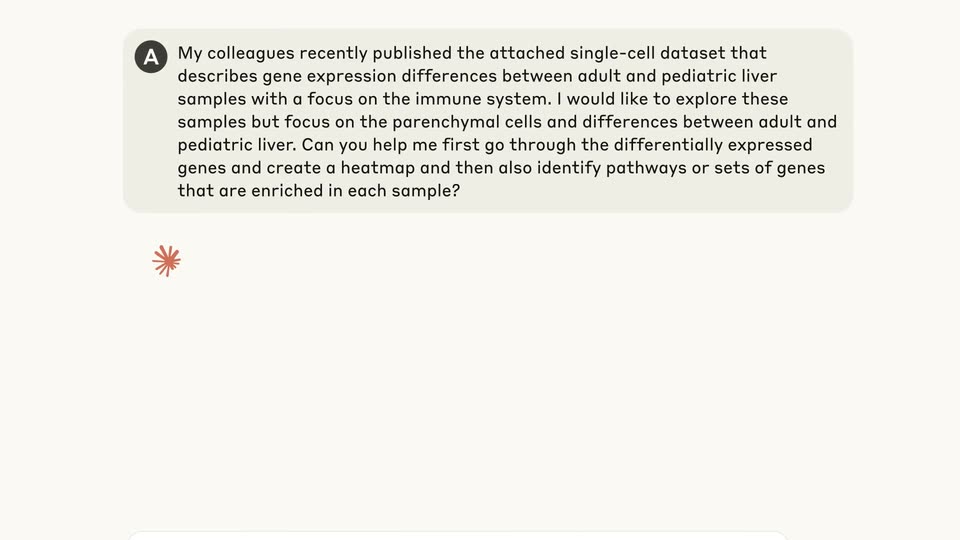
A light chat screen holds a long user prompt about a single-cell liver dataset in a gray bubble with an 'A' avatar. A red starburst spinner spins below, then the assistant reply and a file card appear.
Camera: Static
A light chat interface scrolls down through an AI conversation about liver gene analysis, revealing file-link cards and a generated-files list as assistant text streams in, ending at the reply input box.
Camera: Pull out
A chat product window sits centered on a beige field, listing five generated files with type tags and action buttons. A hand cursor glides from the De summary row up to Pathway comparison while the window settles from a brief crossfade.
Techniques: Cursor demo
Camera: Pull out
A cursor hovers over a file list in a chat app window with two bar charts at right; the view zooms into the input box as a long prompt types out word by word, then the message bubble and an AI reply appear.
Techniques: Cursor demo, UI zoom, Kinetic type
Camera: Push in
A light chat interface shows a conversation about ECM and pediatric liver biology. A bordered task card slides in mid-screen, a red starburst spinner pulses below, and a gray PubMed wordmark reveals at the bottom.
Camera: Static
A close-up of a white rounded card shows a P badge and the label pubmed_search typing out. The camera zooms out to reveal a vertical step list headed 9 steps with repeated P badges, then scrolls down to a second card with a terminal icon and a task line.
Techniques: UI zoom
Camera: Pan
A cream-colored chat window scrolls down past collapsed tool steps and a long ECM analysis summary, then rests on the message box where a prompt is typed character by character.
Camera: Pan
A chat view shows a user prompt asking for a prioritized reading list in a grey bubble above a spinning pink asterisk; the input bar slides out as the assistant's reply streams in word by word.
Techniques: Kinetic type
Camera: Static
A cream card types out pubmed_search beside a P icon, then the view reframes to a vertical list of steps that scrolls upward, repeating pubmed_search and pubmed_fetch rows, while a command bar with a terminal icon slides in at the bottom.
Techniques: UI zoom
Camera: Pull out
A cream document view shows a generated literature report. Body text fills in line by line, then the view scrolls down past headings and numbered gene findings with indented sub-bullets, a small red starburst marker resting at the lower left.
Camera: Pan
A light chat screen displays a bulleted research summary on gene expression. Overlapping lines of text settle into a clean list, and a small red star icon rests at the lower left above a faint reply field.
Camera: Pan
A chat interface shows a static research summary at the top while a prompt types itself into the input box at the bottom. The completed message is sent, sliding up as a new bubble with a circular avatar, and the send button darkens from peach to rust.
Techniques: Kinetic type
Camera: Static
A chat interface on a cream background streams an assistant reply that plans a 5-slide presentation. Two action cards for reading the PowerPoint skill file and the html2pptx documentation appear, then the view scrolls down to reveal a checklist of key features and a summary line.
Camera: Pan
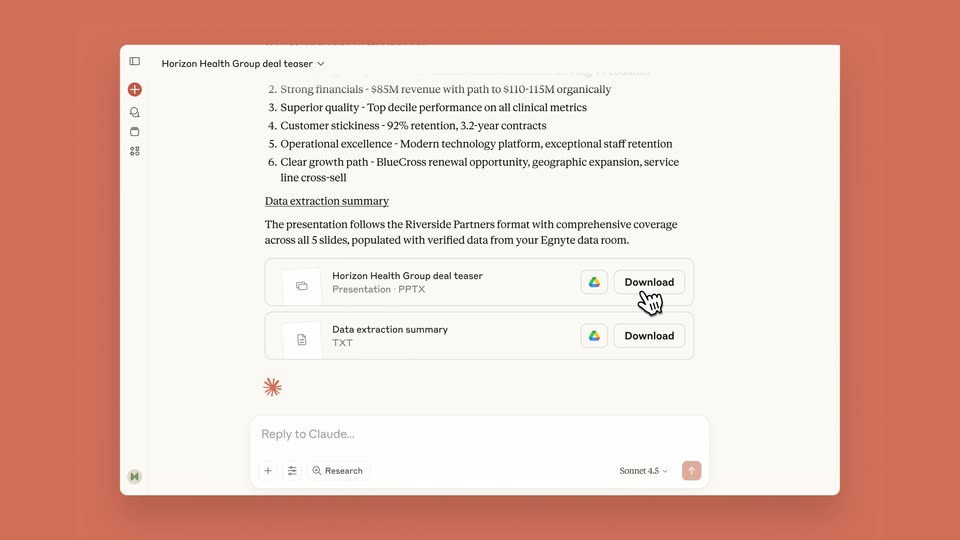
A tight close-up on a bulleted “Key features” list zooms out smoothly to reveal the full app window: a left icon rail, two file download cards and a reply box, plus a right panel previewing a teal presentation slide.
Techniques: UI zoom
Camera: Pull out
A product interface splits into a chat panel on the left and a presentation preview on the right. In the bottom input box, a prompt is typed out asking for a scientific diagram of the hepatic lobule, while the right pane shows a title slide, a volcano plot, and a donut chart.
Techniques: Cursor demo
Camera: Static
A blurred product interface fills the background as a white rounded bar overlays it. The blue bio icon stays fixed while the dark text search-templates slides in and scales up.
On-screen text: “search-templates”
Techniques: Kinetic type
Camera: Pull out
A two-pane app window on a beige background. The left chat pane types a user request for a hepatic lobule diagram, then a search-templates card fills in and a step checks off. The right pane holds a static liver research slide deck.
Camera: Push in
A screen recording scrolls down a multi-page report. Teal-headed pages show a liver and hepatic lobule diagram, bar charts, and info boxes, while a chat panel with a Retry button stays fixed on the left.
Camera: Push in
A three-line dataset credit in dark serif type holds centered on a plain beige field, easing from a soft blur into a sharp locked frame at the start.
On-screen text: “Initial genomics datasets courtesy of CZI,”, “the Ajmera Transplant Centre UHN,”, “the University of Toronto, and Sick Kids Hospital”
Camera: Static
On a flat beige field, a terracotta starburst and a grey C sit at center. The starburst scales to its final size while the C and a flanking star resolve into the black Claude wordmark, which then holds still.
On-screen text: “Claude”
Camera: Static