1:28

Customer Support Software Demo | Help Scout x MotionCue
Help Scout · Oct 2026
Anthropic · Oct 2025 · 1:43 · AI-annotated
Anthropic’s 1:43 launch film runs 23 scenes, about 4.5 s each. The product shows up at 0:01. There is no explicit call to action. The video follows one finance workflow end to end, chaining three typed prompts (deal teaser, LBO model, committee memo) each resolved by a downloadable artifact, at a slow pace of about three cuts a minute. Its signature moves are the blur-zoom isolation of UI cards, hand-drawn line sketches and red annotation marks, and document windows tilting into 3D over flat terracotta and cream fields.
Is this your launch? to your site or press kit.
Help Scout · Oct 2026
Apollo · Sep 2026
Runway · AI · Aug 2026
On a flat terracotta field, a black hand-drawn line sketches itself into arcs and a hook, while a white blocky shape beside it grows and reshapes into a larger notched form.
Techniques: Morph
Camera: Static
A white three-step block rests on a flat terracotta field. A black hand-drawn line traces up the steps from left to right and curls into a hook at the top right, then holds.
Camera: Static
A chat home screen types a prompt and drops in a PPTX attachment, then the feed scrolls as the assistant streams replies and Search and Fetch step cards. A blur zoom isolates each card before the view settles on a summary with a downloadable presentation.
Techniques: UI zoom
Camera: Pull out
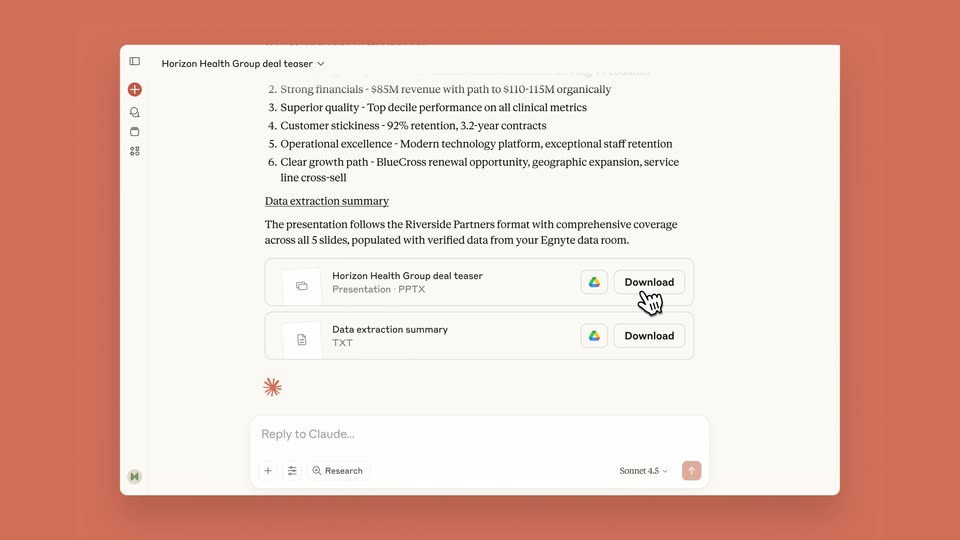
A chat interface on a terracotta background lists deal points and two file cards; a hand cursor clicks the Download button on the first card, then a dark presentation slide titled Horizon Health Group slides up from the bottom in front of the chat.
Techniques: Cursor demo
Camera: Pull out
A dark presentation window on a salmon background settles into the center as a smaller window above it slides away. Inside, the white title Horizon Health Group slides up into place, with a small cursor hovering near the lower right.
Techniques: Kinetic type
Camera: Pan
A presentation tool window sits flat on a coral background, showing a slide with a dark header reading Riverside Partners and Investment Highlights, above six gray text blocks in a two-column grid. A hand cursor hovers at the right edge; the frame holds still.
Camera: Static
A whiteboard app window sits on a coral background, showing a two-column deal teaser. The page content swaps from a company overview and financials table to a revenue bar chart and brand architecture diagram, while a hand cursor icon hovers on the right column.
Camera: Static
A presentation slide titled Financial Overview sits in a window on a coral background. A hand cursor hovers, then two tilted white cards with red circular logos drop into the center, drift down and fade out over the pie chart.
Techniques: Cursor demo
Camera: Pan
On a terracotta background, a presentation slide sits left and a New Message email window sits right. The frame pans left, sliding the slide out and centering the email, where a hand cursor hovers over the attached teaser document.
Camera: Pan
A white email compose window sits centered on a flat coral background. The body text resolves from scrambled characters into readable copy, a PDF attachment drops into the attachment bar, and a hand cursor moves down to press the blue Send button.
Techniques: Kinetic type, Cursor demo
Camera: Static
Two overlapping email compose windows slide off to the left, a cursor hovering on the Send button, until a hand-drawn white envelope with a dark X flap pops into the center of the terracotta background.
Techniques: Cursor demo
Camera: Pan
A hand-drawn white shape bearing a black X mark morphs through blob, envelope and square forms on a beige background, ending smaller and shifted to the right.
Techniques: Morph
Camera: Static
An organic white mask clears to reveal a cream chat interface; the view reframes onto the highlighted prompt while the assistant's reply streams in and the thread scrolls down. A cursor clicks a download button, and the LBO spreadsheet opens in a window to the right.
Techniques: Masking, UI zoom, Cursor demo
Camera: Pan
An Excel LBO model scrolls down through its assumptions and returns, a red circle highlighting the IRR cell. The cursor clicks Add-ins in the ribbon, and a menu opens with the Claude add-in icon circled in white.
Techniques: Cursor demo, UI zoom
Camera: Push in
A 3D laptop mockup sits angled on a cream desk, showing an Excel sheet beside the Claude add-in panel. A prompt is typed into the input field, then the panel cuts to an AI reply with a 'Check base and upside cases' button and a loading spinner.
Techniques: 3D mockup, Cursor demo
Camera: Pull out
A Mac screen shows an Excel LBO model beside a Claude add-in chat panel. The view zooms into the downside case rows, then into the chat box where a sensitivity-table prompt is typed. It zooms out, then back in on the new table framed by red hand-drawn braces.
Techniques: UI zoom, Cursor demo
Camera: Push in
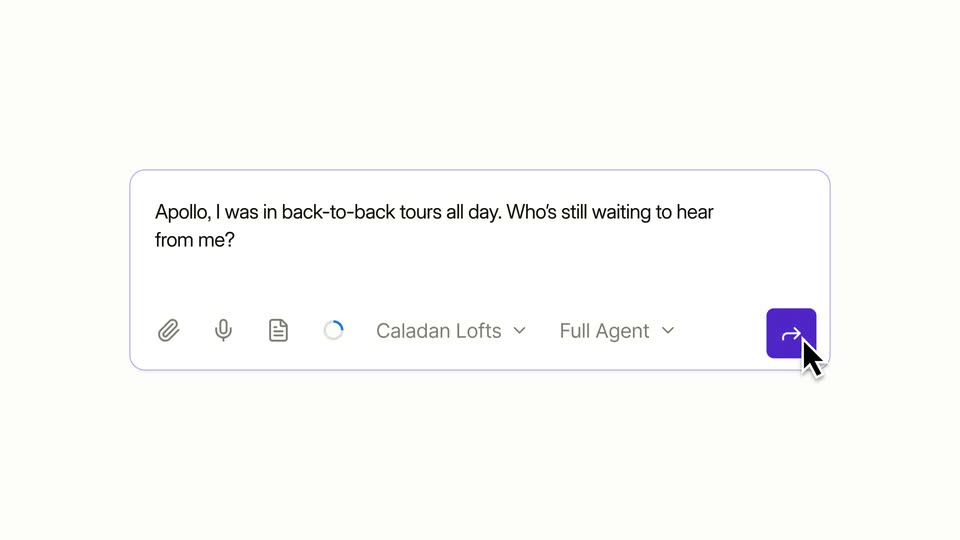
A white chat input bar with placeholder text and control buttons slides into the center of a beige background, isolating the element from the adjacent document view.
Techniques: UI zoom
Camera: Pan
A white rounded chat input card floats centered on a beige background. A prompt is typed into the field word by word, key phrases carrying a pink highlight, then two file chips, an MD and an XLSX, appear below the toolbar and the card grows.
Techniques: Kinetic type
Camera: Static
A pale beige screen shows the product chat card with the user prompt and two XLSX attachments, which fades out. The orange asterisk logo stays at left as the assistant reply, “I'll create a comprehensive,” types in beside it in a serif face.
Techniques: Kinetic type
Camera: Static
A serif paragraph fades in line by line on a beige background, a small red asterisk sits beneath it, then a white UI card with a red-edged list slides in from the top, pushing the text upward.
On-screen text: “I'll create a comprehensive Investment Committee update memo for you. Let me examine the LBO model to extract the key outputs.”
Techniques: Kinetic type
Camera: Static
On a cream background, a white memo document card sits at the top, partially cropped, while a large dark serif paragraph and a small orange starburst icon fill the center, with a faint mirror reflection of the paragraph at the bottom. The paragraph, icon and reflection clear, and the card scrolls upward to bring its title and dark metadata bar into view.
On-screen text: “I'll create a comprehensive Investment Committee update memo for you. Let me examine the LBO model to extract the key outputs.”
Camera: Pan
A document viewer window on a beige backdrop scrolls down an investment memo, passing the executive summary, contract table and projections to a dark recommendation panel. Mid-scroll the window tilts into 3D perspective with red bracket shapes on its sides.
Techniques: 3D mockup
Camera: Pull out
On a flat beige field, a small orange starburst mark scales up at center, then the black serif wordmark Claude appears to its right; the lockup holds still through the end.
On-screen text: “Claude”
Camera: Static