5:21

Introducing Continuum: A Real-Time Video Operating System | Runway Labs
Runway · AI · Oct 2026
Apollo · Sep 2026 · 1:53 · AI-annotated
studio Apollo Studio · motion design Dawoud Usman · studio ObiN Studio
The video alternates locked-off cream title cards with tight UI close-ups, each feature announced by a two-line You ask, Apollo ... card and then demoed inside a single chat thread. Pacing stays even at about seven cuts per minute, with slow push-ins on the desk set and blur-to-sharp text resolves as the signature moves.
Runway · AI · Oct 2026
ElevenLabs · AI · Oct 2026
Nothing · Hardware · Mar 2026
A person sits at a wooden desk seen from behind, facing a glowing monitor in a dim room. A warm desk lamp lights the right side, a mug and an open notebook rest on the desk. The camera pushes in slowly on the figure.
Camera: Push in
A 3D desk set holds a monitor showing a browser window with a white page and icon dock. The shot starts soft and wide, then pushes in and racks focus to sharp, the warm lamp glow on the right.
Techniques: 3D mockup
Camera: Push in
A monitor on a wooden desk against a textured wall shows a browser window with the app's home screen. The camera pushes in toward the display, and the Welcome back, Alex dashboard with suggestion cards stays static.
Camera: Push in
A close-up of a white prompt box types out a sentence letter by letter on a cream background. The frame pulls back to reveal the full card and toolbar, then a black cursor clicks the purple send button, which collapses to a small loading square.
Techniques: UI zoom, Cursor demo
Camera: Static
On a plain off-white background, a two-line tagline builds in place. “You” lands solid while “ask,” sharpens from a light blur, then the second line “Apollo knows” resolves from blur to dark gray, all on a locked-off frame.
On-screen text: “You ask,”, “Apollo knows”
Techniques: Kinetic type
Camera: Static
A rounded-square control with up and down chevrons sits centered on a white field, then slides left as a status line and a one-line task note appear beside it. The whole row then scales up, the chevrons grow, and the timer reads 01s.
Techniques: UI zoom
Camera: Static
A pale interface shows a 'Working' status row with a small icon and a ticking timer above a thin vertical line. A sentence and four icon-led task steps fade in beneath, then the whole stack slides up out of frame as the timer counts.
Techniques: Kinetic type
Camera: Static
On a pale off-white field, a small rounded-square chevron icon sits left of two centered lines. The gray top line and the black bottom line reveal from left to right via a soft gradient fade, the right edge solidifying last. The frame stays locked off throughout.
On-screen text: “Working 1.4s”, “Worked for a few seconds”, “Two prospects at Caladan Lofts need”
Techniques: Kinetic type, Masking
Camera: Static
A chat thread scrolls down as a cursor taps Shown on two prospect rows, then opens Add Note and types a closing note before saving it. The assistant's follow-up question appears, and a user bubble replies Yes, let's do that.
Techniques: Cursor demo
Camera: Pan
A chat screen shows the assistant's question about flagging unclosed tours, with three icon buttons and a confirmation chip. The view zooms into the confirmation chip, which expands into a large lavender tile holding a gradient checkmark badge.
Techniques: UI zoom, Morph
Camera: Static
A two-line headline sits centered on a plain off-white field. It fades in from a light, blurred gray to solid black, holds steady, then the words dissolve out one at a time, ending with “does” fading away on its own.
On-screen text: “You ask,”, “Apollo does”
Techniques: Kinetic type
Camera: Static
A cream sidebar lists menu items like Admin, Settings and New Chat against a soft blue background. The view zooms into the list as a cursor glides to the New Chat row, which lights up with a gray highlight.
Techniques: UI zoom, Cursor demo
Camera: Push in
A purple-outlined prompt box on a plain background types a pipe-burst request. The view zooms to the right edge as a black cursor clicks the send button, which clears to an empty outline.
Techniques: UI zoom, Cursor demo
Camera: Static
On a plain off-white field, a thin rounded-square icon with a double chevron sits left of the gray text “Working · 0.1s”. The timer ticks to 0.2s, then icon and text hold static on a locked-off frame.
On-screen text: “Working · 0.1s”, “Working · 0.2s”
Techniques: Kinetic type
Camera: Static
A 'Working' status with a counting timer tops a paragraph about a broken pipe at Caladan Lofts that finishes typing. A second line, 'Verifying Unit 4G & work orders', fades in beneath it with a small terminal icon.
Techniques: Kinetic type
Camera: Static
A list of task steps scrolls up on a white field, each line paired with a small line icon; the active line is dark gray, the next faint below. It ends on a result card with a header and three bullets about Unit 4C.
Techniques: Kinetic type
Camera: Static
A chat thread on a cream background streams in line by line, then scrolls upward as a right-aligned user bubble slides in. A rounded permission card with Deny and Allow buttons fades in at the bottom.
Techniques: Kinetic type
Camera: Pan
A rounded permission card on a light background shows a request to create a plumbing work order, with a Deny button and a purple Allow button. A cursor slides in from the bottom right, presses Allow, and the card fades out.
Techniques: Cursor demo
Camera: Static
Centered black headline “You ask, Apollo acts” fades in on a cream field, then a schedule grid and chat input fade in behind it as the headline fades out, leaving the interface on a light blue gradient.
On-screen text: “You ask,”, “Apollo acts”
Camera: Static
A flat interface shows a calendar grid of names and times beside a command box. The view fades in, text types into the box, then a cursor clicks the purple send button.
Techniques: Kinetic type, Cursor demo
Camera: Static
On a white background, a blue-to-pink gradient headline reads “Planning next moves” while a “Working” status chip with a counting timer appears at upper left. A sentence types out character by character beside a vertical connector line.
On-screen text: “Planning next moves”
Camera: Static
A pale interface shows a Working label with a counting timer above a gray paragraph that fills in word by word. The screen then cuts to a terminal icon beside a Loaded renewals & renewal settings status line.
Techniques: Kinetic type
Camera: Static
A small rounded terminal-prompt icon sits left of a single gray text line on a cream background. The line is swapped in sequence: a loaded-renewals message, then a pulling-expirations message, then an analyzing-at-risk-residents message, each holding about a second.
On-screen text: “Loaded renewals & renewal settings”, “Pulling upcoming expirations & move-outs”, “Analyzing & identifying at-risk residents”
Techniques: Kinetic type
Camera: Static
A light chat screen fades in from gray to black, showing an assistant's lease-churn analysis with two resident bullets. The view then scrolls down to reveal a user reply in a gray bubble and a draft-email card with Deny and Allow buttons.
Camera: Pan
A light UI shows a chat bubble and an email-draft card with Deny and Allow buttons. A cursor glides in from the lower right, hovers the purple Allow button, and clicks it; the button reads Sent and the card title switches to Sending.
Techniques: Cursor demo
Camera: Static
Close-up of an email approval screen with two stacked reply cards. A cursor glides to the purple Allow button on the lower card and clicks it; the button fades to a greyed-out Sent while the upper card already reads Sent.
Techniques: Cursor demo
Camera: Pan
A near-white card centers the two-line headline, which fades in from a soft blur, holds, then fades out to blank. The frame is locked off with no camera move.
On-screen text: “Effortlessly control the platform”
Camera: Static
A white interface panel with a dark left sidebar and gray placeholder lines sits in 3D perspective on a pale blue gradient. The panel rotates gently, tilting from a side angle toward the viewer and back.
Techniques: 3D mockup
Camera: Static
A two-panel interface fades in over a soft blue-lavender gradient: a dashboard of task, calendar, resident and move-in lists on the left, an AI chat thread on the right. The camera zooms in to frame both as one window, then the view blurs out.
Techniques: UI zoom
Camera: Push in
A white four-pointed star inside a broken circle scales up at the center of a dark purple gradient. The words Meet and Apollo fade in on either side, hold, then the whole lockup dims and fades out.
On-screen text: “Meet”, “Apollo”
Camera: Static
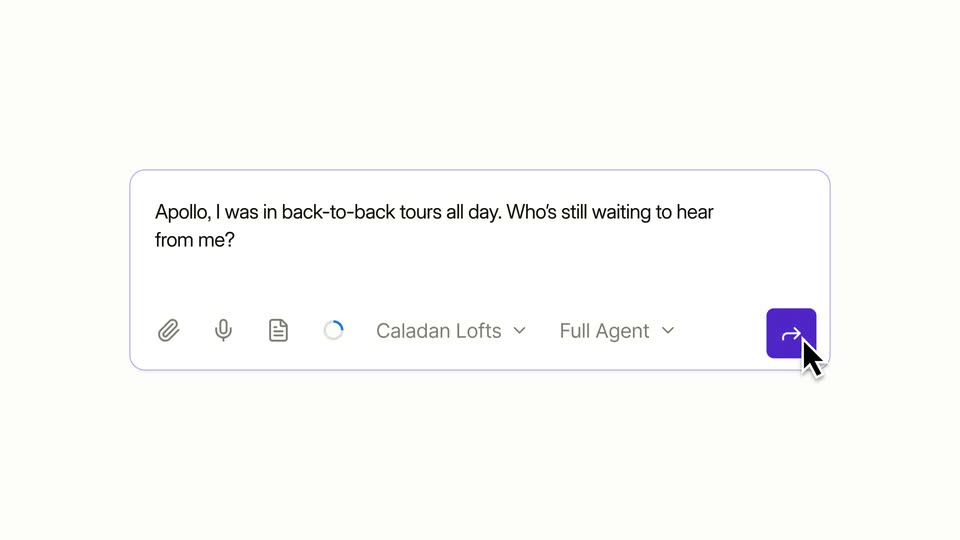
A white chat input field with a purple border fills the frame as the query types out letter by letter. The view zooms out to reveal the full toolbar with icons and dropdowns, then a cursor slides in and hovers the purple send button.
Techniques: UI zoom, Cursor demo
Camera: Static
On a pale cream background, a light gray chat bubble on the right holds the question “Apollo, what can you do for me?” with a blinking caret, while the gradient caption “Planning next moves” sits at left. The frame is locked off and static throughout.
On-screen text: “Planning next moves”
Camera: Static
The camera pulls back from a tight crop of a browser chat window to reveal the full monitor on a wooden desk against a textured wall, a lamp lit at the right. The chat shows a dark icon sidebar and an empty prompt box.
Camera: Pull out
A person with curly dark hair sits at a wooden desk, seen from behind, facing a glowing monitor in a dim room. A warm desk lamp lights the right side and two mugs rest on the left. The locked-off frame holds as the person leans and turns their head right.
Camera: Pull out
Centered on a plain off-white background, the two-line headline “One agent for multifamily” resolves from blur to sharp, holds, then swaps to “Apollo by EliseAI,” which sharpens in the same way.
On-screen text: “One agent for multifamily”, “Apollo by EliseAI”
Techniques: Kinetic type
Camera: Static
On a white background, the title “Apollo by EliseAl” settles in at center, then the word “by” expands into a thin circle as the text vanishes, leaving a black four-pointed star inside the broken ring as the final logo.
On-screen text: “Apollo by EliseAl”
Techniques: Kinetic type, Morph
Camera: Static