1:24

Scripting is Live in Rive ✨
Rive · Design · Jan 2026
Replit’s 1:43 launch film runs 38 scenes, about 2.7 s each. The product is on screen from the first frame and 5 features are revealed. The call to action lands at 1:38 (96% in). The video opens on the Replit Canvas mark, then walks one prompt through generation, variant exploration, fine tuning, team collaboration, app conversion and video generation, closing on a question and the logo. Its signature moves are halftone dot field reveals, locked off cream title cards with a single orange word, and 3D tilted mockups that settle flat into the interface.
Is this your launch? to your site or press kit.
Rive · Design · Jan 2026
ElevenLabs · AI · Sep 2025
Alibaba Cloud · Nov 2026
Films whose music sounds like this one, voice left out
FLORA · Funk, disco, and electronic dance music
Anthropic · Lo-fi hip-hop
Alibaba Cloud · Funk-rock and indie rock with electronic elements
On a cream background, the orange Replit mark sits left of the dark gray “Replit Canvas” wordmark. The mark scales up toward the center while the wordmark letters resolve in with a motion blur, left to right.
Camera: Static
A light background shows the Replit Canvas logo, then a rounded button with a palette icon and the word Canvas appears. A cursor points to the button.
On-screen text: “Replit Canvas”, “Canvas”
Techniques: Cursor demo
Camera: Static
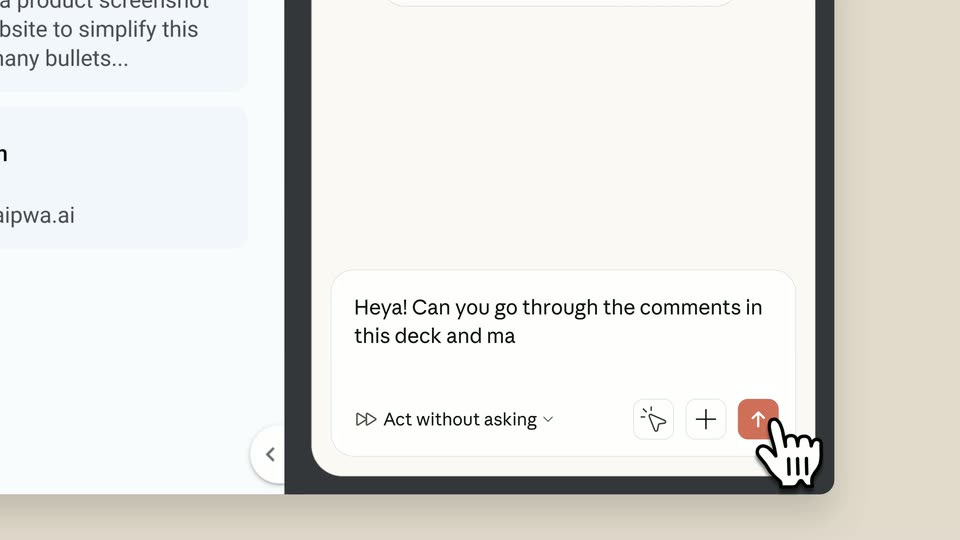
A rounded prompt bar on a cream background types out a sentence, then the view zooms into the blue send button as a hand cursor taps it.
Techniques: Kinetic type, UI zoom, Cursor demo
Camera: Static
A close-up of a dotted UI card reads “website.” with a blue up-arrow button and a hand cursor on it. The view reframes and the card shrinks into a small pill holding a purple dot logo and “Designi”, while the blue arrow button scales up on the right.
Techniques: Cursor demo, UI zoom, Morph
Camera: Static
A white rounded pill holding a purple dot logo and the word Designing slides from center toward the right edge. Behind it a halftone dot field in white, gray and peach scrolls in the opposite direction, the blurred dark shape drifting out of frame.
On-screen text: “Designing”
Techniques: Parallax
Camera: Static
A purple dot-cluster app icon sits centered on a pink halftone dot field, then a white interface panel fades in over it, showing the Muse home screen with a heading, body copy, a button, and a bottom toolbar of tool icons.
Camera: Pull out
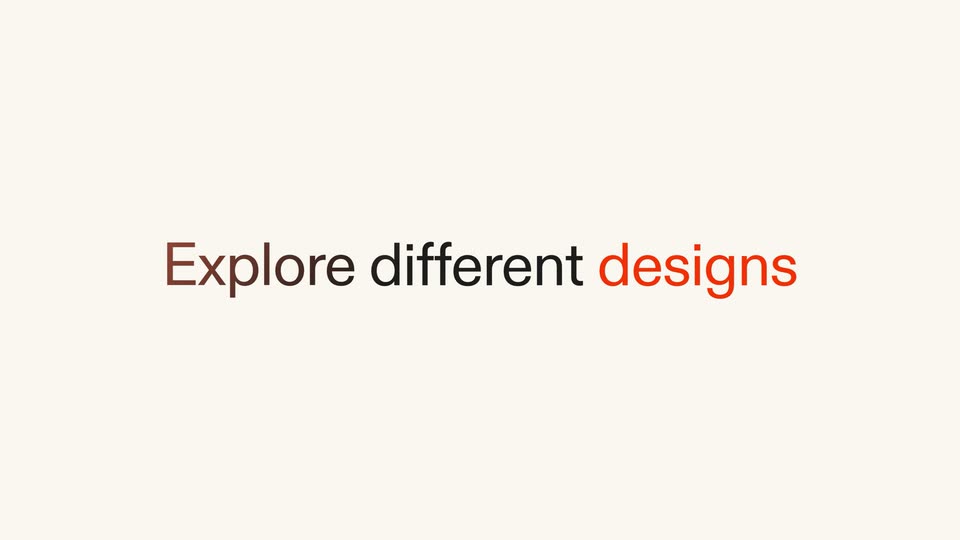
A slightly tilted 3D mockup of the Muse homepage sits above a floating toolbar, then crossfades into the line “Explore different designs” on a cream background, which holds and fades out.
On-screen text: “Explore different designs”
Techniques: 3D mockup
Camera: Static
A design canvas shows a Muse website mockup. The frame is selected and zoomed in, then a cursor clicks a blue plus button, opening a Remagine panel with prompt options on the right.
Techniques: UI zoom, Cursor demo
Camera: Push in
A light product interface shows a design canvas on the left with a blue selection frame and a plus button, beside a prompt card listing three suggested prompts. A cursor slides to hover “Explore different vibes”, highlighting it as the card text settles into place.
Techniques: Cursor demo
Camera: Pan
A 2x2 grid of website mockups sits behind a halftone dot pattern that recedes to reveal four interior-design landing pages. The small labels above each swap from variant numbers to style names. A floating toolbar rests at the bottom.
Techniques: Masking
Camera: Static
On a cream background, the phrase Fine tune designs assembles in the center. Fine appears in dark brown, tune fades in from a soft blur, then designs lands in orange. The camera stays locked off throughout.
On-screen text: “Fine tune designs”
Techniques: Kinetic type
Camera: Push in
On a living room landing page, the cursor clicks the Chat tool, the view zooms into the hero button, and a prompt field appears. Text types in, is sent, and the button flips from black to white. The view zooms out and a new input opens.
Techniques: Cursor demo, UI zoom, Kinetic type
Camera: Push in
A product UI shows a hero section. A cursor types a left-align command into a prompt bar and clicks submit. A dotted grid mask fades over the screen, then opens to reveal the same section re-aligned left with a top navigation row.
Techniques: Cursor demo, Masking
Camera: Pull out
Centered on a cream field, the headline resolves from a soft blur into sharp focus, with the first words in dark brown and the last two in orange. The line holds still once it is sharp.
On-screen text: “Collaborate with your team”
Camera: Static
A dotted canvas holds a grid of Muse website and ad mockups under a static “Collaborate with your team” headline. The view zooms into one ad frame as Jake’s and Velma’s cursors recolor the headline text and post an orange “I love this!” comment bubble.
On-screen text: “Collaborate with your team”
Techniques: UI zoom, Cursor demo
Camera: Push in
A design canvas shows three interior ad frames above, an empty-room photo right and a browser mockup below. A blue sticky note types “empty room” while Velma and Jake speech bubbles point to it, and the camera zooms in on the note and mockup.
Techniques: UI zoom
Camera: Pull out
A Figma-style canvas holds the Muse product page, a before-and-after room comparison, and blue selection frames around two empty-room photos. Colored speech bubbles labeled Velma, Max and Jake point at the frames, with a slow pull-back revealing the full layout.
On-screen text: “empty room”, “Velma”, “Max”, “styled room”, “Jake”
Camera: Static
A design canvas pairs a Muse before-and-after mockup with two room photos. A cursor draws red arrows linking them, adds a green sticky note, selects the layout and types a change request, then the canvas dissolves into halftone dots revealing the styled room.
Techniques: Cursor demo, Masking
Camera: Push in
Inside a design tool, a white Muse page card holds a living-room before/after photo. A cursor drags the comparison divider left, right and back, then taps the hand tool in the bottom toolbar, and the canvas pulls back to reveal the full page and its dark hero.
Techniques: Cursor demo, UI zoom
Camera: Push in
A dark interior-design landing page mockup sits in 3D perspective on a pale gray field, tilted and large at first, then easing down to a smaller, flatter centered frame. A cursor rests at the lower left.
Techniques: 3D mockup
Camera: Static
On a cream background, the centered line 'Convert design into apps' sits still, 'Convert' in dark red, 'design into' in gray, 'apps' in orange. The text begins soft and out of focus, then pulls sharp into a locked-off frame.
On-screen text: “Convert design into apps”
Camera: Static
A design editor window frames a living-room homepage mockup. The camera zooms to the prompt bar beneath it as the words Build this as the new homepage type out, then a grid of white dots fades in across the right half of the hero image.
Techniques: UI zoom, Cursor demo
Camera: Pan
A blurred interface card covered in a halftone dot grid slides right across a light gray background. The dots shift from gray to coral as the card moves. A black cursor arrow rests at the lower-right corner of the frame.
Camera: Pull out
A flat website mockup with a dotted grid overlay sits on a pale background; a cursor moves to the top-left menu, then the view zooms into the browser frame and scrolls down to a lower text block.
Techniques: Cursor demo, UI zoom
Camera: Push in
A browser window on replit.dev shows the Muse page. The view scrolls down from the hero headline to a before/after room comparison, where an empty room sits left of a furnished bedroom and the BEFORE and AFTER labels slide into place.
On-screen text: “replit.dev”
Techniques: UI zoom
Camera: Pan
A locked-off split view shows an empty bedroom on the left and the same room furnished on the right, tagged BEFORE and AFTER. The frame scrolls down to reveal a large headline beside a product panel listing a chair and lamp with AR labels.
On-screen text: “BEFORE”, “AFTER”, “Approve once.”, “Publish everywhere.”
Techniques: Split screen
Camera: Pan
A browser window shows a marketing page: a large heading and body copy on the left, two beige product renders (a lamp and a chair) on the right. The whole layout settles from a brief ghosted vertical offset into a clean, static frame.
Camera: Static
On a plain cream background, the word Generate in dark gray appears slightly blurred, then sharpens as the orange phrase videos or images joins it to form a centered line.
On-screen text: “Generate videos or images”
Techniques: Kinetic type
Camera: Static
A website hero mockup shows a dimmed living room photo with a white headline and body copy on the left. The view zooms in as a cursor clicks the Generate button, opening a dropdown listing Design, Image, Video and Vector Graph.
Techniques: UI zoom, Cursor demo
Camera: Push in
A white Generate video panel fades in over a dotted cream background. An arrow cursor types a prompt into the text field, then a hand cursor opens the model and duration dropdowns and selects 8s.
Techniques: Cursor demo
Camera: Static
A white video-generation form on a dotted beige field. A hand cursor presses the blue Generate button, switching to an arrow that drifts right as the whole panel fades out.
Techniques: Cursor demo
Camera: Static
A video player card with a central play button resolves out of a blurred halftone dot overlay, a cursor drifts toward the bottom right, then the button fades and the view pushes in on the cream bouclé armchair.
On-screen text: “91”
Techniques: Masking, Cursor demo, UI zoom
Camera: Push in
A cream bouclé armchair hovers above a polished marble floor in a sunlit stone lobby, shot from a low angle. The view eases back, opening a thin white border around the frame as the chair drifts slightly left.
Camera: Pull out
The view starts on a warm 3D render of a room with a chunky beige sofa, then zooms out to a flat design canvas holding web banners, room photos, and three phone screens, with named collaborator cursors resting on the frames.
Techniques: UI zoom
Camera: Pull out
A static wide shot of a design canvas app, its dotted workspace filled with interior design frames, website layouts and three phone mockups. A cursor drifts rightward across the canvas, hovering over frames, and a small Chat tooltip pops up near it.
Techniques: Cursor demo
Camera: Static
On a plain cream background, the question builds word by word: “What will” lands first in rust, “you” follows in gray, then “design?” in orange, settling into a single centered line.
On-screen text: “What will you design?”
Techniques: Kinetic type
Camera: Static
On a cream background, a small red rounded square at center scales and morphs into the two-part Replit mark. The dark gray wordmark Replit Canvas appears to its right, then the tagline What will you design? appears at the end.
On-screen text: “Replit Canvas”, “What will you design?”
Techniques: Morph
Camera: Static
The Replit logo, an orange plus mark beside a black wordmark, holds centered on a cream field. A light gray word Canvas sits to the right of the wordmark and dissolves out, leaving the brand mark alone.
On-screen text: “Canvas”
Camera: Static