0:27
Explore
ChatGPT - Now everyone can put data to work. We’re introducing a new Data agen
ChatGPT · Sep 2026 · 1:11 · AI-annotated
- Length
- 1:11
- Scenes
- 32 · 2.2 s avg
- Product on screen
- 0:03
- Features shown
- 5
- Voiceover
- No
00:00:00 / 01:11:11
ChatGPT’s 1:11 launch film runs 32 scenes, about 2.2 s each. The product shows up at 0:03 and 5 features are revealed. There is no explicit call to action. The edit alternates static typographic promise cards with short UI demos, using type-on reveals, sliding panels, and hard cuts to move from benefit to interface. Signature moves are centered bold headlines, floating rounded cards, and 3D perspective tilts that keep the product surface front of frame.
No filming indicatedEstimated needs: 6 capture groups — your screens or recordings · 1 official logo — reused across the film · 2 3D passages — build or supply
Is this your launch? to your site or press kit.
More like this

ChatGPT - Now everyone can put data to work. We’re introducing a new Data agen, scene by scene
· 32 scenes as text
01 · Hook · 0:00–0:02
Bold sans-serif words swap in the center of a white background, each in a different color: Marketers. in green, Product Managers. in purple, People Ops., Everyone. in yellow. Everyone. then slides up and turns blue as We're all data... types in black beneath it.
On-screen text: “Marketers.”, “Product Managers.”, “People Ops.”, “Everyone.”, “We're all data”
Techniques: Kinetic type
Camera: Static
02 · Hook · 0:02–0:03
A plain off-white card holds a centered headline: “Everyone.” in blue over two black lines reading “We’re all data people now.” The final word, “now.”, types in letter by letter while the frame stays locked off.
On-screen text: “Everyone.”, “We're all data”, “people now.”
Techniques: Kinetic type
Camera: Static
03 · Product intro · 0:03–0:05
On a white background, the headline “With ChatGPT for Data” sits with a blue bar-chart icon. The word “Work” pops in red beside ChatGPT, then the line is replaced by a Chat/Work toggle.
On-screen text: “With ChatGPT Work”, “for Data”
Techniques: Kinetic type
Camera: Static
04 · Product intro · 0:05–0:06
A segmented toggle with two labels, Chat and Work, sits centered on a light background. The white selection pill slides from the left segment to the right, switching the active state from Chat to Work.
On-screen text: “With ChatGPT Work”
Camera: Static
05 · Feature reveal · 0:06–0:09
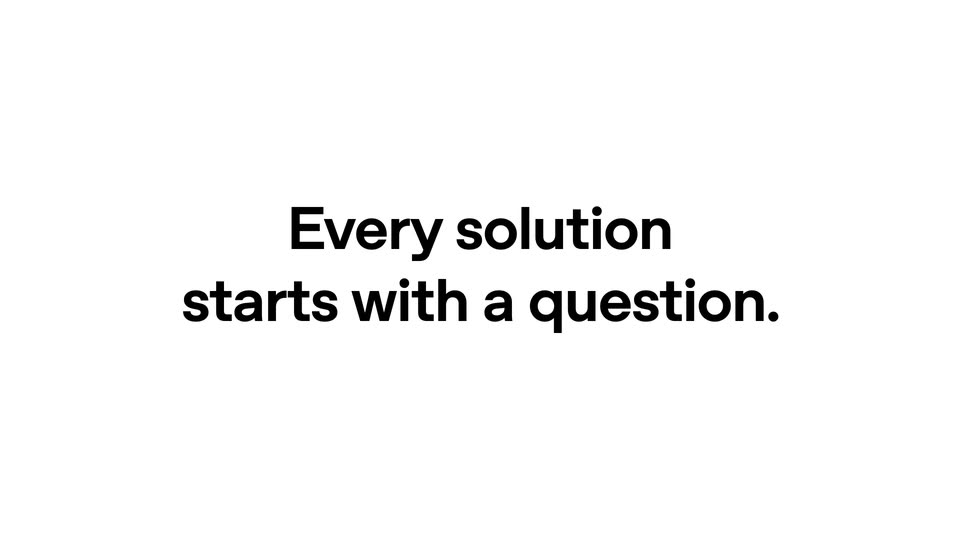
A plain white card centers the headline 'Every solution' in black. Below it, the line 'starts with a question.' fills in, first as gray 'starts with', then fully black. The block then blurs and exits the frame.
On-screen text: “Every solution”, “starts with a question.”
Techniques: Kinetic type
Camera: Static
06 · Feature reveal · 0:09–0:10
A rounded command bar floats on white with a plus icon, font label, mic and black send button, above a file row of folder and document icons. The prompt types '@data' as the frame eases in on the bar, while a headline reads 'Every solution starts with a question.'
On-screen text: “Every solution”, “starts with a question.”
Techniques: UI zoom
Camera: Push in
07 · Feature reveal · 0:10–0:14
A locked-off close-up of a white input card types out a query about the Dash XV sneaker launch, then the frame pulls back to reveal the full assistant bar with model selector and send button, and a faint Thinking label fades in.
Techniques: UI zoom
Camera: Pull out
08 · Feature reveal · 0:14–0:15
The word Thinking fades in at center on a plain off-white background, holds briefly, then fades out to an empty frame. The type is light gray and static, with a soft left-to-right reveal on entry.
On-screen text: “Thinking”
Techniques: Kinetic type
Camera: Static
09 · Feature reveal · 0:15–0:17
A four-row list on a light gray field settles into place. Each gray sans-serif row, paired with a colored icon and a right chevron, scales down and slides left from an oversized, overlapping state, the bottom Teams row sliding up last into a clean left-aligned column.
Techniques: Kinetic type
Camera: Pull out
10 · Feature reveal · 0:17–0:20
A light document page scrolls down past a bold headline and a paragraph of body copy. Below, a blue line chart draws itself left to right, tracing a downward conversion trend across weeks W1 to W13.
Camera: Static
11 · Feature reveal · 0:20–0:20
A product line-chart interface fades to a plain light background as the tagline completes, the word Get already on screen in gray turning black while informed answers. appears beside it.
On-screen text: “Get informed answers.”
Techniques: Kinetic type
Camera: Static
12 · Feature reveal · 0:20–0:22
A plain white background holds two centered lines of bold sans-serif text. The top line, Get informed answers, stays solid black, while the second line, Root causes, pulses from light gray to black and back, the frame locked off throughout.
On-screen text: “Get informed answers.”, “Root causes.”
Camera: Static
13 · Feature reveal · 0:22–0:25
On white, bold black sans text assembles line by line: 'Not just when, or how,' slides in, then 'but whyy' drops below with the 'whyy' in pink. The scene cuts to a report interface showing a Dash XV launch analysis.
On-screen text: “Not just when, or how,”, “but whyy”
Techniques: Kinetic type
Camera: Static
14 · Feature reveal · 0:25–0:28
A flat report card on a white background shows an executive summary and a blue bar chart; the headline text resolves from a doubled overlap into clean type as the bars rise to full height, then a large 'You get' fades in over the card.
On-screen text: “You get”
Techniques: Kinetic type
Camera: Static
15 · Feature reveal · 0:28–0:30
On a plain white background, the headline builds word by word, each new word fading from gray to black, then a second line appears below. A hard cut replaces the two lines with a single centered sentence.
On-screen text: “You get next step”, “recommendations.”, “Take action fast.”
Techniques: Kinetic type
Camera: Static
16 · Feature reveal · 0:30–0:32
A bold black headline, “Take action fast.”, sits centered on a plain white background. The text holds steady with no motion for the full duration of the shot.
On-screen text: “Take action fast.”
Camera: Pull out
17 · Feature reveal · 0:32–0:35
A floating app window on a soft blue gradient shows a left chat panel and a right dashboard with a bar chart. The bars grow week by week, the What to do paragraph appears below, and a second recommendation card slides in at the bottom.
Camera: Static
18 · Feature reveal · 0:35–0:37
A white task card states the prompt to add analysis to the Dash XV deck. The view zooms in as a cursor taps the blue Do for me link, then the deck app appears in 3D perspective on its DASH XV title slide, a black sneaker beside the headline.
Techniques: UI zoom, Cursor demo, 3D mockup
Camera: Push in
19 · Feature reveal · 0:37–0:40
A slide-deck app window shows a dark slide with a black sneaker and the title DASH XV. The title snaps from a doubled ghost state into place, the four stat values count up, and a cursor glides left to right across the slide.
Techniques: Cursor demo
Camera: Static
20 · Feature reveal · 0:40–0:42
A plain white frame holds a black bold sans-serif headline that slides in from the left, expanding from “Create living” to the full line “Create living dashboards.” A small pointing-hand emoji pops up over the word “living” as the line settles.
On-screen text: “Create living dashboards.”
Techniques: Kinetic type
Camera: Static
21 · Feature reveal · 0:42–0:43
A bold black headline with a hand cursor icon above it slides out to the left as a white dashboard card, showing a black sneaker and metric tiles, slides in from the right and settles in the center.
On-screen text: “Create living dashboards.”
Techniques: Kinetic type
Camera: Pan
22 · Feature reveal · 0:43–0:48
A dashboard with a sneaker image and metric cards. A chat bubble types a prompt asking to show traffic instead of conversion rate, and the cursor clicks a blue checkmark. The Conversion Rate card becomes a Traffic card, then the cursor drags it to swap with the Orders card.
On-screen text: “Can we actually show traffic here instead of conversion rate?”
Techniques: Cursor demo
Camera: Static
23 · Feature reveal · 0:48–0:52
A sales dashboard mockup with a sneaker and metric cards fades out on a white background while a bold headline builds word by word. The first line completes, then the second line lands in gray and settles to black.
On-screen text: “Make it your own.”, “Your brand, your voice.”
Techniques: Kinetic type
Camera: Static
24 · Feature reveal · 0:52–0:53
A white sales dashboard card floats in 3D perspective over a blurred green-and-pink gradient. A black sneaker sits at left while metric figures roll upward and a revenue line chart updates.
On-screen text: “Make it your own.”, “Your brand, your voice.”
Techniques: 3D mockup
Camera: Pull out
25 · Feature reveal · 0:53–0:54
A dark sales dashboard inside a tilted browser window floats on a soft pink and orange gradient. The sneaker product image sits left while stat cards and progress bars update their numbers on the right. The dashboard title flickers between overlapping letters.
Techniques: 3D mockup
Camera: Push in
26 · Feature reveal · 0:54–0:55
A sales dashboard panel fades in over a soft blue gradient. Metric cards for Traffic, Orders and Revenue populate on the right, and a black sneaker product image appears in the large panel below them.
Camera: Push in
27 · Feature reveal · 0:55–1:00
A sales dashboard with charts and metric cards reframes to its Ask ChatGPT field, where a suggestion menu opens and a prompt is typed, the box expanding before the cursor hits send and the screen fades to white.
Techniques: UI zoom, Cursor demo
Camera: Push in
28 · Feature reveal · 1:00–1:03
A flat chat interface with a purple channel sidebar sits on a blue gradient. A white message card in front fills in: the body and bullet lines appear, a ChatGPT credit types in, then a Post control opens and two line charts draw themselves across the bottom.
Camera: Static
29 · Outro · 1:03–1:06
On a white background, the headline builds word by word in black sans-serif, holds for a beat, then fades out. A small blue dot appears in the center as the text disappears.
On-screen text: “Now anyone can turn questions into actions.”
Techniques: Kinetic type
Camera: Static
30 · Outro · 1:06–1:07
On a white background a small orange dot at center scales up into a large circle. As it grows, the wordmark ChatGPT fades in over it, shifting from blue to purple.
On-screen text: “ChatGPT Work for Data”
Techniques: Kinetic type
Camera: Static
31 · Outro · 1:07–1:09
On a plain off-white background, the headline “ChatGPT Work for Data” wipes in from left to right, a small blue table icon revealed inline between “for” and “Data”. The lockup holds centered on a locked-off frame.
On-screen text: “ChatGPT Work for Data”
Techniques: Masking, Kinetic type
Camera: Static
32 · Outro · 1:09–1:11
A black line-art knot logo, a closed loop of interlocking curved segments, sits centered on a white background and rotates in place, its lobes shifting from a pinwheel spiral to a rounded hexagonal knot.
Camera: Static