0:44
Explore
Runway - Introducing Project Continuum by @runwayml_labs, a new operating syst
Runway · Oct 2026 · 0:51 · AI-annotated
- Length
- 0:51
- Scenes
- 23 · 2.3 s avg
- Product on screen
- 0:10
- Features shown
- 4
- Voiceover
- No
00:00:00 / 00:51:23
Runway’s 0:51 launch film runs 23 scenes, about 2.3 s each. The product shows up at 0:10 and 4 features are revealed. There is no explicit call to action. The video alternates white title cards with word-by-word typed headlines and soft-edged oval portals revealing 3D video content, cutting on a fast rhythmic grid near 129 BPM. Signature moves: feathered video masks, corner crop marks framing the cards, monospace spec captions, and the Continuum wordmark with footage bleeding through its letters.
No filming indicatedEstimated needs: 4 capture groups — your screens or recordings · 1 official logo — reused across the film · 2 graphic passages — draw or supply · 2 3D passages — build or supply
Is this your launch? to your site or press kit.
More like this

1:08

Introducing Cowork: Claude Code for the rest of your work
Anthropic · AI · Jan 2026
2:48
Introducing Timeline View | Airtable
Airtable · Productivity · Sep 2021
Runway - Introducing Project Continuum by @runwayml_labs, a new operating syst, scene by scene
· 23 scenes as text
01 · Hook · 0:00–0:10
A dot grid pulses and fades on white as corner crop marks appear. Centered black sans-serif text types out word by word: We've been exploring..., What if your operating system was, then adaptive, contextual, dynamic, generated. The final word Continuum reveals a soft-edged video clip through its letters.
On-screen text: “We've been exploring...”, “PROJECT CONTINUUM® CN-01 | REAL-TIME VIDEO OPERATING SYSTEM | V0.0.1-ALPHA”, “What if your”, “operating system was”, “adaptive”, “contextual”, “dynamic”, “generated”, “Continuum”
Techniques: Kinetic type, Masking
Camera: Push in
02 · Product intro · 0:10–0:13
White card with corner crop marks; the word Continuum in large black sans is crossed by a soft-edged oval window that slides left and right, revealing 3D clay letters of the same glyphs on a sandy floor with bouncing blue and white balls.
On-screen text: “Continuum”, “PROJECT CONTINUUM® CN-01 | REAL-TIME VIDEO OPERATING SYSTEM | v0.0.1-ALPHA”, “runway Labs”
Techniques: Masking
Camera: Static
03 · Feature reveal · 0:13–0:14
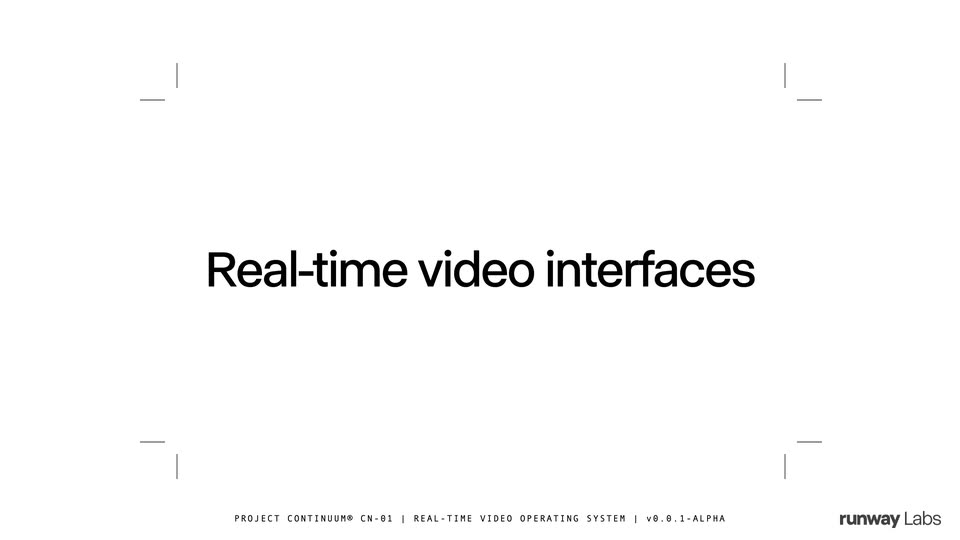
On a white field framed by four corner crop marks, the centered headline builds from “Real-time” into “Real-time video interfaces”. A blurred green leaf-cell video window with app chrome fades in behind the text as the clip ends.
On-screen text: “Real-time video interfaces”, “PROJECT CONTINUUM® CN-01 | REAL-TIME VIDEO OPERATING SYSTEM | v0.0.1-ALPHA”, “runway Labs”
Techniques: Kinetic type
Camera: Static
04 · Feature reveal · 0:14–0:16
A light app frame holds a 3D render of a leaf cell: green oval chloroplasts drift among O2 bubbles while a “Chloroplast” label with an arrow scales in place. A cursor hovers at the right edge by a thin scrubber; a bottom input bar and a thumbnail column sit still.
Techniques: Cursor demo
Camera: Static
05 · Feature reveal · 0:16–0:17
A product interface shows a green leaf cross-section illustration that zooms out from a close-up of chloroplast cells to the full diagram with sun and gas labels, inside a window with a prompt bar at the bottom.
Techniques: UI zoom
Camera: Static
06 · Feature reveal · 0:17–0:18
A Wikipedia-style article on Mars fills the frame, body text on the left and a labeled cross-section of the planet's internal layers on the right. A rounded input bar with four action icons fades in along the bottom edge, the runway Labs wordmark fixed in the lower right corner.
Camera: Static
07 · Feature reveal · 0:18–0:20
A labeled leaf cross-section diagram fills a light app window. It zooms into the cells and shifts into a 3D block as blue spheres drift through the tissue.
Techniques: UI zoom, Morph
Camera: Push in
08 · Feature reveal · 0:20–0:22
On a plain off-white background with corner crop marks, the headline “Generate portals for any topic” fades in word by word, then a circular 3D-rendered landscape with a deer and a river fades in behind the text with a soft blurred edge.
On-screen text: “Generate portals for”, “any topic”, “PROJECT CONTINUUM® CN-01 | REAL-TIME VIDEO OPERATING SYSTEM | V0.0.1-ALPHA”
Techniques: Kinetic type
Camera: Static
09 · Feature reveal · 0:22–0:23
A website view shows a green top bar with menu items and a heading on the left, while a painted landscape illustration of a hillside, stream and an elk sits in a soft rounded mask. The illustration slowly scales up, zooming into the scene.
Techniques: UI zoom
Camera: Static
10 · Feature reveal · 0:23–0:23
A soft-edged 3D render of red, green and blue molecular spheres floats over a Wikipedia article page. A blue link sidebar sits on the left and bulleted body text fills the right, all held static.
Camera: Static
11 · Feature reveal · 0:23–0:24
An isometric 3D CPU chip sits center frame, blue light beams radiating from its edges and pulsing softly. A photographic close-up of a real chip with gold pins angles in from the right edge. Faint body text is partially visible on the left.
Techniques: 3D mockup
Camera: Static
12 · Feature reveal · 0:24–0:25
A 3D London Underground map with colored lines sits at center over a faded street map, ringed by a soft white vignette. Serif article text about the 1843 tunnel fills the left; a painted station interior and a blue heading sit at right. The composite holds static.
Camera: Static
13 · Feature reveal · 0:25–0:26
A product interface shows a prism splitting white light into a rainbow band, framed by a left menu and a right article panel. The view holds on the central prism, softened by a white feathered edge.
Camera: Static
14 · Feature reveal · 0:26–0:28
Off-white frame with thin corner crop marks. A large black sans headline reads 'Agents with' centered, then 'visual thinking' types in beneath it. A small monospace spec line and the runway Labs logo anchor the bottom edge.
On-screen text: “Agents with”, “PROJECT CONTINUUM® CN-01 | REAL-TIME VIDEO OPERATING SYSTEM | V0.0.1-ALPHA”, “runway Labs”, “visual thinking”
Techniques: Kinetic type
Camera: Static
15 · Feature reveal · 0:28–0:31
A light chat interface fills the frame, a prompt bubble above a 3D render of a white lattice bike mount with orange edges that rotates, then cuts to a hand holding the mount on handlebars with a 31 g tag. A white panel wipes in and a paragraph of agent text fades over the dimmed render.
On-screen text: “Agents with”, “visual thinking”, “PROJECT CONTINUUM® CN-01 I REAL-TIME VIDEO OPERATING SYSTEM I V0.0.1-ALPHA”
Techniques: Masking, 3D mockup
Camera: Push in
16 · Feature reveal · 0:31–0:32
A light gray chat screen shows a user message bubble at the top right and a multi-line response about a 3D truss arm design settling into place below it. The runway Labs wordmark stays static in the lower right corner.
On-screen text: “runway Labs”
Camera: Push in
17 · Feature reveal · 0:32–0:34
A locked-off white frame holds a bold black headline, Simulate any world, centered between four corner crop marks. A small monospace caption runs along the bottom edge and the runway Labs logo sits in the lower right corner.
On-screen text: “Simulate any world”, “PROJECT CONTINUUM® CN-01 | REAL-TIME VIDEO OPERATING SYSTEM | V0.0.1-ALPHA”
Camera: Static
18 · Feature reveal · 0:34–0:35
A light interface frame holds a soft-edged window showing a 3D Mars outpost at sunset, with rovers, a dome and a control pill under a hand cursor. A thumbnail rail sits at right and a prompt bar with three icons sits at the bottom, all locked off.
On-screen text: “Simulate any world”, “PROJECT CONTINUUM® CN-01 I REAL-TIME VIDEO OPERATING SYSTEM I V0.0.1-ALPHA”
Camera: Push in
19 · Feature reveal · 0:35–0:36
A 3D Mars outpost, rovers driving across rust-red dunes, sits inside a blurred rounded vignette framed by a thin UI: top tab, right icon rail, bottom prompt bar. The cursor hovers at the top as the prompt bar fills with typed text and a spinner.
On-screen text: “runway Labs”
Techniques: Cursor demo
Camera: Static
20 · Feature reveal · 0:36–0:38
A plain off-white frame with thin corner brackets holds a bold black line that builds word by word into “And step into it”, with a small monospace project caption and the runway Labs mark pinned along the bottom edge.
On-screen text: “Ask or do anything”, “And step into it”, “PROJECT CONTINUUM® CN-01 | REAL-TIME VIDEO OPERATING SYSTEM | V0.0.1-ALPHA”
Techniques: Kinetic type
Camera: Static
21 · Feature reveal · 0:38–0:42
A product interface frames a 3D Mars outpost at sunset, with a prompt bar and thumbnail rail, as the camera pushes in from a wide rover field to the glass dome. It cuts to a white card where the word Continuum sits inside crop marks, a blue vortex blob filling its last letters.
On-screen text: “runway Labs”, “And step into it”, “Continuum”, “PROJECT CONTINUUM® CN-01 | REAL-TIME VIDEO OPERATING SYSTEM | V0.0.1-ALPHA”
Techniques: UI zoom
Camera: Push in
22 · Outro · 0:42–0:44
Continuum in heavy black sans on a white card. A soft-edged circular window of blue underwater footage drifts from the word's right end to the top corner, uncovering the solid letters, while thin corner marks and a bottom caption with the runway Labs logo frame the card.
On-screen text: “Continuum”, “PROJECT CONTINUUM® CN-01 | REAL-TIME VIDEO OPERATING SYSTEM | V0.0.1-ALPHA”, “runway Labs”
Techniques: Masking
Camera: Static
23 · Outro · 0:44–0:51
On a white background, a blue eye-shaped mark enters from the left, slides toward center, and its tail reshapes into a curved leg. The mark then resolves into the runway Labs wordmark, which holds centered until the end.
On-screen text: “runway Labs”
Techniques: Morph
Camera: Static