0:40
Explore
Melius - Introducing Brand Kits. Whether it be an indie content creator or a
Melius · Oct 2026 · 0:27 · AI-annotated
- Length
- 0:27
- Scenes
- 21 · 1.3 s avg
- Product on screen
- 0:01
- Features shown
- 1
- Voiceover
- No
00:00:00 / 00:27:08
Melius’s 0:27 launch film runs 21 scenes, about 1.3 s each. The product shows up at 0:01 and 1 feature is revealed. There is no explicit call to action. The video is built as a single-feature walkthrough: a lens-flare spark opens into the Melius wordmark, then the Brand Kit title card leads a continuous UI demo from upload through AI analysis to a cascade of generated assets. Pacing runs fast at about 33 cuts per minute on a black dotted grid, with signature moves of camera pushes through type, glowing orange panel borders, and glassy frosted cards over 3D renders.
Footage neededEstimated needs: 1 capture group — your screens or recordings · 1 official logo — reused across the film · 1 filmed passage — shoot, supply or replace · 1 graphic passage — draw or supply · 5 3D passages — build or supply
Is this your launch? to your site or press kit.
More like this
0:57

New MacBook Pro with PROLED XDR Display and Touch: The world’s best laptop display
Apple · Hardware · Oct 2026
0:57
The new MacBook Pro with M6 delivers blazing-fast performance and up to 24 hours of battery life.
Apple · Hardware · Oct 2026
Melius - Introducing Brand Kits. Whether it be an indie content creator or a, scene by scene
· 21 scenes as text
01 · Hook · 0:00–0:01
On a black field, a thin vertical sliver of white light at the center blooms into a bright glowing point with a horizontal flare streak, expanding outward like a lens flare.
Techniques: Light sweep
Camera: Static
02 · Product intro · 0:01–0:02
On a black dotted grid, the Meiur wordmark glows at center, white with an orange-red ending, while a thin square outline slides left to right across the letters and a small tagline sits below.
On-screen text: “AI-2.0 Flagship AR Holographic 3D Box”
Camera: Static
03 · Product intro · 0:02–0:02
The word Melius sits centered on a black dotted grid, glowing white. The final s flashes red and offset before snapping into place as the whole word scales up and brightens.
On-screen text: “Melius”
Camera: Push in
04 · Feature reveal · 0:02–0:04
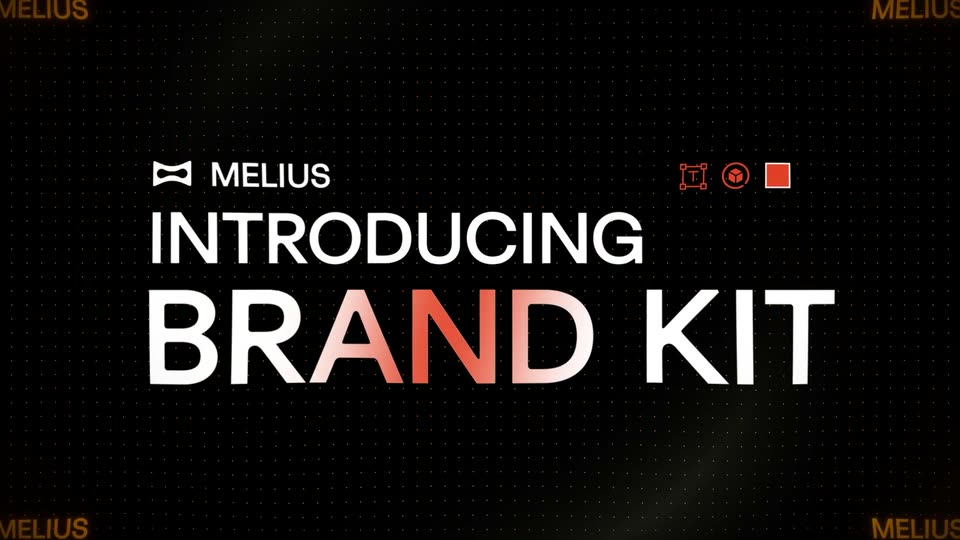
On a black dotted grid, the word INTRODUCING glows yellow then turns white as a dark mask opens, and the large white headline BRAND KIT reveals beneath it. The MELIUS logo and small red icons sit in the top corners.
On-screen text: “INTRODUCING”, “BRAND KIT”
Techniques: Light sweep, Masking, Kinetic type
Camera: Push in
05 · Feature reveal · 0:04–0:04
A black dotted canvas holds the MELIUS bowtie logo top-left and three orange tool icons top-right. The white headline INTRODUCING BRAND KIT slides up through a mask with an orange accent on the K, then the view zooms into the type as faint upload buttons and a cursor surface behind it.
On-screen text: “INTRODUCING”, “BRAND KIT”
Techniques: Masking, Kinetic type, UI zoom
Camera: Push in
06 · Feature reveal · 0:04–0:06
On black, a cursor trailed by glassy red cubes clicks the orange Upload PDF button on a dark card, which then expands into a wider panel showing a progress bar and a four-row status list, as a blurred grid of red racing photos fills the background.
Techniques: Cursor demo, Morph
Camera: Static
07 · Feature reveal · 0:06–0:07
A frosted glass upload panel floats over a grid of red rider photos and a white brand page. A progress bar fills while the last row, Fonts, switches from Reading to Completed as the scene pans to reveal the typography page and a circular C logo.
Camera: Static
08 · Feature reveal · 0:07–0:08
A dark settings card with an orange glowing border fades into focus on a black background as the headline above it decodes from overlapping scrambled words into clean text, a thin box highlighting the middle phrase.
On-screen text: “Right-click or press tab to start imagining”
Techniques: Kinetic type
Camera: Static
09 · Feature reveal · 0:08–0:09
A dark UI panel with a glowing orange border sits on black. The border light travels around the frame while the prompt text inside crossfades between two states and the panel drifts upward.
On-screen text: “Right click or press N to start imagining”
Techniques: Light sweep, Morph
Camera: Static
10 · Feature reveal · 0:09–0:10
A dark rounded panel with a glowing orange top edge is cropped at the left on black, with a close icon top right and a white pill up-arrow button beside a plus sign. The gray word 't imagining' stays locked top left while the panel drifts slightly left.
On-screen text: “t imagining”
Camera: Static
11 · Feature reveal · 0:10–0:13
A dark, blurry 3D form with red highlights sits in the background. In the center, a small red circle icon and white text appear, cycling through status messages like 'Analyzing brand' and 'Pulling colors'.
On-screen text: “Analyzing brand”, “Pulling colors”, “Scanning typography”, “Reading your guidelines”
Techniques: Kinetic type
Camera: Static
12 · Feature reveal · 0:13–0:14
A dark 3D device edge fades up from black with a small red square glowing on its surface. Centered white status text reads “Reading your guidelines”, then “Finalizing your output” slides in beside the glow.
On-screen text: “Reading your guidelines”, “Finalizing your output”
Techniques: Kinetic type, 3D mockup
Camera: Static
13 · Feature reveal · 0:14–0:14
A black screen holds the white line Finalizing your output left of center, beside a small orange glow. The line slides out and a dark 3D shape with an orange rim begins to emerge on the right.
Techniques: Kinetic type
Camera: Static
14 · Feature reveal · 0:14–0:15
A helmeted 3D figure stands in a dim industrial space, enclosed by an editor's selection box with orange corner handles. The view pushes in to a tight close-up of the helmet as orange-red light floods the left, and a small caption slides in.
On-screen text: “Finalizing your output”
Techniques: UI zoom
Camera: Static
15 · Feature reveal · 0:15–0:17
A vertical social post appears centered on black, first inside orange selection handles and a bright red overlay, then resolves into a full feed card. The gray caption Social media posts fades in on the left.
On-screen text: “Social media posts”
Techniques: Masking
Camera: Push in
16 · Feature reveal · 0:17–0:18
A vertical social media post mockup on the right shows a rider in a red suit and black helmet against an orange background, with the Cinder logo. A white serif caption reads Social media posts on the left. The scene stays static.
On-screen text: “Social media posts”
Camera: Push in
17 · Feature reveal · 0:18–0:19
A flat website layout holds still across the frame: a red-lit close-up of a rider in a helmet occupies the right, a tall condensed white headline with two buttons sits left, and a white caption labels the hero image on the right.
On-screen text: “Hero images for websites”
Camera: Static
18 · Feature reveal · 0:19–0:21
A vertical mask wipe reveals a driver in a carbon-fiber racing helmet beside a car, bathed in orange haze, with the caption 'Brand film' centered. The shot then cuts to a tight close-up of the helmet visor.
On-screen text: “Brand film”
Techniques: Masking
Camera: Push in
19 · Feature reveal · 0:21–0:23
A color square holds a carbon-fiber motorcycle helmet in 3D, rotating from a three-quarter angle to face front against an orange gradient. A blurred grayscale copy of the helmet fills the background. A white C mark and the word CINDER lock onto the visor.
On-screen text: “C”, “CINDER”
Techniques: 3D mockup
Camera: Push in
20 · Feature reveal · 0:23–0:23
A metallic chrome helmet with red glowing eyes floats centered on a plain gray field. The backdrop cuts to a square fiery orange sunset, and the white title CINDER appears beside the visor.
On-screen text: “CINDER”
Techniques: 3D mockup
Camera: Static
21 · Outro · 0:23–0:27
A black bowtie-shaped logo mark sits centered on white, then slides left as the wordmark Melius scales in beside it. A smaller tagline fades in word by word beneath, completing the lockup.
On-screen text: “Melius”, “Exactly as you imagined”
Techniques: Kinetic type
Camera: Static