0:57

New MacBook Pro with PROLED XDR Display and Touch: The world’s best laptop display
Apple · Hardware · Oct 2026
AIR · Oct 2026 · 0:40 · AI-annotated
AIR’s 0:40 launch film runs 18 scenes, about 2.3 s each. The product shows up at 0:01 and 1 feature is revealed. There is no explicit call to action; a voiceover carries the film. The video stacks chromatic-glitch text lines over a multiplying collage of brand assets on black, then snaps to a clean white split screen where a typed prompt drives a step by step agent checklist. It closes on a glass to chrome 3D logo reveal; the signature moves are the red blue glitch zoom, the ticking task checklist, and the drawn checkmark.
Is this your launch? to your site or press kit.
Apple · Hardware · Oct 2026
Mentlio · B2B · Aug 2026
Rive · Design · Feb 2025
Centered white text reads “everything your brand has made” on black. A scattered collage of brand photos and product shots pops in behind the text with a chromatic-aberration glitch, while the headline scales up.
On-screen text: “everything your brand has made”
Techniques: Kinetic type
Camera: Static
A scattered collage of cosmetics ad images and product shots floats on black behind a centered white headline. The frame zooms in quickly, the headline enlarging to fill the screen while the collage blurs, all edged with a red-blue chromatic glitch.
On-screen text: “everything your brand has made”
Techniques: Kinetic type
Camera: Static
White lowercase headline lines cycle over a black field of floating chat bubbles and approval labels. The bubbles multiply into a dense grid that drifts and zooms with motion blur, and the text ends on a checkmark and the word done.
On-screen text: “everything your team has said”, “is in here”, “to Air, it's not chaos”, “it's context to get your tasks”, “done”
Techniques: Kinetic type, Particles, Parallax
Camera: Push in
A heavily warped live-action shot of a woman in front of a photo wall, with a white checkmark and the word done held in the center, resolves into a ring of black dots on a plain white background.
On-screen text: “done”
Techniques: Morph
Camera: Pull out
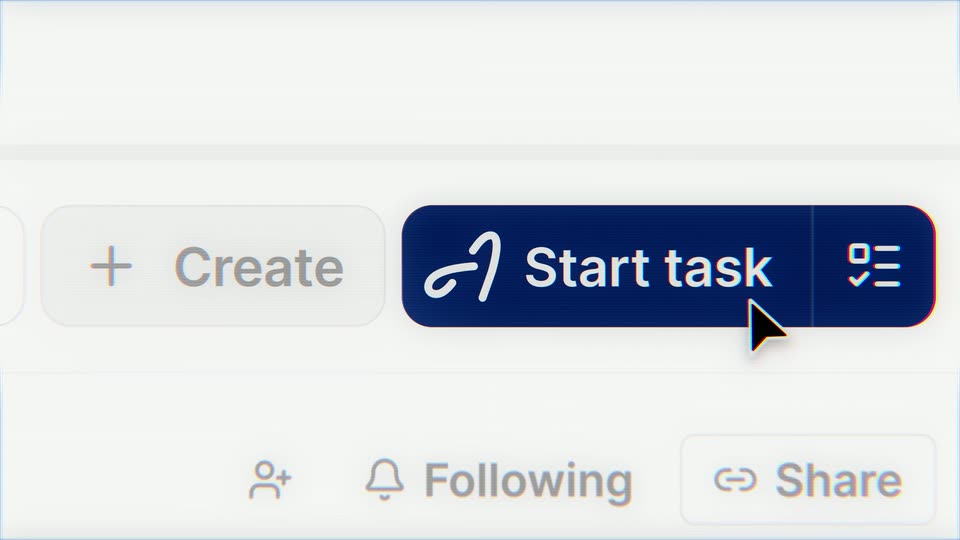
A black abstract logo mark sits centered on a white field, then dissolves into a close-up of a light interface toolbar. A dark blue Start task button anchors the center as a cursor glides in from the lower right and hovers beside it.
Techniques: Cursor demo
Camera: Push in
A close-up of a light input field as a prompt types itself out line by line with a blinking caret: 'Add all Madagascar Vanilla assets to a new board', 'Run a status update', 'Create 1:1, 4:3, 9:16 versions'. An up-arrow button sits at the right edge.
Techniques: Kinetic type
Camera: Pull out
A pale gray UI card lists three action lines that scale and fade out, leaving a blue rounded button with a white up arrow centered. A large black cursor with a white outline hovers over the button as it grows from the bottom-right corner.
Techniques: Cursor demo
Camera: Static
Split screen: the left half is a dark collage of asset cards that switches to a hand holding the white 'aire' hand cream tube, while the right white panel lists three tasks and a logo mark turns into a dotted loading spinner.
Techniques: Split screen, Morph
Camera: Pull out
Split view: left, a hand squeezes a cream tube onto skin while a blue box highlights the label; the side then blurs into a thumbnail board. Right, a white panel lists tasks as a checkmark completes one line and a spinner loads the next.
Techniques: Split screen
Camera: Static
Split view: a board of product photos on the left, a task list on the right. Checkmarks tick off the steps as new lines appear, while the left side zooms into a model's face with a green Approved badge.
Techniques: Split screen, Kinetic type, UI zoom
Camera: Push in
A light interface shows a canvas on the left and a task list on the right. The canvas zooms into a cream-tube photo, then a grid of crops fills with white dots as it processes; the list ticks each step and lands on 'saving to board'.
Techniques: UI zoom, Particles
Camera: Push in
A product interface fills the frame in two panes. The left shows a grid of cosmetic image assets under a board title; the right lists completed tasks with checkmarks and a dotted loading spinner beside the final item.
Camera: Static
A light dashboard screen splits into an image grid of beauty campaign shots and a step checklist. The frame zooms into the right panel, blurring the grid, as a text box types a trigger sentence and a dotted spinner spins under 'saving...'.
Techniques: UI zoom
Camera: Push in
A gray checkmark and 'saving' sit top-right over a plain light field, with 'Done.' in large black type at center and a dot cluster below. The dots fade, then a blue 'Start task' button pops in, pointed to by a hand-drawn white arrow.
On-screen text: “Done.”
Camera: Static
A dark navy pill button reading Start task, with a spinner and a checklist icon, sits centered on a white field while a black cursor hovers at its lower edge. The button scales up and blurs as a pale blue light streak sweeps in from the top.
Techniques: Cursor demo, UI zoom, Light sweep
Camera: Static
A glassy 3D script “A” holds center on a white field while short task lines with checkmarks and bullets drift in and out around it. A glint sweeps across the letter and a small dark ink scribble draws on below.
On-screen text: “Start task”
Techniques: 3D mockup, Light sweep, Parallax
Camera: Pull out
A chrome 3D cursive Arc logo holds the center while a field of small task prompts drifts past in parallax at varying depths. A bold black tagline rises into the lower center over the white background.
On-screen text: “your agent for every creative task”
Techniques: Parallax, 3D mockup
Camera: Pull out
A dark gray checkmark with rounded ends and a soft drop shadow draws itself on a plain white background, growing from a short corner stub into the full tick.
Techniques: Masking
Camera: Static