2:09
Web3 Explainer Video | Crypto Animation Video - NEXERA
Nexera · Mar 2025
Apple · Oct 2026 · 0:57 · AI-annotated
The video alternates black title cards with glow-in white headlines and 3D product demos, each feature announced by a centered line then shown in a short push-in or orbit shot. Cuts land near 117 bpm with one- to two-second shots, and the signature moves are the soft-glow text reveals and the recurring vertical light streaks.
Nexera · Mar 2025
Apple · Hardware · Sep 2026
A laptop sits edge-on in the dark, its lid rim lit by a thin line of light. A hand enters from the right, fingertips brushing the glowing edge, then withdraws.
Camera: Static
On a black background, the white Apple logo and two centered lines of text fade in from dim to full brightness. The top line reads the product name in white; the line below colors its words gold, gray and blue.
On-screen text: “MacBook Pro”, “PROLED XDR Display”
Camera: Static
A dark field of vertical blue light bars rises into a curved wave with motion blur, while the product name and display tagline hold static in the frame.
On-screen text: “MacBook Pro”, “PROLED XDR Display”
Camera: Static
A tunnel of vertical blue light streaks recedes to a vanishing point, then the camera pulls back to reveal a dark laptop seen from above, its screen filled with the streaks and its keyboard in the foreground.
Techniques: Parallax, 3D mockup
Camera: Pull out
A dark laptop rests on a black surface, its screen glowing with vertical white and blue light streaks. The camera pulls back from a close view of the keyboard to reveal the full device in 3D perspective.
Techniques: 3D mockup
Camera: Pull out
A single line of white text reveals itself from left to right on a black background, each word fading in with a soft glow. The line completes and holds still.
On-screen text: “Meet the world's best laptop display”
Techniques: Kinetic type
Camera: Static
On black, the white headline “Meet the world's best laptop display” snaps in with a brief blur and tracking, then holds center as a faint dark “PROLED-XDR” wordmark fades in behind it.
On-screen text: “Meet the world's best laptop display”
Techniques: Kinetic type
Camera: Static
The words PROLED XDR hold center on a black field, scaling gently while a yellow-to-blue halo around the letters fades out, leaving flat white type.
On-screen text: “PROLED XDR”
Techniques: Kinetic type
Camera: Static
A dark laptop sits in a black void, its screen glowing with a macro shot of an iridescent green, pink and purple butterfly. The camera pushes into the screen until the wing fills the frame, then the caption PROLED XDR scales in.
On-screen text: “PROLED XDR”
Techniques: 3D mockup, UI zoom
Camera: Push in
A line of white text reveals letter by letter across the center of a black background. A soft glow surrounds the newest letters and fades as the phrase completes.
On-screen text: “with true-to-life color”
Techniques: Kinetic type
Camera: Static
A frame-filling field of glossy abstract 3D forms: a pink porous mass with black voids, orange fibrous strands, and teal liquid metal, dotted with white droplets. The shapes drift and shift slowly while a static caption holds in place.
On-screen text: “with true-to-life color”
Camera: Push in
A centered white sentence appears on a black background. It starts as a soft glowing blur, then sharpens into a fully legible line.
On-screen text: “and unparalleled brightness and contrast”
Techniques: Kinetic type
Camera: Static
Four dancers in glossy black outfits leap and kick across a dark wet studio, sending water into the air as droplets fill the frame. White spheres float at the top and sides. A caption line and a large scaling bullet point overlay the shot.
On-screen text: “and unparalleled brightness and contrast”, “●”
Techniques: Particles
Camera: Push in
On a black background, the line 'A magical Touch experience' builds word by word, each word blooming in bright white light before the glow settles into flat type. The frame stays locked and centered.
On-screen text: “A magical Touch experience”
Techniques: Kinetic type
Camera: Static
A black foldable phone stands in 3D against a dark background, its inner screen glowing with a green and magenta butterfly image. A hand enters from the right and a fingertip taps the display.
On-screen text: “A magical Touch experience”
Techniques: 3D mockup
Camera: Push in
A close-up shows a hand's index finger pressing the right edge of a floating tablet screen on a black void. The screen displays a green-and-pink flower image with vertical light streaks. The camera pushes in toward the lower corner as the finger holds the lit bezel.
Techniques: 3D mockup
Camera: Push in
A black field holds the white phrase “Drag, scroll, and pinch onscreen,” which builds in from left to right with a soft glow, then holds still in the center.
On-screen text: “Drag, scroll, and pinch onscreen”
Techniques: Kinetic type
Camera: Static
Two hands hover over a laptop in a dark room, fingers pressing the on-screen piano keys of a music app. The screen shows a piano keyboard above a piano roll and a mixer with green meters, while the fingers tap gently and the frame stays locked off.
On-screen text: “Drag, scroll, and pinch onscreen”
Techniques: 3D mockup
Camera: Push in
A laptop sits in 3D perspective on black, its screen filled with a colorful abstract 3D scene inside a design app. A hand reaches in from the right and the camera zooms into the display, closing on floating blue disc shapes as the fingers spread over them.
Techniques: 3D mockup, UI zoom
Camera: Push in
A black screen holds one centered line that resolves from a soft, glowing blur into crisp white type, then holds still and locked off for the rest of the clip.
On-screen text: “Fly through demanding tasks”
Techniques: Kinetic type
Camera: Static
A stylized 3D city built from white and cyan wireframe lines flies past the camera, its blocks and glowing panels resolving into a darker, particle-filled interior as the view pushes forward through the streets.
On-screen text: “Fly through demanding tasks”
Techniques: Parallax, Particles
Camera: Push in
The viewport of a 3D software, showing a dark rainy city with neon signs and light beams, fills the frame, then pulls back to reveal it on a glowing laptop in 3D perspective on a black background.
Techniques: 3D mockup
Camera: Pull out
On black, the caption “with superfast chips” types and scales in at center, then fades. Two glowing Apple M5 badges, labeled PRO and MAX, bloom up from darkness side by side.
On-screen text: “with superfast chips”, “M5”, “M5”, “PRO”, “MAX”
Techniques: Kinetic type
Camera: Static
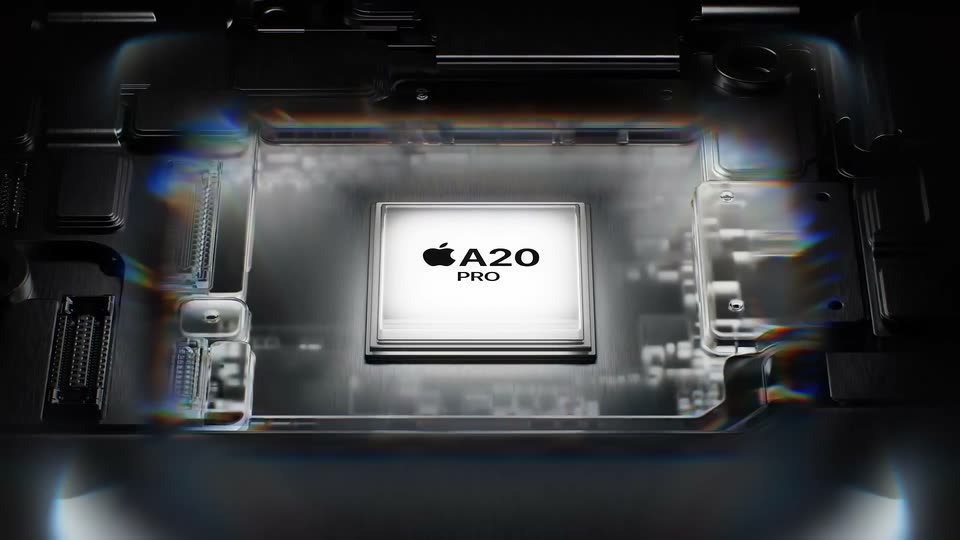
Two square chip badges, blue and purple, sit side by side on black. Their thin glowing outlines brighten and fill with gradient color, the Apple logo and white M5 PRO and M5 MAX text glowing at the center.
Camera: Push in
A white headline glows in on black, reading “A powerful platform for AI.” The dark ComfyUI node editor then fades in below it, a cursor resting near the Run button, before the headline clears.
On-screen text: “A powerful platform for AI”
Techniques: Kinetic type
Camera: Static
A dark node-graph editor fills the lower half while a top toolbar shows a blue Run button. A hand cursor hovers on the button as the frame zooms in slightly; a static caption reads “A powerful platform for AI”.
On-screen text: “A powerful platform for AI”
Techniques: Cursor demo, UI zoom
Camera: Static
A dark node-based editor fills the frame, a top toolbar holding a blue Run button under a hand cursor. A status panel below fades in with running and queued counts, and the entire interface scales up a touch.
Techniques: Cursor demo, UI zoom
Camera: Static
A dark node-graph editor fills the frame with three colored panels of connected nodes. A cursor hovers over the blue Run button at top right, a status panel beside it. The bottom-center node fills with a night city render.
Techniques: Cursor demo
Camera: Static
A pale beige 3D city tower stands in a soft sky, then a neon cyberpunk skyline wipes in from the left along a vertical seam marked by a cursor hand, and the wipe closes back to the pale city.
Techniques: Masking, Cursor demo
Camera: Pull out
On a black background, 'up to' and 'of battery life' glow in white around a battery outline. The battery fills solid white and '24 hours' appears in black inside it. A small gray disclaimer sits at the bottom edge.
On-screen text: “up to”, “of battery life”, “Battery life varies by use and configuration.”, “24 hours”
Techniques: Kinetic type
Camera: Static
A dark laptop edge sits on black, the screen catching a blurred warm glow. The shot pans slowly along the side, revealing the port cutouts as the hinge rotates toward the right. White labels for SDXC, HDMI and Thunderbolt 5 sit beneath each port.
On-screen text: “SDXC”, “HDMI”, “Thunderbolt 5”
Camera: Static
A close-up of a laptop's rear edge against black, split at the hinge, shows a card slot and HDMI port on the left and a Thunderbolt 5 port on the right. White labels SDXC, HDMI and Thunderbolt 5 sit below the ports as a glint fades off the metal.
On-screen text: “SDXC”, “HDMI”, “Thunderbolt 5”
Techniques: Light sweep
Camera: Static
On black, the port edges of a dark and a silver laptop sit side by side, captioned SDXC, HDMI and Thunderbolt 5. The shot then shows the two thin profiles stacked top and bottom around a faint a logo, with a small disclaimer at the bottom.
On-screen text: “SDXC”, “HDMI”, “Thunderbolt 5”, “Weight varies by configuration and manufacturing process.”
Techniques: 3D mockup
Camera: Static
Two laptop edges, one silver and one dark, sit horizontally on a black background, labeled 3.0 lb. above and 4.0 lb. below. The white headline a lighter design glows softly between them, with a small gray footnote along the bottom.
On-screen text: “3.0 lb.”, “a lighter design”, “4.0 lb.”, “Weight varies by configuration and manufacturing process.”
Techniques: 3D mockup
Camera: Pull out
A dark laptop sits top-down in 3D space, its screen showing a DAW. Two glowing speaker rings pulse on the palm rest, sending concentric waves outward. White text fades in at the top.
On-screen text: “and the best audio system in a laptop”
Techniques: 3D mockup
Camera: Pull out
On a black background, a line of white text reveals word by word with a soft glow, then sharpens into a clean centered sentence.
On-screen text: “and the best audio system in a laptop”, “It's a stunning display of perfection.”
Techniques: Kinetic type
Camera: Static
A dark laptop sits on a black stage, its screen filled with glowing vertical blue lines. The camera orbits from a front view to a three-quarter angle, revealing the keyboard and thin bezel.
On-screen text: “It's a stunning display of perfection.”
Techniques: 3D mockup
Camera: Pull out
A dark gray laptop rotates in 3D space against a black background, turning from an open screen view to reveal its back lid and Apple logo.
On-screen text: “Apps sold separately. Some apps and services may require a subscription.”
Techniques: 3D mockup
Camera: Static
A closed space-gray MacBook sits on a black reflective surface, lid facing the camera. The Apple logo on the lid glows white, holds for a beat, then the whole frame fades to black.
On-screen text: “Apps sold separately. Some apps and services may require a subscription.”
Camera: Static
A white Apple logo sits centered on a black screen, holding still. A small gray disclaimer line remains fixed at the bottom, giving the frame a quiet sign-off feel.
On-screen text: “Apps sold separately. Some apps and services may require a subscription.”
Camera: Static