1:16
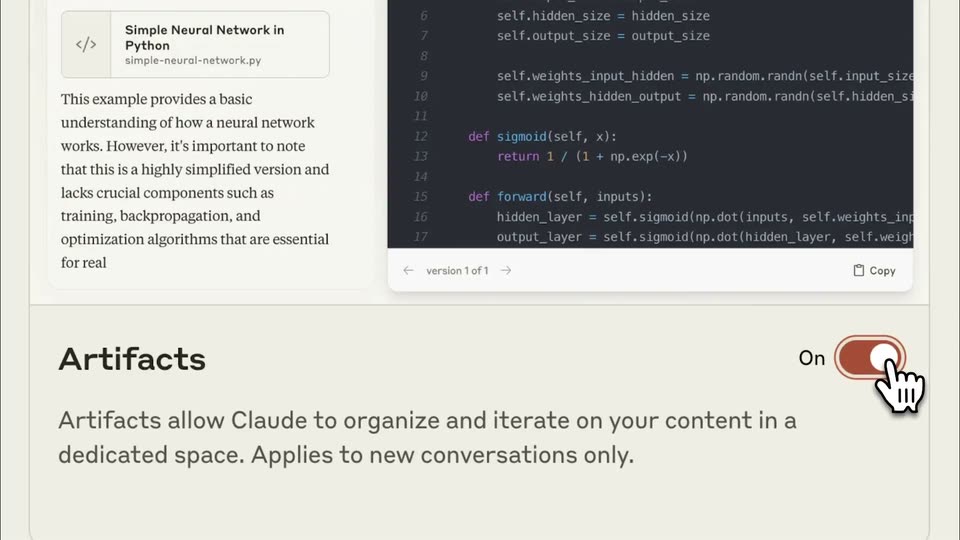

Anthropic - We're also launching a preview of Artifacts on You can ask Claude to
Anthropic · AI · Jun 2024
Pinokio · Nov 2026 · 1:38 · Full motion · AI-annotated
Pinokio’s 1:38 launch film runs 23 scenes, about 4.3 s each. The product is on screen from the first frame and 5 features are revealed. There is no explicit call to action; a voiceover carries the film. Structured as a first-person montage of short screen-recording beats, each a single ask-the-agent task that escalates from the core window metaphor to full multi-app orchestration and resolves on a logo card. Signature moves are the zoom-in on the floating ask bar, windows cascading and snapping into side-by-side columns, black pill labels dropping in to name each agent, and the pink-to-orange gradient jingle card.
Is this your launch? to your site or press kit.
Anthropic · AI · Jun 2024
Spotify · Consumer · Mar 2021
Films whose music sounds like this one, voice left out
Native · Modern electronic
Warp · Upbeat electronic, lo-fi hip-hop
andTruth · Modern corporate electronic
The music app screen zooms in on the top bar as a cursor opens a runs-with dropdown and selects an agent. The cursor then types a question into the bar and clicks Ask, while the large Agent Messenger headline at the bottom fades out.
On-screen text: “Agent Messenger”
Techniques: UI zoom, Cursor demo
Camera: Push in
A light-themed music app interface fills the frame. A floating chat panel with a prompt and an Ask button sits at the top, then drops below the toolbar as the cursor moves from the Ask button to the Filters control.
Techniques: Cursor demo
Camera: Pull out
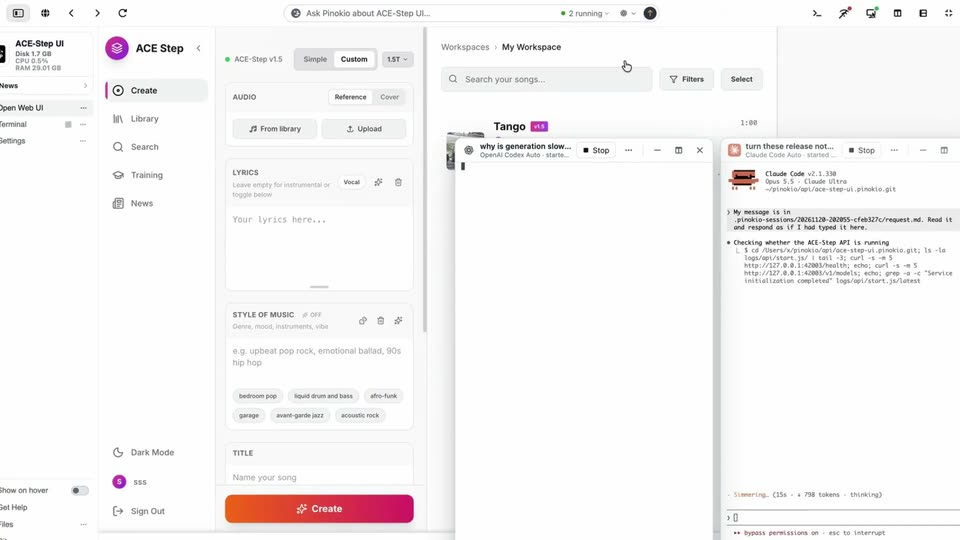
A flat app screen shows a song-creation form on the left and a workspace on the right where terminal windows pop open one after another, each typing code. Two dark badges, Codex and Claude Code, drop in at the top right to label the windows.
On-screen text: “Codex”, “Claude Code”
Camera: Static
A screen capture of the ACE Step app shows a workspace view with three overlapping terminal windows cascaded across the center, each tagged with a tool badge, Codex and Claude Code, while a live timer ticks in the right panel.
Camera: Static
The desktop view zooms in and three terminal windows snap into equal side-by-side columns, each filled with scrolling agent logs. Black pill labels Grok, Codex and Claude Code glide to the bottom of each column.
On-screen text: “Grok”, “Codex”, “Claude Code”
Techniques: UI zoom, Split screen
Camera: Push in
Three terminal windows sit side by side on a white background, each closed with a black product badge at the bottom. Log lines scroll up in the left and center panes while the right pane holds still.
On-screen text: “Grok”, “Codex”, “Claude Code”
Techniques: Split screen
Camera: Static
A desktop screen recording shows a terminal chat window and a music app side by side, with a black caption box top left. The view then zooms in on the terminal text that lists the app's slowdown and a settings table.
On-screen text: “ACE-Step, a music app”
Techniques: UI zoom
Camera: Push in
A black rounded frame highlights the timing table, then the intro paragraph, dimming everything else, while the documentation page scrolls down to the speed-up tips and the Codex prompt box.
Techniques: UI zoom
Camera: Pan
A light terminal screen shows a paragraph of numbered technical notes. In the black-outlined input box at the bottom, a command types itself character by character, ending with the app's launcher.
Techniques: Kinetic type
Camera: Static
A white diff card fades in over a blurred document, showing a red removed line and a green added line in start.js that swaps the backend value. A command prompt and status bar sit below the card.
Camera: Static
A code diff with a red minus line and green plus line fades out as a dark rounded chip fades in, labeled After with a bold 35 s on the right.
On-screen text: “After”, “35 s”
Camera: Static
A documentation panel shows a benchmark card with a gray “before” bar at 35 s and a black “after” bar. The black bar shrinks to a shorter length while its number counts down from 35 s to 23 s.
Camera: Static
A floating ask box types out a prompt to turn release notes into a 30 second jingle, a file chip attaches, and a cursor clicks Ask. The view pulls back to the full window as a terminal panel on the right streams shell output.
Techniques: Cursor demo, UI zoom
Camera: Static
A pink-to-orange gradient fills the frame as a bold white headline reveals itself phrase by phrase, each word fading from translucent to solid. A slim white audio player bar sits at the bottom, its progress line filling as the jingle plays.
On-screen text: “Agent Messenger, every chat gets its own window side by side, they follow where you go”
Techniques: Kinetic type
Camera: Static
A chat prompt types itself into the top input bar above a music app UI. The frame zooms out to the full window, a boxed caption labels the song list, a download icon pops into the Tango row with a bold new tag, then the view cuts to the app home list.
On-screen text: “ACE-Step's song list”, “components/SongList.tsx +25 -1”, “↑ new: download”
Techniques: UI zoom, Cursor demo
Camera: Pull out
Pinokio app window with a sidebar and list of AI apps, captioned 'Pinokio home' lower left. The view zooms into the top Ask bar, which expands into a dialog; a prompt is typed letter by letter, then the dialog closes and a task card appears on the right.
On-screen text: “Pinokio home”
Techniques: UI zoom, Cursor demo
Camera: Static
A light IDE window shows a list of app cards on the left and a dark terminal panel on the right. The terminal types out lines of shell commands and status messages, simulating a live coding session as the task progresses.
Camera: Push in
A light chat-log window titled “Make an ima...” floats right of center over a faint echo of the same text. The frame then zooms in until the bullet list and a shell code block fill the screen.
Techniques: UI zoom
Camera: Push in
A light monospace log of shell commands and status lines scrolls up a touch while a black rounded outline steps down, highlighting each entry. As the outline lands, a black pill with the app name, Phosphene then idol, pops in at the right edge.
On-screen text: “Phosphene”, “idol”
Camera: Static
A 3D Pinocchio puppet model in a red feathered hat, yellow shirt and red shorts rotates slowly from left profile to front view on a plain cream background. A cursor hovers upper right while a control bar with a Pause spin button stays fixed at the bottom.
Techniques: 3D mockup
Camera: Static
On a white background, a thin vertical line splits the frame into two columns. The left heading “Any app” and eight app icons fade in, then the right heading “Any agent” and eight agent icons fade in.
On-screen text: “Any app”, “Any agent”
Techniques: Split screen
Camera: Static
Two columns of pale app and agent icons under the headings “Any app” and “Any agent” fade out on a white background, and a small circular chat icon with the wordmark “Agent Messenger” fades in at the center.
On-screen text: “Any app”, “Any agent”, “Agent Messenger”
Camera: Static
Off-white card with a small circular line icon above a bold black Agent Messenger title. A pink-to-orange gradient underline beneath the title deepens in saturation, and a smaller gray Now in Pinokio line fades in below the tagline.
On-screen text: “Agent Messenger”, “Chat with the apps on your computer.”, “Now in Pinokio”
Camera: Static