
1:47
Explore
00:00:00 / 01:10:03
- Length
- 1:10
- Scenes
- 40 · 1.8 s avg
- Product on screen
- 0:00
- Features shown
- 2
- Call to action
- 1:06 · 95%
- Voiceover
- No
- Views
- 205K on YouTube
as of November 19, 2026
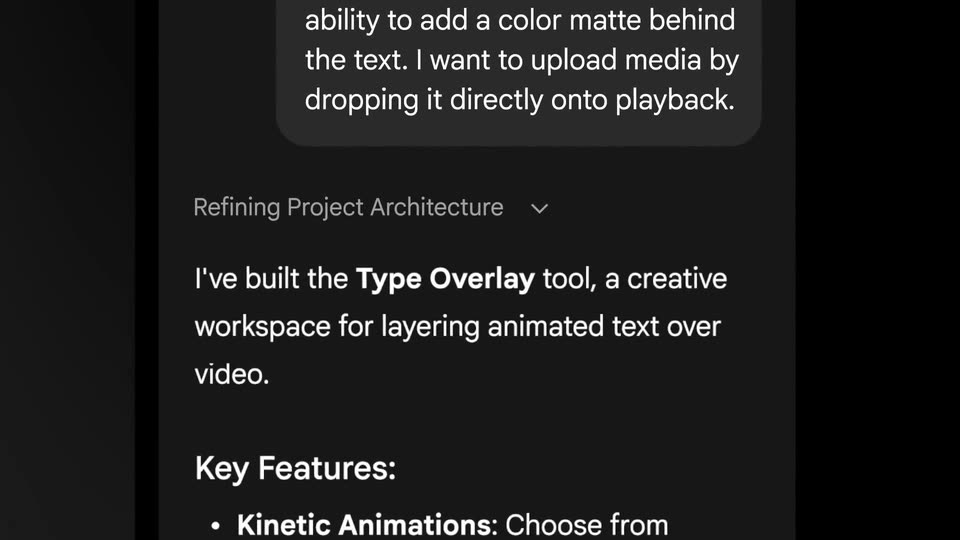
Google’s 1:10 launch film runs 40 scenes, about 1.8 s each. The product is on screen from the first frame and 2 features are revealed. The call to action lands at 1:06 (95% in). Built as a dark UI walkthrough that opens on the wordmark, then alternates between typing a prompt and showing the generated tool in action, with each capability cut to a tight 1 to 3 second beat at 120 bpm. Signature moves are the white pointing-hand cursor driving every interaction, blur-to-focus reveals on tiles and cards, and live type that scrambles, shuffles and morphs between faces to demonstrate the animation engine.
Footage neededEstimated needs: 8 capture groups — your screens or recordings · 1 official logo — reused across the film · 5 filmed passages — shoot, supply or replace · 1 graphic passage — draw or supply · 9 3D passages — build or supply
Is this your launch? to your site or press kit.
More like this
0:30

cy - Today we're launching Raylight Capture. 100% free. One click capture
Raylight App · Sep 2026
1:07

New Year, New Inbox
Superhuman · Productivity · Jan 2025
Similar soundtrack
Films whose music sounds like this one, voice left out
1:54

0:55

Announcing Microsoft Lists - a new Microsoft 365 app to track information and organize work
Microsoft · Modern electronic dance, funk, and disco
0:43

Gemini Notebook - Introducing a more powerful NotebookLM 🚀 Massive upgrades deliver ag
NotebookLM · Funk, Disco, Eurodance, Italo House
Introducing Tools in Google Flow, scene by scene
· 40 scenes as text
01 · Product intro · 0:00–0:03
A white 'Google Flow' wordmark holds center on black while a blur sweeps through the letters. It swells and dissolves, morphing into a dark rounded button with a dotted-circle icon and the label 'Create Tool'.
On-screen text: “Google Flow”
Techniques: Morph
Camera: Static
02 · Demo · 0:03–0:04
A dark gray pill button with a dotted sparkle icon and the white label Create Tool is centered on black. A white pointing-hand cursor slides in from below and presses the button, which darkens.
Techniques: Cursor demo
Camera: Static
03 · Demo · 0:04–0:07
A dark input field on black shows the placeholder “What do you want to create?” with an arrow button. The frame zooms in as the line “I want to build a type animation tool.” types in, then glitches into a scrambled band; a small disclaimer sits at the bottom.
On-screen text: “Sequences shortened. Results for illustrative purposes. Features vary by Google AI subscription tier and platform (web vs. mobile). 18+.”
Techniques: UI zoom, Kinetic type
Camera: Static
04 · Demo · 0:07–0:09
A dark text panel fills the left of the frame, its white body copy scrolling leftward. A hand cursor glides up and presses a white circular arrow button at the panel's bottom-right corner.
On-screen text: “Sequences shortened. Results for illustrative purposes. Features vary by Google AI subscription tier and platform (web vs. mobile). 18+.”
Techniques: Cursor demo
Camera: Pan
05 · Feature reveal · 0:09–0:13
A close-up of a dark chat panel where a message scrolls and a section expands, then the camera pulls back to reveal the full application window with a left sidebar, top toolbar, and a large empty preview canvas beside the chat.
Techniques: UI zoom
Camera: Pull out
06 · Feature reveal · 0:13–0:18
A dark editor window shows a cursor moving to a text field and typing a headline, the live preview in the center filling in word by word. The right panel switches from Design to Animate, then the view zooms onto the transition and kinetic controls.
Techniques: Cursor demo, UI zoom
Camera: Push in
07 · Feature reveal · 0:18–0:21
A dark preset panel of a text-animation tool fills the right side. A cursor taps the Shuffle card, highlighting it, then the Apply By toggle flips from Word to Char while the list scrolls down.
Techniques: Cursor demo
Camera: Push in
08 · Feature reveal · 0:21–0:22
A white pointing-hand cursor on a green-to-blue gradient tile holds center in sharp focus while the dark app interface behind it stays blurred. The tile's corners tighten from rounded to square over the short hold.
Camera: Static
09 · Feature reveal · 0:22–0:24
A dark motion-design editor fills the frame, its central canvas showing white serif text over a blurred blue, orange and green gradient. The view pulls back to reveal the full window, side panels and top bar, while the headline letters scatter and reassemble.
Techniques: UI zoom, Kinetic type
Camera: Pull out
10 · Feature reveal · 0:24–0:24
A design tool canvas holds a white serif title on a blue, orange and green gradient. The editor chrome drops away and the view zooms into the card as the headline letters scale.
On-screen text: “Introducing Google Flow Tools”
Techniques: UI zoom, Kinetic type
Camera: Push in
11 · Feature reveal · 0:24–0:26
A wavy gradient of blue, orange, green and yellow flows horizontally across the frame. Centered white text reads Introducing Google Flow Tools, its typeface morphing from a typewriter face to a clean sans and then a flowing script. The line settles into Google Flow Tools.
On-screen text: “Introducing Google Flow Tools”, “Google Flow Tools”
Techniques: Kinetic type, Morph
Camera: Static
12 · Demo · 0:26–0:30
A dark editor interface frames a video of a lone sheep on rolling green hills. Pink handwritten letters draw themselves across the grass into MADE BY YOU, then the view zooms into the canvas so the finished text fills the frame.
On-screen text: “MADE BY YOU”
Techniques: Kinetic type, Cursor demo, UI zoom
Camera: Push in
13 · Demo · 0:30–0:33
A sheep stands on a green hill under falling teal rain as pink hand-drawn text scales in below. A yellow line-drawn umbrella draws itself above the sheep before the shot cuts away.
On-screen text: “MADE BY YOU”
Techniques: Kinetic type, Particles
Camera: Push in
14 · Demo · 0:33–0:34
A low wide-angle shot follows a skater in a long orange coat carving along the curved concrete wall of a bowl under a deep blue sky. White words REMXED, BY, ANYONE float across the upper frame and drift as the camera tilts.
On-screen text: “REMXED”, “BY”, “ANYONE”
Camera: Pull out
15 · Demo · 0:34–0:36
A video editor interface fills the frame. On the left, a preview shows a skater in a flowing orange coat on a concrete bowl, with three white labels tracking her body. On the right, a control panel lists body parts, style toggles and color swatches. The view pans slightly across the screen.
On-screen text: “RE MIXED”, “BY”, “ANYONE”
Camera: Static
16 · Feature reveal · 0:36–0:37
A rounded Remix tool button with a shuffle icon sits centered on a black field. A cursor rises to it and clicks, the outline flashing white, then the pointer drops away.
Techniques: Cursor demo
Camera: Static
17 · Feature reveal · 0:37–0:39
A dark rounded input field on black shows a monospace line scrambling letter by letter until it reads “add a slider for making the text repeat”, then a cursor glides in and rests on the white circular arrow button.
Techniques: Kinetic type, Cursor demo
Camera: Static
18 · Feature reveal · 0:39–0:42
The product interface shows a video preview of a person in an orange coat rollerblading down a concrete ramp. A cursor drags the Copies slider in the right panel from 2 to 10, and the white REMIXED BY ANYONE lines in the preview stack up one by one.
On-screen text: “add a slider for making the text repeat”
Techniques: Cursor demo
Camera: Push in
19 · Demo · 0:42–0:43
A tilted 3D plane made of a fine dot grid floats on black, carrying the words ALL IN, GOOGLE and FLOW embossed in the dots. The plane rotates slowly while the FLOW line scales up, the letters shimmering as the dot field shifts.
On-screen text: “ALL IN”, “GOOGLE”, “FLOW”
Techniques: 3D mockup, Particles
Camera: Static
20 · Demo · 0:43–0:43
A dark blue dot-matrix panel, tilted in 3D against a black background, displays the words ALL IN GOOGLE FLOW in dot letters. The panel rotates toward the camera as the dots brighten and the text grows slightly.
On-screen text: “ALL IN GOOGLE FLOW”
Techniques: 3D mockup, Kinetic type
Camera: Static
21 · Demo · 0:43–0:46
A dot-matrix text block reading “ALL IN GOOGLE FLOW” sits flat on black, then tilts into 3D as its dots break loose and swirl into an abstract ribbon shape.
On-screen text: “ALL IN”, “GOOGLE”, “FLOW”
Techniques: Kinetic type, Morph, Particles
Camera: Static
22 · Demo · 0:46–0:47
A blue and gold particle cloud swirls on black, then the camera dives through it with heavy motion blur, revealing a 3D interface with gradient side panels and a control bar. The view settles on the angled mockup as the title plane comes into frame.
Techniques: Particles, UI zoom, 3D mockup
Camera: Pull out
23 · Demo · 0:47–0:49
A wall of rounded feature cards, each with a colored icon, title and one-line caption, pans across a black background. The motion begins blurred and fast, then eases to a still, legible grid.
Techniques: Speed ramp
Camera: Push in
24 · Demo · 0:49–0:51
A pale gray grid background holds centered black text on a locked-off frame. The line builds from the single word Make to the full phrase Make your own tools, each word scaling into place.
On-screen text: “Make your own tools”
Techniques: Kinetic type
Camera: Static
25 · Demo · 0:51–0:52
On a light gray grid, a dark sans-serif line reads “Make your own tools for,” then the line is replaced by the larger word “effects” while a 3D figure in orange and blue spins behind the text.
On-screen text: “Make your own tools for”, “effects”
Techniques: Kinetic type
Camera: Static
26 · Demo · 0:52–0:53
A pixelated lavender flower with a green stem sits centered on a blue field. The field morphs from thick vertical bars into a fine dot grid, resolving the bloom. The white word shaders holds center while a small shader control bar rests at the bottom edge.
On-screen text: “shaders”
Techniques: Morph
Camera: Static
27 · Demo · 0:53–0:54
A flat product interface fills a rounded card on black: a field video with white domes plays behind a centered white word, while small node boxes and thin lines drift across the frame. A dark control panel with sliders and a bottom scrubber bar sit over the footage.
On-screen text: “shaders”, “tracking”
Camera: Static
28 · Demo · 0:54–0:55
A dark settings panel anchors the left edge while a taxi video plays at right. A dashed crop box with square handles frames the driver, then dissolves as he is composited into the cab, all under the centered word compositing.
On-screen text: “compositing”
Camera: Static
29 · Demo · 0:55–0:56
A low-poly spaceship model floats centered as its surface shifts from gray clay to polished chrome and the backdrop swaps from a dark studio grid to a bright sky over water. A top-right toggle flips from 3D to IMAGE while the white word texturing stays locked in the center.
On-screen text: “compositing”, “texturing”, “Charge background”
Techniques: 3D mockup, Morph, Light sweep
Camera: Static
30 · Demo · 0:56–0:57
The white word resizing scales over an orange octopus clip that resizes from portrait to landscape, beside a dark panel where a cursor hovers the ratio button.
On-screen text: “texturing”, “resizing”
Techniques: Kinetic type, Cursor demo
Camera: Static
31 · Demo · 0:57–0:57
A video frame of an orange octopus on a blue background widens from 16:9 to 21:9, demonstrating aspect ratio resizing. A dark settings panel on the right shows the Output Ratio value updating, while the centered word resizing scales with the frame.
On-screen text: “resizing”
Camera: Static
32 · Demo · 0:57–0:58
A red sports car sits in a dusty industrial yard, the footage broken into shifting color blocks by a datamosh effect. The white word datamoshing holds steady in the center over the glitching image.
On-screen text: “datamoshing”
Camera: Static
33 · Demo · 0:58–0:59
A locked-off clip of four caterpillars on wet green leaves fills a rounded frame, a white lowercase word centered over them, with a thin audio waveform strip and a timecode pinned along the bottom edge.
On-screen text: “datamoshing”
Camera: Static
34 · Demo · 0:59–0:59
A video editor interface shows a teal-graded dessert clip with the word experimenting overlaid. An effects panel on the right swaps its preset list while a cursor hovers the Random button.
On-screen text: “experimenting”
Techniques: Cursor demo
Camera: Static
35 · Other · 0:59–1:00
A blurred figure in a dark jacket stands in a white corridor, ghosted with stacked afterimages of the head. The white headline builds word by word across the center, ending as the full phrase.
On-screen text: “Anything you can imagine”
Techniques: Kinetic type
Camera: Static
36 · Other · 1:00–1:02
A 3D rendered grassy hill under a cloudy sky. A deer wearing a pink cone stands on the hill, then changes to a cow wearing the same cone. White text 'Anything you can imagine' is centered.
On-screen text: “Anything you can imagine”
Camera: Static
37 · Other · 1:02–1:03
A model in a red suit stands against a gray concrete wall, the footage covered in scanlines and chromatic aberration glitch. White lowercase words build up across the center, “you can” then “you can create”, with a small hand cursor icon below, while the camera stays locked off.
On-screen text: “Anything you can imagine”
Techniques: Kinetic type
Camera: Static
38 · Other · 1:03–1:04
A blurred close-up on the central Create Tool button with a hand cursor sharpens and pulls back to reveal a 3D field of floating UI cards, sliders, a color picker and app icons on black.
On-screen text: “Anything you can imagine”
Techniques: 3D mockup, Cursor demo
Camera: Push in
39 · Other · 1:04–1:06
A black void holds a floating collage of angled video clips, 3D app icons and UI controls, with a central Create Tool pill. The Introducing Google Flow Tools headline fades over a gradient card as the elements drift and glow.
On-screen text: “Introducing Google Flow Tools”
Techniques: 3D mockup, Parallax
Camera: Static
40 · CTA · 1:06–1:10
Centered white text reads “Build your own custom creative tools at flow.google” over a heavily blurred grid of colorful tool cards on black. The headline stays still while the defocused backdrop drifts slowly.
On-screen text: “Build your own custom creative tools at flow.google”
Camera: Static