1:10

Introducing Tools in Google Flow
Google · AI · May 2026
Story’s 1:47 launch film runs 74 scenes, about 1.5 s each. The product shows up at 0:50 and 3 features are revealed. The call to action lands at 1:41 (94% in), over a voiceover. Built as a cinematic case study: a problem statement, a montage of value props over 3D-tilted timelines, a long collaboration demo, then a tagline and a URL. The style is defined by word-by-word caption reveals, shallow-focus live-action close-ups and dark UI screens with blue accents.
Is this your launch? to your site or press kit.
Google · AI · May 2026
Biological Computing Company · Oct 2026
A person is filmed from behind, seated at a desk in a dim room facing a bright window, with a lamp and monitor to the right. White caption lines fade in on the left as the room slowly brightens.
On-screen text: “Post-production for our last short film”, “took 12 people 3 months”
Camera: Static
Close-up of hands typing on a laptop keyboard, code on the screen to the right. Three white text lines fade in on the left, the last word by word, then all fade out. The clip ends on a cut to a blurred person.
On-screen text: “Post-production for our last short film”, “took 12 people 3 months”, “and 4,234 hours to complete.”
Techniques: Kinetic type
Camera: Static
A man in a denim shirt is shown in profile in a dim room, the lens pulling from soft focus to sharp. A framed Star Wars poster hangs on the wall behind him. A white caption line sits on the left, locked off.
On-screen text: “and 4,234 hours to complete.”, “In March, we started a new company”
Camera: Static
A person works at a desk in a dim loft at dusk, framed wide with tall windows and a potted plant. Two white caption lines fade in and out on the left, then the image dims to black.
On-screen text: “In March, we started a new company”, “to revolutionize photo, video, and audio editing.”
Camera: Static
The clip fades in from black to a dim, blue-tinted shot of a silhouetted cyclist riding through a hazy space. The caption '3 days ago' appears at the left edge as the image gradually brightens.
On-screen text: “3 days ago”
Camera: Static
Dim handheld footage of a film set inside a rounded frame on black: crew and equipment in blue light. Two lines of white text fade in on the left over the moving image.
On-screen text: “3 days ago we used those tools”, “to re-edit the beginning of the film.”
Camera: Push in
Inside a rounded frame on black, a dark blue-tinted clip shows a man running a vintage film camera, the shot drifting slowly. Two lines of white text sit on the left, the second line filling in word by word.
On-screen text: “3 days ago we used those tools”, “to re-edit the beginning of the film.”
Techniques: Kinetic type
Camera: Static
A dark studio set holds a camera monitor on a rig at center, with crew silhouettes at the edges. Two lines of white text sit left of frame, static, while the locked-off shot stays still.
On-screen text: “3 days ago we used those tools”, “to re-edit the beginning of the film.”
Camera: Static
A dimly lit film set shows silhouetted crew members gathered around a large camera on a tripod. Two lines of white text sit on the left over the dark frame. The shot is locked off and static.
On-screen text: “3 days ago we used those tools”, “to re-edit the beginning of the film.”
Camera: Static
Two lines of white text sit left of center on a black background. The lines hold still for the whole clip, with no motion or reveal.
On-screen text: “3 days ago we used those tools”, “to re-edit the beginning of the film.”
Camera: Static
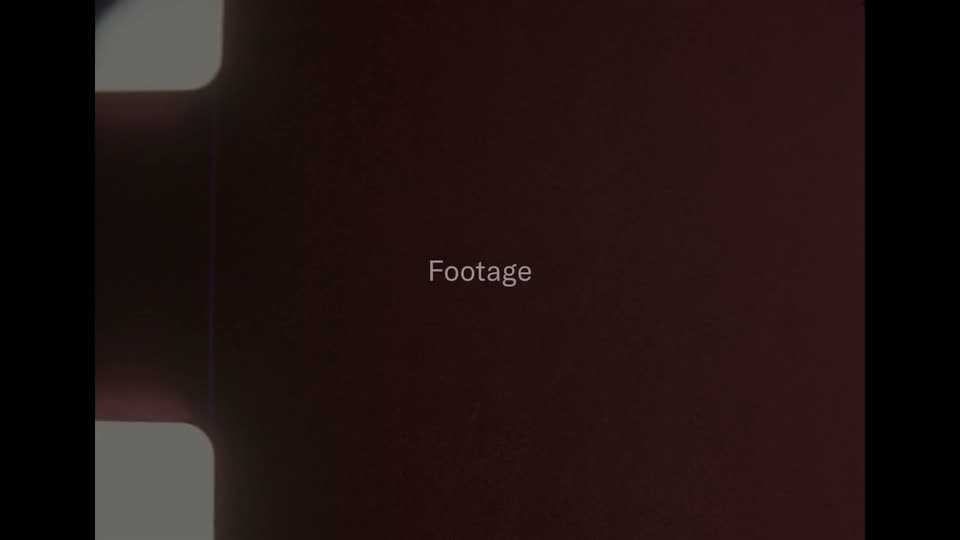
The word
On-screen text: “3 days ago we used those tools”, “to re-edit the beginning of the film.”, “Footage”
Techniques: Kinetic type
Camera: Static
A teal waveform draws itself across a faint dark grid, opening as a smooth curve that breaks into a jagged oscillating signal. The white label Sound holds centered, locked off, while the line moves behind it.
On-screen text: “Sound”
Camera: Static
A horizontal motion blur streaks across the frame, then resolves into a dark matte surface with the word Text held centered and still.
On-screen text: “Text”
Techniques: Speed ramp
Camera: Static
A dark blue macro close-up of a circular lens-like object with a thin rainbow ring on its edge occupies the left side. The word Media brightens from gray to white at center right as the ring rotates slightly.
On-screen text: “Media”
Camera: Static
A field of green vertical dashes ripples across a black background, bending into a curved vortex around a dark center. The white headline holds still at the center while the dashes flow and re-form around it.
On-screen text: “Media”, “Is made interpretable”
Techniques: Particles
Camera: Push in
A dark video-editing timeline fills the frame, with playback controls and a timecode ruler up top. A blue monospace status line sits inside a rounded box, a small spinner spinning at its end. The shot holds with a gentle focus pull and a slight push-in.
On-screen text: “Is made interpretable”
Camera: Push in
A man in a black t-shirt sits at a desk before dual monitors, hands on a keyboard. The shot begins soft and racks into focus on his face as he stares at the screens. A blurred studio with tall windows fills the background.
Camera: Pan
A dark app window fades in showing the Media tab with clip thumbnails under two headings, then the view zooms into the first thumbnail, a woman and a child, as its metadata line enlarges at the top.
Techniques: UI zoom
Camera: Push in
A dark media library scrolls upward through rows of dim family video thumbnails, each paired with a clip title and a file line. The list moves at a steady pace, new clips entering from the bottom edge.
Camera: Push in
A dark interface is set in 3D perspective, tilted so a row of thumbnails of a woman's face recedes to the right. The camera tracks right along the row, passing the Wiz-AI Moments header, an audio waveform, and caption lines below the clips.
Techniques: 3D mockup
Camera: Push in
A tight close-up of a man's face in cool blue light. He looks down, then lifts his gaze forward. White text scales in over the frame.
On-screen text: “Venice II 25 Wiz-AI Moments”
Techniques: Kinetic type
Camera: Static
A 3D-tilted editing timeline fills the frame, green audio waveform clips on top and blue footstep clips below, edges softened by shallow depth of field. The white headline Workflows are automated fades in at the center as the camera drifts slowly.
On-screen text: “Workflows are automated”
Techniques: 3D mockup
Camera: Pull out
Tight close-up of a man's face in dim blue light with a blurred dark background. He looks down, then his eyes shift to the side. Static framing, shallow depth of field, slow subtle motion.
On-screen text: “Workflows are automated”, “Footst Footstep_10 Footstep_10 Footstep”
Camera: Static
A hand moves a black mouse across a wooden desk, then a video editing timeline with a clip thumbnail and timecodes fades in over the dimmed shot, a cursor hovering on the track.
Techniques: Cursor demo
Camera: Pan
A tilted video-editing timeline in 3D perspective, a blue-highlighted clip and cursor in focus, then the camera dollies into a vertical stack of video and audio clips with thumbnails and waveforms. A white caption “Features are intentional” holds centered.
On-screen text: “Features are intentional”
Techniques: 3D mockup, UI zoom
Camera: Pan
Tight close-up of a man's face in three-quarter profile, his gaze fixed down and to the left. The dark office background falls out of focus, leaving soft cool highlights on his forehead and nose. He holds a still, concentrated expression throughout the brief shot.
Camera: Static
A hand rests on a wooden desk, the index finger extended, then curls to grip a black ergonomic mouse; round glasses and a black keyboard sit nearby in soft focus.
Camera: Static
A video editing timeline is shown in 3D perspective, tilted with shallow depth of field, as the camera glides across colored clip blocks and green audio waveforms. A white caption, Software is configurable, fades in at the center.
On-screen text: “Software is configurable”
Techniques: 3D mockup
Camera: Pan
A man in a black tee and backwards cap types at a wooden desk, then leans back with arms crossed, smiling at the monitor. The camera drifts to a wider angle, revealing a loft office with tall windows and plants.
Camera: Pan
A dark video editing timeline fills the frame, video and audio tracks stacked with named clips. A blue playhead advances right while the clips scroll left, and orange clips drift on the upper track. A white headline fades in centered over the timeline.
On-screen text: “Editing becomes directing”
Techniques: Parallax
Camera: Push in
A high-angle shot holds on two hands typing across a black keyboard laid diagonally on a warm wooden desk. Fingers press the keys in a steady rhythm while the framing stays fixed and the lighting stays moody and dim.
On-screen text: “Editing becomes directing”
Camera: Static
A dark command palette on black: the placeholder and three suggestion rows fade out as the command “Pull me selects of Enny smiling” fills the field, then the tag LIE_23A and a small spinner appear and hold.
Camera: Static
A dark terminal panel tilts in 3D perspective, filling the frame. Gray monospace text reads LIE_23A, then a blue radial spinner spins as the line slides to reveal RUNNING WIZ-EMOC.
Techniques: 3D mockup, Kinetic type
Camera: Push in
A woman reads a book to a toddler on a dim bedroom floor, a warm lamp glowing behind them. Thin white tracking boxes labeled Enny and Baby Ina snap onto each person as large text slides across the frame.
On-screen text: “RUNNING WIZ-EMOC”, “Enny”, “Baby Ina”
Techniques: Kinetic type
Camera: Static
A mother reads to a toddler in a dim, warmly lit nursery. Thin white outline boxes lock onto each face, and small labels appear beneath them, the baby's name sliding in.
On-screen text: “Enny”, “smile 08:48”, “Baby Ina”
Camera: Static
A dim bedroom lit by a warm lamp, a woman and a toddler sit on the floor by a crib. White face-tracking boxes lock onto each face with name and smile readouts, then the shot cuts to a tight close-up of both faces still boxed.
Camera: Static
A mother and her curly-haired toddler sit together in a warm, dim room, looking down at an open book. Thin white boxes lock onto each face with name and smile-score labels that follow their movement as the shot drifts gently.
Camera: Push in
Close-up of a young man's face in profile, lit by dim blue light, as he looks off left and a faint smile forms. The frame stays locked off while small name captions slide in at the edge.
On-screen text: “Baby Ina”, “Enny”
Camera: Static
A high-angle close-up frames two hands typing on a black keyboard resting on a wooden desk. The fingers press keys in a steady rhythm, the only motion in an otherwise static shot.
Camera: Static
A dark editor screen with a timecode ruler across the top. A rounded command box types out the line Push to main edit & send to Jason for review, the name in blue, then a gray PUSHING label and a small spinner appear to its right.
Techniques: Kinetic type
Camera: Static
A shallow-focus close-up of a Mac dock at an angle, the Wizard app icon sharp while the neighboring icons blur. The red notification badge on the icon scales up, the count jumping from 1 to 1000.
Camera: Static
Tight close-up of a man with slicked dark hair in a dim interior, soft window light blurred behind him. He holds a fixed off-camera gaze, then his eyes drift slightly toward lens while the locked-off frame holds.
On-screen text: “1000”, “Wizard”, “1”
Camera: Static
An angled close-up of a laptop screen holds on a dark notification card. The card shows a Wizord icon and white text about a new edit, while the blue top bar and surrounding UI stay softly out of focus.
Techniques: 3D mockup
Camera: Static
A man in a brown shirt sits at a desk, seen from behind, facing a dark monitor. A blurred colleague works through an archway in the background. White text builds word by word across the center of the frame.
On-screen text: “A new era of editorial collaboration”
Techniques: Kinetic type
Camera: Static
A man with slicked-back dark hair and pale blue eyes is framed tight against a soft-focus window; he holds a side glance, then drops his gaze. The shot is locked off. A caption holds still over the frame.
On-screen text: “A new era of editorial collaboration”
Camera: Static
A hand enters from the left and begins typing on a silver keyboard under dim blue light. A laptop corner sits at the top right of the dark wooden desk. The close-up holds steady on the keys.
Camera: Static
A dark video editor screen shows a timecode ruler across the top. Centered is a rounded comment card with a circular black-and-white avatar ringed in blue. White text types out letter by letter, reading 'Don't love this show'.
Techniques: Kinetic type
Camera: Push in
A dark timeline view shows a centered comment bubble with a circular avatar and the note “Don’t love this shot”. A white cursor labeled “Kevin” drifts up and right across the lower left of the frame.
Techniques: Cursor demo
Camera: Static
A low-angle close-up holds on a pair of hands typing on a white keyboard, fingers pressing keys in a steady rhythm. A dark mouse sits blurred in the foreground while a bright window glows out of focus behind.
Camera: Static
A man in an olive shirt rests his chin on his fingers, a small smile forming as he looks off to the right. Soft daylight from a window blurs the background, and the close-up holds steady on his face.
Camera: Static
A locked-off close-up of a dark interface: a rounded button holds a circular black-and-white avatar of a masked person while the label 'Show more of the book!!' fills in word by word, a small cursor arrow rests below.
Techniques: Kinetic type
Camera: Static
A close-up of a young man's face as he looks down, with a blurred background. The text 'Show more of the book!!' is overlaid on the frame.
On-screen text: “Show more of the book!!”
Camera: Static
A dark timeline editor scrolls right to reveal a filmstrip and audio track. A cursor glides across, a clip highlights blue and is dragged along the track as a name chip pops in and out.
Techniques: UI zoom, Cursor demo
Camera: Push in
A dark comment field with a circular avatar sits centered on a black screen; the text 'Can I see this with the grade?' types out character by character. A blue cursor labeled Maxie hovers top right while a white outlined cursor labeled Kevin drifts bottom left.
Techniques: Kinetic type, Cursor demo
Camera: Pull out
Overhead close-up of two hands typing on a black keyboard on a wooden desk. White captions appear over the shot: a speaker name scales in, a line of dialogue holds still, another name slides in, and a timecode counts up.
On-screen text: “Maxie”, “Can I see this with the grade?”, “Kevin”, “0:16”, “0:17”, “0:18”
Techniques: Kinetic type
Camera: Static
A dark video-editor timeline shows a text field typing a command, then the view tilts into 3D perspective and zooms onto a FETCHING status with a spinning loader.
Techniques: UI zoom, 3D mockup
Camera: Static
A woman and a curly-haired toddler sit close in a dim, amber-lit room, the child reaching toward an open book. Along the bottom, a node graph of color-grading thumbnails extends left to right, each node and its label fading in in turn.
Camera: Static
A close-up of two hands typing on a silver laptop keyboard in dim blue light, shallow depth of field, the desk and a white tablet edge soft in the background. Small feature labels sit in the frame while the fingers move across the keys.
On-screen text: “Primaries”, “Lift Faces & Beauty”, “Wiz Haze”, “WizLUT”, “Control Range”
Camera: Static
Close-up of a dark video-editor screen with a timecode ruler along the top. A rounded card holds a circular black-and-white avatar and a line of white text that slides left as the focus pulls from soft to sharp.
On-screen text: “Lets boost dialogue & duck music”
Techniques: Kinetic type
Camera: Push in
A dark audio-editor screen sits in 3D perspective at a tilt. A blue waveform line crosses the top, blue dots float mid-frame, white peak bars line the bottom. The camera trucks right, pulling the right-hand track labels and top timecode ruler into focus.
Techniques: 3D mockup, Parallax
Camera: Static
A man with dark, slicked-back hair holds a serious expression in a tight close-up, his gaze drifting slightly off camera. Soft daylight from a blurred window fills the background. The locked-off frame keeps focus on his face as he blinks and shifts his eyes.
Camera: Static
A hand taps keys on a silver keyboard under cool blue light, then the shot cuts to a man's face in profile, looking downward in a dim room.
Camera: Static
A tight close-up frames a man with dark, slicked hair and blue eyes against a defocused window. Soft daylight rims his face as he holds a slight smirk, blinks, and turns his head a few degrees to the right.
Camera: Static
A close-up of hands typing on a white keyboard, a black mouse resting blurred in the foreground on a dark desk. The focus racks to the keys while a small rounded chip with a circular portrait and a partial name fades in at the center.
Camera: Static
A dark rounded comment card with a circular avatar sits centered on a black background. White text types out letter by letter beside the avatar.
On-screen text: “This part feels slow”
Techniques: Kinetic type
Camera: Push in
Extreme close-up of a man's face in three-quarter view, eyes lowered and half closed in concentration, set against a dark, blurred background with bright windows. A small caption reads 'This part feels slow'.
On-screen text: “This part feels slow”
Camera: Static
A dark video editor timeline shows a comment card with a pixel avatar and the text This part feels slow. A white outline cursor hovers near the name Kevin as blue monospace text types out to the right, offering a frame reduction and a yes or no prompt.
Techniques: Cursor demo, Kinetic type
Camera: Push in
A man in a black t-shirt sits at a desk in a dim room, gazing at a dark monitor that shows a faint loading bar. He smiles subtly as the camera holds a medium close-up, with soft window light blurring the background.
Camera: Static
A dark editor interface shows a timeline ruler across the top and a chat panel below. A user card with a round avatar sits left while a blue monospace message and a white cursor labeled Kevin drift right; the username text glitches and overlaps.
Camera: Push in
A hand types on a black mechanical keyboard resting on a wooden desk, then lifts out of frame. A white caption appears centered over the keys while the camera stays locked off.
On-screen text: “Don't prompt the edit, direct it.”
Camera: Static
A smiling man in profile fills the right of a locked-off frame, lit against a blurred dark window. A white sans-serif line, 'Don't prompt the edit, direct it.', holds left of center over the negative space while he shifts slightly.
On-screen text: “Don't prompt the edit, direct it.”
Camera: Static
A man sits at a desk, filmed from behind, facing a monitor that shows a video editing timeline in a dim room with a curtained window. White text is locked across the center of the frame.
On-screen text: “Don't prompt the edit, direct it.”
Camera: Static
A dim room with sheer curtains; a desk monitor shows editing software with a video preview and timeline. A person's back fills the right foreground, then the frame settles on the empty desk with keyboard and mouse. A white headline holds center, then clears.
On-screen text: “Don't prompt the edit, direct it.”
Camera: Static
A monitor on a desk displays a video-editing timeline in a softly blurred office. Large white serif text Wizard is centered over the screen. Edited in appears above it, then the URL wizard.inc/notify drops in at the bottom.
On-screen text: “Wizard”, “Edited in”, “wizard.inc/notify”
Camera: Push in