0:40
Explore
Google Flow - Introducing your agent and the all-new Gemini Omni model in Google Fl
Google Flow · May 2026 · 1:15 · AI-annotated
- Length
- 1:15
- Scenes
- 34 · 2.2 s avg
- Product on screen
- 0:03
- Features shown
- 5
- Voiceover
- No
- Views
- 193K on X
as of November 15, 2026
00:00:00 / 01:15:22
- Length
- 1:15
- Scenes
- 34 · 2.2 s avg
- Product on screen
- 0:03
- Features shown
- 5
- Voiceover
- No
- Views
- 193K on X
as of November 15, 2026
Google Flow’s 1:15 launch film runs 34 scenes, about 2.2 s each. The product shows up at 0:03 and 5 features are revealed. There is no explicit call to action. The piece opens with a promise headline over a flying collage, names the product, then walks through one continuous agent workflow (brainstorm, reference, generate, restyle) at a steady eight-cuts-per-minute pace, with bold white headlines fading in word by word over dark 3D-tilted interface mockups that flatten to a front view. Its defining moves are the recurring flower-patterned betta fish as the through-line subject, rounded white-bordered media cards, and a single white cursor driving every
Footage neededEstimated needs: 5 capture groups — your screens or recordings · 1 official logo — reused across the film · 1 filmed passage — shoot, supply or replace · 2 graphic passages — draw or supply · 14 3D passages — build or supply
Is this your launch? to your site or press kit.
More like this
1:26
Wix Harmony: The new way to create
Wix Harmony · Jan 2026
1:41
Meet the New R1 | Favorite Things | Rivian
Rivian · Jun 2024
Google Flow - Introducing your agent and the all-new Gemini Omni model in Google Fl, scene by scene
· 34 scenes as text
01 · Hook · 0:00–0:03
A white two-line headline holds center on a dark field as video clips fly in from the edges. The collage then pulls back to reveal the app's clip grid, with the headline still overlaid.
On-screen text: “Amplify your vision and”, “unlock your best work”
Techniques: Kinetic type, UI zoom
Camera: Pull out
02 · Hook · 0:03–0:03
A 3D-tilted Notion-style board sits on a dark background. A large white two-line headline overlays it, then vanishes to reveal the populated board with a betta fish photo, a fish sketch, a room photo and a pixel-art flower.
On-screen text: “Amplify your vision and”, “unlock your best work”
Techniques: 3D mockup
Camera: Static
03 · Product intro · 0:03–0:06
A dark Flow interface in 3D perspective shows a grid of image thumbnails and a prompt bar. A large white two-line headline, Now with Google Flow Agent, fades in over the center, then clears as the camera pushes in and a prompt types into the bar.
On-screen text: “Now with”, “Google Flow Agent”
Techniques: 3D mockup
Camera: Push in
04 · Feature reveal · 0:06–0:07
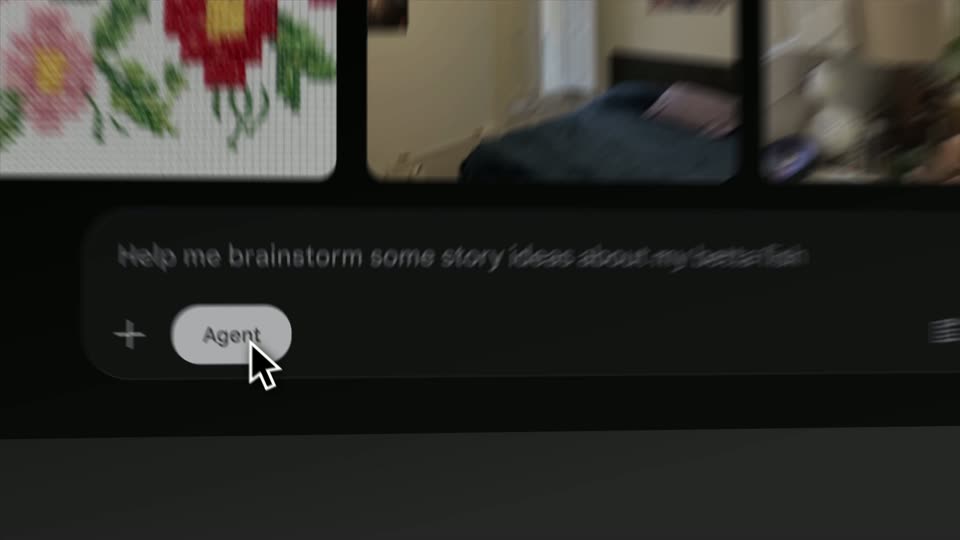
A dark interface shows a strip of three image thumbnails above a prompt field with typed text. A white arrow cursor rises from the bottom and moves onto the rounded Agent button next to a plus icon.
Techniques: Cursor demo
Camera: Push in
05 · Feature reveal · 0:07–0:12
A dark app screen with a photo grid on the left and a chat panel on the right. The AI types out betta fish story ideas while the headline fades in word by word on the left, then a cursor moves in and highlights a story title.
On-screen text: “Your intelligent, creative partner”
Techniques: Kinetic type, Cursor demo
Camera: Pull out
06 · Feature reveal · 0:12–0:14
The white text “From idea...” fades in centered on a near-black background, layered over a faint rounded command bar showing a plus icon and action icons. The frame is locked off and the text holds still.
On-screen text: “From idea...”
Camera: Static
07 · Feature reveal · 0:14–0:16
A dark rounded input box on a black background types out a prompt letter by letter, a mouse cursor slides in toward the circular arrow button, then the box clears to an empty outline.
Techniques: Kinetic type, Cursor demo
Camera: Static
08 · Feature reveal · 0:16–0:18
A dark chat app in 3D perspective, tilted to the right, shows image thumbnails stacked on the left while the assistant reply types in on the right below the user prompt.
Techniques: 3D mockup
Camera: Pull out
09 · Feature reveal · 0:18–0:21
A tilted 3D view of a dark chat interface shows a photo grid on the left and a brainstorm list on the right. The white caption fades out, a cursor clicks the Magical Realism option, and the camera glides down to the input bar.
On-screen text: “...to execution”
Techniques: 3D mockup, Cursor demo, UI zoom
Camera: Push in
10 · Feature reveal · 0:21–0:25
A tilted 3D prompt bar floats over a blurred screen as add @ is typed. The view reframes to a flat frontal interface, and a cursor moves down to the Add to Prompt button.
Techniques: 3D mockup, UI zoom, Cursor demo
Camera: Push in
11 · Feature reveal · 0:25–0:25
A dark project panel with a character list and a betta fish preview blurs as a rounded card lifts forward, carrying the Betta thumbnail, a play button, the label add Betta, and three action icons.
Techniques: Morph
Camera: Static
12 · Feature reveal · 0:25–0:26
A dark rounded card floats at an angle over a blurred document. Inside, a pink fish thumbnail with a play button sits above a text field typing add Betta to my with a blinking cursor. A row of icons, plus, document, sliders and a send arrow, lines the bottom.
Techniques: 3D mockup
Camera: Static
13 · Feature reveal · 0:26–0:29
A dark media library UI is shown. A rounded card pops in over a blurred background, holding a fish video chip and the words 'add Betta to my @'. The cursor taps the plus icon and the card closes, then selects the Apartment video and drags the timeline playhead.
Techniques: Cursor demo
Camera: Push in
14 · Feature reveal · 0:29–0:30
A dark media browser shows a video preview and an Add to Prompt button. A cursor clicks the button, and the view zooms into a rounded prompt card with two thumbnails and the line add Betta to my Apartment, the words Betta and Apartment in chips, as the background blurs.
Techniques: Cursor demo, UI zoom
Camera: Static
15 · Feature reveal · 0:30–0:31
A dark prompt panel floats in 3D perspective over a blurred interface background. Two video thumbnails of a fish and a plant sit above the line add Betta to my Apartment. A white cursor glides to the arrow button at the lower right and clicks it.
Techniques: 3D mockup, Cursor demo
Camera: Static
16 · Feature reveal · 0:31–0:38
A dark app interface with a media grid and chat panel is tilted in 3D perspective on black. Large white headlines fade in and out over the thumbnails, the mockup rotates to a flat front view, and a cursor appears to hover over a photo.
On-screen text: “Seamlessly blend footage, images, and sounds”, “Direct the action”, “conversationally”
Techniques: Kinetic type, 3D mockup, Cursor demo
Camera: Pull out
17 · Feature reveal · 0:38–0:39
A dark interface shows a grid of media thumbnails beside a left icon rail. A white cursor hovers over a betta fish video tile as the view zooms in toward that tile and a prompt input box below.
Techniques: Cursor demo, UI zoom
Camera: Static
18 · Feature reveal · 0:39–0:44
A dark prompt card shows a betta fish photo and placeholder text; the photo shrinks to a thumbnail while the prompt is typed, the cursor clicks the send arrow, then the view opens to a grid of images.
Techniques: Cursor demo
Camera: Static
19 · Feature reveal · 0:44–0:45
A dark image-generation interface shows a grid of betta fish, room and cross-stitch photos beside a chat panel holding a prompt. A cursor hovers over the grid, then the flat view tilts into a 3D angle as a diagonal light beam crosses the screen.
Techniques: Cursor demo, 3D mockup, Light sweep
Camera: Static
20 · Feature reveal · 0:45–0:48
A dark video editor window fills the frame. A grid of betta fish clips loads from gray blur into sharp images across varied scenes. A right panel holds the prompt card and a small thumbnail grid. The camera pulls back, leaving black margins around the full interface.
Camera: Pull out
21 · Feature reveal · 0:48–0:49
A single beach photo card on a dark background slides left as a fan of five photo cards unfolds to the right in 3D perspective, each with a white border and rounded corners.
Techniques: 3D mockup
Camera: Pan
22 · Feature reveal · 0:49–0:50
A horizontal row of rounded photo cards scrolls steadily left across a dark background. The cards show a fish market, sushi on a plate, an ocean horizon, a flower-patterned fish, a frog, a white fish leaping from a field, and a market stall.
Camera: Static
23 · Feature reveal · 0:50–0:54
A white four-line headline sits left of a dark rounded control panel on black. A cursor taps the Video tab, the light pill slides from Image to Video, the model row swaps from Nano Banana Pro to Omni Flash, then the scene fades to black.
On-screen text: “Unlock Google's advanced generative models”
Techniques: Cursor demo
Camera: Pull out
24 · Feature reveal · 0:54–1:00
A dark board shows a 3x3 grid of betta fish images next to a Fish Story Brainstorm panel and prompt card. Tiles swap content, dashed lines link selected tiles, then the view zooms into the card as a prompt line slides in.
Techniques: Cursor demo, UI zoom
Camera: Push in
25 · Feature reveal · 1:00–1:02
A 2x3 grid of rounded cards on a dark background loads black-and-white photos in sequence, left to right. Each card shows a small circular icon and a percentage that climbs to 100% as its image fades in, filling the top row with fish shots and one card with a buffet.
Camera: Static
26 · Feature reveal · 1:02–1:05
A 2x3 grid of grayscale clips, each a white betta fish in a different setting, settles from a tilted scatter into a clean layout. A white two-line headline slides up into the center and sharpens, then the whole frame blurs and zooms out to black.
On-screen text: “Giving you complete”, “creative control”
Techniques: Kinetic type
Camera: Pull out
27 · Feature reveal · 1:05–1:06
A white two-line tagline holds center over a dark void while a row of 3D image panels whooshes past right to left, heavily motion-blurred. The panels recede into a tunnel, the text and panels sliding at different speeds.
On-screen text: “Swing you complete creative control”
Techniques: 3D mockup, Parallax
Camera: Static
28 · Feature reveal · 1:06–1:08
A tilted 3D strip of video cards slides left across a black background. Each card shows a flower-patterned betta fish over building or underwater footage. The strip rotates from an angled perspective to a flat frontal row as it scrolls.
Techniques: 3D mockup
Camera: Pull out
29 · Feature reveal · 1:08–1:08
Three rounded video cards sit on black, each playing live footage of flower-patterned betta fish and a street scene. The center card zooms in while the side cards slide toward the frame edges.
Techniques: Split screen, Parallax
Camera: Push in
30 · Feature reveal · 1:08–1:10
Two white-finned fish with red and pink floral bodies face each other in a teal underwater tank. They glide inward until their noses touch at the center. The shot opens inside a dark rounded vignette that drops away to full frame as the gap closes.
Camera: Static
31 · Feature reveal · 1:10–1:11
A goldfish with a pink and green floral pattern on its body sits on coarse sand, a blurred turquoise sea and skyline behind it. The fish nudges forward, its translucent fins spread, casting a soft shadow on the grains.
Camera: Static
32 · Feature reveal · 1:11–1:11
A photograph of a white betta fish among green leaves fills the frame, then settles into a tilted rounded card that rotates flat against a black background.
Techniques: 3D mockup
Camera: Pull out
33 · Feature reveal · 1:11–1:12
Three curved video panels float in a black tunnel. The center clip of a white bird in a field shrinks as the camera pushes forward, revealing a greenhouse on the left and an ocean horizon on the right.
Techniques: 3D mockup, Parallax
Camera: Pull out
34 · Outro · 1:12–1:15
On a black background, the Google Flow wordmark and white trapezoid icon fade in from blur to sharp at center, with the tagline Your AI creative studio below and a small gray disclaimer line at the bottom. The frame stays locked and still.
On-screen text: “Google Flow”, “Your AI creative studio”, “Features vary by Google AI subscription tier and platform (web vs. mobile). 18+.”
Camera: Static