0:18
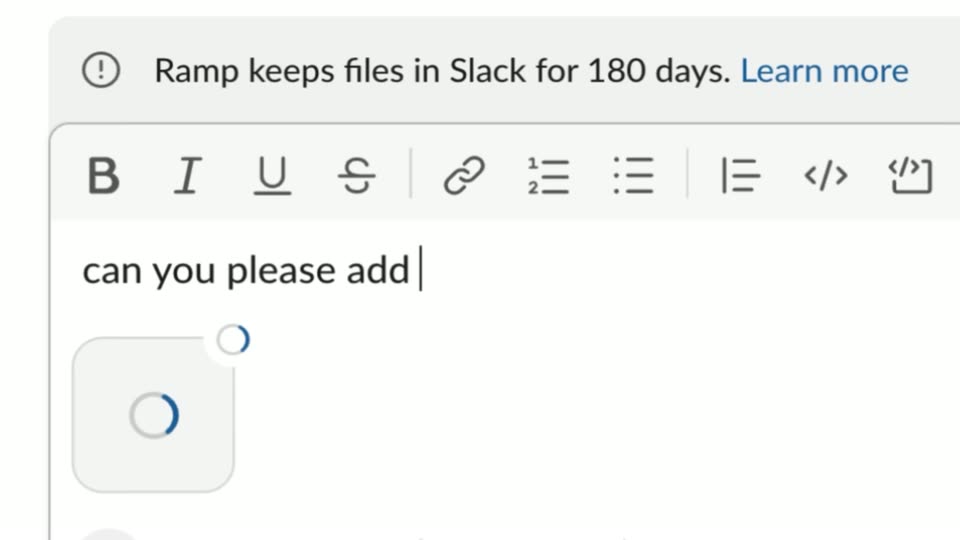

Introducing: Ramp for Slack
Ramp · Finance · Nov 2025
Tana · Mar 2024 · 0:40 · Full motion · AI-annotated
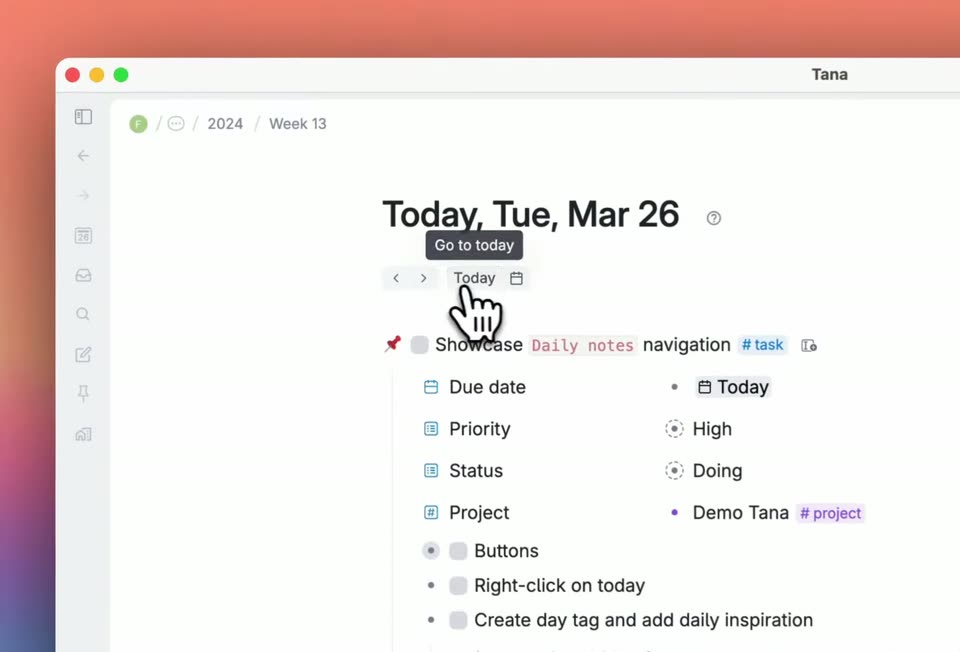
Tana’s 0:40 launch film runs 14 scenes, about 2.9 s each. The product is on screen from the first frame and 3 features are revealed. There is no explicit call to action. A screen-recording demo of the Tana app set on a warm pink-to-blue gradient, where a cartoon hand cursor drives each interaction and chunky blue bubble headlines with hand-drawn arrows announce each capability in turn. The build is a steady zoom-in/zoom-out on the interface with quick crossfades between views, ending on a glowing logo over drifting smoke.
Is this your launch? to your site or press kit.
Films whose music sounds like this one, voice left out
Boston Dynamics · Modern funk-rock
Superhuman · Funk, pop-funk, funk-rock
Atlassian · Upbeat funk, electro-funk, and nu-disco
A white Tana window sits on a pink-to-blue gradient. A cursor grabs the task card in the To Do column and drags it right into the Doing column, where it drops in place.
Techniques: Cursor demo
Camera: Static
A white Kanban board with Doing and Done columns fades in from a bright state. A cartoon hand cursor hovers over the Doing card, which gains an outline, while short yellow lines radiate outward for emphasis.
Techniques: Cursor demo
Camera: Push in
A blurred close-up of a task card ringed by yellow rays zooms out to the full Tana window, showing To do, Doing and Done columns. The rays fade and a cursor rests at the top left.
Techniques: UI zoom
Camera: Pull out
A Tana window on an orange-to-blue gradient shows a task board that switches to a daily-note detail. A hand cursor moves from the sidebar to hover the task title, then the view pushes in and blurs.
Techniques: Cursor demo
Camera: Static
A white task-list screen crossfades as the date header fades out and the list shifts up one line. A black cursor hovers over the 'Right-click on today' row, and two italic quotes with attribution sit at the bottom.
Techniques: Cursor demo
Camera: Push in
A flat app list carries a chunky blue bubble headline that shrinks and fades. The view zooms into a 3D browser window on a pink gradient, where a cursor clicks the back arrow to flip the date from Today to Yesterday.
On-screen text: “Buttons to time-travel with”, “Today, Tue, Mar 26”, “Yesterday, Mon, Mar 25”
Techniques: Kinetic type, 3D mockup, Cursor demo
Camera: Pull out
A Tana window on a warm gradient background zooms out from a close-up of the date header. A hand cursor clicks the previous-day arrow, opens a March calendar popover, jumps to tomorrow, then hits Today and expands a task row to reveal its metadata.
Techniques: UI zoom, Cursor demo
Camera: Pull out
A task list interface fills the frame, showing a 'Showcase' entry with property rows and two quotes. A hand cursor hovers over the 'Buttons' row, a purple hand-drawn arrow strokes in pointing upward, then the cursor becomes a standard pointer and rests on the 'Right-click on today' row.
Techniques: Cursor demo
Camera: Push in
A white Notion-style note page shows property rows and bullet points, with a black cursor resting on the Right-click on today line. A hand-drawn blue arrow leads from a large three-line headline on the right to that line. The frame holds static.
On-screen text: “Right-click on Today for more time scales”
Camera: Static
A close-up of a Tana task list holds a blue-outlined caption with a hand-drawn arrow pointing to the Today pill. The view zooms out to the full window as a cursor clicks Today, raising a tooltip.
On-screen text: “Right-click on Today for time scales”
Techniques: UI zoom, Cursor demo
Camera: Pan
A Tana window on a gradient background shows a date dropdown; a hand cursor moves from 'Go to today' to 'Go to this week' and clicks, switching the view to a Week 13 list of daily notes.
Techniques: Cursor demo
Camera: Pull out
A Tana app window eases from a tilted 3D angle to face the camera on a warm gradient. A hand cursor clicks the week arrows, the date list shuffles, then the view opens a task detail page.
Techniques: 3D mockup, Cursor demo
Camera: Pull out
A close-up of the Tana note page pulls back to the full window on a gradient background. A hand cursor checks a box as large blue text pops in. The cursor then creates a # day tag, opens its schema panel, and applies a quote template to the page top.
On-screen text: “make a #day tag”, “and add template content”, “⌘ C”, “your new #day tag”, “Cmd/Ctrl Shift click”, “⌘ V”
Techniques: Kinetic type, UI zoom, Cursor demo
Camera: Pull out
A white geometric logo with a soft glow holds center on a dark field of slowly drifting gray smoke. The smoke swirls gently around the mark, which stays fixed and unchanged for the full duration.
Camera: Static