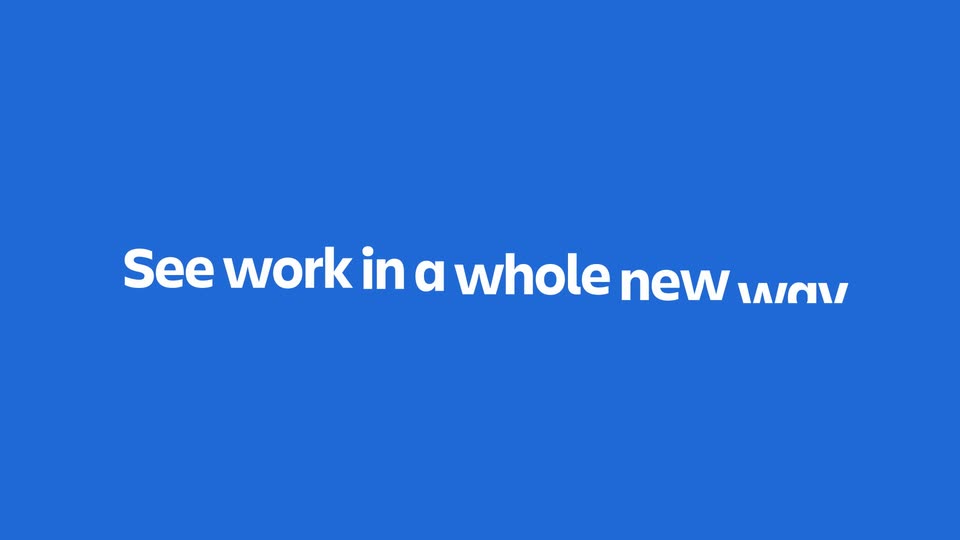
0:42
Explore
Welcome to the next era of Jira - Inside Atlassian
Atlassian · Apr 2024 · 1:10 · AI-annotated
- Length
- 1:10
- Scenes
- 41 · 1.7 s avg
- Product on screen
- 0:00
- Features shown
- 3
- Call to action
- 1:02 · 89%
- Voiceover
- No
00:00:00 / 01:10:16
- Length
- 1:10
- Scenes
- 41 · 1.7 s avg
- Product on screen
- 0:00
- Features shown
- 3
- Call to action
- 1:02 · 89%
- Voiceover
- No
Atlassian’s 1:10 launch film runs 41 scenes, about 1.7 s each. The product is on screen from the first frame and 3 features are revealed. The call to action lands at 1:02 (89% in). The video stacks bold centered text cards on flat color fields, each card announcing a feature that is then cut to a fast flat-UI or 3D mock demo before the next card takes over. Signature moves are masked top-to-bottom text reveals, circular lens wipes, paint-brush wipes, and the grayscale hands paired with hand-drawn doodle accents, all cut to a steady 114 bpm pulse.
No filming indicatedEstimated needs: 4 capture groups — your screens or recordings · 1 official logo — reused across the film · 9 graphic passages — draw or supply · 1 3D passage — build or supply
Is this your launch? to your site or press kit.
More like this



Similar soundtrack
Films whose music sounds like this one, voice left out
0:58

Simplex Launch Video
Simplex · Funk, hip-hop, and electronic dance music
0:34

Rainbow - 🌈 Meet Rainbow's Token Launcher! No more clunky launchpads. You can
Rainbow · R&B, hip-hop, funk, soul
0:51


Dub.co - Introducing Dub Partners. The modern way to partner with affiliates,
Dub · Modern funk, disco, and French house
Welcome to the next era of Jira - Inside Atlassian, scene by scene
· 41 scenes as text
01 · Product intro · 0:00–0:00
A uniform black frame fills the screen for the whole clip, an empty opening beat with no text, graphics, or motion.
Camera: Static
02 · Product intro · 0:00–0:01
A blue two-part abstract logo sits centered on a light gray field. The left and right curved shapes drift slightly apart, then ease back into place.
Camera: Static
03 · Product intro · 0:01–0:09
On a light gray field, blue shapes spin into the Jira logo as “Jira is now for all teams” slides in. The words rearrange and swap to “project management teams” in a blue box, then “And it helps everyone...” and “work better together”, its colored letters snapping into place.
On-screen text: “Jira is now for all teams”, “project management teams”, “And it helps everyone...”, “work better together”
Techniques: Kinetic type, Morph
Camera: Static
04 · Feature reveal · 0:09–0:10
A mustard field with a small orange half disc cuts to a blue background, where the white headline “See work in a whole new way” reveals top to bottom through a mask, settling centered on the frame.
On-screen text: “work bettertogether”, “See work in a whole new way”
Techniques: Masking
Camera: Static
05 · Feature reveal · 0:10–0:13
On a blue field, the headline See work in a whole new way holds, then slides out left as with list view slides in from the right. A flat magnifying glass icon, orange ring with a green handle, fades in over the text and settles centered as the text clears.
On-screen text: “See work in a whole new way”, “with list view”
Techniques: Kinetic type
Camera: Static
06 · Feature reveal · 0:13–0:14
A white 'with list view' caption sits on a blue field beside a flat magnifying-glass icon with a green handle. The orange lens ring expands to fill the frame, opening a circular reveal onto white list cards labeled Backlog and Marketing Campaign.
On-screen text: “with list view”
Techniques: Masking, UI zoom
Camera: Push in
07 · Feature reveal · 0:14–0:15
White table panels labeled Backlog, Marketing Campaign and iOS - Sprint 105 drift apart on a blue field, spreading into a loose grid as the view pulls back. A Group by Sprint pill pops in at the center between them.
Techniques: UI zoom, Parallax
Camera: Static
08 · Feature reveal · 0:15–0:16
White project tables float in 3D perspective on a blue field, drifting at different depths around a central pill labeled Group by: Category with a menu icon and a close X.
Techniques: 3D mockup, Parallax
Camera: Static
09 · Feature reveal · 0:16–0:18
A flat Marketing Campaign task-list card scales up from the lower left on a solid blue field while a large white headline fades in beneath it. The locked frame holds as both elements grow to full size.
On-screen text: “Update tasks directly from your keyboard”
Techniques: Kinetic type
Camera: Static
10 · Feature reveal · 0:18–0:19
A light green task list interface with rows of data morphs into a green keyboard illustration on a blue background. A white pill with the text IN PROGRESS remains centered, while large white text at the bottom reads Update tasks directly from your keyboard.
On-screen text: “IN PROGRESS”, “Update tasks directly from your keyboard”
Techniques: Morph, Kinetic type
Camera: Static
11 · Feature reveal · 0:19–0:20
A tilted green keyboard illustration sits on a blue field with two grayscale hands typing over it. An orange circle with a black spark mark expands at the center while a white label flips from IN PROGRESS to DONE and a purple @Vania pill holds still.
On-screen text: “@Vania”, “IN PROGRESS”, “DONE”
Camera: Static
12 · Feature reveal · 0:20–0:22
A solid orange background holds centered black text reading That was easy!. The line scales slightly as a black squiggle underline draws beneath the word easy.
On-screen text: “That was easy!”
Techniques: Kinetic type
Camera: Static
13 · Feature reveal · 0:22–0:23
Bold blue sans-serif text centered on a light gray field reads “Don't sweat the small stuff” and scales up from small to large. The line then swaps to a larger “That was easy!”.
On-screen text: “Don't sweat the small stuff”, “That was easy!”
Techniques: Kinetic type
Camera: Static
14 · Feature reveal · 0:23–0:24
A plain light gray field holds one centered line of blue text reading “Don't sweat the small stuff”. The frame stays locked off while the type scales gently in place.
On-screen text: “Don't sweat the small stuff”
Techniques: Kinetic type
Camera: Static
15 · Feature reveal · 0:24–0:25
A blue eight-bar starburst logo tightens on the left of a light gray card as the tagline builds: 'Let AI' and 'recommend your' slide in, then 'team's next move' fades up beneath them.
On-screen text: “Let AI”, “recommend your”, “team's next move”
Techniques: Kinetic type
Camera: Static
16 · Feature reveal · 0:25–0:26
On a plain light gray background, a blue three-line headline and the dark gray ATLASSIAN Intelligence wordmark, separated by blue asterisk marks, slide horizontally to the right and exit the frame. The camera is locked off while the text strip scrolls across the screen.
On-screen text: “Let AI”, “recommend your”, “team's next move”, “ATLASSIAN Intelligence”
Camera: Static
17 · Feature reveal · 0:26–0:27
The Atlassian Intelligence logo holds center frame on a pale gray background. The wordmark and blue asterisk mark remain static in a locked-off shot.
On-screen text: “ATLASSIAN Intelligence”
Camera: Static
18 · Feature reveal · 0:27–0:28
The ATLASSIAN Intelligence wordmark sits centered on a light gray field. A white card with a rainbow gradient border slides up from the bottom edge, carrying a Suggestion preview panel with Issue type and Status fields, while the wordmark shifts upward.
On-screen text: “ATLASSIAN Intelligence”
Camera: Static
19 · Feature reveal · 0:28–0:31
A white form card with a rainbow gradient border is centered on a pale background. The Summary field types out text, the view reframes downward, and the Description field types, ending on the blue Create button.
Techniques: UI zoom
Camera: Pan
20 · Feature reveal · 0:31–0:33
A white task form card on a textured orange background. Blue text types out line by line in the description field while the card's border shifts through a blue, purple and teal gradient. A purple cursor arrow slides in from the right and clicks the Create button.
Techniques: Cursor demo
Camera: Static
21 · Feature reveal · 0:33–0:34
A white product card with a description editor sits on an orange field, a purple pointer aimed at the Create button. A black-and-white hand with a paintbrush enters from the right and sweeps a white stroke across, wiping the interface away.
Techniques: Masking
Camera: Static
22 · Feature reveal · 0:34–0:36
On a flat orange background, bold black text reads “All you have to do is approve” on the left while a black-and-white cut-out hand gives a thumbs up on the right. A white paint-brush stroke wipes across the thumb and fades out over the first third.
On-screen text: “All you have to do is approve”
Techniques: Masking
Camera: Static
23 · Demo · 0:36–0:37
A static purple field holds a white line network linking rounded rectangles, with black hand-drawn squiggles shifting around the edges. A central white box carries the headline, which shifts from gray to black.
On-screen text: “Know what's going on”
Camera: Static
24 · Demo · 0:37–0:38
A white node-and-line circuit pattern fills a violet field behind a bold black headline on a white pill. A flat white card with purple placeholder bars slides up in front of the headline, hiding all but the trailing words.
On-screen text: “Know what's going on”
Camera: Static
25 · Demo · 0:38–0:40
A flat vector mock of the app's timeline view floats on a purple background: a sidebar list, green and gray task bars, colored assignee dots, and an orange now-line. The white caption 'even at a glance' slides up beneath the card.
On-screen text: “even at a glance”
Techniques: Kinetic type
Camera: Static
26 · Demo · 0:40–0:42
A white rounded button labeled Create sits centered on a flat purple field. A white caption slides up from below into place, then a hand-drawn black cursor arrow glides in from the bottom right and stops its tip on the button.
On-screen text: “Create cross-team plans”
Techniques: Cursor demo
Camera: Static
27 · Demo · 0:42–0:44
A white Create button floats on an orange field of shifting abstract shapes. A doodle cursor clicks it, a hand-drawn checkmark pops, and the white caption below swaps from cross-team to Create cross-team plans, then in seconds.
On-screen text: “Create”, “cross-team”, “Create cross-team plans”, “in seconds”
Techniques: Cursor demo, Kinetic type
Camera: Static
28 · Demo · 0:44–0:45
A purple dashboard view settles into a work progress list: three rows with lightning icons and labeled progress bars, the top bar filling green then orange. A white card slides out to the right, and a large white headline rises into place at the bottom.
On-screen text: “Overview progress,”
Techniques: Kinetic type, Masking
Camera: Static
29 · Demo · 0:45–0:46
A flat purple screen shows a Work progress panel with three labeled bars. The bars animate from partial green, yellow and white fills to fully green, while a large white headline holds at the bottom. The frame stays locked off.
On-screen text: “Overview progress,”
Camera: Static
30 · Demo · 0:46–0:50
A row of white stat cards scrolls left across a purple background. A larger status overview panel with a donut chart slides in from the left to center.
On-screen text: “Overview progress,”, “and unblock your team”
Camera: Pan
31 · Demo · 0:50–0:51
A white status-overview card on a purple background fades out while its donut chart detaches and scales to center, the green Done segment growing as the count climbs from 41% to 83%. The white caption and unblock your team holds at the bottom.
On-screen text: “and unblock your team”
Techniques: UI zoom
Camera: Static
32 · Demo · 0:51–0:52
A flat green-and-yellow progress donut reads 95% Done on a purple field, with the black caption in real-time below it. Two black-and-white hands pop in at the corners and wave green flags on blue poles.
On-screen text: “in real-time”
Camera: Static
33 · Demo · 0:52–0:53
Orange background, two grayscale hands raise green flags on blue poles. A white ring with an orange center holds 100% Done, black in real-time sits below. Asterisk doodles flank the flags. A pink shape wipes in from the top-left as a green panel slides up from the bottom.
On-screen text: “100%”, “Done”, “in real-time”
Techniques: Masking
Camera: Static
34 · Feature reveal · 0:53–0:54
A white circular logo sits centered on a purple and orange grunge background as a Jira project dashboard with a 33% donut chart and goals list fades in behind it. The bold white headline slides up at the bottom, completed by the words in real-time and a 100% stat.
On-screen text: “See how everyone’s work”, “in real-time”, “100%”
Techniques: Kinetic type
Camera: Pull out
35 · Feature reveal · 0:54–0:55
A flat Jira project summary screen sits centered on a magenta field scattered with drifting confetti. Below it, a large white headline reads See how everyone's work and completes with in Jira in light periwinkle.
On-screen text: “See how everyone's work in Jira”
Techniques: Kinetic type, Particles
Camera: Static
36 · Feature reveal · 0:55–0:58
A purple project dashboard zooms into the Goals panel, dimming the rest of the screen. A yellow cursor points at the first goal row, which lights up with a white bar and a small black burst, while the caption aligns with company goals appears at the bottom.
On-screen text: “aligns with company goals”
Techniques: UI zoom, Cursor demo
Camera: Push in
37 · Feature reveal · 0:58–0:59
A purple screen shows a goals list; a yellow cursor clicks a highlighted row with a burst of black lines. The list shrinks and a white detail card slides in from the right, showing the goal's status and progress bars, while the caption company goals sits at the bottom.
On-screen text: “company goals”
Techniques: Cursor demo
Camera: Static
38 · Feature reveal · 0:59–1:01
A white Goals card sits centered on a purple field. A black line chart draws itself, then extends beyond the card's right edge while small avatar circles pop in along the path. Below, large white words build up at the bottom of the frame.
On-screen text: “making it easier to achieve”
Techniques: Kinetic type
Camera: Push in
39 · Feature reveal · 1:01–1:02
A hand-drawn black arrow sweeps up across a diagonal yellow and purple split background as four circular photo avatars of women pop in along its path. The bold headline shared goals together sits at the top, with together in purple sliding in last.
On-screen text: “shared goals together”
Techniques: Kinetic type
Camera: Push in
40 · CTA · 1:02–1:07
Three grayscale face avatars in green, blue and purple circles with a hand-drawn arrow hold, then the frame cuts to bold black type on light gray: “Are you ready?” scales in, dissolves to “Because all great teamwork,” then “starts with” the Jira logo.
On-screen text: “Are you ready?”, “Because all great teamwork”, “starts with Jira”
Techniques: Kinetic type
Camera: Static
41 · Outro · 1:07–1:10
The white Atlassian mountain mark and wordmark sit centered on a flat blue field, the tagline Impossible Alone fading in below. The lockup holds steady, then the whole card fades to a dim blue as the caption starts with Jira appears.
On-screen text: “Impossible Alone”, “starts with Jira”
Camera: Static