1:00
Explore
Higgsfield AI 🧩 - We asked Claude how good it is at motion design. A few hours later,
Higgsfield · Oct 2026 · 0:42 · AI-annotated
- Length
- 0:42
- Scenes
- 27 · 1.6 s avg
- Product on screen
- 0:00
- Features shown
- 5
- Call to action
- 0:36 · 87%
- Voiceover
- No
- Views, all posts
- 764K
- X
- 764K · 2 posts
as of November 18, 2026
00:00:00 / 00:42:19
- Length
- 0:42
- Scenes
- 27 · 1.6 s avg
- Product on screen
- 0:00
- Features shown
- 5
- Call to action
- 0:36 · 87%
- Voiceover
- No
- Views, all posts
- 764K
- X
- 764K · 2 posts
as of November 18, 2026
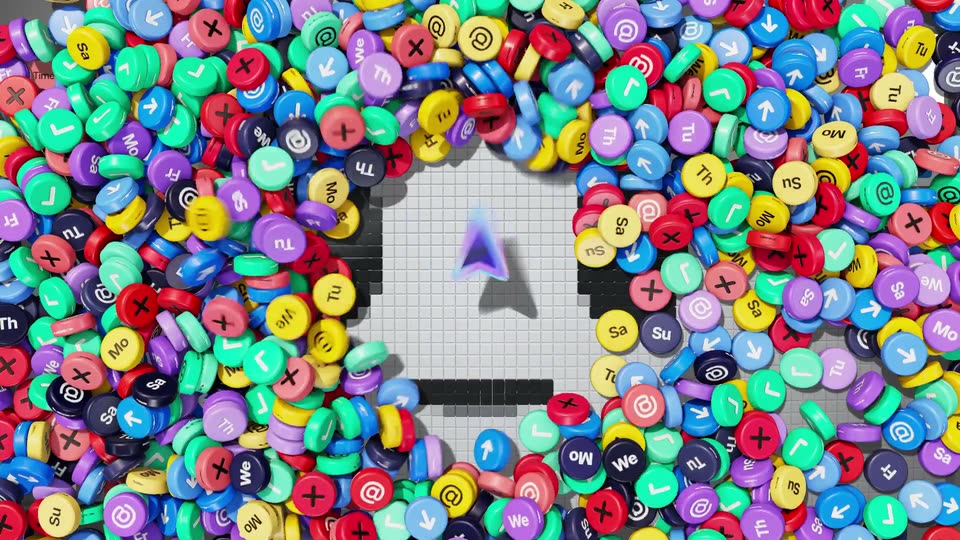
Higgsfield’s 0:42 launch film runs 27 scenes, about 1.6 s each. The product is on screen from the first frame and 5 features are revealed. The call to action lands at 0:36 (87% in). A meta launch video: a typed prompt and glitching KATANA title cards frame a generated BodyTask spot built from pill swarms, a pixel face and a particle brain, each feature announced by a corner caption pill before a 3D demo. Pacing is fast and rhythmic at roughly 116 bpm with hard cuts between white UI cards, dark 3D vignettes and bright title slates, signing off on a chrome KATANA lockup over a red ensō.
No filming indicatedEstimated needs: 4 capture groups — your screens or recordings · 1 official logo — reused across the film · 1 graphic passage — draw or supply · 8 3D passages — build or supply
Is this your launch? to your site or press kit.
More like this
1:05
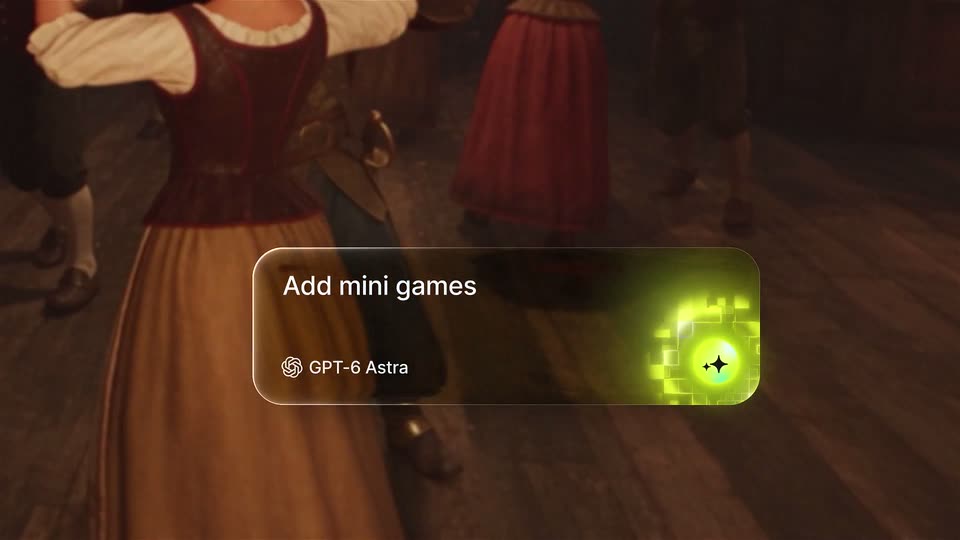

Higgsfield AI 🧩 - GPT-6 Astra + Higgsfield = AGI in gaming Meet Higgsfield Games 2.0 p
Higgsfield AI · Sep 2026
3:40


Fish Audio MCP Now Supports Image & Video Generation
Fish Audio · Sep 2026
Higgsfield AI 🧩 - We asked Claude how good it is at motion design. A few hours later,, scene by scene
· 27 scenes as text
01 · Product intro · 0:00–0:01
On a white background, the Higgsfield MCP and Claude logos assemble at the top while a rounded prompt box below types out a request character by character. A plus icon sits at the left and an up arrow at the right of the field.
Techniques: Kinetic type
Camera: Static
02 · Product intro · 0:01–0:02
A white prompt interface opens with the Higgsfield MCP and Claude logos above an input box, the prompt text typed mid-sentence. The view zooms into the box as the sentence completes, the word KATANA landing in bold, with an up arrow at the corner.
On-screen text: “Make a launch video for my saas product using KATANA”
Techniques: UI zoom
Camera: Push in
03 · Product intro · 0:02–0:03
A title card on a solid field that snaps from green to red. The white KATANA wordmark sits center with Higgsfield MCP x Claude above and for MOTION DESIGN below, framed by a radial dotted burst and color-fringed glitch edges.
On-screen text: “Higgsfield MCP”, “x”, “Claude”, “KATANA”, “for MOTION DESIGN”
Techniques: Kinetic type
Camera: Static
04 · Product intro · 0:03–0:03
A title lockup sits centered over a radial dot field that flashes from magenta to black. The Higgsfield and Claude marks sit above a large angled KATANA wordmark with a for MOTION DESIGN line below, all carrying a red and blue chromatic split as the colored dots burst outward.
On-screen text: “Higgsfield MCP”, “Claude”, “KATANA”, “for MOTION DESIGN”
Techniques: Particles
Camera: Static
05 · Demo · 0:03–0:06
A blue HATANA title card dissolves into a white Higgsfield MCP × Claude chat screen showing a prompt in the input box, then the view zooms into the box to frame the purple bodytask.ai chip and the orange send button.
On-screen text: “HATANA”, “for MOTION DESIGN”, “bodytask.ai”
Techniques: UI zoom
Camera: Pull out
06 · Demo · 0:06–0:09
Four status captions cycle in the center of a light gray background, each line fading in to replace the last. The final line dissolves into a blurred gray frame holding a soft white rectangle with a red dot at its center.
On-screen text: “Analyzing product context..”, “Sourcing high-dopamine references..”, “Injecting motion into raw specs...”, “Rendering the final launch video...”
Techniques: Kinetic type
Camera: Static
07 · Demo · 0:09–0:10
A flat UI card on a pale gray field resolves from a soft blur to sharp focus. Inside, a red heart gains a white checkmark as green, purple and blue beams radiate out past scattered stars and shapes, while the Open button scales in at the right.
Camera: Push in
08 · Demo · 0:10–0:10
A white file card titled BodyTask Launch Video with an Open button sits over a burst of blurred colored rays. The card clears, leaving the red heart logo with a white check centered as the rays and small floating shapes keep drifting.
Techniques: Particles
Camera: Static
09 · Product intro · 0:10–0:12
The BodyTask wordmark assembles in the center, the red heart forming the letter o, while the tagline fades in below. A burst of colorful 3D pill icons with checkmarks and arrows tumbles in around the logo with motion blur on a white background with soft pink and red shapes.
On-screen text: “BodyTask”, “BODY-DRIVEN AI TASK TRACKER”
Techniques: Kinetic type, Particles
Camera: Static
10 · Product intro · 0:12–0:13
A swarm of multicolored 3D pill tokens, each stamped with a day letter or symbol, drifts over a white field behind the centered BODYTASK title. The tokens then slide outward into a rectangular border, emptying the center as the title and tagline vanish.
On-screen text: “BODYTASK”, “BODY-DRIVEN AI TASK TRACKER”
Techniques: Particles
Camera: Static
11 · Product intro · 0:13–0:15
A field of colorful round buttons fills the frame. Purple, green and yellow blocks scale out to reveal the words “Let AI handle”, while a white rounded bar below widens to show “your tasks” in navy.
On-screen text: “Let AI handle your tasks”
Techniques: Kinetic type
Camera: Static
12 · Feature reveal · 0:15–0:16
A top-down field of colorful 3D pills stamped with calendar symbols fills the frame, three translucent logo shapes (green triangle, blue square, yellow circle) hover at center. The pills then slide and reorganize into a pixelated black C on a gray grid, settling into a static ring.
Techniques: Morph
Camera: Static
13 · Feature reveal · 0:16–0:19
A desktop UI framed by colorful 3D icon buttons. A cursor drops a PDF into the New Message card; a yellow ring completes to Email sent while the pixel face gains pink brows and a pink pixel car drives in. Caption pills slide in at the bottom right.
On-screen text: “Auto-Tracked”, “Task Completion”
Techniques: Cursor demo, Kinetic type, UI zoom, Morph
Camera: Static
14 · Feature reveal · 0:19–0:20
A tilted 3D view of a task interface: a colored task list on the left, a pixelated face on a grid center, a checkmark card top right. The camera levels and dollies in as the yellow and white caption pills scale up.
On-screen text: “Auto-Tracked”, “Task Completion”
Techniques: 3D mockup, UI zoom
Camera: Push in
15 · Feature reveal · 0:20–0:21
A graph-paper board with a pixel face made of black blocks. On the left, a stack of colored task cards shuffles and the top ones slide away, leaving the purple Daily plan card, which scales slightly. A cursor hovers beside the cards.
On-screen text: “Urgent tasks”
Techniques: Cursor demo, Masking
Camera: Push in
16 · Feature reveal · 0:21–0:26
A 3D arc of task cards rotates under a pulsing pink waveform and a red ECG line, the BPM and status line flipping between green and red. Corner badges name the features as cards recolor, then the frame blurs out.
On-screen text: “Energy-based Prioritization”, “Cognitive Load Auto-Splitting”
Techniques: 3D mockup
Camera: Pull out
17 · Feature reveal · 0:26–0:28
A particle brain of vertical light streaks glows in 3D space, shifting from red to green as flat task chips orbit around it. Red stat bars for cortisol, brain activity and concentration tick upward beneath, while a pink and purple caption reads Cognitive Load Auto-Splitting on the right.
On-screen text: “Cognitive Load”, “Auto-Splitting”
Techniques: 3D mockup, Particles, Parallax
Camera: Static
18 · Feature reveal · 0:28–0:29
A green particle brain sits at center, task pills linked by thin lines fan out both sides, a dark Customize panel with sliders floats top right, and a red-purple caption box reads Cognitive Load Auto-Splitting bottom right as the camera pushes in.
On-screen text: “Cognitive Load Auto-Splitting”
Techniques: Particles, 3D mockup, UI zoom
Camera: Pan
19 · Feature reveal · 0:29–0:30
A dark app screen shows a teal particle cloud shaped like a brain, with pills like “Order the cake” floating around it. A cursor drags the Scale slider in the Customize panel from 24.5 to 13.0, and the brain shifts to white. Bottom bars read Cortisol Level 20%, Brain Activity 82%, Concentration 89%.
Techniques: Cursor demo, Particles
Camera: Static
20 · Feature reveal · 0:30–0:31
A dark interface shows a teal wireframe brain with green thought labels, while a cursor drags the Scale slider in a Customize panel, growing the brain. Stats for cortisol, brain activity and concentration sit below.
Techniques: Cursor demo
Camera: Pull out
21 · Feature reveal · 0:31–0:33
A dark frame fades to a bright white stage where a circular fan of colorful task cards tilts in 3D around the centered text Zero Task Anxiety, set on a white and a pink rounded pill. The whole fan rotates and tilts to show depth.
On-screen text: “Zero Task Anxiety”
Techniques: 3D mockup
Camera: Push in
22 · Feature reveal · 0:33–0:35
On a pale green background, colorful 3D task cards labeled Groceries, Water the plants, Pay rent, and Gym - Leg day drift in, snap into a rotating isometric cube, and settle with an orange heart logo on top while Productivity and Solved sit in the corners.
On-screen text: “Productivity”, “Solved”
Techniques: 3D mockup
Camera: Static
23 · Feature reveal · 0:35–0:36
A solid red heart with a green check sits centered on a white field with soft pink and magenta blobs. The heart opens into an outline heart that becomes the “o” of the wordmark BodyTask, whose colored letters fill in around it, while a gray tagline scales in below.
On-screen text: “BODY-DRIVEN AI TASK TRACKER”
Techniques: Morph, Kinetic type
Camera: Static
24 · CTA · 0:36–0:38
The BodyTask logo with red heart sits on a white field, then blurs and stretches wide as the frame flips to a dark starburst. A red spiral disc radiates yellow beams behind the metallic KATANA wordmark, flanked by flame icons, then KATANA blurs out to a bottom tagline.
On-screen text: “BODY-DRIVEN AI TASK TRACKER”, “VIDEO VIBE-PROMPTED USING”, “AVAILABLE NOW VIA HIGGSFIELD MCP IN CLAUDE”
Techniques: Morph
Camera: Static
25 · CTA · 0:38–0:39
A red ensō circle sits on a black dotted grid, burst by warm light rays that fade out. Chrome KATANA letters with chromatic edges hold center between two neon flame icons, while the Higgsfield MCP and Claude lockup resolves at the bottom.
On-screen text: “VIDEO VIBE-PROMPTED USING”, “KATANA”, “Higgsfield MCP”, “Claude”, “AVAILABLE NOW VIA HIGGSFIELD MCP IN CLAUDE”
Techniques: Light sweep
Camera: Static
26 · CTA · 0:39–0:40
A dark dotted backdrop holds a glowing red circle with a black swirl at its center. The chrome word KATANA spans the circle, flanked by white line-drawn dragons, with a small caption above and the Higgsfield MCP and Claude logos joined by an x below. The lockup stays locked and still.
On-screen text: “VIDEO VIBE-PROMPTED USING”, “KATANA”, “Higgsfield MCP × Claude”, “AVAILABLE NOW VIA HIGGSFIELD MCP IN CLAUDE”
Camera: Static
27 · Outro · 0:40–0:42
A plain white card holds two centered lines of black text that stay locked and static for the entire shot. No motion, no camera move, no other elements enter or leave.
On-screen text: “KATANA FOR MOTION DESIGN”, “AVAILABLE NOW VIA HIGGSFIELD MCP IN CLAUDE”
Camera: Static