0:57
Claude - Starting to roll out today: Claude Whiteboards, Claude Sheets and Cla
Anthropic · AI · Nov 2026
Anthropic · Nov 2026 · 0:57 · AI-annotated
Anthropic’s 0:57 launch film runs 18 scenes, about 3.2 s each. The product is on screen from the first frame and 3 features are revealed. There is no explicit call to action. The video runs as a chain of feature beats: a centered serif title card on cream, a typed prompt, then a fast product demo, with blur and zoom moves between cards and interface. Signature moves are the terracotta Claude tag, named collaborator cursors drifting over the canvas, and hand-drawn illustration accents.
Is this your launch? to your site or press kit.
Anthropic · AI · Nov 2026
ClickUp · Productivity · Sep 2026
On a cream field, “Artifacts” types out in black serif under a “New in” pill as a terracotta “Claude” pill slides in, then shrinks to a small tag. The word gives way to a row of seven colorful line icons, then a tilted “Plan it out with” scales in.
On-screen text: “New in”, “Artifacts”, “Claude”, “Plan it out with”
Techniques: Kinetic type
Camera: Static
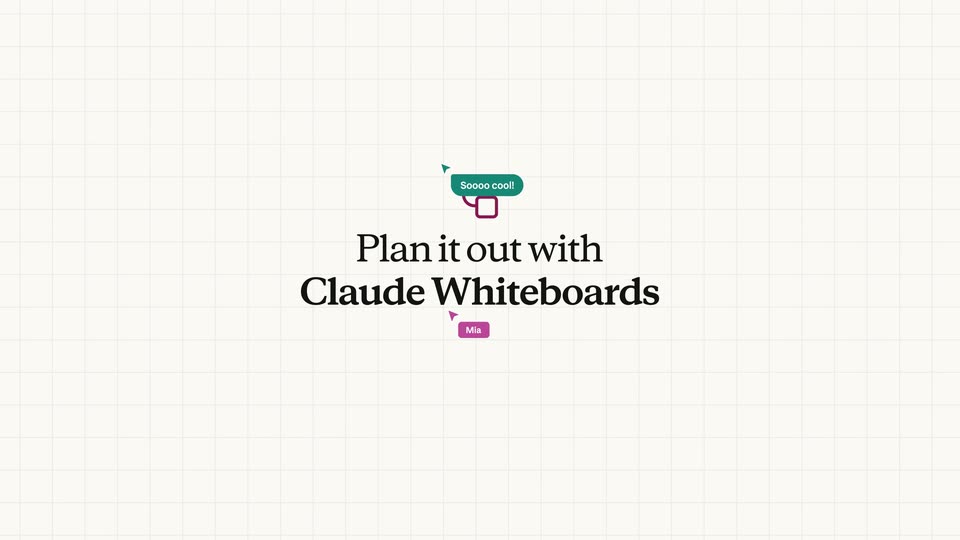
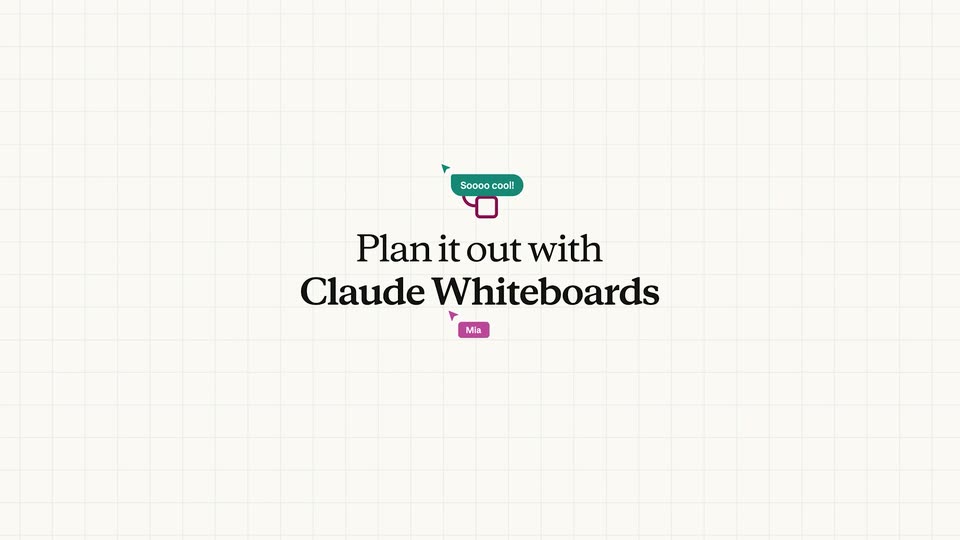
Serif headline 'Plan it out with Claude Whiteboards' slides under a small maroon mark on a cream canvas as a faint grid fades in. Cursors tagged Claude, Mia and Rosa drift around it, a teal chat bubble pops, then the view pans to a white menu card.
On-screen text: “Plan it out with”, “Claude Whiteboards”
Techniques: Kinetic type, UI zoom
Camera: Static
A white Whiteboard input card floats on a pale grid canvas. A blue @Claude chip leads a prompt that types out character by character, ending with an up-arrow send icon. A large black serif headline anchors the lower left corner.
On-screen text: “Plan it out with”, “Claude Whiteboards”
Camera: Pan
A cream grid background holds a large black serif headline that scales up. A white Whiteboard prompt card slides in from the right, holds centered, then exits, leaving a small orange Claude chip at the bottom.
On-screen text: “Plan it out with”, “Claude Whiteboards”
Techniques: Kinetic type
Camera: Static
The whiteboard zooms out from a Day 1 sticky note to reveal a hand-drawn 12-day launch timeline with illustrated notes, a truck, a pie, and a US delivery map. Cursors labeled Rosa, Per, and June move across the board while a “Perfect!” chat bubble and emoji reactions pop in.
Techniques: UI zoom, Cursor demo
Camera: Pull out
A spreadsheet timeline clears to a plain cream field as a small green sheet icon and the centered two-line headline settle in, the lower line scaling up from a smaller size.
On-screen text: “Build it with”, “Claude Sheets”
Techniques: Kinetic type
Camera: Pan
On a cream grid, a green sheet icon sits above the serif title “Build it with Claude Sheets.” A gray prompt bubble fades in at lower right; the title defocuses as “You got it.” appears, then the card blurs and pushes into the split chat and spreadsheet UI.
On-screen text: “Build it with”, “Claude Sheets”, “Draft a forecast for pre-orders. Reference last year’s numbers from the Historical tab.”, “You got it.”
Techniques: Kinetic type, UI zoom
Camera: Static
Split product view: a chat panel on the left, a spreadsheet on the right. The grid fills with a pink header row and a value while a SUMIFS formula appears in the formula bar. Small orange Claude cursor tags drift over the cells as the frame shifts right.
Techniques: Split screen, Cursor demo, UI zoom
Camera: Pan
A spreadsheet titled Holiday Pie: Pre-orders populates cell by cell, growth columns and a what it means block sliding in, as a red Claude comment tag moves from the top row to the bottom right corner.
Camera: Pan
A spreadsheet window holding a pre-orders table slides left to the edge, opening a beige field where a small red bar-chart icon and the serif headline fade in at center-right.
On-screen text: “Share a story with Claude Data”
Techniques: Kinetic type
Camera: Pan
A red bar-chart icon and a two-line serif headline sit centered on a cream field. The pair slides left and down as a white pre-orders stats card fades in at the upper right.
On-screen text: “Share a story with Claude Data”
Techniques: Kinetic type
Camera: Static
A cream dashboard of pre-order stats sits right of a serif headline, then the view reframes to the full board and zooms into the top toolbar. A cursor taps the palette icon and a Design panel slides in from the right with two format cards.
On-screen text: “Share a story with Claude Data”
Techniques: UI zoom, Cursor demo
Camera: Push in
A cursor clicks the Scrollyteller card in a right-hand Design panel, highlighting it purple, while the dashboard on the left morphs into a new layout showing a cartoon character and a large serif headline reading Pre-orders.
Techniques: Cursor demo, Morph
Camera: Pull out
A cream dashboard inside a browser window scrolls vertically. A cartoon pie mascot and a green serif headline with a summary line fill the hero, then the view moves to a two-column layout holding a horizontal bar chart of flavors. A cursor rests on the right scrollbar.
Techniques: Cursor demo
Camera: Pull out
A product document shows a headline and a two-line chart; the frame zooms in on the top toolbar as a cursor moves to the Share button and clicks it. The screen then cuts to a scatter of colorful app logos on a cream background.
Techniques: UI zoom, Cursor demo
Camera: Push in
A cream background filled with scattered colorful app logos and icons. The view zooms in toward the center, the outer marks blur and slide off frame, leaving a yellow barcode tile, a purple database icon and a blue waveform circle in focus.
Techniques: Parallax
Camera: Push in
A black serif headline reads “Plan at the speed of thought” on a cream background; the first word, boxed in light blue, is retyped by an orange Claude cursor into “Build” then “Work”. Named collaborator cursors (Rosa, Dev, June, Mia) and reaction emojis pop in around the line.
On-screen text: “Plan at the speed of thought”, “Build at the speed of thought”, “Work at the speed of thought”
Techniques: Kinetic type
Camera: Static
On a plain off-white background, an orange starburst mark scales down and shifts left as the black serif word Claude appears to its right, settling into a centered logo lockup.
On-screen text: “Claude”
Camera: Static