0:58

ClickUp Launch Video
ClickUp · Productivity · Sep 2026
Anthropic · Nov 2026 · 0:57 · AI-annotated
Anthropic’s 0:57 launch film runs 19 scenes, about 3.0 s each. The product is on screen from the first frame and 3 features are revealed. There is no explicit call to action. One continuous take on a cream grid: each feature opens with a serif tagline assembled from boxed fragments, then a UI panel slides in to demo the same Huckleberry Pie story, with no hard cuts, only zooms, pans and word swaps. Signature moves are the terracotta Claude pill trailing the action, diagrams that build in place, and the closing word-swap headline before the starburst logo lockup.
Is this your launch? to your site or press kit.
ClickUp · Productivity · Sep 2026
Canva · Design · Aug 2024
Apple · Hardware · Sep 2026
On a cream background, 'New in' and terracotta 'Claude' pills swap positions above the serif word 'Artifacts', typed out with a caret. The word gives way to a row of seven colored line icons, then a tilted boxed caption 'Plan it cut with' enters.
On-screen text: “New in”, “Claude”, “Artifacts”, “Plan it cut with”
Techniques: Kinetic type
Camera: Static
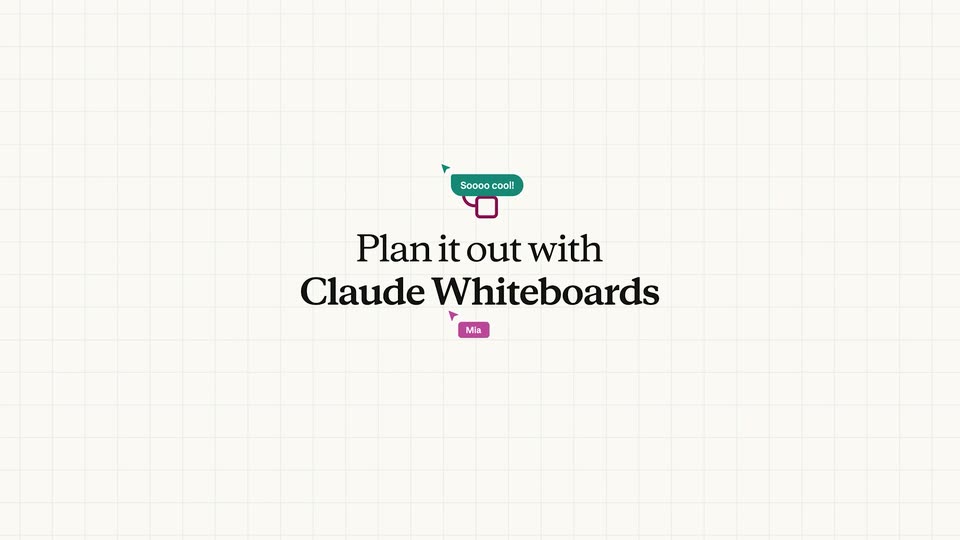
Boxed fragments assemble into a centered serif headline on a grid whiteboard, named cursors drifting around it, Rosa's label becoming a 'Soooo cool!' bubble. The text scales up to the lower left as a white card with an MK avatar and placeholder lines pops in top right.
On-screen text: “Plan it out with”, “Claude Whiteboards”
Techniques: Kinetic type
Camera: Static
A cream grid whiteboard holds a white prompt card where a caret types a Huckleberry Pie timeline request beside a checked Send to Claude box, while a large serif headline scales in at lower left.
On-screen text: “Plan it out with Claude Whiteboards”
Techniques: Kinetic type
Camera: Pan
A whiteboard card with a task prompt and a large serif headline sits on a pale grid, then the card scales away, leaving a small orange Claude pill and a cursor arrow on the empty grid.
On-screen text: “Claude Whiteboards”
Techniques: Kinetic type, Cursor demo
Camera: Static
A collaborative whiteboard zooms out to reveal a Huckleberry Pie launch timeline building itself: yellow and orange cards, red day pills and a wavy orange path pop in one by one, then a Describe a change input bar and emoji reactions appear.
Techniques: UI zoom
Camera: Pull out
Two overlapping spreadsheet windows showing a strawberry pie launch timeline slide out and fade, clearing to a plain cream background where a small green sheet icon and the centered two-line tagline settle into place.
On-screen text: “Build it with”, “Claude Sheets”
Techniques: Kinetic type
Camera: Pan
On a cream spreadsheet grid, a green sheet icon sits above the serif headline “Build it with Claude Sheets”, the bold line scaling in. A gray prompt bubble slides in at the lower right, then “You got it.” appears; the shot ends zoomed and defocused onto the bubble.
On-screen text: “Build it with”, “Claude Sheets”, “Draft a forecast for pre-orders.”, “Reference last year's numbers from”, “the Historical tab.”, “You got it.”
Techniques: Kinetic type, UI zoom
Camera: Static
A blurred “Build it with Claude Sheets” title and a callout box fade out over a split view of a chat panel and a spreadsheet. A red Claude cursor enters the sheet and cells populate, then the frame reframes right onto the spreadsheet.
On-screen text: “Build it with”, “Claude Sheets”, “Draft a forecast for pre-orders.”, “Reference last year's numbers from”, “the Historical tab.”
Techniques: Kinetic type, Split screen, Cursor demo, UI zoom
Camera: Pan
A spreadsheet opens zoomed in on two columns, then pulls back to reveal the full pre-orders sheet with growth and difference columns. Named collaborator cursors for Rosa, Claude and Dev rest on cells and shift down a row.
Techniques: UI zoom, Cursor demo
Camera: Static
A spreadsheet of holiday pie order projections zooms in and pans right across the Conservative, Optimistic and Difference columns as a large gray serif caption, “tory with C,” fades in at the right edge.
On-screen text: “tory with C”
Techniques: UI zoom
Camera: Pan
A cream title card shows a small red bar-chart glyph above the serif headline, then the block slides left as a wide analytics dashboard glides in from the right, revealing stat cards, two line charts and a flavors table.
On-screen text: “Share a story with Claude Data”
Techniques: Kinetic type, Parallax
Camera: Pan
A dashboard crossfades from a previous report into a holiday pre-orders view: a green serif title, four stat cards, a line chart and a flavor bar chart settle on a cream background. A cursor hovers over the bar chart card while the page holds.
Techniques: Cursor demo
Camera: Push in
A cursor clicks the blue smiley icon in the top toolbar. A white Design panel slides in from the right, dimming the dashboard behind it, and reveals two gray placeholder cards labeled Scrollyteller and Visual short.
Techniques: Cursor demo
Camera: Push in
A product interface shows a dashboard on the left and a Design panel on the right. A cursor selects the Scrollyteller card, which highlights purple. The dashboard rebuilds into a new layout featuring a cartoon huckleberry mascot and a large Pre-orders by flavor headline as the right panel fades out.
Techniques: Cursor demo, Morph
Camera: Pull out
A dashboard document in an editor shows a cartoon pie mascot beside the green serif title Holiday Pies: Pre-order Sales. The view scrolls down past a bar chart with counting-up flavor values and a two-line comparison chart, then a dropdown menu opens at the top right.
Techniques: Cursor demo
Camera: Pull out
A large black cursor glides up from the icon row to the Share button in the app toolbar and clicks it, triggering a burst of colorful integration logos that scatter outward in every direction.
Techniques: Cursor demo, Particles
Camera: Push in
A scattered field of colorful app icons and wordmarks floats on a cream background. The camera zooms toward the center as the outer icons blur and drift off frame, keeping a purple database icon in focus.
Techniques: Parallax
Camera: Push in
A serif headline centered on a cream background swaps its first word from Plan to Build to Work under a light blue highlight, then colored name tags with cursor arrows and small emoji icons slide in around the line.
On-screen text: “Plan at the speed of thought”, “Claude”, “Build at the speed of thought”, “Work at the speed of thought”, “Rosa”, “Mia”, “Dev”, “June”
Techniques: Kinetic type
Camera: Static
A small orange starburst mark forms at the center of a cream field, then the black serif wordmark Claude fades in to its right. The lockup settles and holds, locked off.
On-screen text: “Claude”
Camera: Static