0:57

Introducing Google AI Ultra: The best of Google AI in one subscription
Google · AI · May 2025
OpusClip · Jul 2026 · 0:39 · Full motion · AI-annotated
OpusClip’s 0:39 launch film runs 17 scenes, about 2.3 s each. The product is on screen from the first frame and 1 feature is revealed. The call to action lands at 0:32 (83% in), over a voiceover. The video is built as an alternating rhythm of full-screen typographic headlines and dark-mode UI mockups (a Claude chat bar and a 3D calendar) that walk through the workflow step by step. Its signature moves are words scaling in with a green glow, the arch logo drawing itself, a green-outlined cursor, and a 3D tilt on the calendar, all set on a near-black field with drifting green particles.
Is this your launch? to your site or press kit.
Google · AI · May 2025
Brex · Mar 2023
On black, the white word Use scales in while a green arch logo mark draws over it. The arch turns white and shifts left as OpusClip appears with a moving green glow, small outline squares drift by, and a red asterisk bursts on the right.
On-screen text: “Use”, “OpusClip”
Techniques: Kinetic type, Light sweep
Camera: Static
On a black field, the green serif word “any” sits center frame while small icons (asterisk, red blob, cube, lightning bolt, swirl) drift past in soft focus. The word then expands into “Any agent,” with “agent” in white, as the icons keep floating around it.
On-screen text: “Use”, “inside”, “any AI agent”
Techniques: Kinetic type
Camera: Static
On a black field, the headline “any AI agent” holds center while seven small icons, a red blob, white swirl, orange star, terminal cloud, pixel creature, cube and lightning bolt, orbit slowly around it. The headline then swaps to green “any Edit”.
On-screen text: “any AI agent”, “any Edit”
Techniques: Kinetic type
Camera: Static
On a near-black field with a faint outlined “Edit” watermark, the green italic word “Edit” holds center as white “videos” slides in beside it. A dark pill drops in below, a green glow sweeps its left edge, and the OpusClip mark and wordmark scale in, then fade out.
On-screen text: “Edit videos”, “OpusClip”
Techniques: Kinetic type, Light sweep
Camera: Static
The OpusClip logo mark glows with a green light sweep on a black field, then cuts to a dark Claude chat bar where a skydiver MP4 file card and a green cursor arrow pop in beside the Fable 5.0 model selector and send button.
Techniques: Light sweep, Cursor demo, Masking
Camera: Pull out
The Claude logo sits above a dark chat input bar holding an attached video file. A white cursor hovers the file chip, then the frame zooms in as the prompt “Turn it into viral clips, and apply my usual edits” types out, ending on the send button.
Techniques: Cursor demo, UI zoom
Camera: Push in
A dark model selector card labeled Fable 5.0 with an orange up-arrow button sits on a black background. A white cursor with a green outline moves onto the button and clicks it, then the card slides out to the left as the cursor drifts away.
Techniques: Cursor demo, UI zoom
Camera: Static
A dark product interface builds on a black background: a loading asterisk gives way to a task list with a P logo, then a prompt bubble slides in from the right. The list shrinks as two vertical video cards, a shouting man and a hot air balloon, pop in at the bottom left with captions.
On-screen text: “Turning into viral clips...”, “# Crop them to vertical 9:16...”, “Turn it into viral clips, and apply my usual edits”, “Remove filler words...”, “INTHESKY”
Techniques: Kinetic type, Masking, Morph
Camera: Static
Dark editor interface with a row of vertical video cards. The man and hot-air-balloon clips sit beside empty placeholder cards, then the view shifts down to reveal more captioned clips with social icons while green particles drift. Top-left feature labels scale and slide in.
On-screen text: “Turning into viral clips...”, “Add AI B-roll...”, “Remove filler words...”
Techniques: Kinetic type, Particles, UI zoom
Camera: Pull out
A dark grid of vertical video tiles, each showing a man in sunglasses and a cap outdoors with a hot air balloon, scrolls slowly upward. White social platform icons (Instagram, TikTok, YouTube, LinkedIn) sit on the tile corners, and green light streaks glow along the left and right edges.
Techniques: Parallax
Camera: Pull out
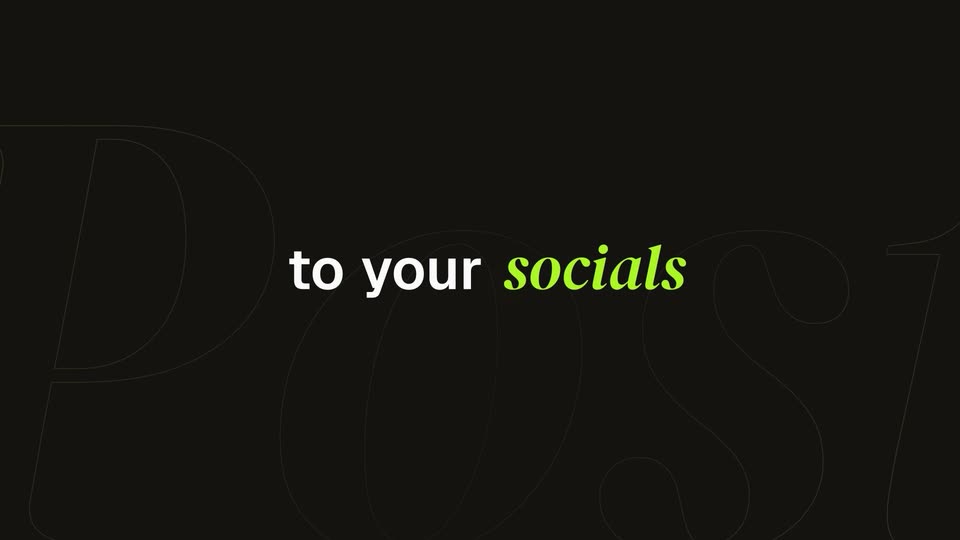
A green serif tagline builds word by word on black, 'Post directly' scaling in over faint outline letters, then 'to your socials' settles in. The scene cuts to the Claude chat screen with its prompt box.
On-screen text: “Post directly to your socials”
Techniques: Kinetic type
Camera: Static
A zoom pushes into the Claude chat input while the prompt “Schedule the 3 best clips to post at optimal times next week” types in, then a white cursor with a green outline moves to the orange send button.
Techniques: UI zoom, Cursor demo
Camera: Push in
A dark loading state with a rounded-square P logo and the line “Scheduling posts...” sits centered, then the frame pans down as a July 2026 calendar grid slides up from below, its top edge traced by a thin green glow.
Camera: Static
A dark July 2026 calendar tilts in 3D with a glowing green border. Floating post cards with avatars and upload times drift in and slot into their date cells as the camera rotates to a flat front view. The green headline “Scheduling posts...” switches to white “Scheduling complete”.
On-screen text: “Scheduling posts...”, “Scheduling complete”
Techniques: 3D mockup
Camera: Pull out
A dark field of blurred green “more” text sits behind a centered line that builds word by word. “And” lands first with a green offset, then “so much” and a green “more” scale in to complete the phrase.
On-screen text: “And so much more”
Techniques: Kinetic type
Camera: Static
A dark background lit by a green glow and drifting particles. A green-outlined cursor arrow sits at left while a list of command phrases scrolls upward; the line level with the cursor switches from gray sans-serif to white italic serif.
On-screen text: “And so much more”, “Duplicate clip with new captions”, “Enhance speech in my clip”, “Rewrite that caption for TikTok”, “Remove ”
Techniques: Kinetic type, Particles
Camera: Pull out
On a black field, “Edit Faster” appears with a small scissors chip, then the word and chip morph into “Grow Faster” with a bar chart chip. “Get Started at” slides left as the green URL “opus.pro/mcp” slides in and settles with a soft glow.
On-screen text: “Edit”, “Faster”, “Grow”, “Get Started at”, “opus.pro/mcp”
Techniques: Kinetic type, Morph
Camera: Static